Replacing PowerPoint SOPs with Interactive Video: A Migration Plan
Static SOPs are hard to learn, harder to maintain, and easy to ignore. Discover a smarter way to document processes with video-first knowledge sharing.
10min readCreated onJun 19, 2026
TL;DR
PowerPoint SOPs are hard to consume, maintain, and search, making them a poor fit for modern employee training.
The most effective teams are replacing static slide decks with video-first documentation and step-by-step guides.
Start with high-impact workflows like onboarding, software training, safety procedures, and compliance programs.
A successful migration is about building a knowledge system that's easier to understand, update, and share.
For decades, organizations have relied on PowerPoint presentations to document standard operating procedures (SOPs), train employees, and share institutional knowledge. But many companies continue to face the same challenge: employees complete the training but fail to retain the information.
The issue is passive learning. Most employees don't carefully study a 40-slide SOP deck from start to finish. They skim, skip ahead, search for the one slide that answers their immediate question, or click through presentations as quickly as possible. In remote and hybrid work environments, where self-guided training has become the norm, this behavior is even more common.
Static slides are also difficult to maintain, update, and distribute across teams. As processes evolve, teams end up managing multiple versions of the same SOP, while employees waste time searching through slides to find the information they need.
That's why many organizations are moving beyond PowerPoint as their primary format for SOPs. Instead of relying on static slide decks, they're using video and step-by-step visual guides to make knowledge easier to consume, update, and share.
The Future of SOPs Is "Show Me" Instead of "Read This"
The shift from PowerPoint SOPs to interactive video is not just a technology upgrade. It's part of a broader evolution in workplace learning. Each stage solved a problem, but eventually revealed new limitations.
Documents: Storing Knowledge
Traditional SOPs started as text-based documents that standardized processes and preserved institutional knowledge. While effective for documentation, they often required employees to interpret instructions on their own, making learning slow and inconsistent.
Slides: Organizing Information
PowerPoint presentations made SOPs more visual and easier to follow. Screenshots, diagrams, and structured layouts improved content delivery, but employees still had to read, absorb, and apply the information themselves.
Video: Demonstrating Processes
Video shifted SOPs from explanation to demonstration. Instead of describing a workflow, teams could show exactly how it worked. Many organizations began to convert PowerPoint to video or turn PowerPoint presentations into screen-recorded walkthroughs to make training easier to consume. Employees could watch real processes unfold rather than interpret screenshots and bullet points.
Video + Visual Guides: Making Knowledge Easier to Access
The most effective SOPs combine video with searchable, step-by-step documentation. This approach solves more than just engagement. Videos make processes easier to understand, while visual guides make information easier to search, update, and share across teams.
📌 Polished Videos & Step-by-step Documentation with Clueso
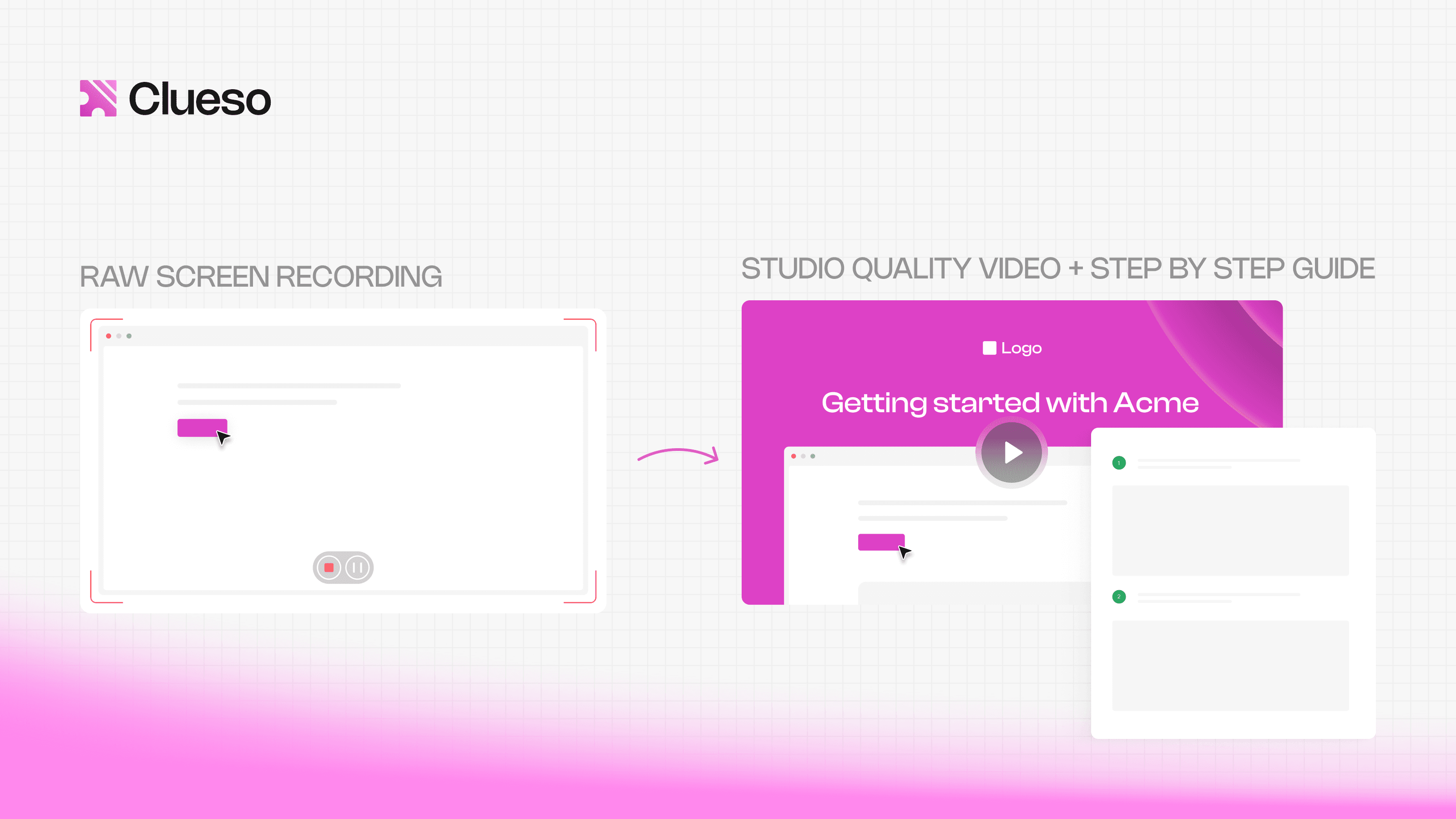
Clueso helps you turn simple screen recordings into professional content in minutes. Clueso's AI automatically enhances the script, generates natural-sounding voiceovers, improves visuals, and creates step-by-step documentation with screenshots. Every video and guide is fully editable, allowing you to customize the narration, flow, and visuals before exporting, embedding, or sharing instantly.
The progression reflects a larger trend: organizations are moving away from simply distributing information and toward enabling performance. The goal is to give employees the support, practice, and guidance they need to apply knowledge when it matters most.
Which SOPs Should You Convert First?
One of the biggest mistakes organizations make is trying to migrate every SOP at once.
The most successful migrations start by identifying the SOPs that have the greatest business impact. A simple rule: prioritize procedures that employees must understand, remember, and apply consistently. These are often the workflows where static slide decks create the most friction and where video can deliver the biggest improvement.
Tier 1: Convert Immediately
These SOPs are ideal candidates for video and interactive formats because they directly affect employee performance, safety, and compliance.
New employee onboarding: Video walkthroughs help new hires understand processes faster and reduce the time spent navigating lengthy presentations and documents.
Software walkthroughs: Instead of reading instructions, employees can watch real workflows being completed step by step and refer to accompanying guides when needed.
Safety procedures: Visual demonstrations reduce ambiguity and help employees understand the correct actions in high-risk situations.
Compliance training: Videos and step-by-step documentation make complex procedures easier to understand and follow consistently.
For these use cases, moving from slides to video delivers immediate value by making SOPs easier to consume, update, and apply on the job.
Tier 2: Convert Later
Some SOPs are primarily used as references rather than learning experiences. These can remain document-based until higher-priority content has been migrated.
Reference documentation: Materials employees consult occasionally for specific information.
Policy repositories: Policies that need to be accessible and searchable but do not require extensive demonstration or practice.
Low-frequency procedures: Processes that are rarely performed and are typically referenced only when needed.
These resources still play an important role, but they often benefit more from good organization and searchability than from video creation.
From PowerPoint to Video: The 5-Step Migration Framework
Replacing slide-based SOPs require a structured migration approach that helps organizations modernize content while preserving valuable institutional knowledge.
Step 1: Audit Existing SOP Slides
Before converting anything, evaluate each SOP to determine its purpose.
Ask:
Is this training or documentation?
Does the process require demonstration?
Do employees struggle to find or apply this information?
Processes that are difficult to explain through text and slides are often the best candidates for video-based SOPs.
Step 2: Remove Slide-Only Content
Many PowerPoint presentations contain content that exists only because it was built for slides.
As you redesign the SOP, decide what should become:
Narration for explanations and context
Screen recordings for software workflows
Demonstrations for physical tasks and procedures
Step-by-step guides for searchable documentation
The goal is to present information in the format that makes it easiest to understand and use.
Step 3: Convert PowerPoint to Video
Once the content is restructured, create a video-based version of the SOP.
Many organizations start with a straightforward PowerPoint to video workflow using built-in export features or a PPT to video tool. Others use dedicated solutions to convert PowerPoint to video with narration, screen capture, and visual enhancements.
A useful guideline:
Keep process explanations, demonstrations, and walkthroughs in video.
Keep detailed policies, regulations, and reference material in searchable text.
The best video SOPs focus on showing employees what to do, while supporting documentation remains available when needed.
📌 Turn Slide Decks into Engaging Videos with Clueso
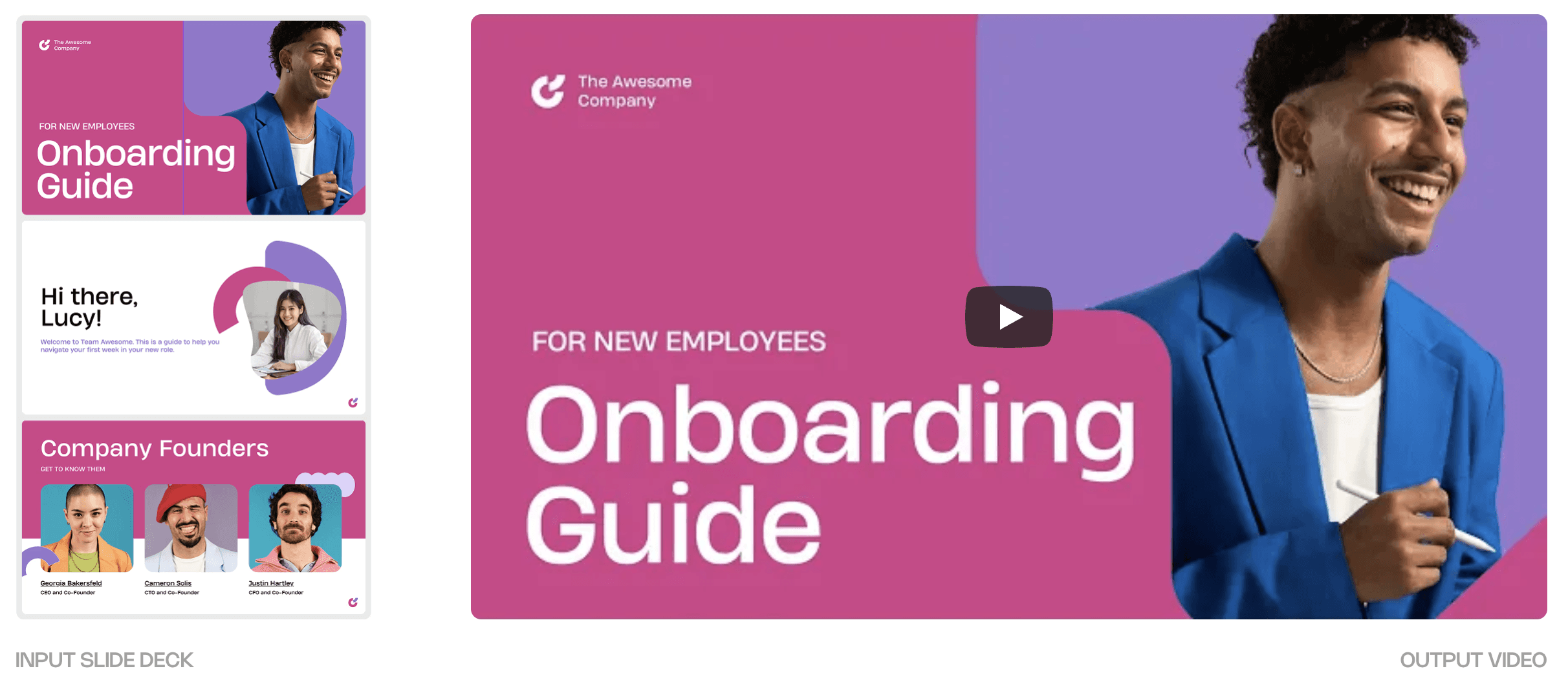
Clueso makes it easy to transform existing PowerPoint presentations into professional videos. Simply upload your slides, and Clueso's AI automatically generates a presentation script based on the content. Choose from a range of natural-sounding AI voices, then enhance your video with music, subtitles, zoom effects, and more.
Step 4: Generate Searchable Documentation
Video is excellent for demonstrating processes, but employees often need a quick reference after training.
That's why leading teams pair videos with step-by-step documentation that includes screenshots, GIFs, and written instructions. This dual-format approach gives employees the flexibility to watch a workflow from start to finish or jump directly to the step they need.
📌 Convert Screen Recordings into Step-by-Step Documentation
Clueso captures screenshots, enhances the transcript, and generates a step-by-step article. Screenshots are automatically captured and intelligently zoomed for clarity, while support for code snippets makes it easy to document APIs and integrations. Teams can collaborate on drafts, review content before publishing, and seamlessly export guides or publish them directly to a Clueso-powered help center.
Step 5: Improve Engagement and Accessibility
Once the core SOP is in place, enhance the experience with elements that make content easier to consume and retain.
These additions help employees stay engaged while making SOPs more accessible across different learning preferences and work environments.
A successful migration is about creating SOPs that are easier to understand, search, maintain, and share. By following this five-step framework, organizations can move from static PowerPoint presentations to video-first documentation that better supports how employees learn and work today.
A 90-Day Migration Plan for L&D and Operations Teams
A successful SOP migration doesn't happen in a single project sprint. The most effective approach is to start small, focus on high-impact content, and build momentum through measurable wins.
Here's a practical 90-day roadmap that learning, operations, and compliance teams can follow.
Days 1–30: Audit Your SOP Library
Begin by reviewing your existing SOPs, presentations, and training materials.
Identify:
Which SOPs are used most frequently
Which processes generate the most errors or support requests
Which workflows are critical for onboarding, compliance, or safety
Which PowerPoint-based trainings employees struggle to complete or retain
At the end of this phase, categorize SOPs into immediate, future, and low-priority migration candidates.
Days 31–60: Convert High-Impact Workflows
Focus on Tier 1 SOPs first, including onboarding, software training, safety procedures, and compliance programs.
During this phase:
Convert PowerPoint to video for key training workflows
Replace slide-heavy explanations with demonstrations and screen recordings
Create concise, task-focused training content
Generate step-by-step guides with screenshots and GIFs
Maintain supporting documentation for reference purposes
Days 61–90: Add Interactivity and Reporting
Once core videos are in place, focus on making content easier to find, consume, and share across the organization.
During this phase:
Organize videos and guides into a searchable knowledge base
Add captions, transcripts, and visual annotations
Standardize SOP templates for future content creation
Establish processes for keeping documentation up to date
Make training resources easily accessible across teams
At the same time, track metrics such as:
Content usage and engagement
Search activity and knowledge base adoption
Support ticket volume related to documented processes
Time required to update and distribute SOPs
This data helps teams identify content gaps, improve training effectiveness, and demonstrate the business impact of the migration.
By the end of the first three months, teams should have a repeatable process for transforming static SOPs into video-first documentation that support both employee performance and operational consistency.
Common Mistakes When Turning PowerPoint Into Video
Converting a PowerPoint presentation to video can improve accessibility and engagement, but format changes alone do not guarantee better learning outcomes. Many organizations invest in a PowerPoint to video initiative only to recreate the same problems in a different medium.
Here are the most common mistakes to avoid:
Narrating Every Bullet Point
One of the biggest mistakes is treating video as a narrated slide deck. If the presenter simply reads what's already on screen, learners gain little value from the format change.
Solution: Use video to demonstrate processes, provide context, and show real-world examples that slides cannot effectively communicate.
Making Videos Too Long
A 45-minute presentation rarely becomes a better learning experience when exported as a 45-minute video.
Solution: Break large SOPs into shorter, task-focused modules that employees can access when they need them. Shorter videos are easier to complete, revisit, and retain.
Ignoring Mobile Viewing
Many employees access training on tablets or phones. Dense text, cluttered visuals, and complex navigation can make content difficult to consume.
Solution: Design videos and interactive experiences with mobile accessibility in mind from the beginning.
Treating Video as a File Instead of an Experience
Perhaps the most important mistake is viewing video as the final destination. Simply choosing to turn PowerPoint into video does not address the underlying challenge of helping employees find and use information when they need it.
Solution: Think beyond individual files. Organize videos, guides, screenshots, and documentation into a searchable knowledge base that employees can access whenever questions arise.
Focus on Learning, Not Format
The goal of SOP modernization is not to replace slides with videos. It is to help employees understand, retain, and apply information more effectively.
Solution: Focus on learner engagement rather than file formats to achieve stronger training outcomes and greater returns on their content investments.
The Best SOP Might Not Be a Video at All
While video can make processes easier to understand, it's important to recognize that no single format is the right solution for every SOP. The goal is to deliver information in the format that helps employees perform their jobs most effectively.
When Checklists Work Better
For repeatable tasks that employees already understand, a simple checklist is often more useful than a video. Employees can quickly verify completed steps without watching a walkthrough they already know.
When Searchable Documentation Is Superior
Some SOPs function primarily as reference material. Policies, regulations, technical specifications, and detailed process documentation are often easier to use when they are searchable, scannable, and regularly updated.
In these situations, step-by-step guides with screenshots, GIFs, and written instructions can be more practical than video alone because employees can quickly jump to the exact information they need.
When Video Is the Wrong Format
Video works best when employees need to see a process, observe a workflow, or learn through demonstration.
However, it may be the wrong choice when:
Employees need instant access to specific answers
Content is primarily reference-based
Tasks require quick lookups rather than guided learning
Procedures change frequently and require constant updates
In these situations, videos can actually create friction by forcing employees to search through content that could be presented more efficiently as text.
📌 Easy Video Updates With Clueso
Instead of recreating entire videos from scratch, you can update specific steps or sections and let Clueso regenerate the content automatically. This keeps videos, voiceovers, and documentation aligned with the latest workflows, reducing maintenance effort while ensuring learners always have access to current and reliable training materials.
Organizations are moving away from simply distributing information and toward helping employees perform tasks correctly and confidently.
This is why replacing PowerPoint SOPs is about more than finding a way to convert PowerPoint to video. While a PowerPoint to video workflow can make training more engaging, it doesn't automatically improve understanding, retention, or performance.
The real opportunity lies in reducing passive learning. Videos show employees how a process works, while searchable guides, screenshots, GIFs, and written instructions help them find answers when they need them.
Together, these formats reduce the friction of learning from static slide decks and make knowledge more accessible across the organization.
As you plan your migration, focus less on the format and more on the outcome. Ask whether employees can understand the process, apply it correctly, and access support when they need it. The most effective organizations modernize SOPs to create better learning, and ultimately, better performance.
Frequently Asked Questions about Video-First SOPs
Is video more effective than PowerPoint for SOP training?
In many cases, yes. Video is better for demonstrating processes, workflows, and real-world tasks because employees can see actions being performed rather than interpret static slides.
What is the difference between a video SOP and a PowerPoint SOP?
A PowerPoint SOP presents information through static slides, screenshots, and text. A video SOP demonstrates the process in action, allowing employees to see workflows step by step.
How long should SOP training videos be?
SOP training videos should be between 3 and 10 minutes and focus on a single task or workflow. Longer procedures are usually more effective when broken into shorter, searchable modules.
What's the best way to convert PowerPoint SOPs into modern documentation?
Start by identifying high-impact workflows that employees struggle to learn or apply. Convert slide-based explanations into video demonstrations, then create supporting documentation that employees can search and reference later.
NB
Neel Balar
Co-founder & CBO
Neel is the co-founder at Clueso and handles all things GTM, from marketing to sales to customer success. A Y Combinator W23 alum and IIT Madras graduate, Neel embraced entrepreneurship as an early-career choice. Drawing on his experience building Clueso, he shares advice on building products people want and nurturing strong customer relationships.