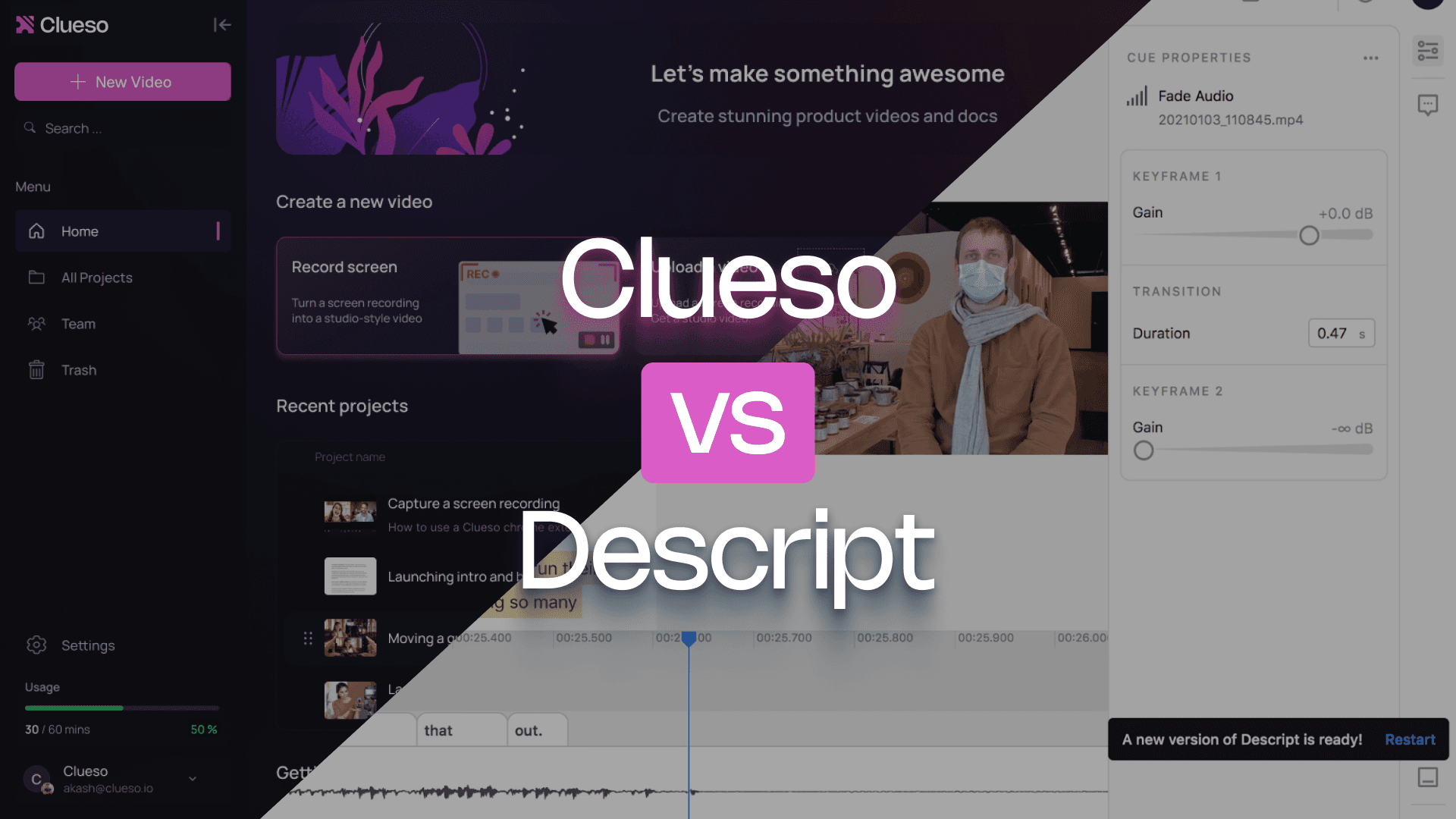
Descript is a great tool for editing videos where people do all the talking — podcasts, interviews, webinars, and the likes. Clueso is built for explaining how products or processes actually work, with stunning screen-based videos and step-by-step guides.
If your priority is product clarity and adoption, this comparison will point you in the right direction.
Clueso gives you a wider range of editing tools - from auto-zoom and blur to callouts, transitions, and branded templates - all managed from one intuitive timeline editor.
Slides & docs, brought to life
Clueso converts PPTs, PDFs, and documents into studio-quality videos with realistic voiceovers, smooth transitions, and visual polish, far beyond basic slide conversion.
Lifelike avatars, not cartoons
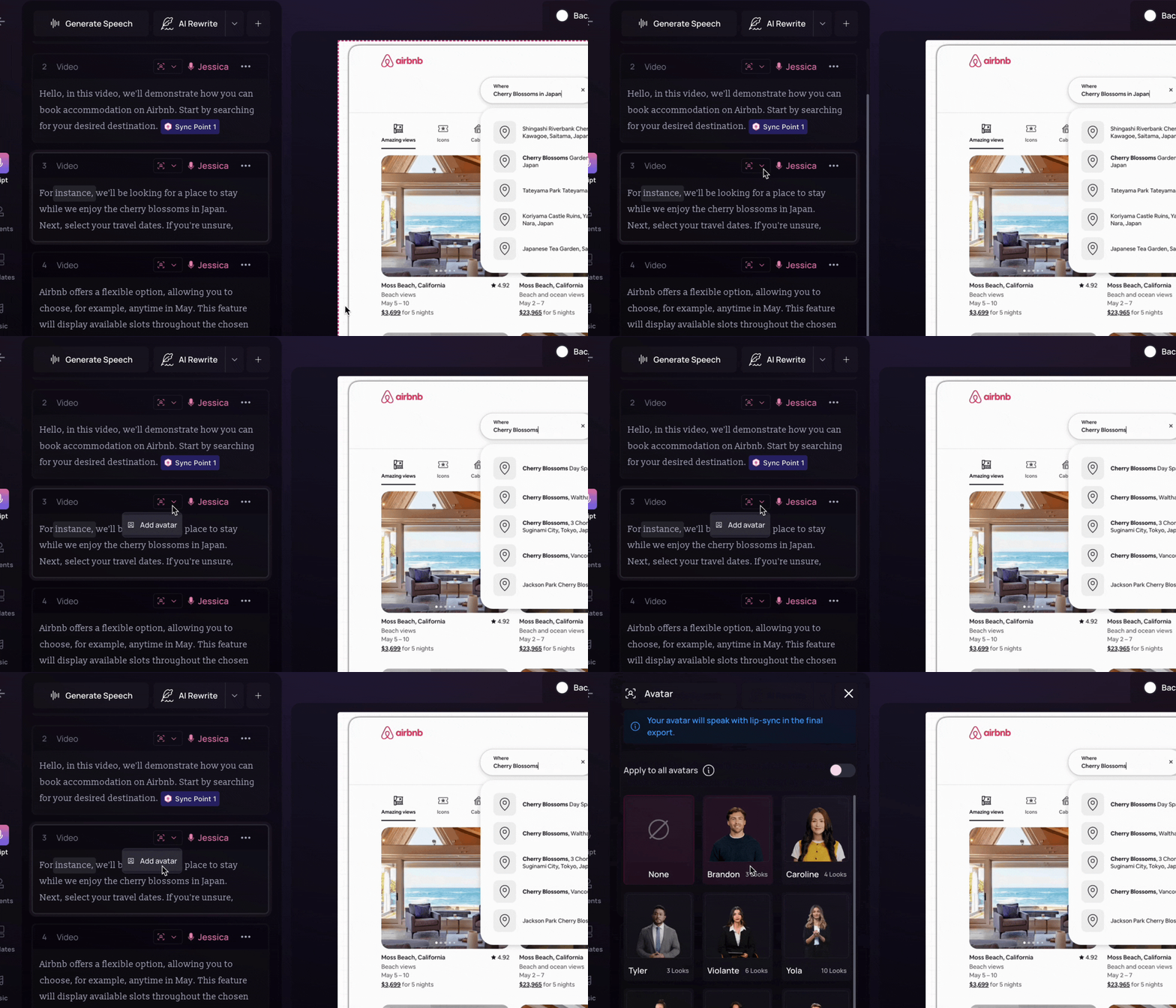
With Clueso, photorealistic avatars let you layer AI avatars on top of screen-recorded videos, offers face-cloning and voice-cloning features, and you can customize avatar by adjusting the size, looks, background, and framing
Clueso vs Descript at a Glance
Video Creation Features
Feature
Clueso
Descript
Inbuilt screen recorder
✓
✓
Auto-script generation from screen-recorded videos
✓
❌
Transcript editing
✓
✓
AI voiceovers
✓
✓
Audio tag for expressive voiceover
✓
❌
Pronunciation dictionary
✓
❌
AI avatars
✓
Basic
Custom AI avatars
Basic
Basic
Audio-video sync
Automated
Manual
Multi-track Editing
❌
✓
Upload existing videos
✓
✓
Convert PPT/slide decks to videos
Advanced
Basic
Convert PDF/Word documents to video
✓
✓
Break down long recordings into bite-sized videos automatically
Advanced
Basic
Auto-generated closed captions
✓
✓
Documentation Features
Feature
Clueso
Descript
Step-by-step documentation generation from video
✓
❌
Convert screenshots to GIFs
✓
❌
Custom formatting and style guidelines
✓
❌
Article co-pilot to edit SOPs based on text in
✓
❌
Breaking down long recordings into SOPs for each process/workflow
✓
❌
Editing Features
Feature
Clueso
Descript
Brand Customization
✓
✓ (drive-level feature)
Custom Video Templates
Advanced
Basic
Visual enhancements (Zoom effects, callouts, annotations, auto blur, etc.)
✓
Limited
Collaboration tools
✓
✓
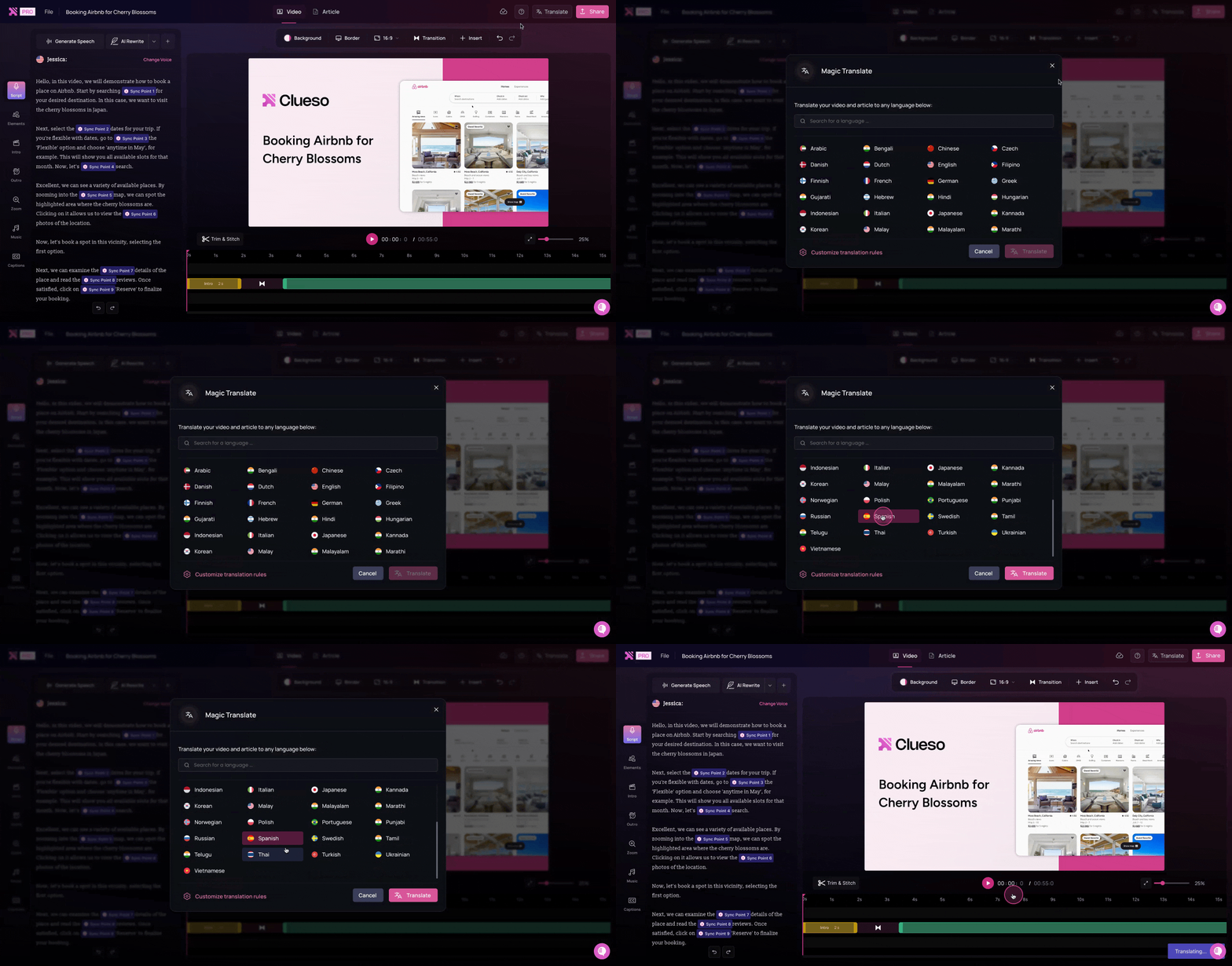
1-click translations
✓
✓
Translation glossary
✓
✓
Enterprise & Scalability
Feature
Clueso
Descript
Security compliance
SOC2, ISO 27001
SOC2
Multi-user workspaces
✓
✓
Video reviews with comments
✓
✓
Auto updates / sync
✓
❌
You’re in good company
Clueso has been a game-changer for supporting our front-line and office workers. Its intuitive interface and powerful AI let us quickly deliver clear, targeted content, dramatically boosting our productivity. Plus, Clueso's customer support is among the best of any vendor we use. A truly fantastic partner!
Daniel WoodDirector of Learning and Development, Global Partners LP
Daniel Wood, Director of Learning and Development, Global Partners LP
With Clueso, we created and launched 8 training courses for Duda's new editor in just one quarter—something we never thought was possible given the resources we had. The ability to make dynamic updates to videos has truly been a game-changer for my team!
Cyrus DorostiVP of Customer Success, Duda
Cyrus Dorosti, VP of Customer Success, Duda
As a fast-evolving software product, Personio looks for partners who help us deliver at pace. Clueso has helped us transform our video production, letting our expert video producers focus their time and opening up high-quality video production across our team. We also trust the team at Clueso to be responsive to our needs and innovative for the industry.
Adam AvramescuVP - Scaled Customer Experience, Personio
Adam Avramescu, VP - Scaled Customer Experience, Personio
We got Clueso to help us create product training videos for customers, and quickly realized we could use it to scale employee training on internal workflows too. What began with a few licenses has expanded across teams. Everyone loves Clueso!
Hillary DealDirector of Product Training and Enablement, Keyfactor
Hillary Deal, Director of Product Training and Enablement, Keyfactor
We're now producing 30+ professional-grade product videos every month. What used to take hours can now be done in just 15 minutes with Clueso.
Honest answers to things that come up in day-to-day use.
Video Creation Features
Can I record my actual product or workflow?
Yes, in both tools.
Both Clueso and Descript include an inbuilt screen recorder, so capturing a product walkthrough or workflow is straightforward either way.
Do I need to start with a script for my screen-recorded videos?
Not in Clueso, yes in Descript.
With Clueso, you can simply explain what is happening on screen in your own words, even if it is clunky and full of ums and aahs. Clueso automatically generates a clearly structured script from that raw narration. You can also refine it further manually or using prompts.
Descript doesn’t auto-generate scripts. You can edit the transcript, but you’re working from what was said during recording. So, you must have a script ready before recording.
Can I edit my video by editing the transcript?
Yes — in both.
Both tools support transcript editing, which means you can edit narration by working directly with text.
With Clueso, you can edit the transcript manually or use prompts to do it. The AI rewrite feature also enables you to rewrite the whole script. And the best part is - you don’t need to worry about syncing visuals and narration. Clueso auto-syncs everything by default.
With Descript, transcript editing is the core editing paradigm. It is powerful for cleaning narration and restructuring content. But it is still dependent on manual coordination when the video needs to follow on-screen steps closely.
What about voiceovers?
Both tools support AI voiceovers, but Clueso offers more control.
Clueso goes beyond natural sounding AI voiceovers. You can control the tone, pacing, and add pauses if needed. You can also add audio tags for expressive voice delivery. Clueso even offers a pronunciation dictionary so that you can manage how AI says tricky words and names.
Descript includes realistic text-to-speech and voice cloning features that are well suited for revoicing podcasts, interviews, or speaker-led videos. But it does not offer any advanced features for fine tuning narration.
If your videos include product terminology or need tone control, Clueso offers more flexibility.
Can I use AI avatars?
Yes — both tools support them.
Both Clueso and Descript support AI avatars. They offer a range of AI avatars to choose from and enables you to create custom avatars.
However, there is a difference in how these tools approach AI avatars. While Clueso offers realistic AI avatars, Descript avatars are stylized. They often look illustrated or cartoonish.
Do audio and visuals stay in sync when I edit?
Automatically in Clueso, manually in Descript.
Clueso maintains audio-video sync automatically. So you don't need to worry about keeping everything aligned when you adjust scripts, trim sections, or restructure content. You can use sync point markers to fine tune it further.
Descript requires manual syncing when audio or visuals change. You have to adjust the timeline or transcript to align clips and narration.
If you iterate often, this difference becomes a recurring time cost.
Can I edit multiple audio and video tracks?
Not in Clueso. Yes in Descript.
Clueso doesn’t support multi-track editing, because it’s optimized for step-led walkthrough creation rather than multi-source media production.
Descript supports multi-track editing, which is useful for podcasts, interviews, and layered production workflows.
Can I convert slides or documents into videos?
Yes, in both tools.
Both tools can convert PPT/slide decks and PDF/Word documents into videos. You can simply upload your slides and the tool analyses it and generates scripts and voiceovers. You can also add AI avatars to your videos.
For word documents, you can upload it in Clueso or paste it in the Descript text editor. The rest of the workflow is the same as PPT to video converter.
Can I break long recordings into bite-sized videos?
Yes, advanced in Clueso, basic in Descript.
Clueso Cuts offers advanced automatic breakdown of long recordings into shorter videos. Clueso also gives you pre-set options to choose from, like splitting by topics and time ranges, or you can give specific instructions for how you want clips created. You can edit the videos further using chat based instructions and review it before finalising. This works particularly well for onboarding paths, course modules, and help center playlists.
Descript’s AI editor Underlord can pick short social media clips from long recordings. You can edit it further manually using Descript’s video editor.
Are captions generated automatically?
Yes, in both tools.
Both Clueso and Descript support auto-generated closed captions.
Step-by-step guide creation
Can it generate SOPs and written step-by-step guides from video?
Yes in Clueso. No in Descript.
Clueso can turn your screen-recordings or existing videos into detailed, step-by-step articles with screenshots.
Descript doesn’t generate step-by-step documentation as an output. You have to either create it yourself or use a different tool.
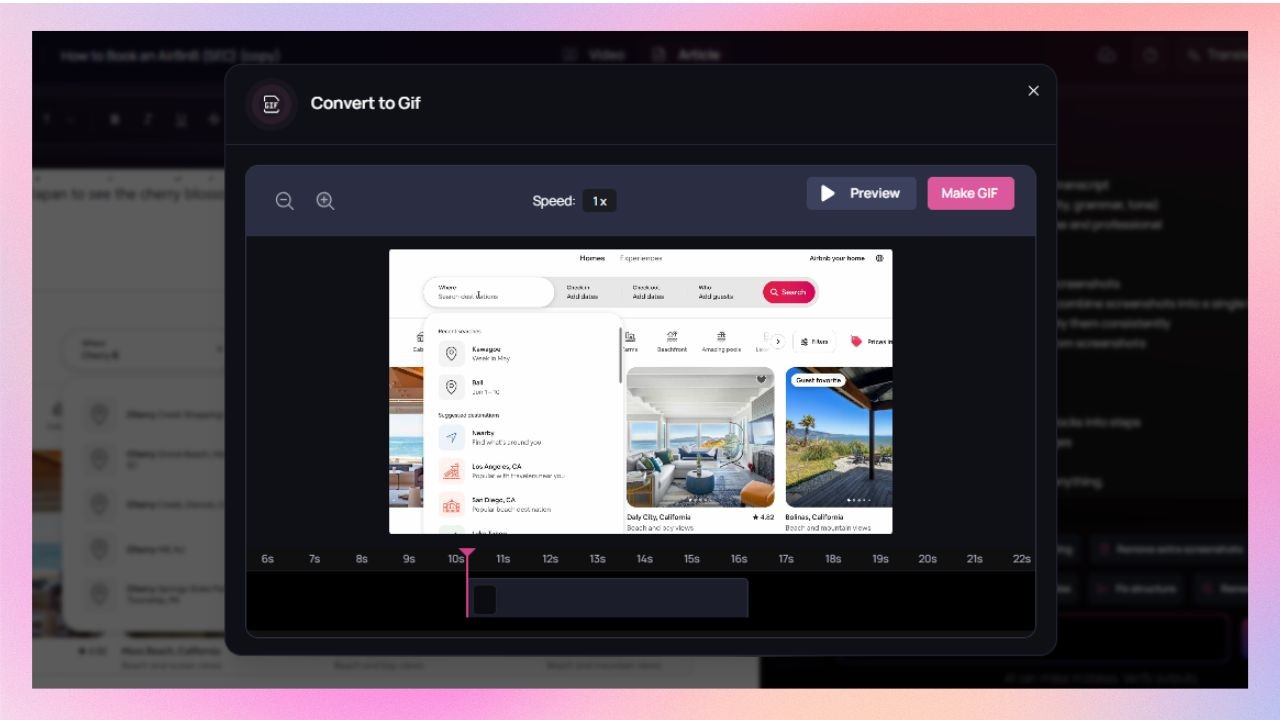
Can I convert screenshots into GIFs?
Yes in Clueso. Not in Descript.
Clueso captures screenshots from the videos automatically. You can convert a step or a set of these screenshots to GIFs, keeping the cursor movement and highlights intact.
Descript does not support screenshots or turning them into GIFs..
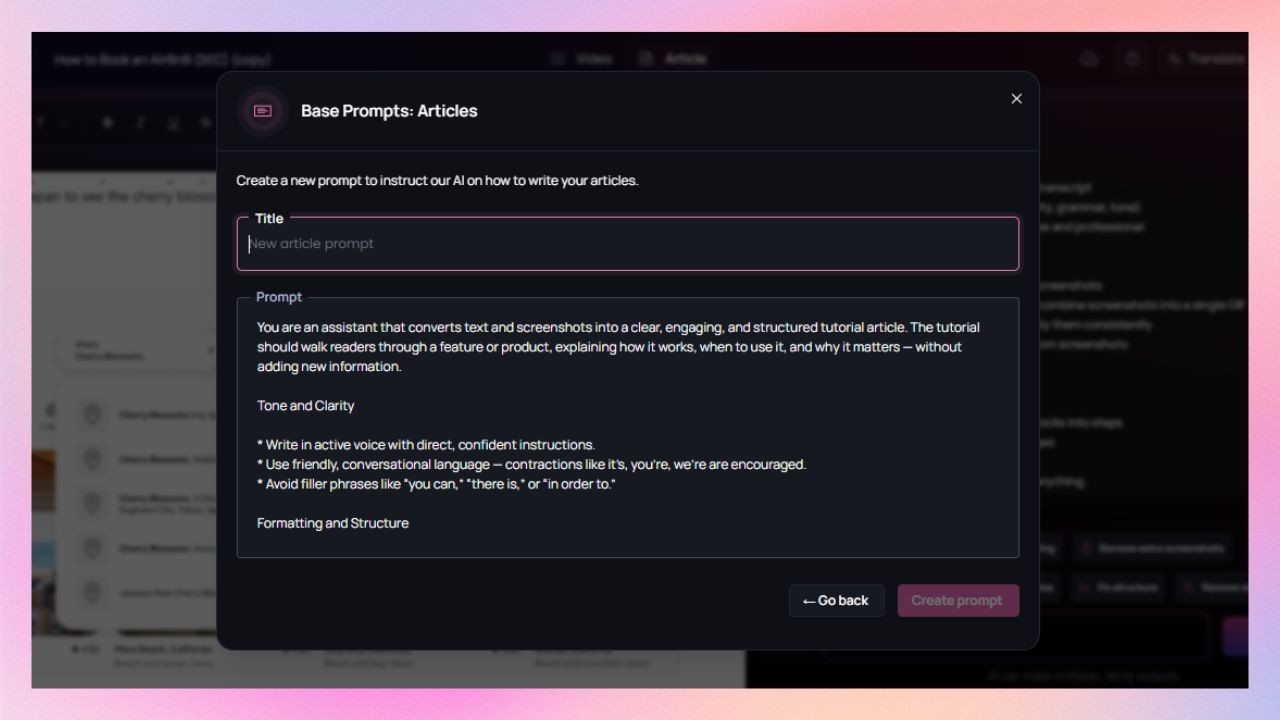
Can I enforce formatting and style guidelines for SOPs?
Yes in Clueso. Not relevant for Descript.
Clueso supports custom formatting and style guidelines, which helps keep documentation consistent across teams and authors.
Descript doesn’t generate documentation, so this workflow isn’t relevant.
Will the tool help me improve and edit SOPs?
Clueso can. Descript does not.
Clueso includes an article copilot to edit and improve SOPs and help articles. You can set up predefined instructions for all documentation upfront — like tone, structure, level of detail, and formatting rules. You can also use this feature to edit the text and screenshots further.
As Descript doesn’t support written documentation, editing workflows does not apply for this tool.
Can one long recording become multiple SOPs?
Yes, automatically in Clueso. Not in Descript.
Clueso can identify task boundaries and break down long recordings into SOPs for each process or workflow.
Descript doesn’t support this conversion.
Editing tools
Can I keep content on-brand?
Yes, in both. But the feature works differently.
In Clueso, you can set brand colors, fonts, logos, and styling once, and the tool applies them automatically across videos and documentation for your entire team.
Descript offers custom branding via Brand Studio as a Drive-level feature. It is only available in higher pricing tiers. Each Drive supports one brand kit. Drive admin can add and manage the brand assets while editors can use them.
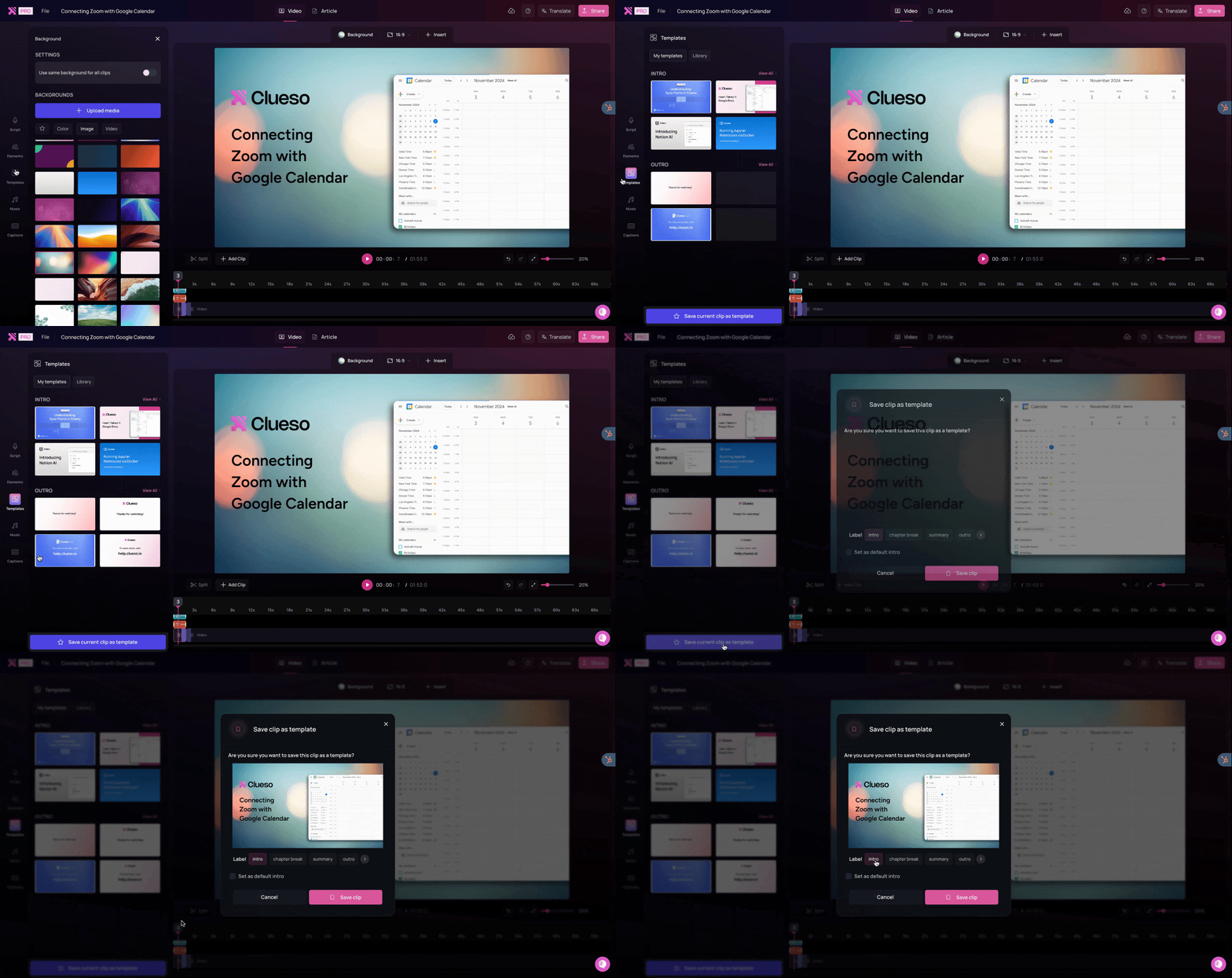
Do I get templates? Can I customize them?
Yes, both tools support templates. But Clueso is more advanced.
Clueso offers a template library with pre-designed templates for tutorials and product walkthroughs. You can also build and save custom templates according to your needs.
Descript also offers a template library with various types of templates for audio and video files. However, the customization options are basic.
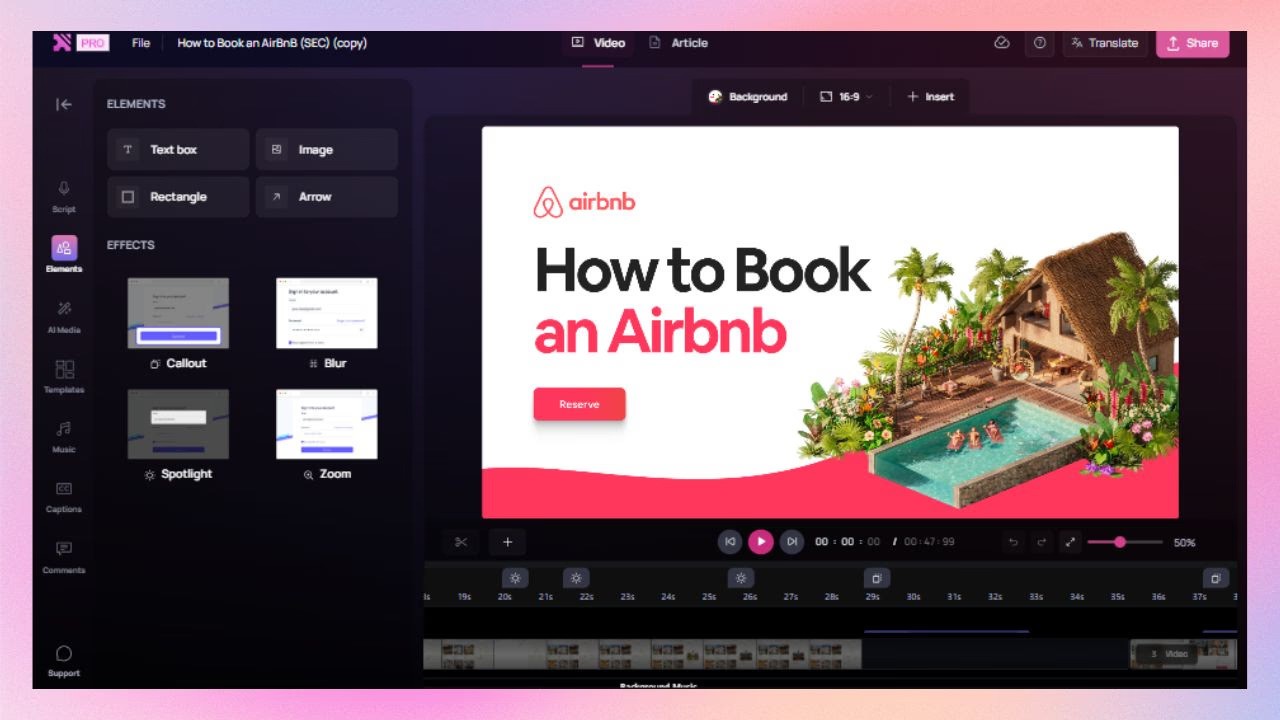
Can I add visual effects to highlight important on-screen actions?
Yes, in both tools. But in different degree.
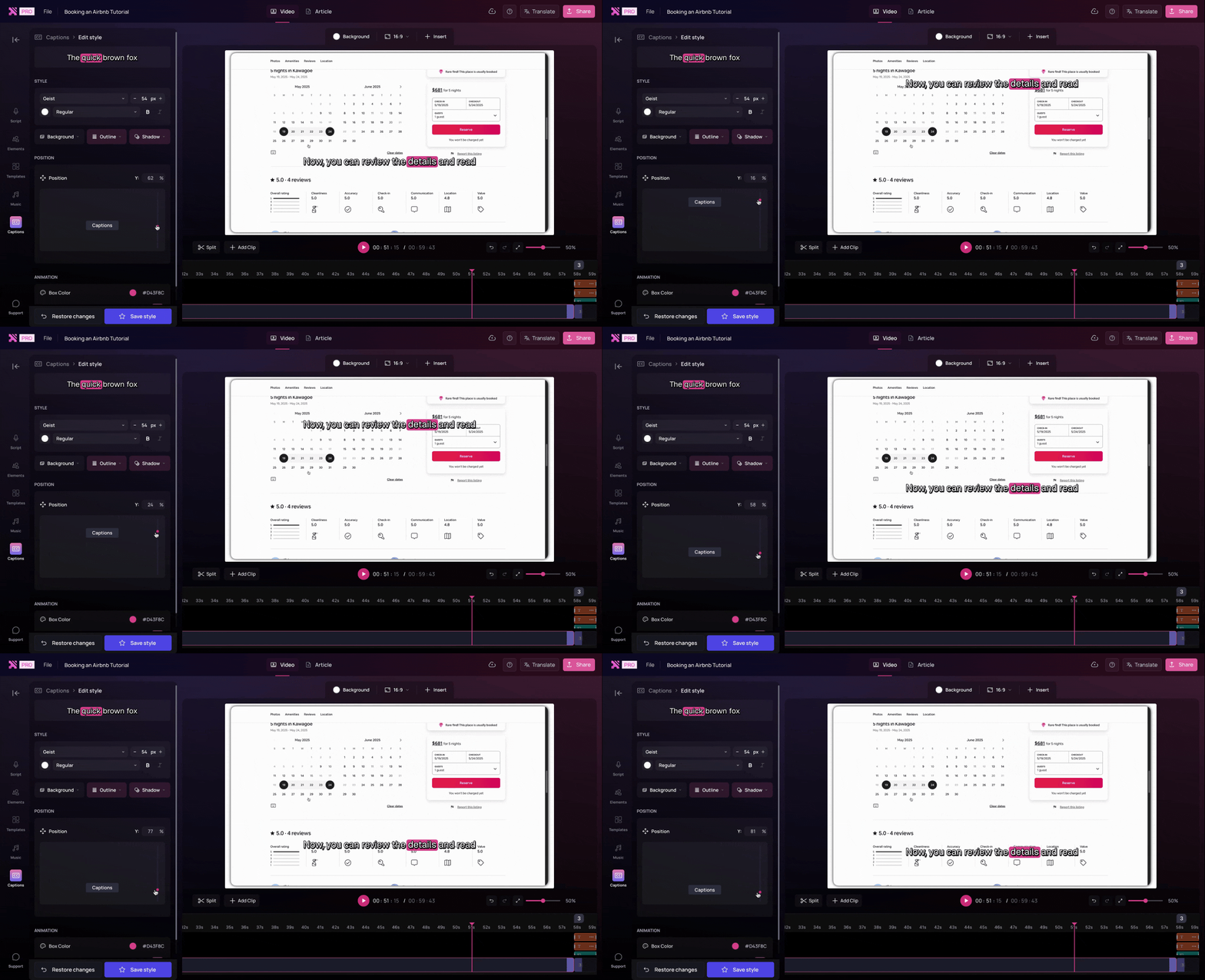
Clueso follows your on-screen steps to automatically add zoom effects, callouts, spotlight, blur, etc as needed. You can fine tune these further or add them manually for better clarity.
Descript Focuses on video composition; zoom, pan, blur etc. must be added manually using layers or keyframes.
What about localization?
Both tools support this feature.
Clueso offers 1-click translation. It automatically generates closed captions in 20+ languages and supports AI voiceovers in 40+ languages with a range of accents. Clueso also includes a translation glossary that lets you control how specific terms are translated.
Descript's AI translates voiceovers and captions in 30 languages. While it also offers a translation glossary, it is a drive specific feature. All projects on the same Drive share the same glossary and you can add upto 30 terms per drive.
Enterprise readiness
Does it meet enterprise security standards?
Yes, both tools do.
Clueso is certified for SOC 2 and ISO 27001, meeting common enterprise security and compliance requirements.
Descript is compliant with SOC 2.
Can teams collaborate easily?
Yes, in both tools.
Both tools support multi-user workspaces and video reviews with comments.
What about updating content? Do I have to start from scratch?
Not in Clueso. Yes in Descript.
Clueso supports content updates without starting over. You can simply replace the updated section and the tool regenerates the video and step-by-step documentation in sync.
In Descript, you need to re-record the whole workflow which increases effort as content changes.
Pricing
Feature
Clueso
Descript
Starting Price
$120/month Includes 30 mins video + 30 docs + 2 users
$16/user/month Includes 10 media hours
Free Trial
✅ Full-feature 7-day trial
✅ Limited-feature trial
Pricing Model
Per team
Per user
| Note: Pricing is subject to change. Check each provider’s site for the latest.
What does the pricing difference mean in practice?
Content ROI
With Clueso, a single subscription includes both video and documentation creation for multiple users. It drastically reduces production cost. One recording can turn into walkthrough videos, step-by-step guides, and GIFs. You can simplify translations and future updates without starting over.
With Descript, pricing is tied to media hours per user. Each creator gets a fixed amount of editing time, and every new version, update, or derivative asset consumes more of that allowance. The value you get is proportional to how much hands-on editing you do.
If your goal is to maximise what you get from each recording, Clueso delivers higher return per minute captured.
Recognized. Trusted. Loved.
From fast-growing startups to Fortune 500s, teams of all sizes trust Clueso.
4.9
out of 5 stars on G2.com
300,000+
videos created on Clueso in the past 6 months
Clueso vs Descript: Which one is for you?
If you’re a creator who works with podcasts, interviews, or webinars, Descript is a brilliant fit. It makes editing effortless, letting you refine your story by simply editing text. It’s built for storytellers who want to polish every word, every frame, and every pause.
But if your content lives inside your product, walkthroughs, demos, tutorials, or training guides, Clueso is built for you. It automates everything from recording to editing to publishing, turning one workflow into professional, branded, and multilingual content in minutes.
Ideal Use Cases
Best for
Clueso
Descript
Product Teams
✅ Record product walkthroughs and auto-generate branded tutorials and documentation
⚪ Edit product explainer videos with voiceovers or presenters
Support & CX Teams
✅ Create multilingual how-to videos and articles from a single recording
⚪ Manually edit and caption support content
Training & Onboarding Teams
✅ Scale professional training videos with consistent branding and translations
⚪ Polish talking-head training sessions or webinars
Marketing Teams
✅ Capture your product in motion for authentic demos
✅ Refine promotional videos, interviews, and campaigns
Documentation Teams
✅ Export videos, HTML articles, and PDFs automatically
Descript is an editing tool for creators who want to fine-tune podcasts, webinars, or interviews. Clueso, on the other hand, is a full automation platform that captures your workflow, generates scripts, adds AI voiceovers, and produces videos and written documentation instantly. It’s built for teams that want to show their product, not edit it.
No. You can use Clueso without any prior experience in editing. Once you record your screen, it automatically trims silences, syncs voiceovers, adds transitions, and generates a matching article. You get professional, ready-to-publish content without ever opening a video editor.
Yes, you can. Descript is great for creators producing podcast-style or camera-led content, while Clueso handles screen-based tutorials, customer education, and documentation. Together, they can cover both ends of your content strategy.
Even better. Clueso offers 200+ AI voices in 40+ languages, automatically synced to your video. It’s perfect for creating multilingual product or training content without hiring voice artists or recording multiple takes.
Absolutely. Clueso was built for off-camera creators. It captures your product, not your face, turning your workflow into a professional video and article. It’s ideal for teams who want to demonstrate how something works.
Incredibly easy. You can re-record just one step, and Clueso automatically refreshes your video, voiceover, and documentation — no need to start over. This makes it perfect for fast-moving teams who update their product frequently.
You can try Clueso free for 7 days — no setup or editing required. Just record your screen, and Clueso will automatically turn it into a polished video, AI voiceover, and documentation page. You’ll have your first finished asset in minutes.