
Best Product Walkthrough Software
Top Tools Compared for 2026
Buyer's Overview
Product complexity is the #1 reason users abandon SaaS tools, and it's also what keeps prospects from signing up in the first place. The ability to effectively demonstrate your product's value - whether to potential customers or existing users - can mean the difference between growth and stagnation. That's why product walkthroughs have become critical at every stage: from demo videos that drive sales, to tutorials that onboard users, to feature announcements that boost adoption. According to Userpilot’s research, improving your product education can significantly impact your MRR growth:
- A 25% improvement in user activation leads to 34% MRR growth
- Better user retention delivers 31% MRR increase
- Enhanced acquisition efforts result in 25% MRR growth
- Even a modest increase in referrals can drive 7.4% MRR growth
- State of SaaS Onboarding 2023, Userpilot
Despite their importance, many companies aren't fully leveraging product walkthroughs. Userpilot found that, surprisingly, “36% of SaaS tools still offer no product guidance at all” (from the 100+ companies they reviewed).
As users increasingly prefer video-based learning over traditional documentation, companies need to adapt their approach to product education. The good news? Modern tools make it easier than ever to create professional product walkthroughs.
Different types of walkthroughs serve different purposes in your product education strategy. Let’s first understand which is the right format for your needs.
Understanding Different Types of Product Walkthroughs
Video-Based Product Education
Different tools specialize in creating these types of videos, from AI-powered platforms that automate much of the process to traditional screen recording software:
- Product Demo Videos: Showcase your product's value and core features to potential customers. These videos focus on highlighting key benefits and capabilities, perfect for sales enablement and marketing.
- Tutorial/How-To Videos: Step-by-step instruction videos that teach users how to accomplish specific tasks. These videos are essential for customer education and support documentation.
- Feature Announcement Videos: Short, focused videos that introduce new features and capabilities. These help drive feature adoption and keep users engaged with product updates.
In-Product Guidance
A separate category of tools focuses on creating interactive experiences directly within your product:
- Interactive Walkthroughs: Guide users through actual product workflows, requiring them to complete each step before proceeding. While effective for teaching key activation points, these require significant setup and maintenance.
- Product Tours: Linear sequences of tooltips or modals that highlight UI elements. These are simpler than interactive walkthroughs but less engaging since users can quickly click through without actually performing actions.
- In-App Guides: Contextual help elements (like hotspots or tooltips) that appear based on user location or actions within your product. While useful for providing quick help, they're limited to simple UI explanations.
Types of Product Walkthroughs: Quick Comparison
| Category | Type | Best For | Key Tools | Creation Time | Maintenance |
|---|---|---|---|---|---|
| Video-Based Education | Product Demo Videos | Value demonstration, sales enablement | Clueso, Screen Studio, Camtasia, Loom | 15-30 mins | Low |
| Tutorial Videos | Step-by-step instruction, support | Clueso, Guidde, Camtasia, Loom | 10-20 mins | Medium | |
| Feature Announcement Videos | New feature adoption | Clueso, Screen Studio, Loom, Camtasia | 15-25 mins | Low | |
| In-Product Guidance | Interactive Walkthroughs | Key activation workflows | Storylane, Navattic | 1-2 hours | High |
| Product Tours | Basic UI orientation | AppCues, Pendo, Whatfix | 2-3 hours | Very High | |
| In-App Guides | Contextual UI help | AppCues, Pendo, Whatfix | 2-3 hours | Very High |
This guide will help you navigate the various types of product walkthrough solutions, with detailed comparisons of tools for each approach.
Comparing Product Walkthrough Types & Tools
Product Demo Videos
Product demo videos showcase your product's value and features to potential customers. These videos need to be polished, engaging, and effectively communicate your product's unique value proposition. They're essential for sales enablement, marketing materials, and website demos.
Key Tools for Product Demos
Clueso
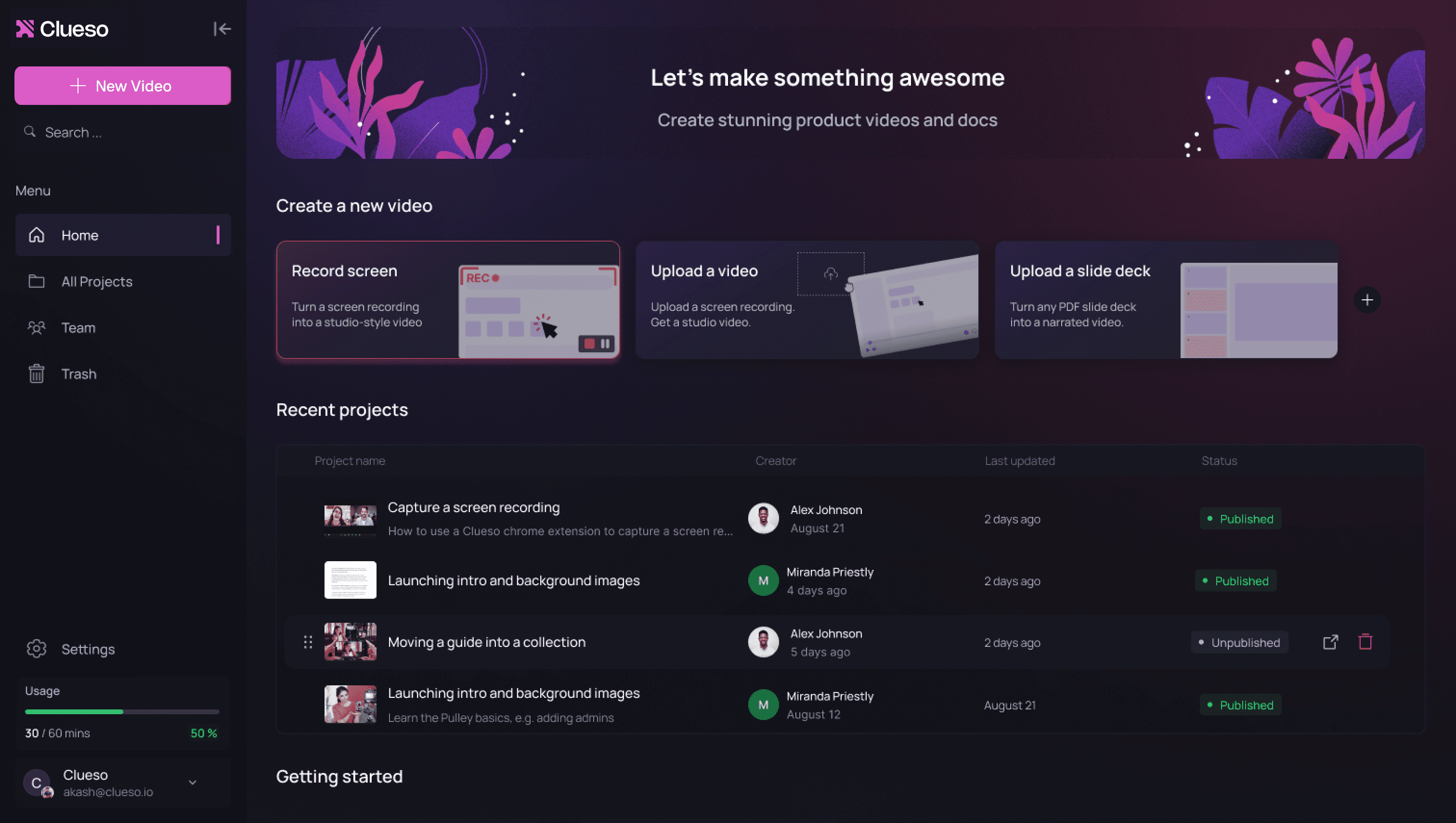
Clueso is a comprehensive product demo platform that uses AI-powered voiceovers, polished visual effects, and professional branding to clearly showcase your product’s value. It significantly reduces demo creation time while delivering high-quality, professional videos with minimal effort.
Key Features
- Dual output - professional video and step-by-step documentation
- Studio-quality AI voiceovers in 40+ languages
- Professional editing suite with zoom effects, annotations, and music
- Automated branding and customization across all content
- Dynamic captions available in 20+ languages
- Static slide deck to video conversion
- Enterprise-grade security and collaboration features
- Export content in multiple formats for different channels
What Users Love
"Clueso has completely transformed how we create product education content. We're now producing 30 professional-grade product videos every month. What used to take hours can now be done in just 15 minutes."
- Krish Ramineni, Co-founder & CEO, Fireflies.ai
"We tried several tools to create product demos and it always took us a lot of time to record, edit and make them professional. Clueso cut down our product demo videos from few hours to few minutes."
- Sachin Jain, Co-founder and CEO, Requestly
Screen Studio
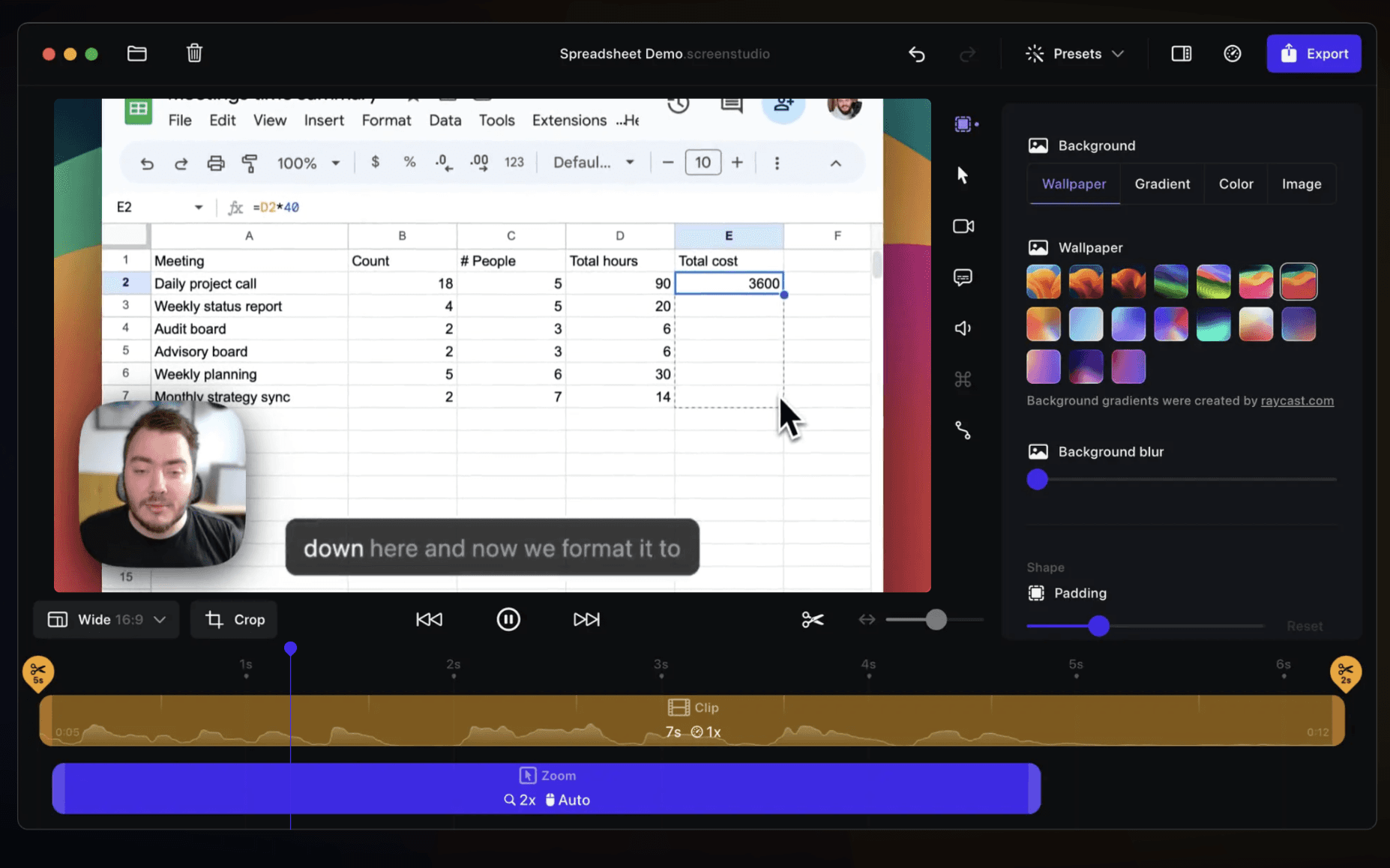
Native iOS tool that specializes in creating visually stunning product demos with automated motion effects and cursor enhancements that make your product's UI shine.
Features
- Automated zoom effects and transitions
- Smart motion smoothing
- High-quality export optimization
- Recording presets
| Pros | Cons |
|---|---|
| · Creates visually stunning movement effects | · Mac-only availability |
| · High-quality motion-enhanced recordings | · No professional voiceover capabilities |
| · Quick recording and editing process | · Cannot add intro/outro or custom branding |
| · Limited annotation options |
Camtasia
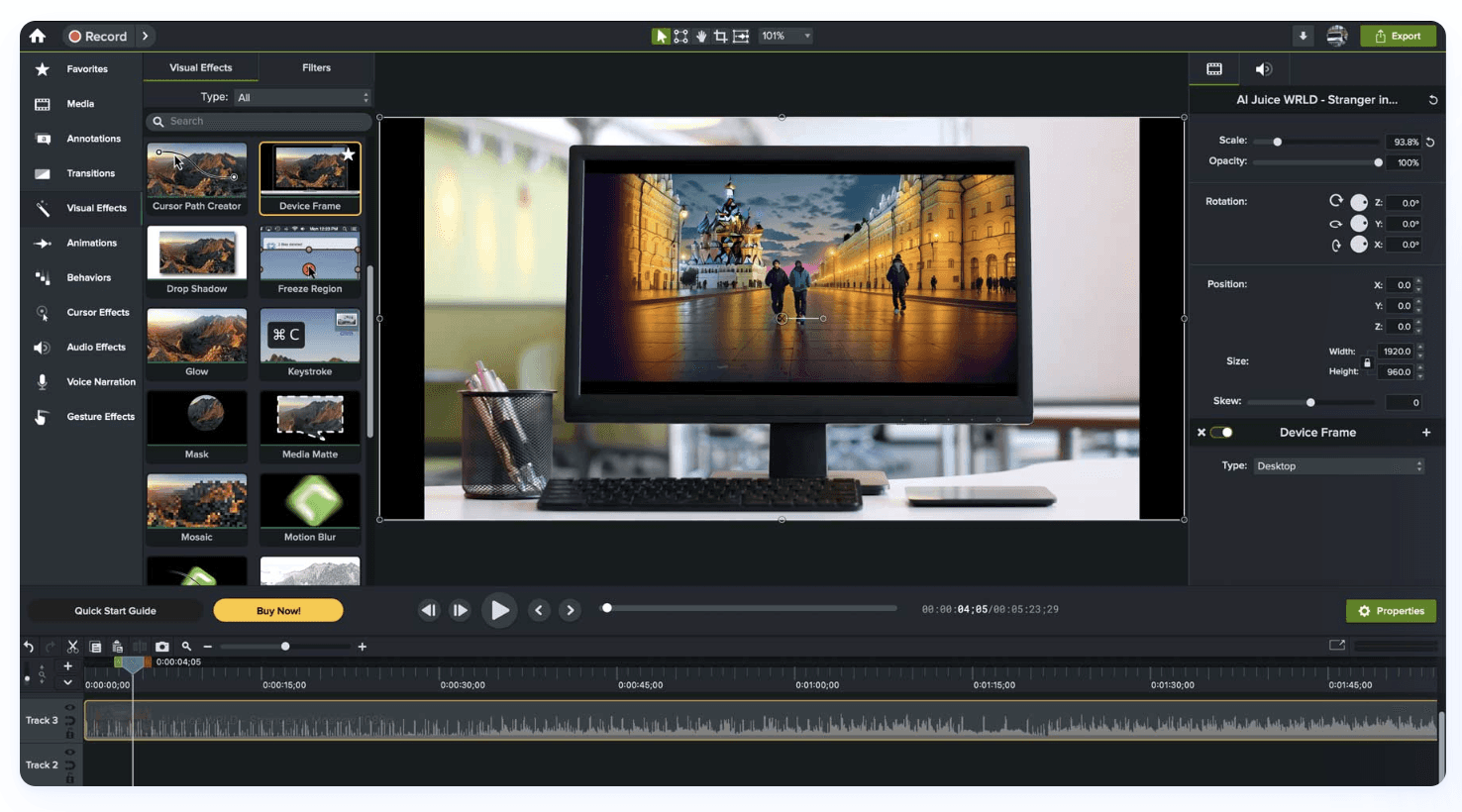
A robust video editor that offers extensive customization for creating detailed product demonstrations with professional transitions and effects.
Source: Camtasia
Features
- Full video editing suite
- Extensive effects library
- Multiple audio tracks
- Custom transitions
| Pros | Cons |
|---|---|
| ·Powerful editing capabilities | ·Steep learning curve |
| ·Large resource library | ·Time-intensive editing process |
| ·Extensive customization options | ·Manual voiceover recording required |
| ·Strong community support | ·Expensive one-time purchase |
Loom
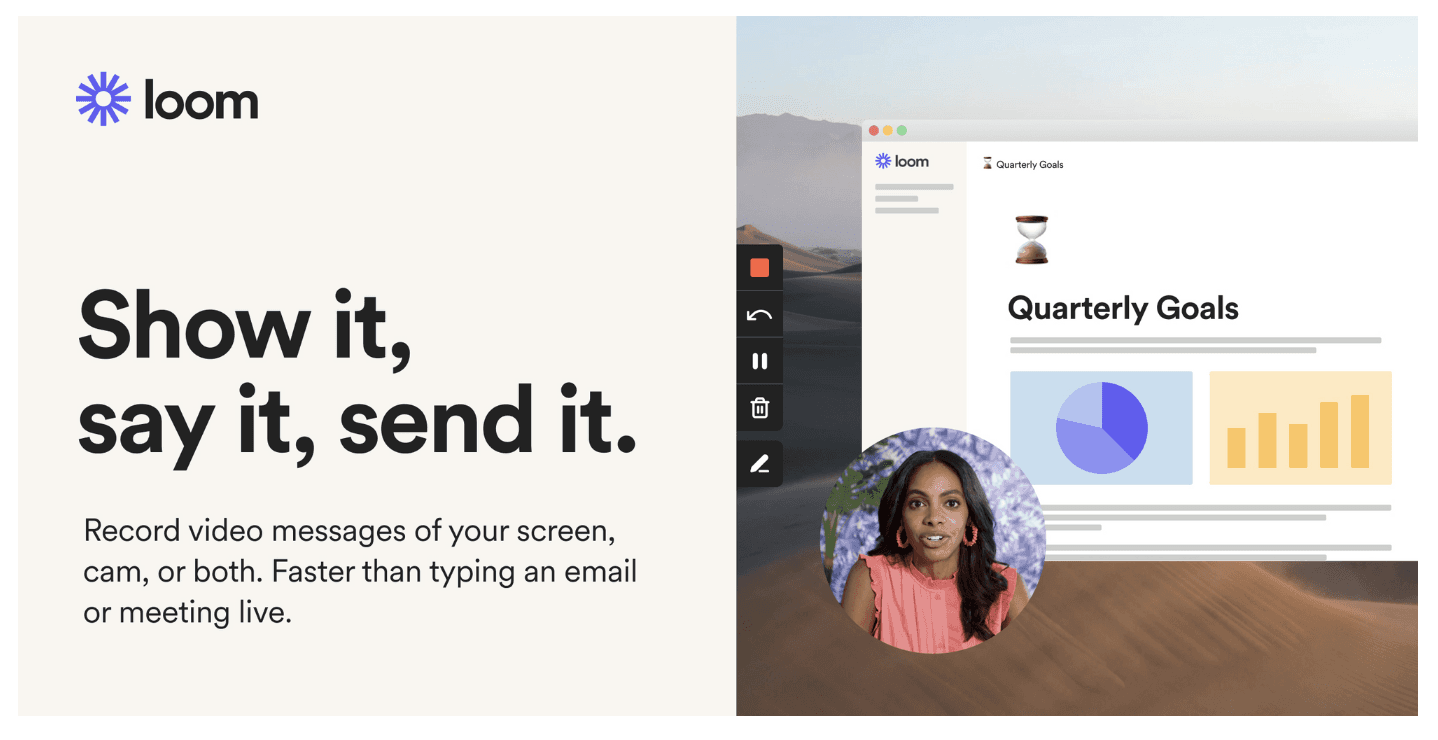
A quick and simple solution for basic screen recording for simple product demos with easy sharing capabilities.
Source: Loom
Features
- Quick recording via browser extension
- Basic editing capabilities
- Cloud storage
- Viewer insights
| Pros | Cons |
|---|---|
| Easy to use | Limited professional features |
| Quick sharing options | Basic editing capabilities |
| Good for team communication | No advanced effects |
| Reliable cloud storage | Minimal branding options |
Product Demo Tools Comparison
| Features & Capabilities | Clueso | Screen Studio | Camtasia | Loom |
|---|---|---|---|---|
| Core Recording | ||||
| Basic Screen Recording | ✓ | ✓ | ✓ | ✓ |
| AI Capabilities | ||||
| AI Script Generation | ✓ | x | x | x |
| AI Voiceover | ✓ | x | x | x |
| Auto Article Generation | ✓ | x | x | x |
| Professional Features | ||||
| One-Click Branding | ✓ | Manual | Manual | Limited |
| Audio-video sync | ✓ | Manual | Manual | x |
| Zoom Effects | ✓ | ✓ | ✓ | x |
| Content Management | ||||
| Easy Updates | ✓ | x | x | x |
| Multi-Format Export | ✓ | Limited | Limited | Limited |
| Transcript Editing | ✓ | x | x | Limited |
| Efficiency | ||||
| Setup Time | Minutes | Minutes | Hours | Minutes |
| Learning Curve | Low | Medium | High | Low |
| Content Updates | Easy | Difficult | Difficult | Difficult |
| Pricing | ||||
| Starting Price | $$$ | $$ | $$$ | $$ |
| Enterprise Ready | Yes | No | Yes | Limited |
2. How-To & Product Tutorial Videos
Tutorial videos need to be clear, easy to follow, and maintainable as your product evolves. These videos focus on step-by-step instruction and are crucial for customer education, onboarding, and reducing support tickets.
Key Tools for Product Tutorials
Clueso
Clueso is an AI-powered tutorial platform that turns product recordings into clear, step-by-step tutorials. It adds structured annotations, professional-quality narration, and generates accompanying written documentation.
Key Features
- Professional videos and step-by-step documentation from a single recording
- AI script generation for structured tutorials
- AI-powered translations for multi-language content delivery
- Easy to update when features change
- Enterprise-grade security and team collaboration controls
- One-click branding with custom intros and outros
What Users Love
"We used to spend hours writing articles and creating video guides. Now, with a few clicks, we have professional video guides with no background noise, that are easily edited if we want to change anything."
- Nadia Jenayah, Product Adoption Specialist, Efficy
"Keeping our user guides up to date was a constant challenge as our product evolved. Clueso solved this problem, making it possible for us to create high quality user guides and videos in a fraction of the time."
- Tom Marley, Co-founder and CEO, Played
Guidde
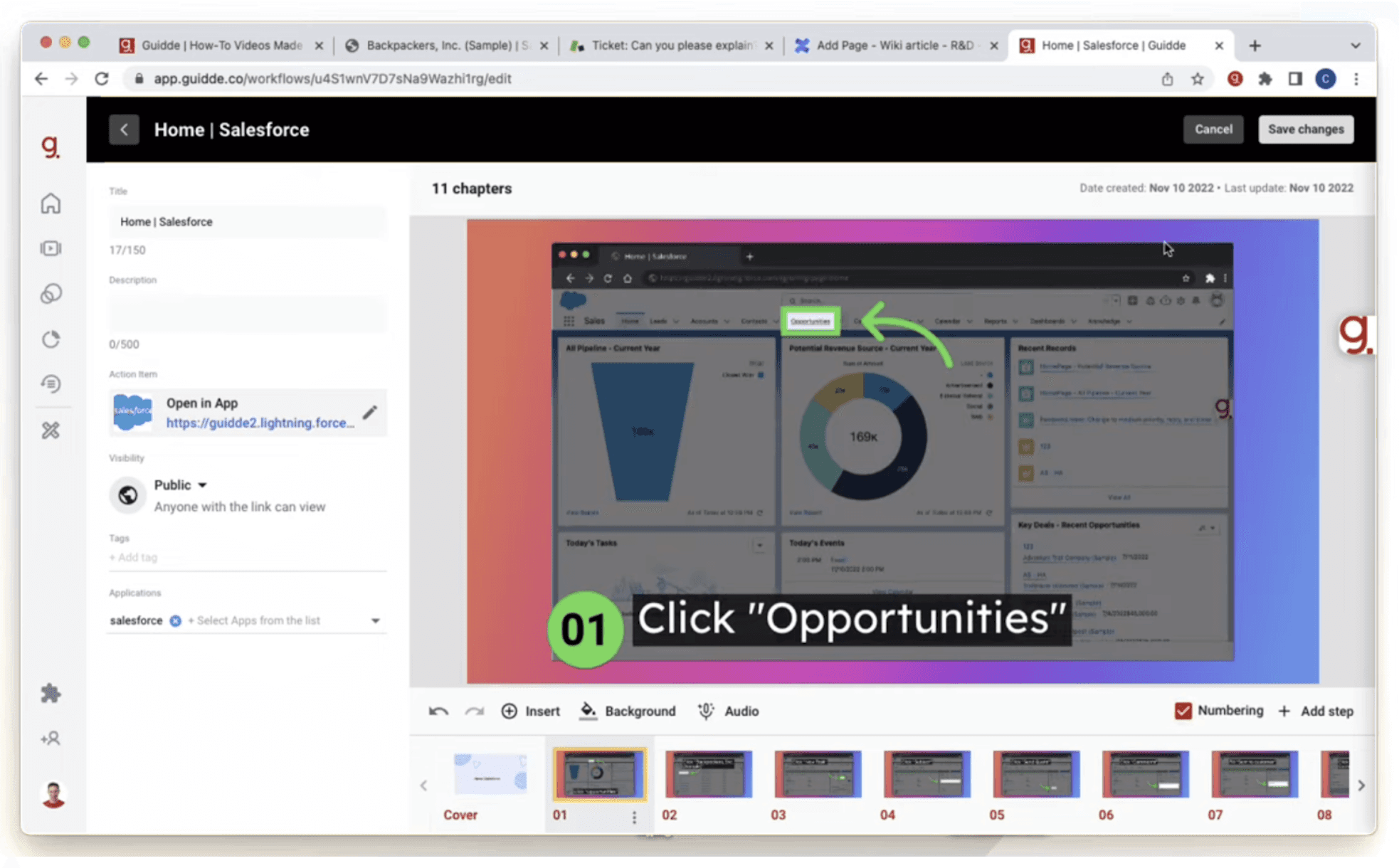
Focused on capturing sequential steps and automatically generating documentation for clear how-to guides.
Source: Guidde
Features
- Automatic step-by-step guide creation
- Basic screen recording
- Knowledge base creation
- Team collaboration features
| Pros | Cons |
|---|---|
| Automatically captures steps | Restricted to Chrome browser for recording |
| Easy to re-order steps | Robotic voiceovers |
| Good for how-to documentation | Basic customization options |
| Team collaboration options | Limited video editing capabilities |
Camtasia
Detailed editing suite for creating comprehensive tutorials with professional effects for complex workflows.
Source: Camtasia
Features
- Advanced editing suite
- Cursor highlighting
- Interactive quizzes and hotspots
| Pros | Cons |
|---|---|
| Powerful editing capabilities | Steep learning curve |
| Good for complex tutorials | Time-intensive editing process |
| Strong visual effects | Manual content updates required |
| Expensive one-time purchase |
Loom
Simple screen recording tool for quick tutorial creation and instant sharing.
Source: Loom
Features
- Quick recording
- Basic editing
- Simple sharing
- Viewer analytics
| Pros | Cons |
| Easy to use | No voiceover features |
| Good for simple tutorials | Limited branding options |
| Easy collaboration & sharing | Basic editing capabilities |
| Basic production quality | |
| No advanced effects |
Tutorial Video Tools Comparison
| Feature | Clueso | Guidde | Camtasia | Loom |
|---|---|---|---|---|
| Documentation | ||||
| Auto Article Generation | ✓ | ✓ | ✖️ | ✖️ |
| Step Capture | ✓ | ✓ | x | x |
| GIFs & Screenshots | ✓ | ✓ | x | x |
| Audio Quality | ||||
| AI Voiceovers | ✓ Advanced | Limited | x | x |
| Audio Enhancement | ✓ | x | ✓ | Basic |
| Production | ||||
| Transcript Editing | ✓ AI-enhanced | Limited | ✓ | x |
| Visual Effects | Automated | Basic | Manual | Basic |
| Export Options | Multiple | Limited | Multiple | Limited |
| Content Management | ||||
| Easy Updates | ✓ | x | x | x |
| Multi-Format Export | ✓ | Limited | x | x |
| Knowledge Base Hosting | ✓ | x | x | x |
| Enterprise Ready | ||||
| Team Collaboration | ✓ | Limited | Limited | |
| SSO/Enterprise Security | ✓ | x | Limited | Limited |
| Pricing | ||||
| Starting Price | $$$ | $$ | $$$ | $$ |
| Enterprise Features | ✓ | Limited | Limited | ✓ |
3. Feature Announcement Videos
Feature announcement videos need to generate excitement while clearly demonstrating new capabilities. These videos are crucial for product updates, release notes, and keeping users engaged with your product's evolution.
Key Tools for Feature Announcements
Clueso
Clueso is an AI-powered platform that helps teams create polished feature announcements quick and efficient. It turns product updates into professional videos with clear narration, visuals, and branding; making it easy to communicate new features consistently across marketing, sales, and customer channels without heavy production effort.
Features
- AI script enhancement
- Professional AI voiceovers
- Powerful visual effects and transitions
- Multi-channel export options
- Easy content localization
- Branding and customization
What Users Love
"Clueso has enabled us to transform our social media outreach with captivating feature videos. Turning a rough recording into a professional video is now a matter of minutes, not hours."
- Baran Ozkan, Co-founder and CEO, Flagright
"Using Clueso has been a game-changer for us. Its AI-powered video-to-documentation feature is a lifesaver, drastically reducing our documentation creation time. Our users appreciate the clear and professional help materials, making Clueso an invaluable asset for our organization."
- Vibhu Jain, Product Lead, Cloudeagle
Screen Studio
Creates visually engaging feature highlights with automated motion effects that draw attention to new functionality.
Source: Screen Studio
Features
- Automated motion effects
- Smart cursor enhancement
- High-quality exports
- Recording presets
| Pros | Cons |
|---|---|
| Beautiful motion effects | Mac-only |
| Professional-looking outputs | No voiceover features |
| Quick recording process | Limited branding options |
| Good for UI showcases | Basic editing capabilities |
Loom
Quick recording solution for simple feature updates with immediate sharing capabilities.
Source: Loom
Features
- Easy screen capture/recording
- Basic editing tools
- Quick sharing
- Viewer analytics
| Pros | Cons |
|---|---|
| Fast creation | Basic editing features only |
| Easy distribution | Re-recording required for content updates |
| Good for quick updates | Limited branding options |
| Simple to use | Basic editing capabilities |
| Low production value |
Camtasia
Full-featured editor for creating detailed feature announcements with advanced animations and effects.
Source: Camtasia
Features
- Complete editing suite
- Custom animations
- Multiple audio tracks
- Advanced effects
| Pros | Cons |
|---|---|
| Powerful editing options | Time-intensive process |
| High customization | Steep learning curve |
| Professional results possible | Manual updates needed |
| Good for complex features | Expensive licensing |
Feature Announcement Tools Comparison
| Feature | Clueso | Screen Studio | Loom | Camtasia |
|---|---|---|---|---|
| Creation Speed | ||||
| Time to Publish | Low | Low | Low | High |
| Setup Required | Minimal | Minimal | Minimal | Extensive |
| Auto Content Updates | ✓ | x | x | x |
| Distribution | ||||
| Multi-channel Export | Yes | Limited | Yes | Limited |
| Sharing Options | Multiple | Basic | Multiple | Basic |
| Localization | ||||
| Language Support | Multiple | None | None | Manual |
| Closed Captions | Yes | No | No | Manual |
| Pricing | ||||
| Starting Price | $$$ | $$ | $$ | $$$ |
| Enterprise Ready | Yes | No | Limited | Yes |
Alternative Approaches to Product Walkthroughs
While video walkthroughs excel at demonstrating complex features and workflows, some scenarios call for more interactive or guided approaches. These alternatives each serve specific use cases, though they come with their own limitations:
Interactive Demos
Interactive product demos let prospects explore a simulated version of your product at their own pace. Unlike videos or tours, these create hands-on experiences that replicate real product usage without requiring access to your actual product.
Storylane
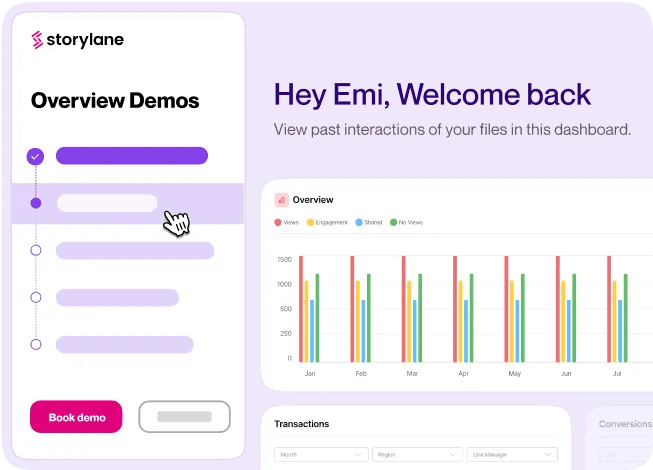
No-code interactive product demo tool that let prospects explore your product features in a guided, hands-on environment without accessing your actual product.
Source: Storylane
Navattic
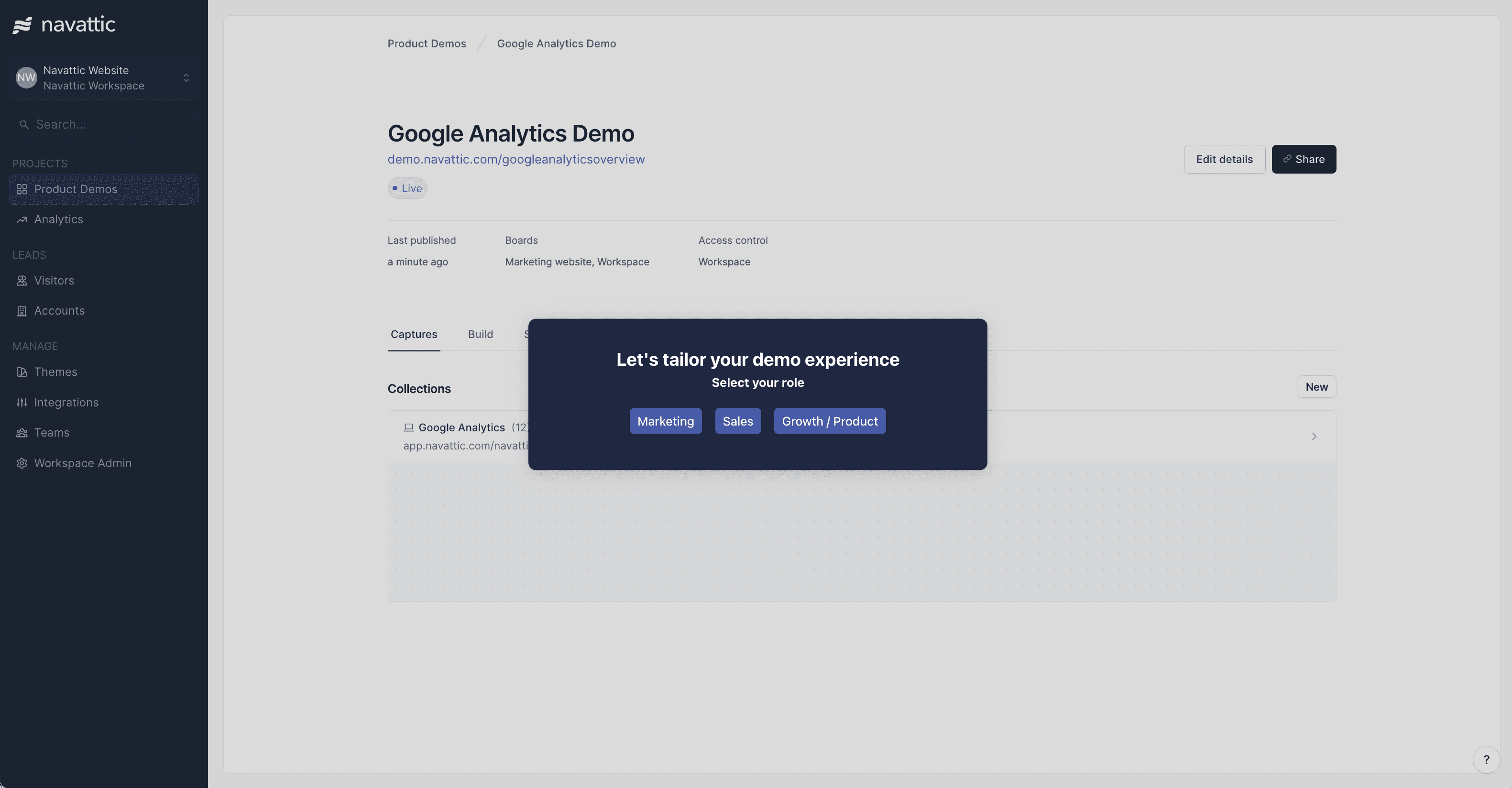
Helps create customizable demo environments from your product screenshots, allowing prospects to click through and experience your product's workflow.
Source: Navattic
Best suited for: Sales-specific scenarios where prospects need hands-on experience.
- Custom demo environments
- Interactive product exploration
- Sales qualification tools
Limitations: These tools are limited to sales use cases and requires significant setup time.
In-App Tours
In-app tours provide contextual guidance directly within your product interface, helping users discover and learn features while they're actively using your product. They typically appear as a series of tooltips or modals that highlight specific UI elements.
Pendo
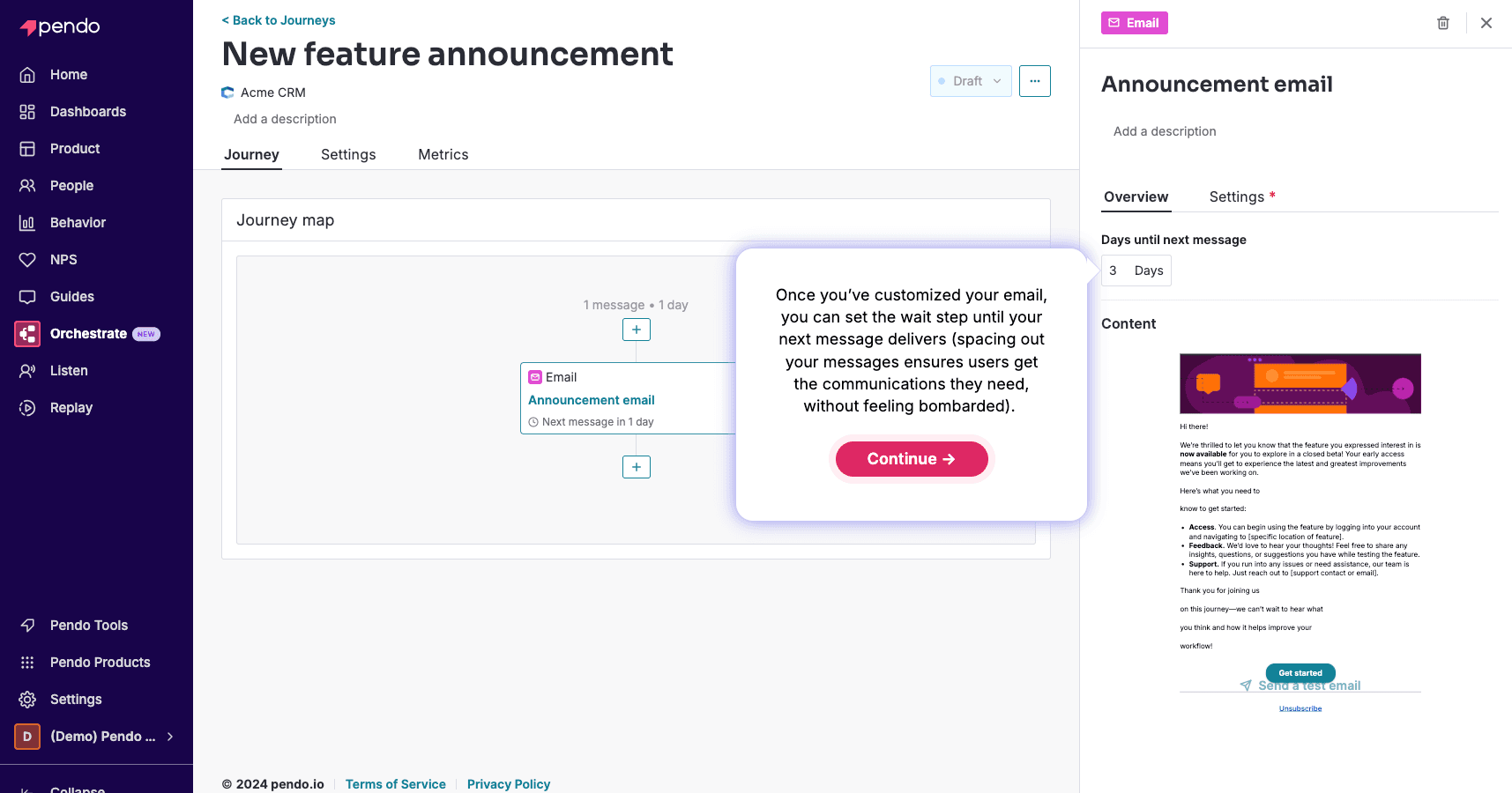
Product analytics and guidance platform that combines user insights with in-app messaging and step-by-step tours.
Source: Pendo
AppCues
No-code platform for creating in-app experiences like onboarding flows and feature announcements directly within your product interface.
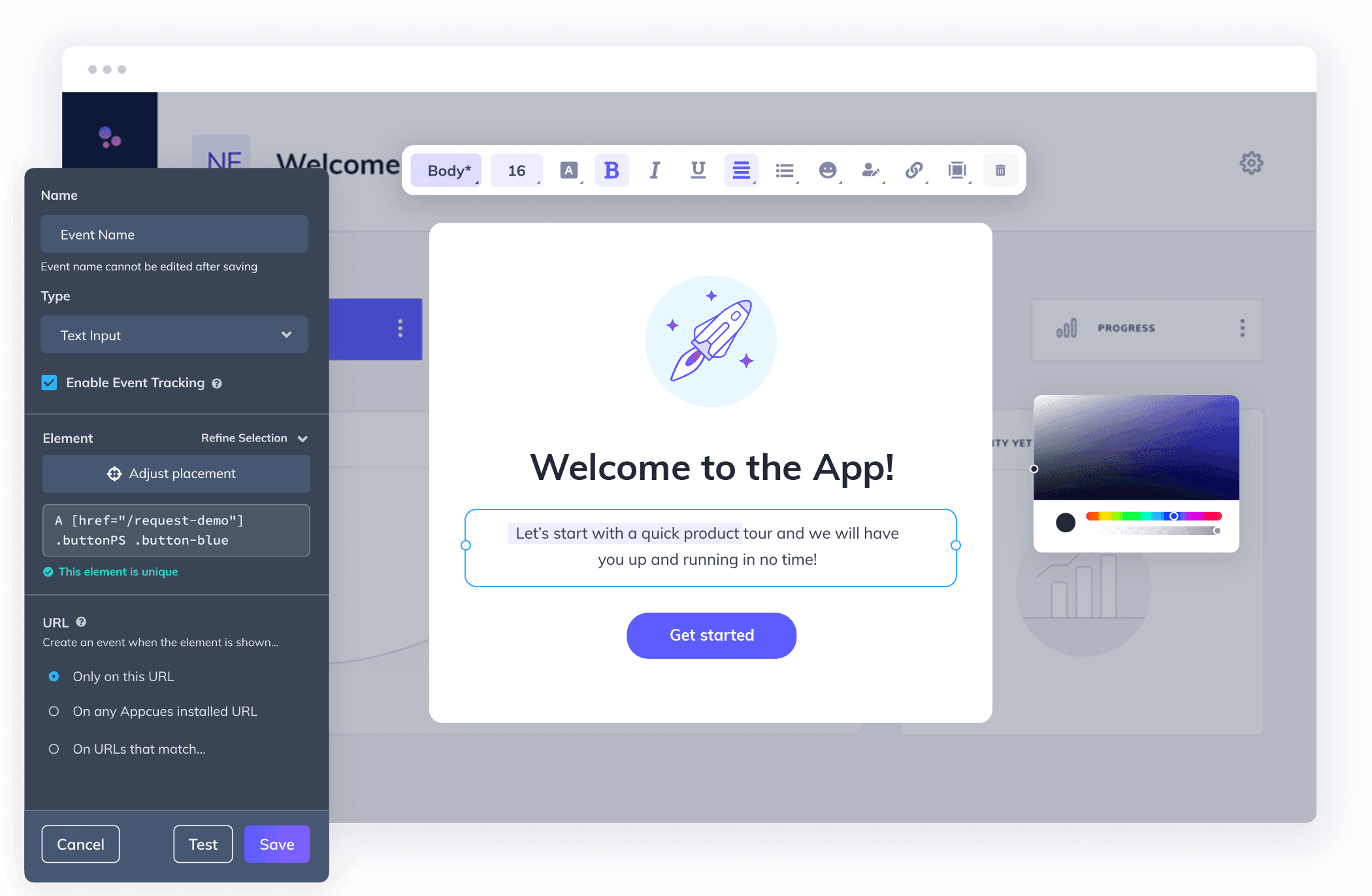
Source: AppCues
Whatfix
Digital adoption platform specializing in creating contextual walkthroughs and help content directly within your app or platform.
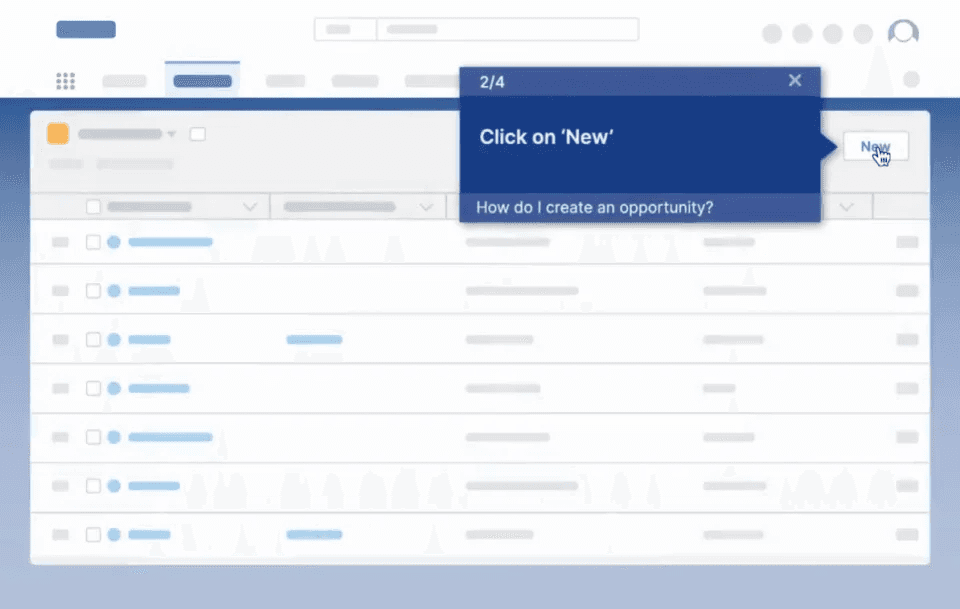
Source: Whatfix
Best suited for: Ideal for basic UI introduction and simple feature highlights.
- First-time user guidance
- Feature discovery
- UI element tooltips
Limitations: Cannot effectively demonstrate complex workflows or processes.
Live Demo Tools
Live demo tools enable sales teams to deliver personalized, interactive product demonstrations in real-time. These platforms provide controlled environments where sales reps can showcase your product for a prospect’s specific use case or required functionality.
Demodesk
Sales enablement platform that provides controlled demo environments during sales video calls, with real-time collaboration features for sales teams.
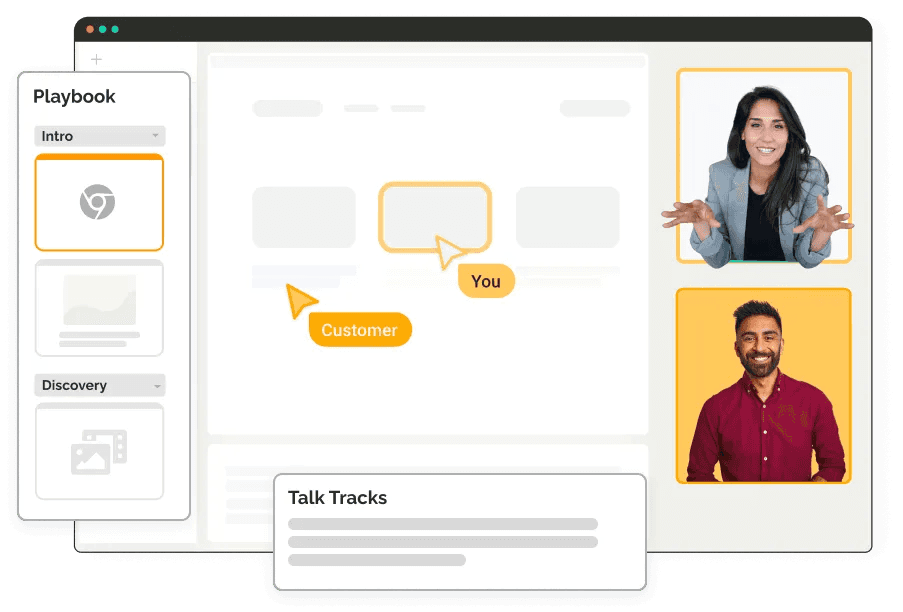
Source: Demodesk
Walnut
Creates customized, interactive sales demos with preset scenarios and automated data population for consistent sales presentations.
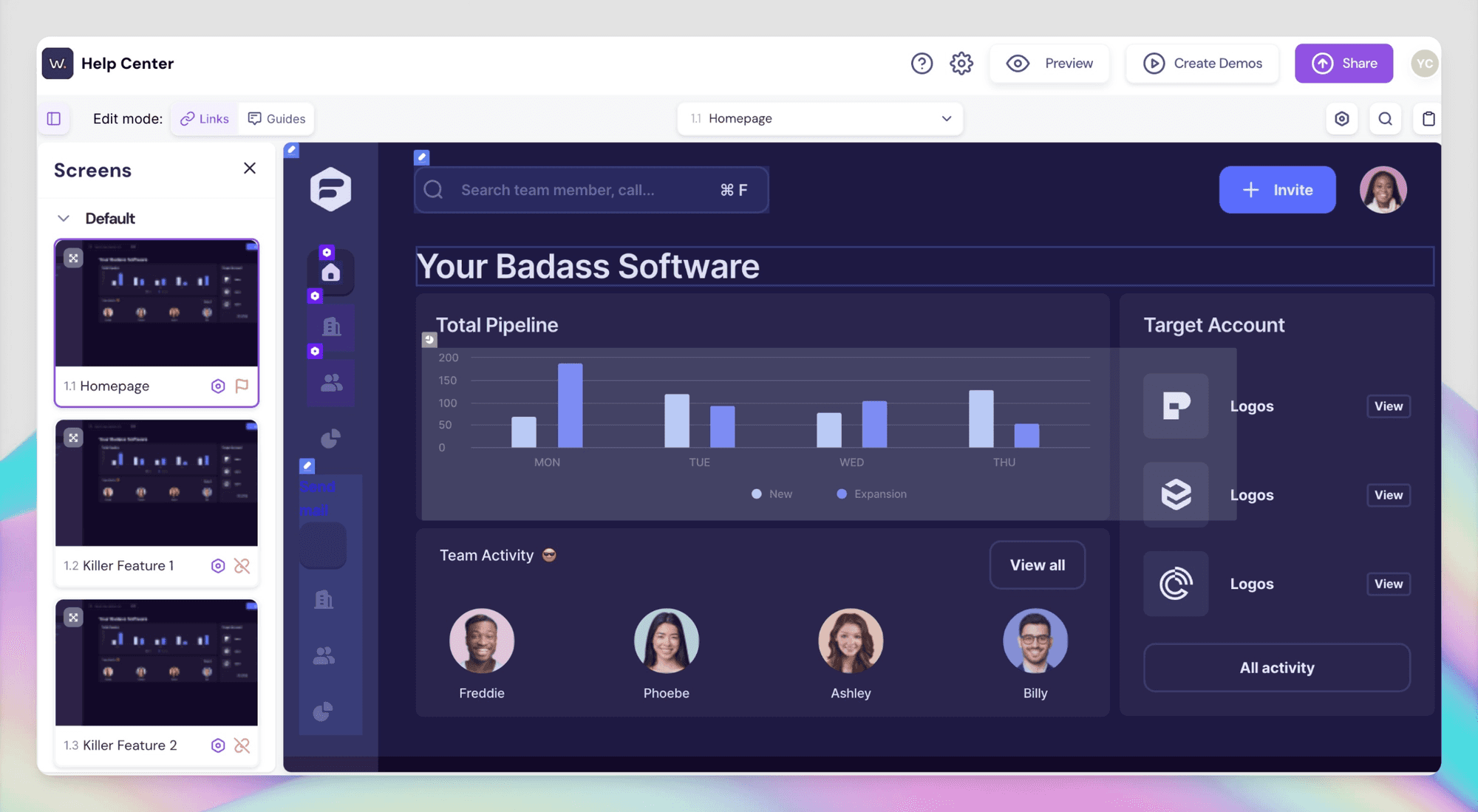
Source: Walnut
Best suited for: Focused on sales-led demonstrations and personalized experiences.
- Customized environments
- Real-time interaction
- Guided walkthroughs
Limitations: Requires manual demonstration and significant preparation time.
Key Use Cases
Understanding how different teams can leverage product walkthroughs helps in choosing the right tool for your specific needs.
Product Marketing Demos
Goal: Showcase product value and features to potential customers across channels
Tool Recommendations:
Best Overall: Clueso
- AI-powered professional voiceovers
- Consistent branding
- Multi-language support
- Quick updates
- Distribution flexibility
"Clueso has truly transformed my video editing workflow. The ability to localize the voice to match specific markets adds a level of customization and authenticity that sets my content apart."
- Disha Munoth, Lead – Product Operations, Spendflo
Alternative Options:
- Screen Studio: Good for UI demos but Mac-only and lacks professional voiceovers
- Camtasia: For teams with video editing expertise
- Loom: For quick, simple demos; too basic for high-quality product marketing needs
Customer Onboarding
Goal: Reduce time-to-value for new users
Tool Recommendations:
Best Overall: Clueso
- Automatic documentation generation
- Clear step-by-step guides
- Easy content updates
- Professional quality outputs
- Built-in knowledge base
"Clueso has cut short our documentation time massively - what used to take us a day now takes less than 5 mins. It's magical."
- Adarsh Tadimari, Co-founder and CTO, Plotline
Alternative Options:
- Guidde: Basic documentation but robotic voiceovers and limited editing
- Camtasia: Complex to use and requires manual updates
- Loom: For quick onboarding communications, but lacks professional features needed for comprehensive onboarding
Feature Education
Goal: Drive adoption of new and existing features
Tool Recommendations:
Best Overall: Clueso
- Quick feature demo creation
- Professional announcements
- Easy updates
- Multi-format export
"Clueso has been a game changer in creating our user education content. We’re now generating high-quality user guides 10x faster.”
- Angelo Huang, Co-founder and CEO, Swif
Alternative Options:
- Screen Studio: Limited to visual effects, no voiceover capabilities
- Loom: For quick, no-frills feature updates
- Camtasia: Time-consuming process, especially for regular feature updates
Support Documentation
Goal: Reduce support tickets with self-serve resources
Tool Recommendations:
Best Overall: Clueso
- Automated documentation
- Video and article creation
- Easy maintenance
- Searchable knowledge base
- Authentication options
“Clueso has helped our users find solutions, boosting self-service rates and freeing up our support team to tackle more complex issues while also reducing the time taken to create self-help videos.”
- Vedant Maheshwari, Co-founder and CEO, Vidyo.ai
Alternative Options:
- Guidde: Chrome-only recording, limited customization
- Loom: No documentation generation or knowledge-base hosting capabilities
- Camtasia: Manual documentation process, time-intensive
Training Materials
Goal: Enable team and customer training at scale
Tool Recommendations:
Best Overall: Clueso
- Comprehensive tutorial creation
- Professional quality
- Easy updates
- Multi-language support
- Content reusability
"My team at Maltego Technologies has been loving Clueso! We've been able to scale video production and we get super excited every time we get a message about a new feature launch. If you're looking to scale your video production and video is a big part of your strategy for Customer Education or Customer Success, Clueso is worth checking out."
- Joe Ryan, Training Program Manager, Maltego
Alternative Options:
- Camtasia: Requires dedicated training team for content creation
- Loom: Only suitable for informal training content
- Guidde: Limited to basic step-by-step guides
Best Practices for Creating Product Walkthroughs
- Content Strategy
- Map content to user journey
- Plan update frequency
- Define success metrics
- Consider distribution channels
- Production Standards
- Establish brand guidelines
- Create content templates
- Define quality benchmarks
- Set up review processes
- Maintenance Plan
- Regular content audits
- Update triggers
- Version control
- Archive strategy
ROI Measurement
Track these metrics to measure the impact of your product walkthroughs:
Short-term Metrics:
- Video completion rates
- Feature adoption rates
- Support ticket reduction
- User engagement
Long-term Impact:
- Time-to-value
- Customer satisfaction
- Product adoption
- Customer retention
Frequently Asked Questions About Product Walkthrough Softwares
General Questions
Q: What's the difference between product walkthrough videos and interactive demos?
A: Product walkthrough videos offer comprehensive demonstrations of features and workflows, ideal for product education and marketing. Interactive demos, while engaging, are primarily designed for sales scenarios and require more setup time and maintenance.
Q: How long should product walkthrough videos be?
A: Best practices recommend:
- Product demos: 2-4 minutes
- Tutorial videos: 3-5 minutes
- Feature announcements: 1-2 minutes Keep content focused and concise for better engagement.
Q: Do I need technical expertise to create professional product walkthroughs?
A: With modern AI-powered solutions like Clueso, you don't need technical expertise. While traditional tools like Camtasia require video editing skills, newer platforms automate most of the technical aspects including voiceovers, effects, and branding.
Cost & ROI
Q: How much does product walkthrough software typically cost?
A: Pricing varies by solution type:
- Basic tools (Loom): $8-15/user/month
- Professional solutions (Clueso): Custom pricing for teams
- Traditional editing tools (Camtasia): One-time purchase $250+ Consider features, time savings, and team size when evaluating costs.
Q: How do I measure the ROI of product walkthrough videos?
A: Track metrics such as:
- Reduction in support tickets
- Increase in feature adoption
- Time saved in customer onboarding
- Improved user engagement
- Customer satisfaction scores
Technical Questions
Q: What are the minimum system requirements?
A: Most modern tools require:
- Updated browser (Chrome recommended)
- Stable internet connection
- 8GB RAM minimum Specific requirements vary by platform.
Q: Can I update videos when my product features change?
A: Yes, but capabilities vary by tool:
- AI-powered platforms like Clueso: Easy updates without re-recording
- Traditional tools: Usually require complete re-recording
- Basic tools: Need new recordings for changes
Content Creation
Q: How do I maintain consistent quality across teams?
A: Look for tools that offer:
- Branded templates
- Style guides
- Team collaboration features
- Review workflows
- Consistent voiceover options
Q: What's the best format for distributing product walkthroughs?
A: Consider multiple formats:
- Video hosting platforms
- Knowledge base integration
- Social media optimization
- Email-friendly versions Choose tools that support multi-format export options.
Enterprise Considerations
Q: What security features should I look for?
A: Key security features include:
- SOC 2 compliance
- SSO integration
- Role-based access control
- Content permissions
- Secure hosting options
Q: Can I create product walkthroughs in multiple languages?
A: Yes, but capabilities vary:
- AI-powered tools: Often offer automatic translation and localized voiceovers
- Traditional tools: Require manual translation and recording
- Basic tools: Limited language support
Maintenance & Updates
Q: How often should I update my product walkthrough content?
A: Choose tools that make updates efficient. Update your content:
- When features change significantly
- If user feedback indicates confusion
- During major product releases
- When usage patterns change
Q: What's the best way to organize product walkthrough content?
A: Look for tools with built-in content management capabilities. Consider organizing by:
- User journey stage
- Feature complexity
- Use case
- User role