NEW FEATURE
Jan 15, 2025
AI Documentation Copilot
The new AI chat interface lets you edit docs with simple instructions. Merge steps, add clarity, and enforce your style guide without manual revisions — just tell the AI what to do.

NEW FEATURE
Jan 15, 2025
AI Documentation Copilot
The new AI chat interface lets you edit docs with simple instructions. Merge steps, add clarity, and enforce your style guide without manual revisions — just tell the AI what to do.

NEW FEATURE
Jan 15, 2025
AI Documentation Copilot
The new AI chat interface lets you edit docs with simple instructions. Merge steps, add clarity, and enforce your style guide without manual revisions — just tell the AI what to do.

NEW FEATURE
Feb 1, 2025
Video Toolbar
The new video toolbar makes editing faster and easier. Just click on anything in your video to instantly access the tools you need.

NEW FEATURE
Feb 1, 2025
Video Toolbar
The new video toolbar makes editing faster and easier. Just click on anything in your video to instantly access the tools you need.

NEW FEATURE
Feb 1, 2025
Video Toolbar
The new video toolbar makes editing faster and easier. Just click on anything in your video to instantly access the tools you need.

NEW FEATURE
Feb 5, 2025
Callouts and Spotlights
New elements are here, starting with Callouts to make details pop and Spotlights to highlight what matters. You’ll also find animated rectangles and arrows to frame and guide attention.

NEW FEATURE
Feb 5, 2025
Callouts and Spotlights
New elements are here, starting with Callouts to make details pop and Spotlights to highlight what matters. You’ll also find animated rectangles and arrows to frame and guide attention.

NEW FEATURE
Feb 5, 2025
Callouts and Spotlights
New elements are here, starting with Callouts to make details pop and Spotlights to highlight what matters. You’ll also find animated rectangles and arrows to frame and guide attention.

NEW FEATURE
Feb 12, 2025
Transitions
The new transitions library lets you add smooth animations from intro to video and outro. Choose from five styles, and customize them with your brand colors.

NEW FEATURE
Feb 12, 2025
Transitions
The new transitions library lets you add smooth animations from intro to video and outro. Choose from five styles, and customize them with your brand colors.

NEW FEATURE
Feb 12, 2025
Transitions
The new transitions library lets you add smooth animations from intro to video and outro. Choose from five styles, and customize them with your brand colors.

NEW FEATURE
Feb 18, 2025
Analytics
Clueso’s new video analytics gives you deeper insight into your content performance. Track impressions, views, drop-off points, and audience geography all in one place.

NEW FEATURE
Feb 18, 2025
Analytics
Clueso’s new video analytics gives you deeper insight into your content performance. Track impressions, views, drop-off points, and audience geography all in one place.

NEW FEATURE
Feb 18, 2025
Analytics
Clueso’s new video analytics gives you deeper insight into your content performance. Track impressions, views, drop-off points, and audience geography all in one place.

NEW FEATURE
Feb 24, 2025
Template Builder
Clueso’s new template builder lets you create eye-catching title slides and thumbnails. Add text, insert your logo, or pull in a frame from your recording. Save your creations for future use.

NEW FEATURE
Feb 24, 2025
Template Builder
Clueso’s new template builder lets you create eye-catching title slides and thumbnails. Add text, insert your logo, or pull in a frame from your recording. Save your creations for future use.

NEW FEATURE
Feb 24, 2025
Template Builder
Clueso’s new template builder lets you create eye-catching title slides and thumbnails. Add text, insert your logo, or pull in a frame from your recording. Save your creations for future use.

NEW FEATURE
Apr 4, 2025
New Intros and Outros
Add polished intro & outro templates to your videos. Choose from pre-made designs, customize with your brand, or set defaults so every video stays on-brand.

NEW FEATURE
Apr 4, 2025
New Intros and Outros
Add polished intro & outro templates to your videos. Choose from pre-made designs, customize with your brand, or set defaults so every video stays on-brand.

NEW FEATURE
Apr 4, 2025
New Intros and Outros
Add polished intro & outro templates to your videos. Choose from pre-made designs, customize with your brand, or set defaults so every video stays on-brand.

NEW FEATURE
Apr 8, 2025
Powerpoint to Video
Upload PowerPoint files (.ppt/.pptx) directly and turn them into videos — no PDF needed. Generate scripts from speaker notes, slide content, or both for maximum control.

NEW FEATURE
Apr 8, 2025
Powerpoint to Video
Upload PowerPoint files (.ppt/.pptx) directly and turn them into videos — no PDF needed. Generate scripts from speaker notes, slide content, or both for maximum control.

NEW FEATURE
Apr 8, 2025
Powerpoint to Video
Upload PowerPoint files (.ppt/.pptx) directly and turn them into videos — no PDF needed. Generate scripts from speaker notes, slide content, or both for maximum control.

NEW FEATURE
Apr 15, 2025
Borders
Add borders around your screen recordings for a more polished look. Choose from styles like solid colors, browser or device frames, glass overlays, and animated highlights.

NEW FEATURE
Apr 15, 2025
Borders
Add borders around your screen recordings for a more polished look. Choose from styles like solid colors, browser or device frames, glass overlays, and animated highlights.

NEW FEATURE
Apr 15, 2025
Borders
Add borders around your screen recordings for a more polished look. Choose from styles like solid colors, browser or device frames, glass overlays, and animated highlights.

NEW FEATURE
Apr 23, 2025
New Script Editor
Follow along in real time as your script highlights during playback, jump between words and video instantly, and review edits in a Google Docs-style suggestion view.

NEW FEATURE
Apr 23, 2025
New Script Editor
Follow along in real time as your script highlights during playback, jump between words and video instantly, and review edits in a Google Docs-style suggestion view.

NEW FEATURE
Apr 23, 2025
New Script Editor
Follow along in real time as your script highlights during playback, jump between words and video instantly, and review edits in a Google Docs-style suggestion view.

NEW FEATURE
Apr 27, 2025
Sync Points
Introducing Sync Points: a simpler, more intuitive way to sync your voiceovers with your videos.

NEW FEATURE
Apr 27, 2025
Sync Points
Introducing Sync Points: a simpler, more intuitive way to sync your voiceovers with your videos.

NEW FEATURE
Apr 27, 2025
Sync Points
Introducing Sync Points: a simpler, more intuitive way to sync your voiceovers with your videos.

NEW FEATURE
Apr 30, 2025
Custom Fonts
Upload your own fonts to make your videos perfectly on-brand. Also includes full support for Chinese, Japanese, and Korean text.

NEW FEATURE
Apr 30, 2025
Custom Fonts
Upload your own fonts to make your videos perfectly on-brand. Also includes full support for Chinese, Japanese, and Korean text.

NEW FEATURE
Apr 30, 2025
Custom Fonts
Upload your own fonts to make your videos perfectly on-brand. Also includes full support for Chinese, Japanese, and Korean text.

NEW FEATURE
May 13, 2025
Animated Captions
Pick from a variety of caption animations, customize styles to match your brand, and save your favorites for reuse. You can even export captions as .SRT, .VTT, or .TXT for use outside Clueso.

NEW FEATURE
May 13, 2025
Animated Captions
Pick from a variety of caption animations, customize styles to match your brand, and save your favorites for reuse. You can even export captions as .SRT, .VTT, or .TXT for use outside Clueso.

NEW FEATURE
May 13, 2025
Animated Captions
Pick from a variety of caption animations, customize styles to match your brand, and save your favorites for reuse. You can even export captions as .SRT, .VTT, or .TXT for use outside Clueso.

NEW FEATURE
Jun 12, 2025
Advanced Textbox Formatting
Upload custom fonts, adjust line height and letter spacing, add backgrounds, and apply outlines or shadows for better readability.

NEW FEATURE
Jun 12, 2025
Advanced Textbox Formatting
Upload custom fonts, adjust line height and letter spacing, add backgrounds, and apply outlines or shadows for better readability.

NEW FEATURE
Jun 12, 2025
Advanced Textbox Formatting
Upload custom fonts, adjust line height and letter spacing, add backgrounds, and apply outlines or shadows for better readability.

NEW FEATURE
Jul 5, 2025
New Timeline
Introducing the brand-new Clueso Timeline! You can now split and trim clips instantly, view and edit every element in your video, layer content, insert new clips, and add smooth transitions.

NEW FEATURE
Jul 5, 2025
New Timeline
Introducing the brand-new Clueso Timeline! You can now split and trim clips instantly, view and edit every element in your video, layer content, insert new clips, and add smooth transitions.

NEW FEATURE
Jul 5, 2025
New Timeline
Introducing the brand-new Clueso Timeline! You can now split and trim clips instantly, view and edit every element in your video, layer content, insert new clips, and add smooth transitions.

NEW FEATURE
Jul 12, 2025
Voiceover & Script Editor
We’ve launched a brand-new script editing experience in Clueso. Now you can add voiceovers to specific slides, generate speech for only parts of your script, adjust volume, and even mix different voices across your video.

NEW FEATURE
Jul 12, 2025
Voiceover & Script Editor
We’ve launched a brand-new script editing experience in Clueso. Now you can add voiceovers to specific slides, generate speech for only parts of your script, adjust volume, and even mix different voices across your video.

NEW FEATURE
Jul 12, 2025
Voiceover & Script Editor
We’ve launched a brand-new script editing experience in Clueso. Now you can add voiceovers to specific slides, generate speech for only parts of your script, adjust volume, and even mix different voices across your video.

NEW FEATURE
Jul 18, 2025
Clips
Clips provides a faster, more flexible way to build videos in Clueso. Now you can drop in slides, upload media, or even merge multiple projects directly into your timeline.

NEW FEATURE
Jul 18, 2025
Clips
Clips provides a faster, more flexible way to build videos in Clueso. Now you can drop in slides, upload media, or even merge multiple projects directly into your timeline.

NEW FEATURE
Jul 18, 2025
Clips
Clips provides a faster, more flexible way to build videos in Clueso. Now you can drop in slides, upload media, or even merge multiple projects directly into your timeline.

NEW FEATURE
Jul 23, 2025
Script Generator
Clueso can now generate a complete voiceover script even from silent screen recordings. Our new video intelligence engine analyzes your video, understands each step, and writes a clear, natural script.

NEW FEATURE
Jul 23, 2025
Script Generator
Clueso can now generate a complete voiceover script even from silent screen recordings. Our new video intelligence engine analyzes your video, understands each step, and writes a clear, natural script.

NEW FEATURE
Jul 23, 2025
Script Generator
Clueso can now generate a complete voiceover script even from silent screen recordings. Our new video intelligence engine analyzes your video, understands each step, and writes a clear, natural script.

IMPROVEMENT
Jul 26, 2025
Templates 2.0
Templates 2.0 is here with a full library of reusable slides you can drop anywhere in your video — from intros and chapter breaks to summaries and outros. You can start with presets or build your own to keep videos always on-brand.

IMPROVEMENT
Jul 26, 2025
Templates 2.0
Templates 2.0 is here with a full library of reusable slides you can drop anywhere in your video — from intros and chapter breaks to summaries and outros. You can start with presets or build your own to keep videos always on-brand.

IMPROVEMENT
Jul 26, 2025
Templates 2.0
Templates 2.0 is here with a full library of reusable slides you can drop anywhere in your video — from intros and chapter breaks to summaries and outros. You can start with presets or build your own to keep videos always on-brand.

NEW FEATURE
Aug 3, 2025
Music 2.0
Place music and sound effects anywhere in your video timeline.

NEW FEATURE
Aug 3, 2025
Music 2.0
Place music and sound effects anywhere in your video timeline.

NEW FEATURE
Aug 3, 2025
Music 2.0
Place music and sound effects anywhere in your video timeline.

NEW FEATURE
Aug 7, 2025
Auto Sync
One-click to sync your voiceover with your video. Auto sync magically inserts sync points in your script so you don't have to.

NEW FEATURE
Aug 7, 2025
Auto Sync
One-click to sync your voiceover with your video. Auto sync magically inserts sync points in your script so you don't have to.

NEW FEATURE
Aug 7, 2025
Auto Sync
One-click to sync your voiceover with your video. Auto sync magically inserts sync points in your script so you don't have to.

NEW FEATURE
Aug 11, 2025
Text Animations
Slide, fade, or scale your text to add motion and make your videos even more engaging.

NEW FEATURE
Aug 11, 2025
Text Animations
Slide, fade, or scale your text to add motion and make your videos even more engaging.

NEW FEATURE
Aug 11, 2025
Text Animations
Slide, fade, or scale your text to add motion and make your videos even more engaging.

NEW FEATURE
Aug 17, 2025
Dissolve Transition
Insert smooth fade effects between your clips.

NEW FEATURE
Aug 17, 2025
Dissolve Transition
Insert smooth fade effects between your clips.

NEW FEATURE
Aug 17, 2025
Dissolve Transition
Insert smooth fade effects between your clips.

NEW FEATURE
Aug 25, 2025
Expressive Voiceovers
Add audio tags in your script to control the emotion and tone of your voiceovers. Powered by ElevenLabs v3.

NEW FEATURE
Aug 25, 2025
Expressive Voiceovers
Add audio tags in your script to control the emotion and tone of your voiceovers. Powered by ElevenLabs v3.

NEW FEATURE
Aug 25, 2025
Expressive Voiceovers
Add audio tags in your script to control the emotion and tone of your voiceovers. Powered by ElevenLabs v3.

NEW FEATURE
Sep 3, 2025
Reposition Captions
Adjust the vertical position of captions to fit your video’s layout perfectly.
NEW FEATURE
Sep 3, 2025
Reposition Captions
Adjust the vertical position of captions to fit your video’s layout perfectly.

NEW FEATURE
Sep 3, 2025
Reposition Captions
Adjust the vertical position of captions to fit your video’s layout perfectly.

NEW FEATURE
Sep 10, 2025
Image Animations
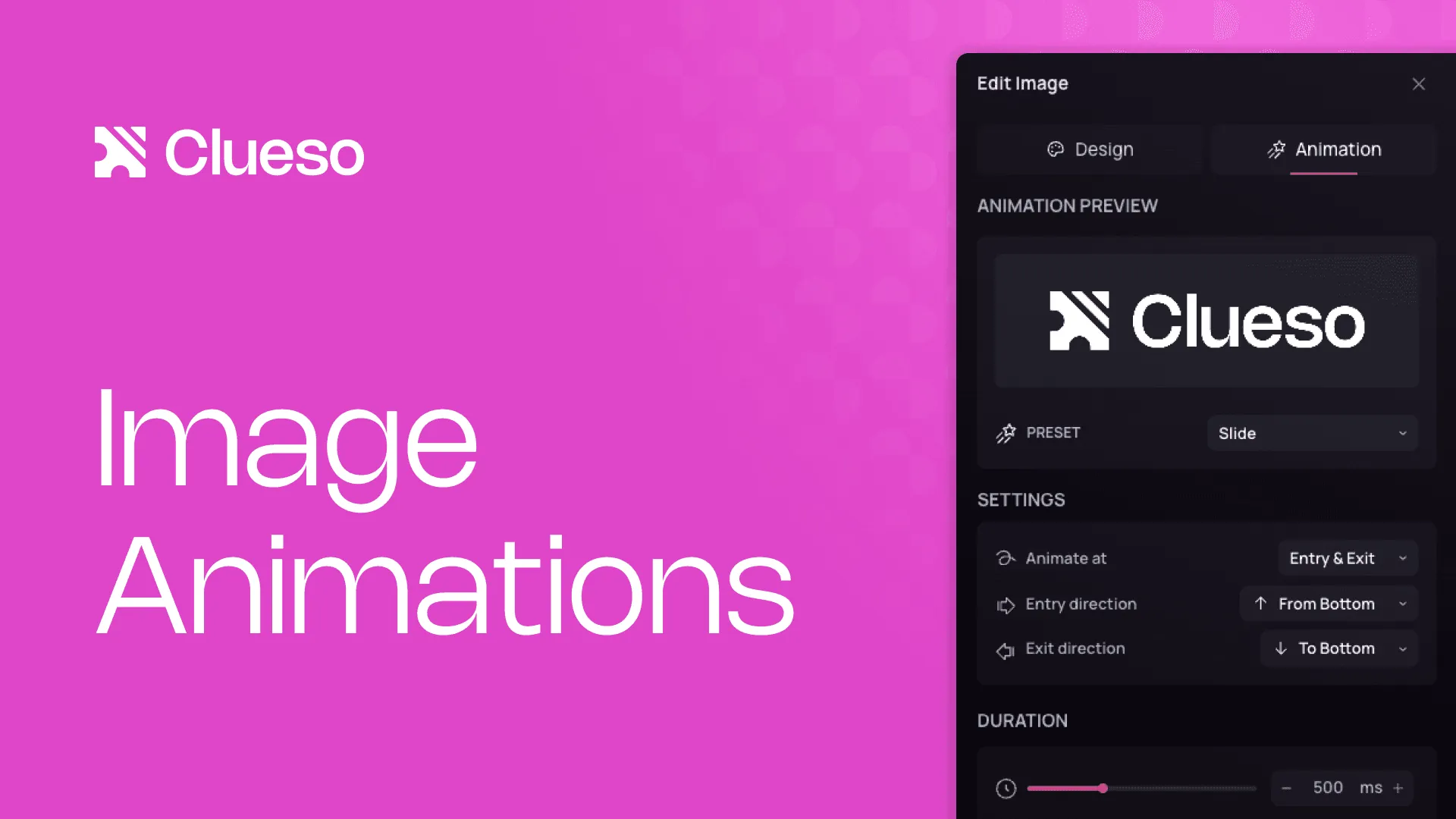
Add clean, dynamic motion to your images with Slide, Scale, or Fade effects.

NEW FEATURE
Sep 10, 2025
Image Animations
Add clean, dynamic motion to your images with Slide, Scale, or Fade effects.

NEW FEATURE
Sep 10, 2025
Image Animations
Add clean, dynamic motion to your images with Slide, Scale, or Fade effects.

NEW FEATURE
Sep 22, 2025
Clueso Cuts
Transform a lengthy recording into bite-sized, topic-based clips in seconds.

NEW FEATURE
Sep 22, 2025
Clueso Cuts
Transform a lengthy recording into bite-sized, topic-based clips in seconds.

NEW FEATURE
Sep 22, 2025
Clueso Cuts
Transform a lengthy recording into bite-sized, topic-based clips in seconds.

NEW FEATURE
Oct 5, 2025
Animated Blurs
Keep sensitive information hidden, even when it moves.

NEW FEATURE
Oct 5, 2025
Animated Blurs
Keep sensitive information hidden, even when it moves.

NEW FEATURE
Oct 5, 2025
Animated Blurs
Keep sensitive information hidden, even when it moves.

NEW FEATURE
Oct 12, 2025
Avatars
Your voiceovers in Clueso now have a face.

NEW FEATURE
Oct 12, 2025
Avatars
Your voiceovers in Clueso now have a face.

NEW FEATURE
Oct 12, 2025
Avatars
Your voiceovers in Clueso now have a face.

NEW FEATURE
Oct 19, 2025
Customizable Embed Video Player
With the new customizable embed video player, you can adjust your player’s look, layout, and controls to reflect your brand perfectly.

NEW FEATURE
Oct 19, 2025
Customizable Embed Video Player
With the new customizable embed video player, you can adjust your player’s look, layout, and controls to reflect your brand perfectly.

NEW FEATURE
Oct 19, 2025
Customizable Embed Video Player
With the new customizable embed video player, you can adjust your player’s look, layout, and controls to reflect your brand perfectly.

NEW FEATURE
Oct 26, 2025
Images & GIFs in Articles
Add images and GIFs directly to your help articles using the Article Agent in Copilot. Your visuals are captured straight from the video with a single prompt.

NEW FEATURE
Oct 26, 2025
Images & GIFs in Articles
Add images and GIFs directly to your help articles using the Article Agent in Copilot. Your visuals are captured straight from the video with a single prompt.

NEW FEATURE
Oct 26, 2025
Images & GIFs in Articles
Add images and GIFs directly to your help articles using the Article Agent in Copilot. Your visuals are captured straight from the video with a single prompt.

NEW FEATURE
Nov 2, 2025
New Text Animations & Control
Pop & Masked Reveal text animations are out! You can also control text animations by line, word or character and choose the directions they enter & exit from.

NEW FEATURE
Nov 2, 2025
New Text Animations & Control
Pop & Masked Reveal text animations are out! You can also control text animations by line, word or character and choose the directions they enter & exit from.

NEW FEATURE
Nov 2, 2025
New Text Animations & Control
Pop & Masked Reveal text animations are out! You can also control text animations by line, word or character and choose the directions they enter & exit from.

NEW FEATURE
Nov 7, 2025
Mini Features - November
Auto-loop your music
New push & pull transition
Re-order elements & clips by dragging
Added controls on video player
Custom In & Out durations for effects

NEW FEATURE
Nov 7, 2025
Mini Features - November
Auto-loop your music
New push & pull transition
Re-order elements & clips by dragging
Added controls on video player
Custom In & Out durations for effects

NEW FEATURE
Nov 7, 2025
Mini Features - November
Auto-loop your music
New push & pull transition
Re-order elements & clips by dragging
Added controls on video player
Custom In & Out durations for effects

NEW FEATURE
Nov 14, 2025
Color Picker (Eye Dropper Tool)
Pick colors from anywhere on your screen and apply them directly to text and visuals. Match your videos perfectly to your brand palette with just one click.

NEW FEATURE
Nov 14, 2025
Color Picker (Eye Dropper Tool)
Pick colors from anywhere on your screen and apply them directly to text and visuals. Match your videos perfectly to your brand palette with just one click.

NEW FEATURE
Nov 14, 2025
Color Picker (Eye Dropper Tool)
Pick colors from anywhere on your screen and apply them directly to text and visuals. Match your videos perfectly to your brand palette with just one click.

NEW FEATURE
Dec 1, 2025
Y Combinator Launch
Releasing a suite of AI-first features on Clueso like Cuts, Auto-blur, Templates & much more

NEW FEATURE
Dec 1, 2025
Y Combinator Launch
Releasing a suite of AI-first features on Clueso like Cuts, Auto-blur, Templates & much more

NEW FEATURE
Dec 1, 2025
Y Combinator Launch
Releasing a suite of AI-first features on Clueso like Cuts, Auto-blur, Templates & much more

NEW FEATURE
Dec 15, 2025
Mini Features - December
Resizable & movable clips
Timeline with frames
Right-click to save frame
New transition: Fade to color

NEW FEATURE
Dec 15, 2025
Mini Features - December
Resizable & movable clips
Timeline with frames
Right-click to save frame
New transition: Fade to color

NEW FEATURE
Dec 15, 2025
Mini Features - December
Resizable & movable clips
Timeline with frames
Right-click to save frame
New transition: Fade to color

NEW FEATURE
Jan 1, 2026
Auto-Blur
Automatically blur sensitive content in your videos through the Director Chat, with a single prompt. Blurs added to your video can be fully edited too.

NEW FEATURE
Jan 1, 2026
Auto-Blur
Automatically blur sensitive content in your videos through the Director Chat, with a single prompt. Blurs added to your video can be fully edited too.

NEW FEATURE
Jan 1, 2026
Auto-Blur
Automatically blur sensitive content in your videos through the Director Chat, with a single prompt. Blurs added to your video can be fully edited too.

NEW FEATURE
Jan 7, 2026
Single-Clip Processing
Each clip processes independently now. So you can run Generate Speech or AI re-write on one clip while continuing to edit the rest of your video. Making editing feel faster and more seamless.

NEW FEATURE
Jan 7, 2026
Single-Clip Processing
Each clip processes independently now. So you can run Generate Speech or AI re-write on one clip while continuing to edit the rest of your video. Making editing feel faster and more seamless.

NEW FEATURE
Jan 7, 2026
Single-Clip Processing
Each clip processes independently now. So you can run Generate Speech or AI re-write on one clip while continuing to edit the rest of your video. Making editing feel faster and more seamless.

NEW FEATURE
Jan 19, 2026
Marquee Selection & Lock
Simply drag across the canvas to bulk-select elements at once using this new tool.
You can also lock video clips, so your base video stays fixed while you select other layers when using this tool.

NEW FEATURE
Jan 19, 2026
Marquee Selection & Lock
Simply drag across the canvas to bulk-select elements at once using this new tool.
You can also lock video clips, so your base video stays fixed while you select other layers when using this tool.

NEW FEATURE
Jan 19, 2026
Marquee Selection & Lock
Simply drag across the canvas to bulk-select elements at once using this new tool.
You can also lock video clips, so your base video stays fixed while you select other layers when using this tool.

NEW FEATURE
Jan 20, 2026
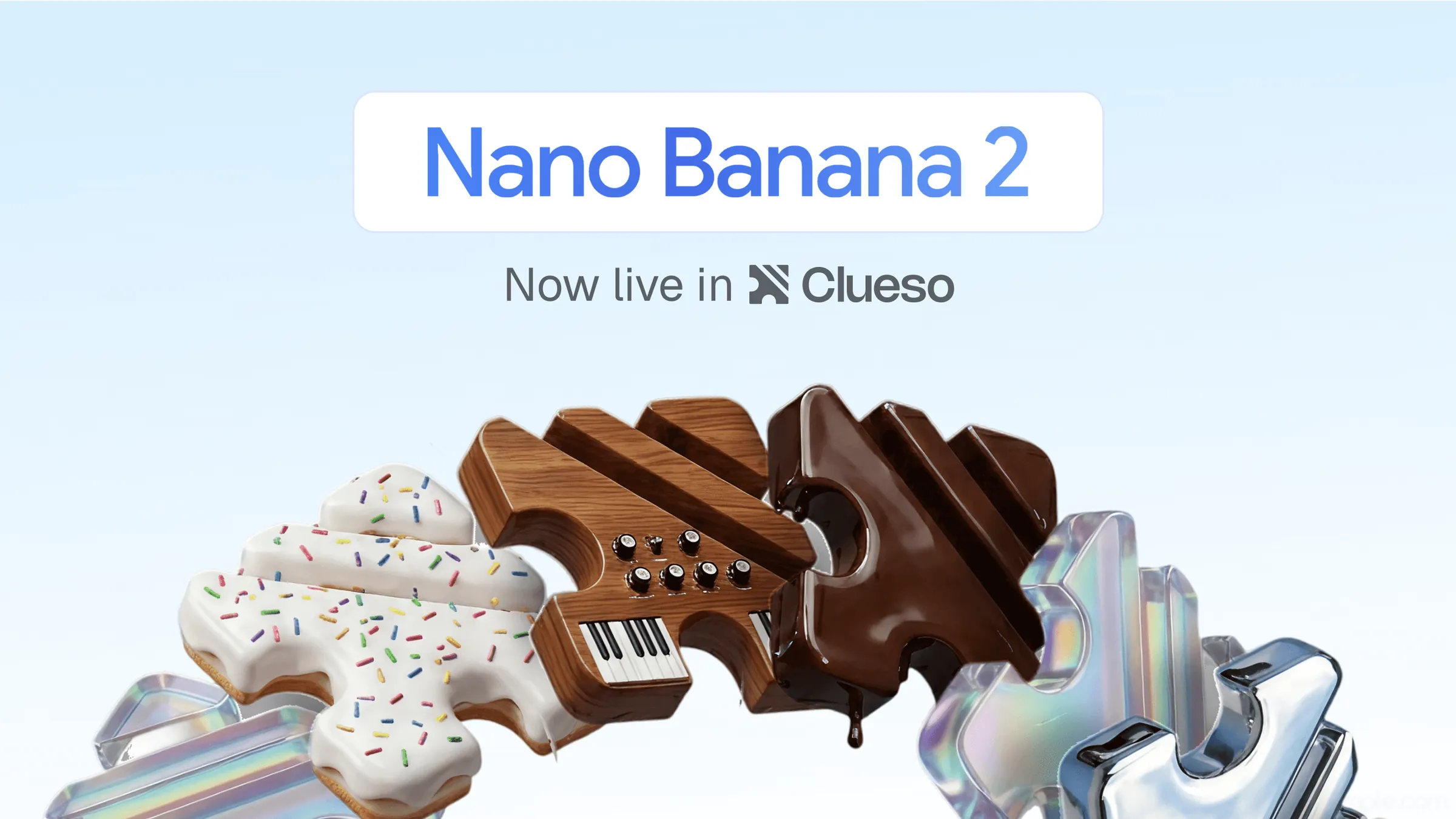
AI Image Generation
Generate images directly inside Clueso using AI Media, while staying consistent with your brand style.
Clueso uses your existing references to create on-brand visuals without long prompts or repeated iterations - the easiest way to add custom visuals.

NEW FEATURE
Jan 20, 2026
AI Image Generation
Generate images directly inside Clueso using AI Media, while staying consistent with your brand style.
Clueso uses your existing references to create on-brand visuals without long prompts or repeated iterations - the easiest way to add custom visuals.

NEW FEATURE
Jan 20, 2026
AI Image Generation
Generate images directly inside Clueso using AI Media, while staying consistent with your brand style.
Clueso uses your existing references to create on-brand visuals without long prompts or repeated iterations - the easiest way to add custom visuals.

NEW FEATURE
Jan 21, 2026
Comments
You can now add comments directly inside your video to share feedback.
Comments can be tied to exact timestamps with an option to mark specific areas of the video. For more general feedback, you can leave comments without a timestamp.
You can also edit, resolve, search, and filter comments as your video evolves.

NEW FEATURE
Jan 21, 2026
Comments
You can now add comments directly inside your video to share feedback.
Comments can be tied to exact timestamps with an option to mark specific areas of the video. For more general feedback, you can leave comments without a timestamp.
You can also edit, resolve, search, and filter comments as your video evolves.

NEW FEATURE
Jan 21, 2026
Comments
You can now add comments directly inside your video to share feedback.
Comments can be tied to exact timestamps with an option to mark specific areas of the video. For more general feedback, you can leave comments without a timestamp.
You can also edit, resolve, search, and filter comments as your video evolves.

NEW FEATURE
Jan 22, 2026
Grouping
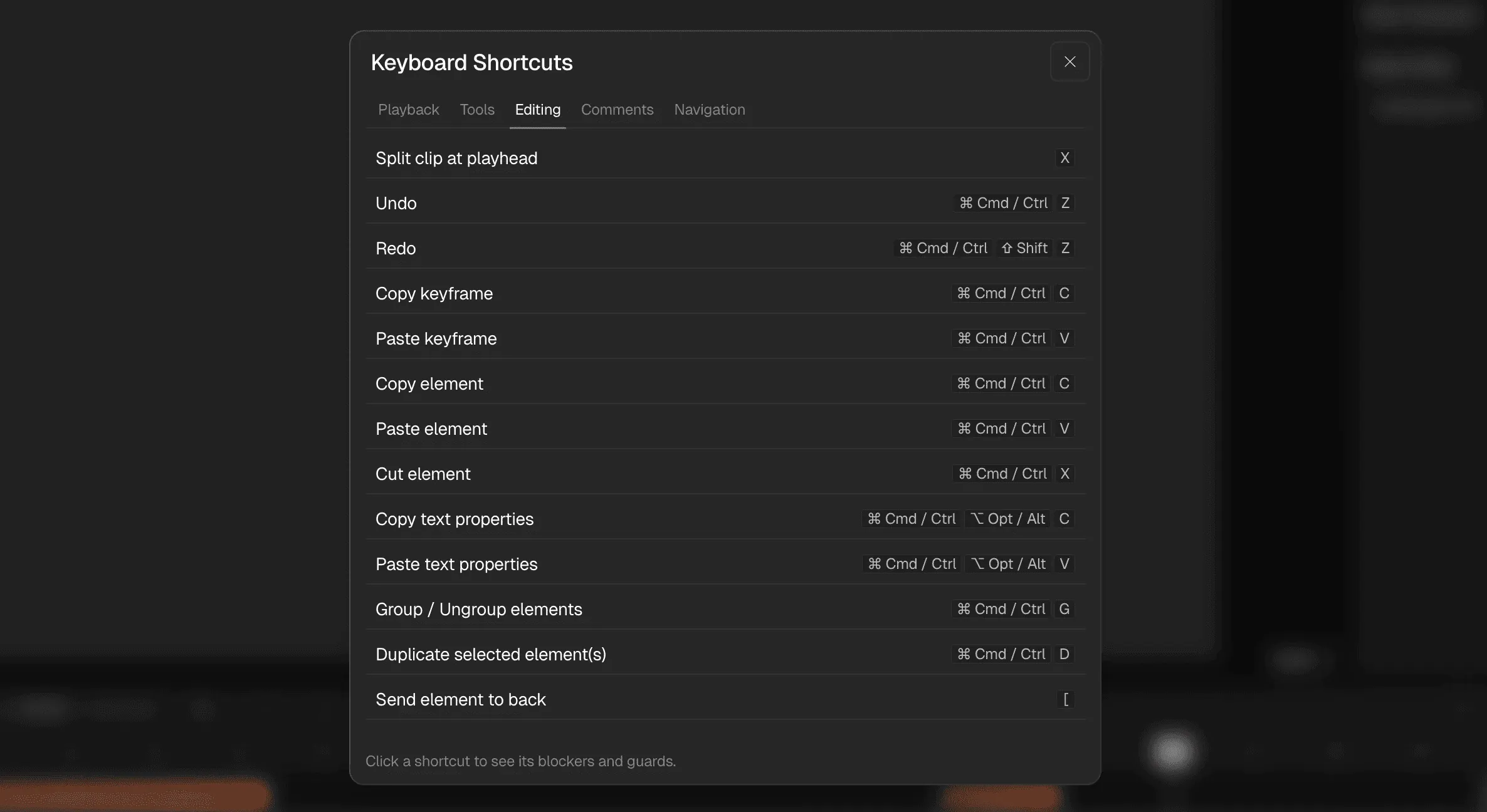
You can now group elements on the canvas so they behave as a single unit. This means you can edit multiple elements at once, like sizing, font styles, alignment, colours etc.
Clueso also supports nesting, so you can group groups and build structured compositions as your video grows.

NEW FEATURE
Jan 22, 2026
Grouping
You can now group elements on the canvas so they behave as a single unit. This means you can edit multiple elements at once, like sizing, font styles, alignment, colours etc.
Clueso also supports nesting, so you can group groups and build structured compositions as your video grows.

NEW FEATURE
Jan 22, 2026
Grouping
You can now group elements on the canvas so they behave as a single unit. This means you can edit multiple elements at once, like sizing, font styles, alignment, colours etc.
Clueso also supports nesting, so you can group groups and build structured compositions as your video grows.

NEW FEATURE
Jan 23, 2026
Non-blocking Clip Uploads
Uploading new clips no longer blocks your editor. Clips now process independently, allowing you to continue editing the rest of your video.

NEW FEATURE
Jan 23, 2026
Non-blocking Clip Uploads
Uploading new clips no longer blocks your editor. Clips now process independently, allowing you to continue editing the rest of your video.

NEW FEATURE
Jan 23, 2026
Non-blocking Clip Uploads
Uploading new clips no longer blocks your editor. Clips now process independently, allowing you to continue editing the rest of your video.

NEW FEATURE
Feb 1, 2026
Mini Features - February
Keyframe Animations for Images, Arrows, Rectangles
Rename Sync Points & Elements
Screen record new videos directly in Editor
New file formats supported (.mov, .webm, .gif)
Case-sensitive pronunciation dictionary

NEW FEATURE
Feb 1, 2026
Mini Features - February
Keyframe Animations for Images, Arrows, Rectangles
Rename Sync Points & Elements
Screen record new videos directly in Editor
New file formats supported (.mov, .webm, .gif)
Case-sensitive pronunciation dictionary

NEW FEATURE
Feb 1, 2026
Mini Features - February
Keyframe Animations for Images, Arrows, Rectangles
Rename Sync Points & Elements
Screen record new videos directly in Editor
New file formats supported (.mov, .webm, .gif)
Case-sensitive pronunciation dictionary
© 2025 Desklamp, Inc. All rights reserved
2810 N Church St, Wilmington, DE 19802, USA
© 2025 Desklamp, Inc. All rights reserved
2810 N Church St, Wilmington, DE 19802, USA
© 2025 Desklamp, Inc. All rights reserved
2810 N Church St, Wilmington, DE 19802, USA