Communication made quick or content made to last
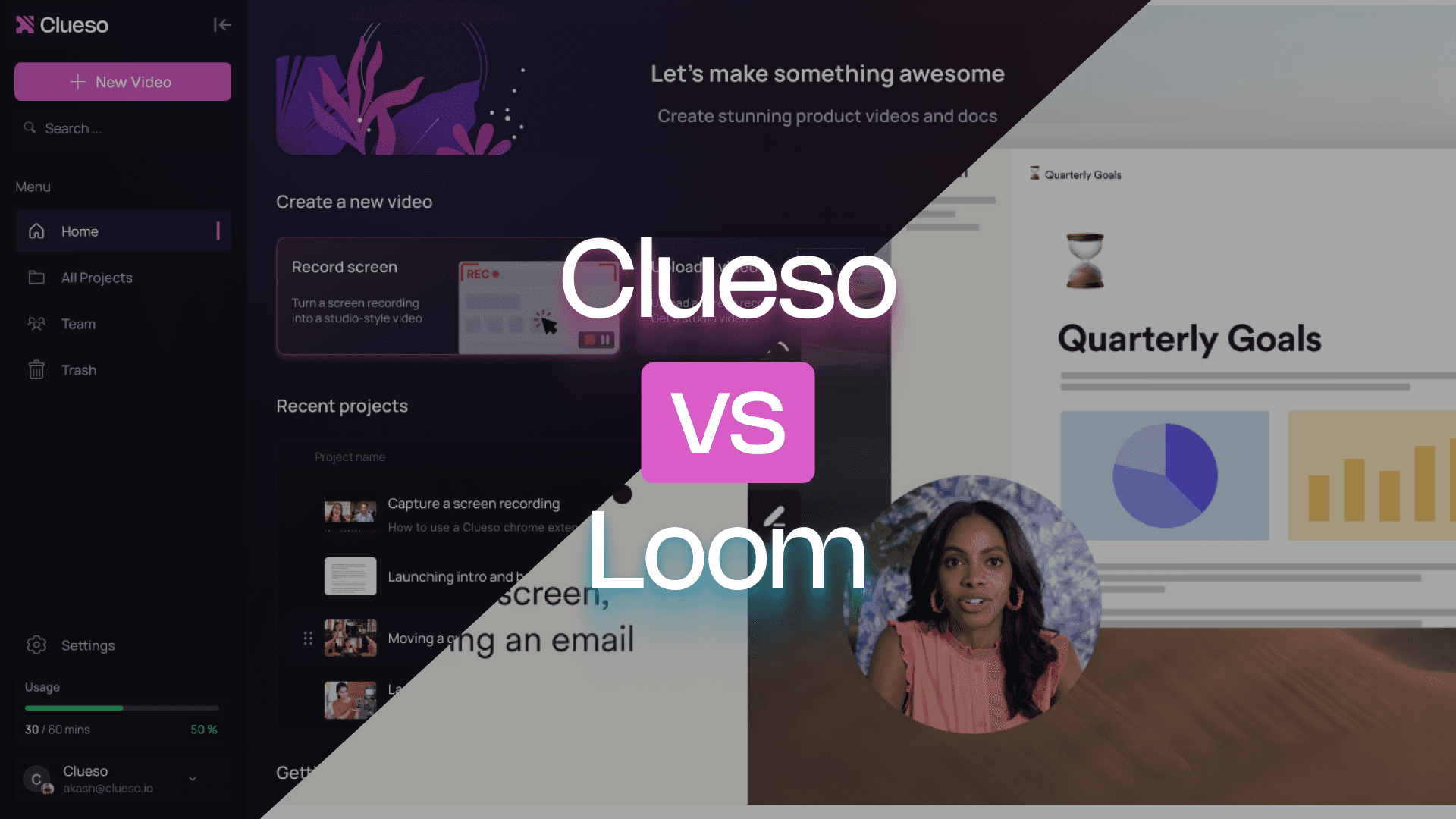
Loom records your message. Clueso records your method.
Both Clueso and Loom make it easy to capture your screen, but their goals are worlds apart. Loom is built for fast, informal communication, like recording quick updates or feedback to replace meetings. Clueso, on the other hand, is built for creation at scale. It automatically turns your recordings into polished videos and step-by-step articles that teams can reuse, update, and share anywhere.
You can record another Loom tomorrow or make one Clueso video that keeps working for you.
What makes Clueso different from Loom
Clueso vs Loom at a Glance
Video Creation Capabilities
Feature | Clueso | Loom |
|---|---|---|
Screen Capture | ✓ | Basic |
Audio Recording | AI-enhanced | Basic |
Video Quality | High | Basic |
Script Generation | AI-enhanced | ❌ |
AI Voiceovers | ✓ | ❌ |
Automatic audio transcription | ✓ | ✓ |
Audio-video sync | ✓ | ✓ |
Convert PPT/slide decks to videos | Advanced | ❌ |
Break down long recordings into bite-sized videos automatically | Advanced | ❌ |
Documentation Capabilities
Feature | Clueso | Loom |
|---|---|---|
Step detection | ✓ | ✓ |
Auto Article Generation | ✓ | ✓ |
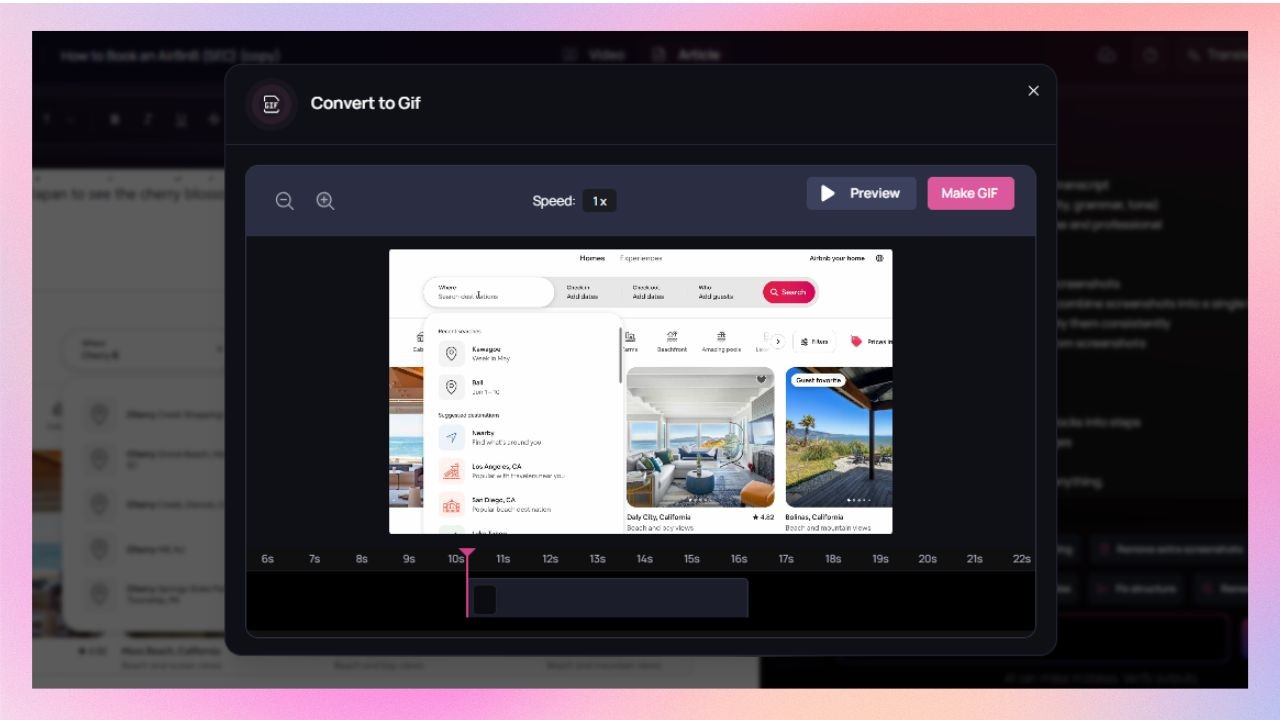
Convert screenshots to GIFs | ✓ | ❌ |
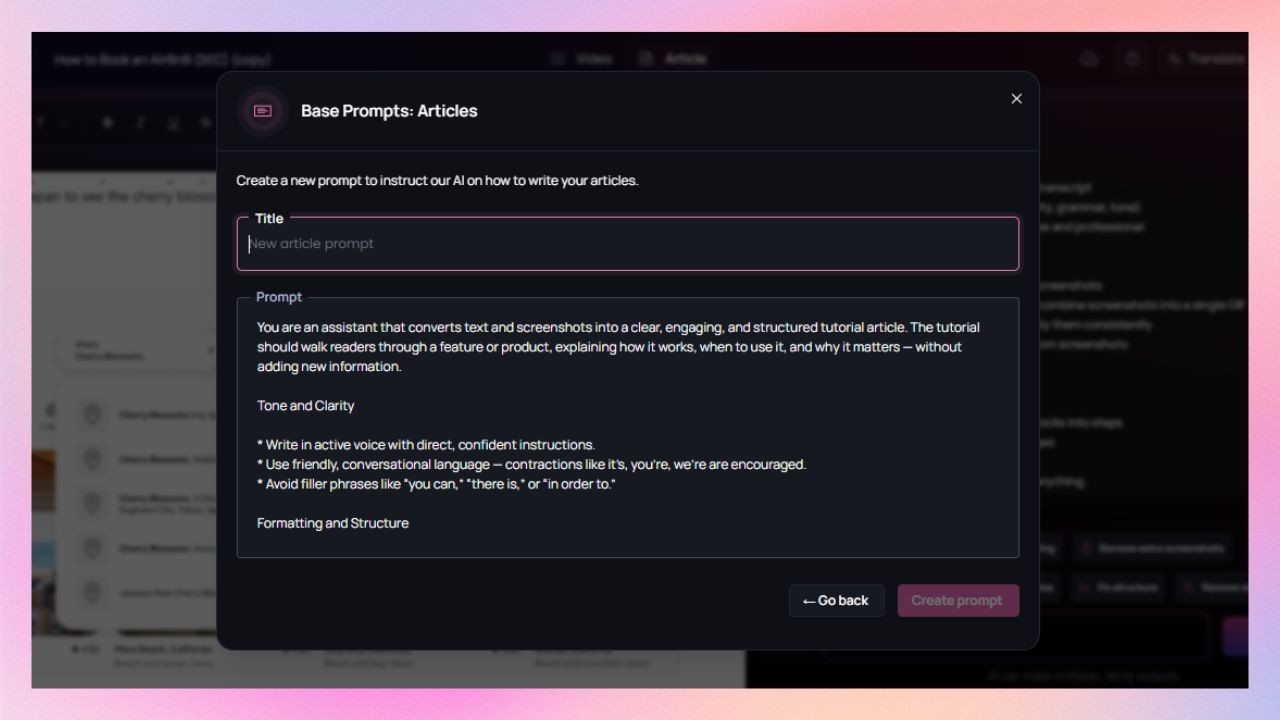
Article co-pilot to edit SOPs based on text in | ✓ | ❌ |
Breaking down long recordings into SOPs for each process/workflow | ✓ | ❌ |
Professional Features
Feature | Clueso | Loom |
|---|---|---|
Custom Branding | ✓ | Limited |
Custom Video Templates | ✓ | ❌ |
Export Formats | Multiple | Limited |
Zoom Effects | ✓ | ❌ |
Visual effects (callouts, spotlights, text animations, transitions, etc) | Advanced | ❌ |
Content Updates | ✓ | ❌ |
Enterprise Features
Feature | Clueso | Loom |
|---|---|---|
Security Compliance | SOC2, ISO 27001 | SOC2, ISO 27001 |
Team Collaboration | ✓ | Basic |
Access Control | ✓ | Limited |
You’re in good company
From start-ups to enterprises, teams of all sizes trust Clueso.
Clueso vs Loom: Detailed Comparison
Clueso and Loom are built for very different goals. Loom makes quick video messages simple. Clueso transforms those same workflows into professional, branded, and AI-powered content.
If Loom is built for quick communication, Clueso is built for creation at scale. It helps teams produce tutorials, help-center videos, and onboarding content that stay consistent, editable, and on-brand.
A. Purpose & Positioning
Purpose
Clueso helps product, support, and enablement teams create polished tutorials, product walkthroughs, and help-center content that can be reused and scaled.
Loom is ideal for quick updates, feedback, and internal communication between teammates. It’s fast, lightweight, and personal, but not designed for content that lives beyond the moment.
Longevity of Content
Clueso creates evergreen, editable, and reusable videos that stay relevant as your product evolves.
Loom is great for one-off communication. But these videos soon become outdated or buried in team feeds.
B. Video Creation Capabilities
Screen Capture
Clueso allows you to record your screen in crisp quality(2K), capturing every action precisely. Each base recording is in high quality to become a polished walkthrough or demo.
Loom offers simple, fast screen recording, ideal for async communication. But it lacks proper structure. It is perfect for quick updates, not polished documentation.
Audio Recording
Clueso uses AI-enhanced audio to clean background noise and level volume automatically. You can also generate natural-sounding AI voiceovers.
Loom captures microphone input as-is, which can result in inconsistent sound. There’s no audio enhancement or AI support.
Video Quality
Clueso produces high-resolution, professionally framed videos optimized for tutorials, training, and external publishing.
Loom keeps quality lightweight for faster upload and playback. It works fine for internal communications, but it is not ideal for brand-level output.
Script Generation
Clueso drafts and enhances your video scripts automatically, matching the narration to on-screen steps for clear, cohesive explanations. You can also add a prompt to further specify your needs.
Guide does not offer any scripting assistance. You will need to plan or write your script ahead of time.
AI Voiceovers
Clueso can generate AI voiceovers in 40 + languages. You have the option of varying accents with natural tone and pacing to choose from.

Loom has no AI voiceovers or dubbing features. It records your live narration during screen recording.
Automatic Audio Transcription
Clueso generates accurate transcripts instantly, then uses them to build captions, scripts, narration, and even step-by-step articles. Edits to the transcript update every connected output automatically.
Loom provides basic transcription for videos. Transcriptions aren’t connected to editing workflows or documentation generation.
Audio-Video Sync
Both tools are good at maintaining solid sync between visuals and narration.
Convert PPT / Slide Decks to Videos
Clueso lets you convert slide decks into dynamic videos with voice-narration, transitions, captions, and branding — all automatically.
Loom does not support slide-to-video conversion. You must screen-record the deck manually and perform narration in real time.
Break Long Recordings Into Bite-Sized Videos Automatically
Clueso uses advanced AI to detect natural breakpoints in long recordings and split them into shorter, structured micro-videos. It is ideal for onboarding flows, training modules, or help-center playlists.

Loom does not support automatic segmentation; users must trim, duplicate, or manually edit recordings into separate clips.
C. Ease of Use & Workflow
Setup & Learning Curve
Clueso is browser-based, no installations or setup required. Record instantly, and Clueso helps you with AI script, voiceover, trimming, and syncing.
Loom is simple to use, but editing and organizing videos still take manual effort.
Editing Experience
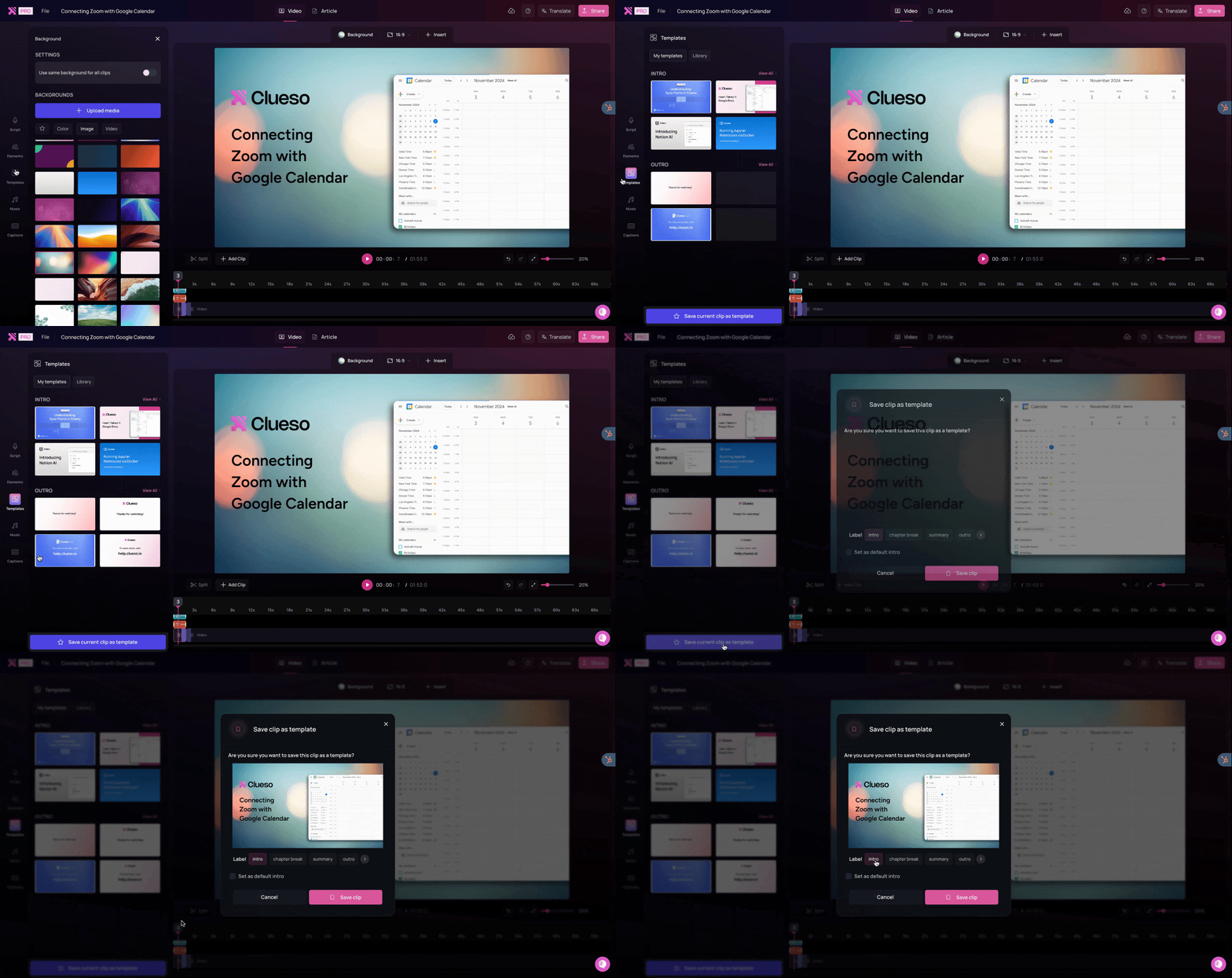
Clueso automatically detects and removes pauses or filler words, adds zoom effects to key actions, and syncs narration to video perfectly.
Loom offers a basic trim tool. No smart edits or automated polishing are available.
D. Documentation Capabilities
Step Detection
Clueso automatically detects each interaction (clicks, scrolls, UI changes) and turns them into structured steps for both video chapters and documentation.
Loom detects steps in screen recordings and uses them as documentation-ready segments.
Auto Article Generation
Clueso converts every video into a step-by-step article with screenshots, gifs and descriptions as needed. It is perfect for help centers or knowledge bases.
Loom AI converts your video into written documentation.
Convert Screenshots to GIFs
Clueso can turn any screenshot into a polished GIF. It is ideal for release notes, product updates, or help-center snippets. Cursor motion and highlights are retained automatically.

Loom does not support any such feature.
Article Co-Pilot for SOP Editing
Clueso lets you refine written documentation using AI article co-pilot. You can provide instructions to rewrite, expand, shorten, or improve clarity .

While Loom supports documentation generation, it does not offer any AI-assisted editing tools.
Break Long Recordings Into SOPs per Workflow
Clueso automatically identifies distinct workflows within long recordings and converts each into its own SOP with steps, screenshots, and AI-generated explanations.
Loom does not support workflow-based segmentation.
E. Professional Features
Custom Branding
Once you drop in your logo, colors, and typography, Clueso automatically applies them across all exports for cohesive branding.
In Loom, branding is limited. You can’t fully customize exported videos.
Custom Video Templates
Clueso offers customizable video templates that define branding, structure, transitions, zoom behaviors, and visual styling. Perfect for creating consistent tutorials across teams.

Loom offers no support for templates beyond basic branding. Layouts and styles are the same for every video.
Export Formats
Clueso offers flexible exports in various formats. It is ideal for video, web, and support content.
Loom exports videos in limited formats only.
Zoom Effects
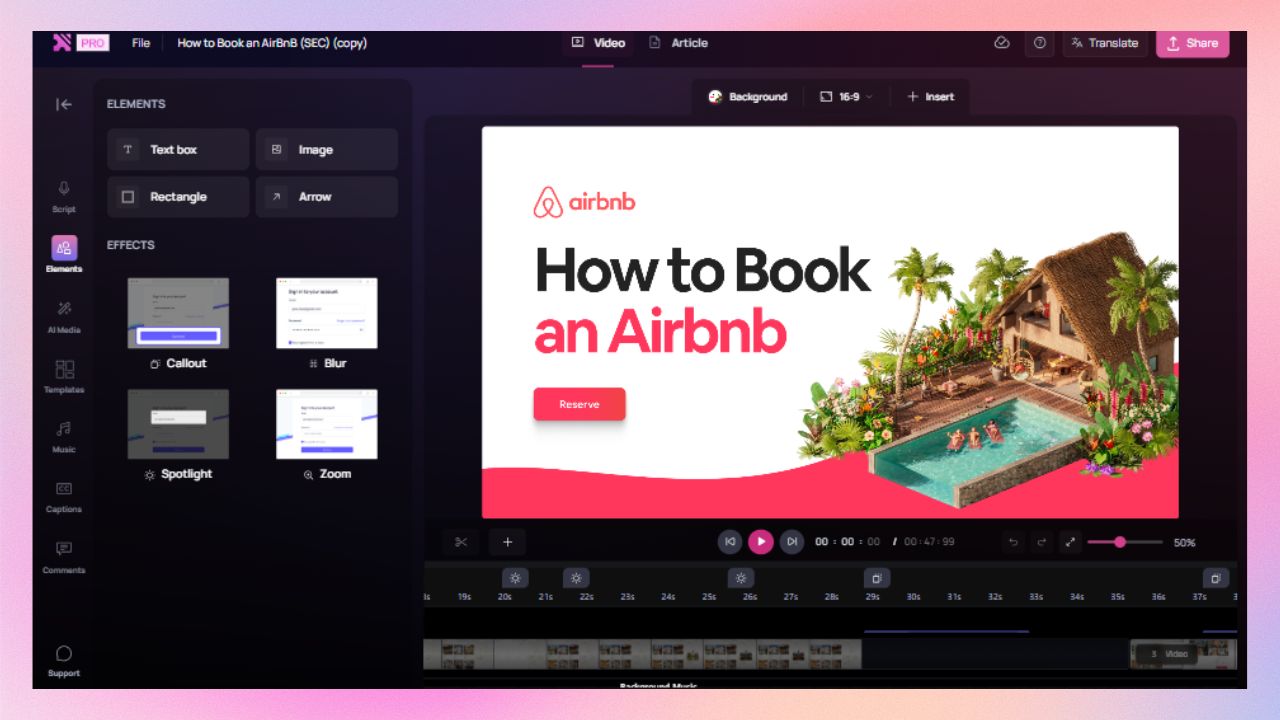
Clueso adds zooms and focuses automatically to highlight critical actions. You do not need to add them manually during timeline editing.

In Loom, no zoom or highlight effects are available.
Visual Effects (Callouts, Spotlights, Animations, Transitions)
Clueso offers advanced visual effects, such as spotlights, zooms, callouts, text animations, step highlights, and transitions.

Loom does not offer these effects. Videos remain raw recordings unless edited in external tools.
Content Updates
In Clueso, you can simply edit or replace sections that need an update. No need to redo entire recordings.
Loom updates require re-recording or adding a new version.
Version Control
Clueso tracks revisions with detailed version history. You can review, roll back, or compare updates anytime.

Loom Lacks built-in version tracking; each new version is treated as a separate file.
Multi-Language Support
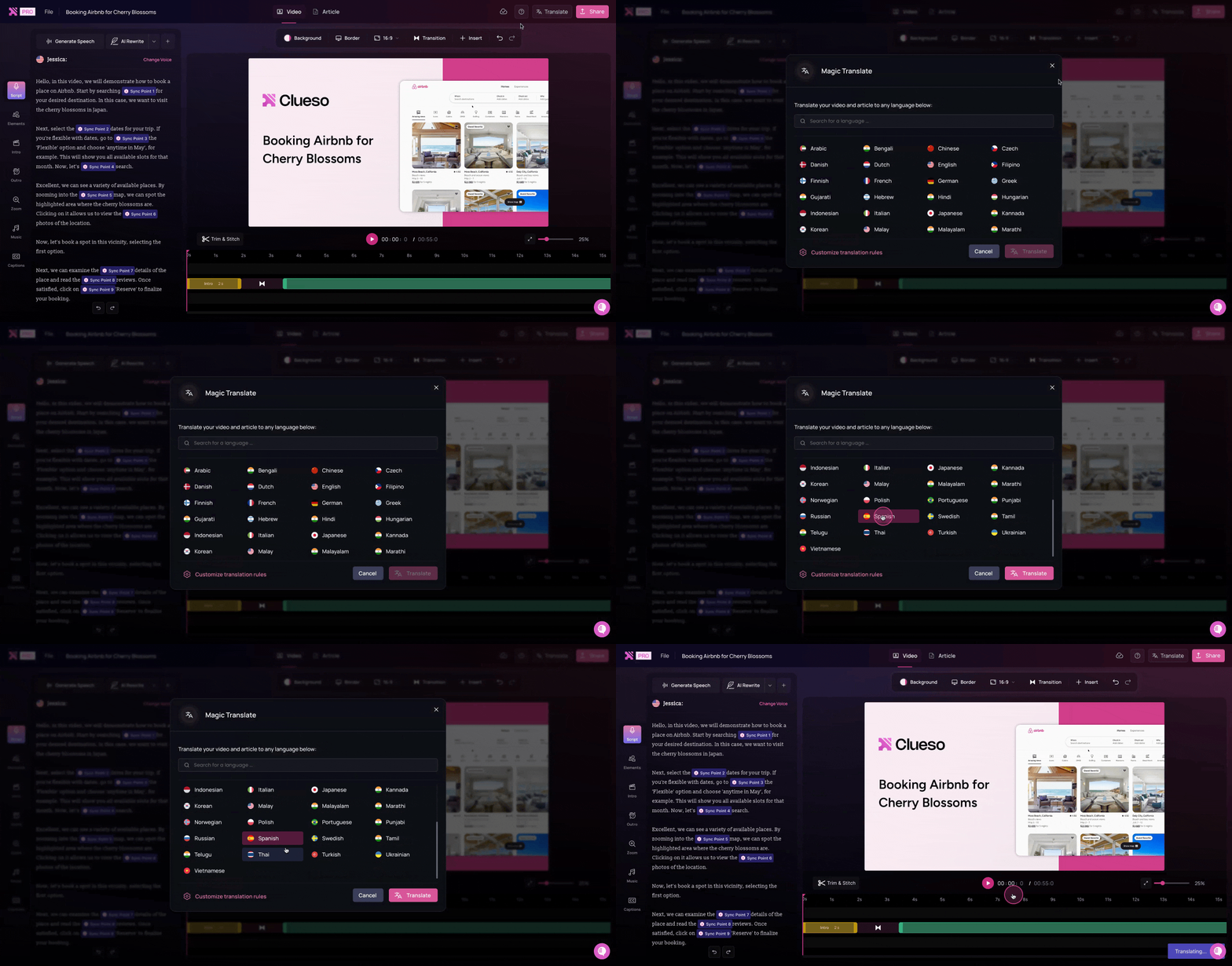
Clueso’s built-in AI translation instantly localizes videos, captions, and articles in over 40 languages. Your product tutorials and help docs are ready for global audiences in minutes.

Loom provides captions in a single language only; no translation support.
Accessibility
Clueso generates transcripts and closed captions to make every video accessible to all audiences, including those with hearing impairments.
Loom offers basic captions, but with limited customization or accuracy control.
F. Enterprise Features
Security Compliance
Both tools are certified for SOC 2 and ISO 27001, ensuring secure use for enterprise environments.
Team Collaboration
Clueso offers cloud-based workspace with shared access, commenting, and role management. It is perfect for multi-team documentation workflows.
Loom offers shared folders but lacks structured collaboration or approval workflows.
Access Control
Clueso provides detailed admin permissions, analytics, and content ownership tracking.
Loom offers simple visibility settings (private, team, public).
Scalability & Team Management
Clueso’s centralized library, version history, and real-time collaboration keep teams aligned. Managers can assign roles and ensure brand consistency across hundreds of videos.
Loom scales well for quick internal communication but struggles when multiple teams create, update, and manage content simultaneously.
G. Pricing Comparison
lueso’s plan includes AI editing, scriptwriting, voiceovers, and documentation for teams. Loom’s pricing is per seat and designed for lightweight use. For organizations producing repeatable, high-quality content, Clueso’s all-inclusive model scales far better.
Cost Factor | Clueso | Loom |
|---|---|---|
Pricing Model | Per-team, all-inclusive | Per-user |
Hidden Costs | None — AI and documentation included | Extra seats add cost |
Maintenance | Cloud-native and auto-updated | Manual management |
Time Per Video | Minutes (AI-driven) | Hours (manual re-recording) |
Total Cost of Ownership
Loom’s pricing is lower, but Clueso’s automation and team-based model deliver greater long-term ROI.
Recognized. Trusted. Loved.
Clueso vs Loom: Which One Is for You?
If you’re looking to share quick updates, async feedback, or personal messages, Loom is an excellent fit. It’s lightweight, simple, and ideal for everyday team communication.
But if you’re creating professional, repeatable, and evergreen content, like product tutorials, onboarding videos, or help documentation, Clueso is built for that. It automates everything Loom leaves manual: scripts, voiceovers, translation, and article generation.
Ideal Use Cases
Use Case | Clueso | Loom |
|---|---|---|
Product Demos & Walkthroughs | ✅ Step-based videos with features to enhance clarity | ⚪ Videos with limited features |
Customer Training | ✅ Video + article outputs | ⚪ Video only |
Internal Comms & Async Updates | ✅ Polished and organized | ✅ Quick and casual |
Onboarding & SOPs | ✅ Auto-generated | x |
Marketing or CX Teams | ✅ Branded and translated content | ⚪ Limited branding options, no video translation |

Start making
beautiful videos
Transform rough screen recordings
into stunning videos & documentation.