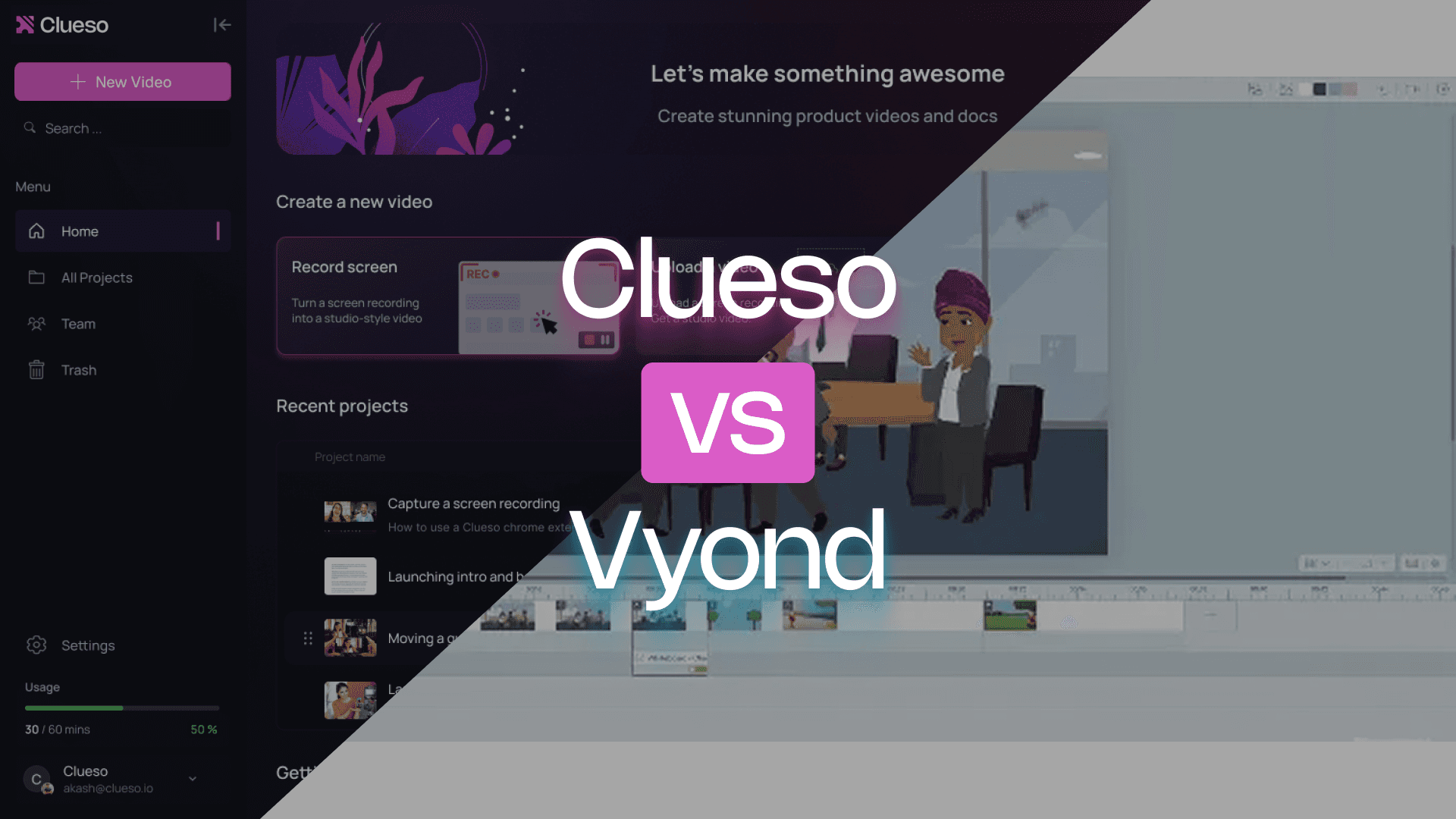
Vyond is a powerful tool for creating animated, story-driven videos with characters and custom scenes. Clueso is built for demonstrating your product in action — capturing your real screen and automatically turning it into narrated walkthrough videos and step-by-step documentation.
If you want to help your audience with well structured content, this comparison will point you in the right direction.
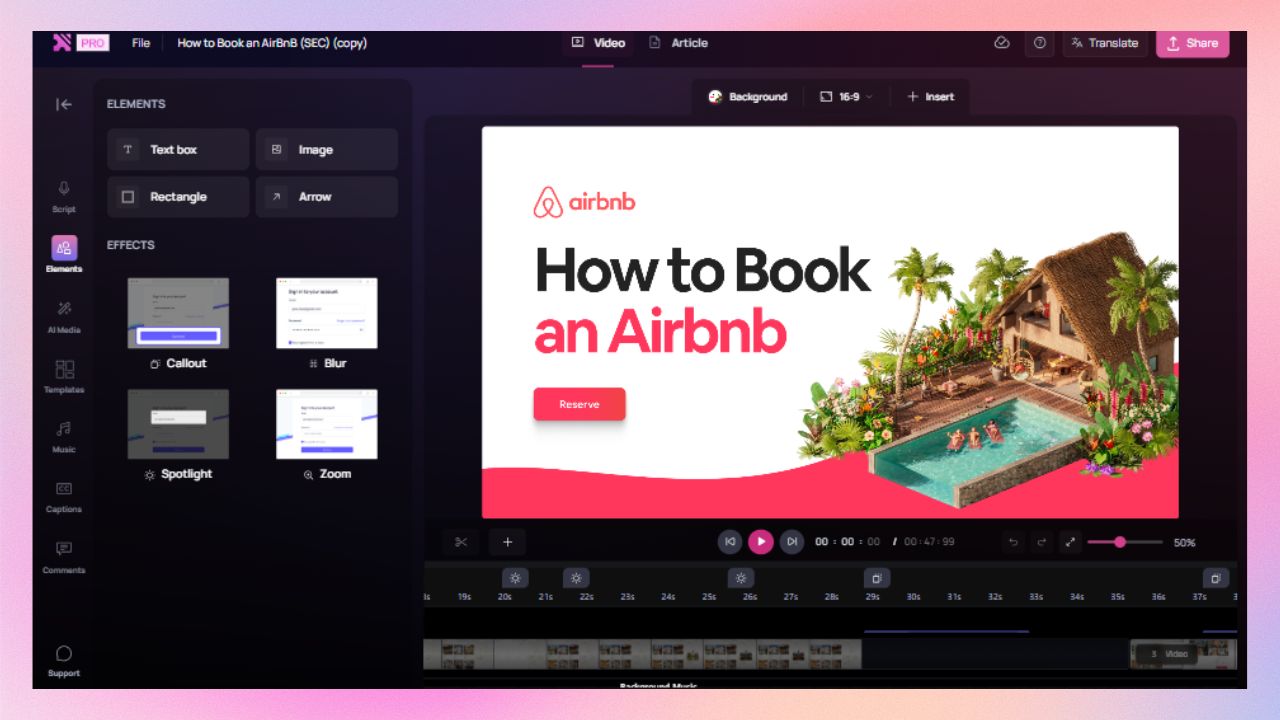
Clueso gives you advanced editing capabilities all managed from one intuitive timeline. You get the flexibility of a professional editor without the steep learning curve.
Automation that removes manual work
From script polishing and voiceovers to captions, and article generation, Clueso automates the heavy lifting so your team can focus on clarity.
Custom translation rules for brand consistency
Clueso lets you define translation glossaries and custom rules to protect product names, technical terminology, and brand language.
Clueso vs Vyond at a Glance
Video Creation Features
Feature
Clueso
Vyond
Inbuilt screen recorder
✓
✓
Process capture and step detection
✓
❌
Auto-script generation
✓
❌
Transcript/ text-based editing
✓
Limited
AI voiceovers
✓
✓
Audio tag for expressive voiceover
✓
❌
Pronunciation dictionary
✓
❌
AI Avatars
✓
✓
Custom AI Avatars
Basic
Basic
Timeline & keyframe control
✓
Limited
Audio-video sync
Automated
Manual
Filler removal
Automated
❌
Upload existing videos
✓
✓
Convert PPT/slide decks to videos
✓
✓
Convert PDF/Word documents to video
✓
✓
Break down long recordings into bite-sized videos automatically
✓
❌
Closed captions
✓
✓
Documentation Features
Feature
Clueso
Vyond
Step-by-step documentation generation from videos
✓
❌
Convert screenshots to GIFs
✓
❌
Custom formatting and style guidelines
✓
❌
Article co-pilot to edit SOPs based on text in
✓
❌
Breaking down long recordings into SOPs for each process/workflow
✓
❌
Editing Features
Feature
Clueso
Vyond
Brand customization
✓
✓ (premium plan)
Scene & asset library
✓ (includes Template Builder)
✓
Zooms, callouts, annotations
✓
Limited
Collaboration tools
✓
✓ (premium plan)
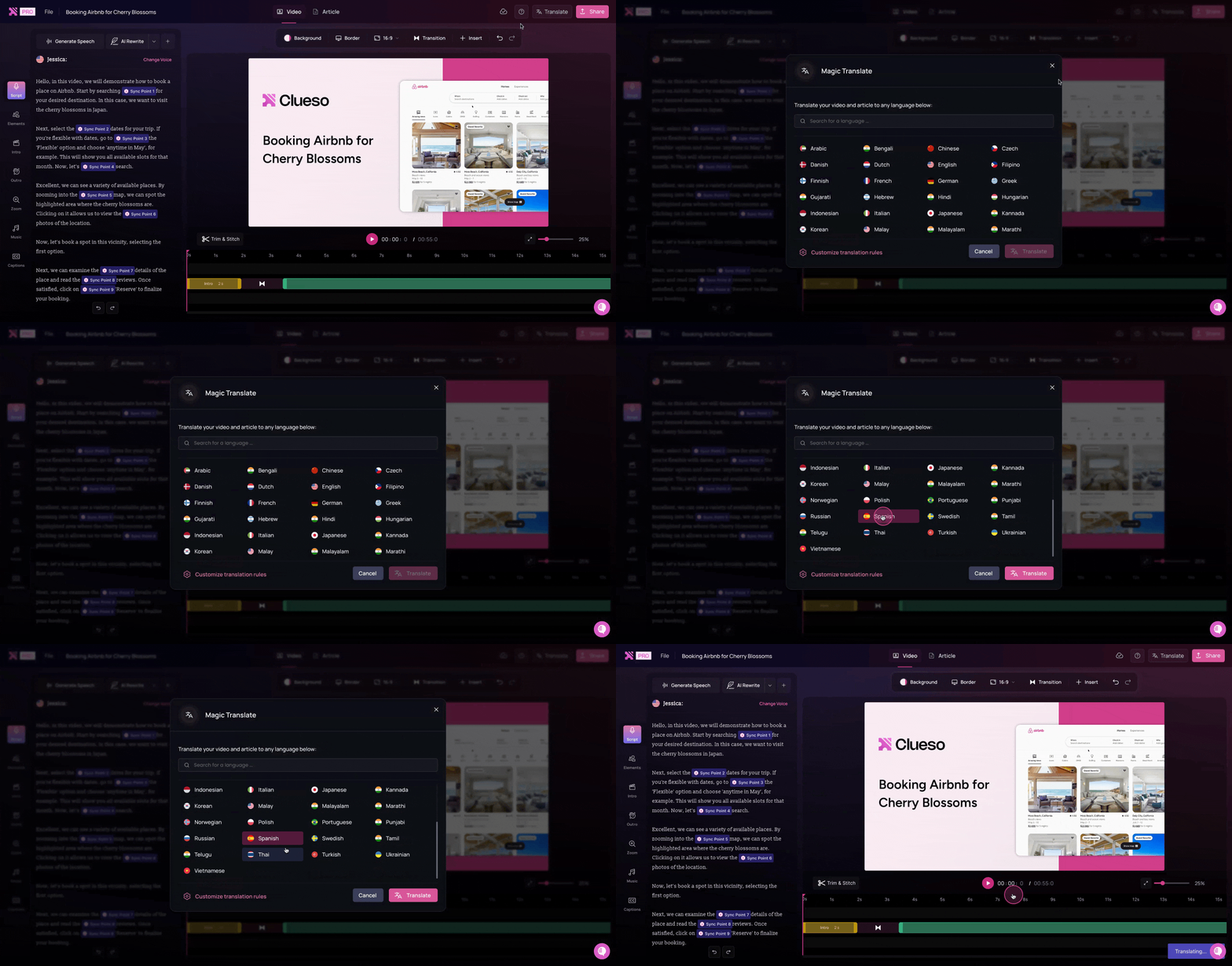
1-click translations
✓
✓
Translation glossary
✓
❌
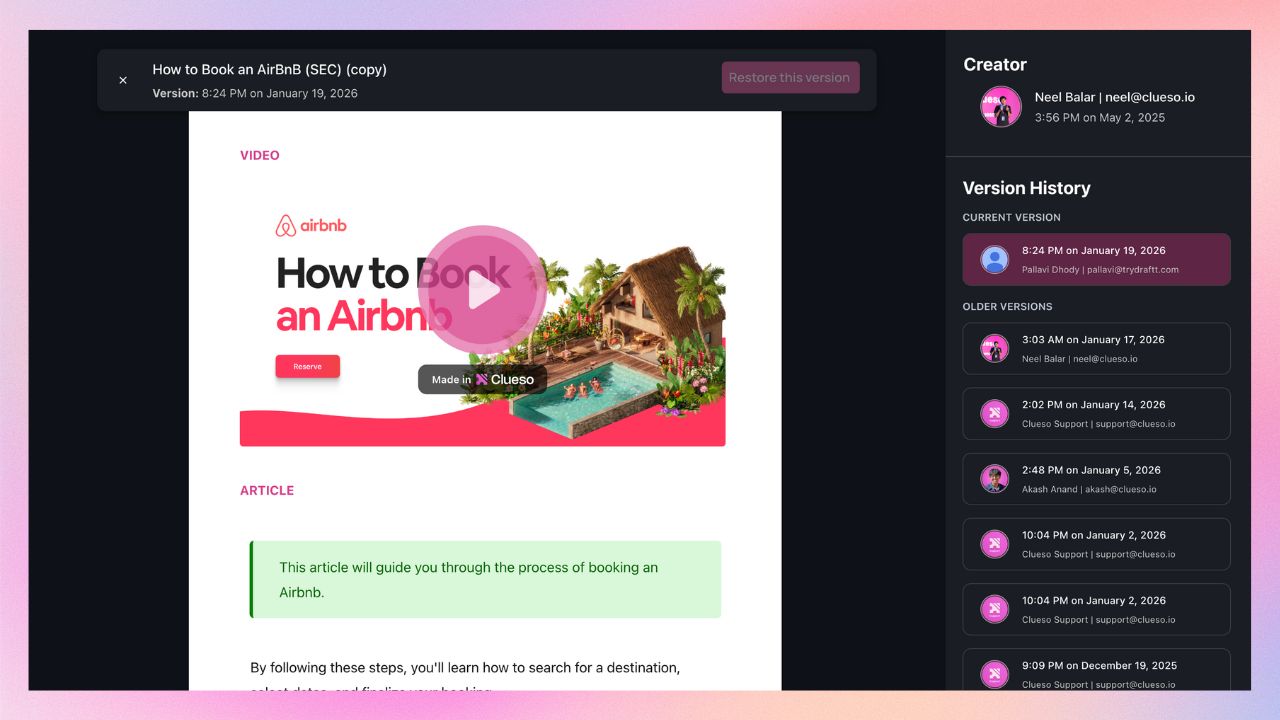
Version history
✓
✓
Enterprise & Scalability
Feature
Clueso
Vyond
Security compliance
SOC2, ISO 27001
ISO 27001
Multi-user workspaces
✓
✓ (premium plan)
Video reviews with comments
✓
❌
Auto updates / sync
✓
❌
You’re in good company
Clueso has been a game-changer for supporting our front-line and office workers. Its intuitive interface and powerful AI let us quickly deliver clear, targeted content, dramatically boosting our productivity. Plus, Clueso's customer support is among the best of any vendor we use. A truly fantastic partner!
Daniel WoodDirector of Learning and Development, Global Partners LP
Daniel Wood, Director of Learning and Development, Global Partners LP
With Clueso, we created and launched 8 training courses for Duda's new editor in just one quarter—something we never thought was possible given the resources we had. The ability to make dynamic updates to videos has truly been a game-changer for my team!
Cyrus DorostiVP of Customer Success, Duda
Cyrus Dorosti, VP of Customer Success, Duda
As a fast-evolving software product, Personio looks for partners who help us deliver at pace. Clueso has helped us transform our video production, letting our expert video producers focus their time and opening up high-quality video production across our team. We also trust the team at Clueso to be responsive to our needs and innovative for the industry.
Adam AvramescuVP - Scaled Customer Experience, Personio
Adam Avramescu, VP - Scaled Customer Experience, Personio
We got Clueso to help us create product training videos for customers, and quickly realized we could use it to scale employee training on internal workflows too. What began with a few licenses has expanded across teams. Everyone loves Clueso!
Hillary DealDirector of Product Training and Enablement, Keyfactor
Hillary Deal, Director of Product Training and Enablement, Keyfactor
We're now producing 30+ professional-grade product videos every month. What used to take hours can now be done in just 15 minutes with Clueso.
Honest answers to things that come up in day-to-day use.
Video creation
Can I record my actual product or workflow?
Yes, in both tools.
Both Clueso and Vyond include an inbuilt screen recorder.
Clueso also supports process capture and step detection, meaning it recognises actions as structured steps inside a workflow.
Vyond does not support process capture or step detection. It treats screen recordings as raw media.
Do I need to write a script for my screen-recorded videos?
Not in Clueso, yes in Vyond.
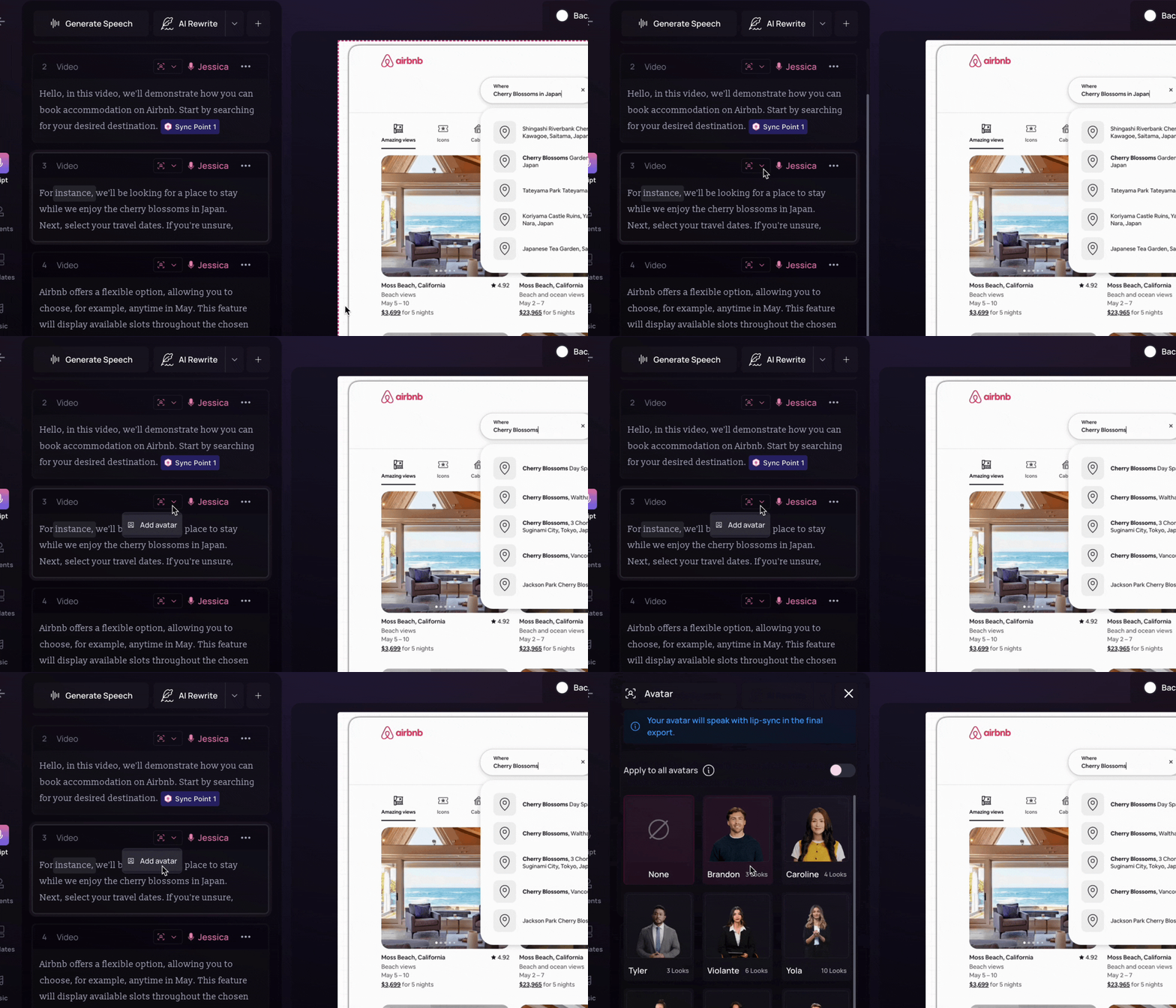
With Clueso, you do not need to plan for a script beforehand. You can simply explain the actions on screen as you go. Do not worry about it being clunky or full of pauses and filler words. Clueso AI generates a clear script based on your narration. You can edit the script further, either manually or using prompts.
Vyond does not generate scripts automatically. Script writing is a manual process. But you can make changes in the script using the Quick Edit feature.
What about voiceovers?
Both support AI voiceovers. Clueso offers more control.
Clueso offers a variety of 200+ natural sounding AI voiceovers in different languages, voices, and accents. You can control the tone, pacing, and pauses. You can even add audio tags to control the delivery expression. Clueso’s pronunciation dictionary lets you specify how AI pronounces certain words.
While Vyond supports AI voiceovers, the controls are basic. You can split a track, add audio fades and sound effects, and adjust the volume.
Can I use AI avatars?
Yes, in both tools.
Both Clueso and Vyond support realistic AI avatars and basic custom avatar options. The difference lies more in workflow emphasis.
While Clueso offers high quality AI avatars and customisation options, it is built for product-first content. So it primarily focuses on workflows. Thats why AI avatars become an optional layer in Clueso. It can be used to add a human touch to your videos, not to replace real walkthroughs.
While Vyond focuses on animated videos, AI avatars are not just an additional layer in this tool. You can create avatar-led videos and use customization options at an additional cost.
How much control do I get over the timeline?
More structured in Clueso. More manual in Vyond.
Clueso supports timeline and keyframe control within a workflow-driven system.
Vyond offers limited timeline and keyframe control compared to a full animation suite, but relies more heavily on manual scene assembly.
Do audio and visuals stay in sync when I edit?
Automatically in Clueso. Manually in Vyond.
Clueso keeps audio-video sync automated. So video and narration stays aligned when you adjust scripts, trim sections, or restructure content. You can add sync point markers to tweak it if you need.
Vyond requires manual syncing when narration or scenes change. You have to adjust the scene and voiceover to keep it aligned.
Can I convert slides or documents into videos?
Yes, both tools support it.
Clueso can convert PPT to video as well as PDF to video. You can simply upload your slides or documents and Clueso can use speaker notes to generate scripts or create narration from the slides or docs themselves.
Vyond supports slide-to-video and doc-to-video conversion as well. Once you upload the file, Vyond extracts key information to generate a script. The script and images are then added to the video layout you choose.
Can I break long recordings into multiple short videos?
Automatically in Clueso, not in Vyond.
Whether you record a long walkthrough with Clueso or upload a pre-recored one, Clueso Cuts can analyse it and split it into shorter, standalone videos automatically. Clueso also gives you pre-set options like splitting by topics, engaging moments, and time ranges or you can give specific instructions for how you want clips created.
Vyond does not offer any such feature. Either you have to create seperate short videos or you have to split and export them manually.
Are captions generated automatically?
Yes, in both tools.
Both Clueso and Vyond support auto-generated closed captions.
Step-by-step guide creation
Can it generate SOPs and written documentation from videos?
Yes in Clueso, not in Vyond.
Clueso generates step-by-step documentation from screen-recordings or existing videos. The written guides include detailed instructions and screenshots.
Vyond does not support SOP or wriiten documentation generation. You have to create them manually or use an additional tool.
Can I convert screenshots into GIFs?
Yes in Clueso, not in Vyond.
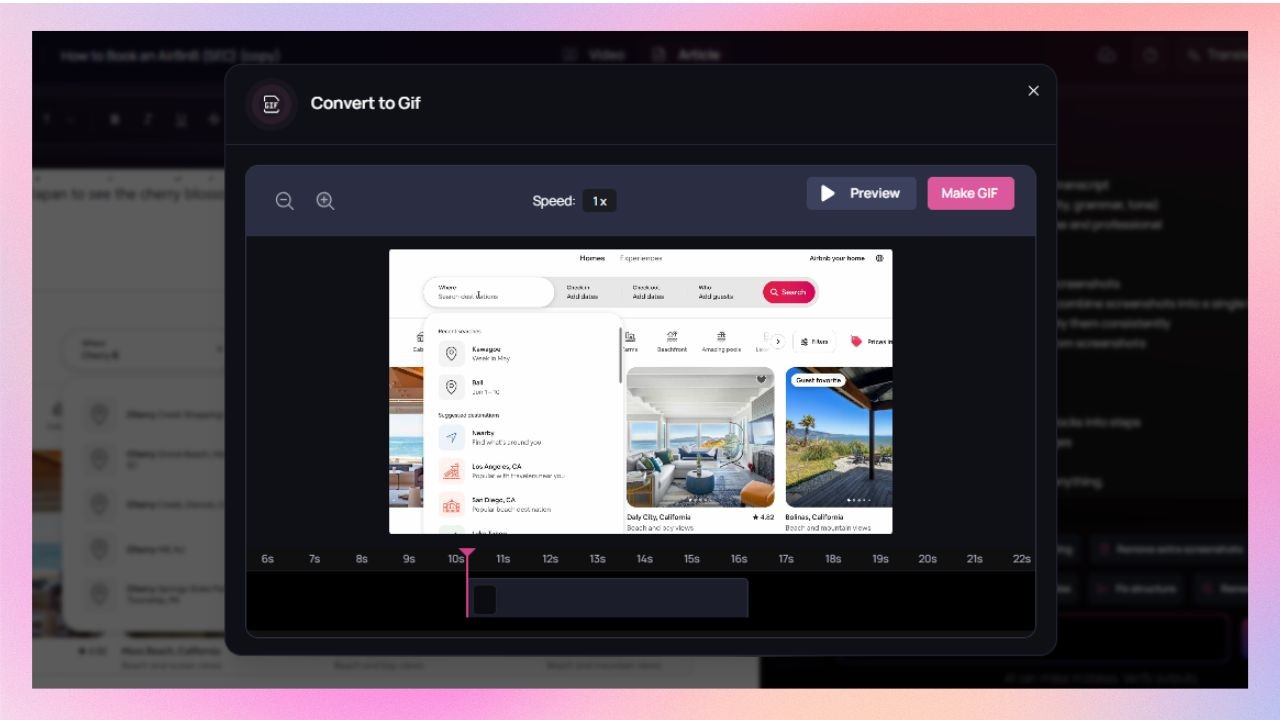
Clueso capture screenshots automatically from the video. You can convert a set of these screenshots into GIF while keeping the cursor movements intact.
Vyond does not support screenshots or turning them into GIFs. But you can create GIFs from videos on this tool.
Can I enforce formatting and style guidelines for SOPs?
Yes in Clueso. Not relevant for Vyond.
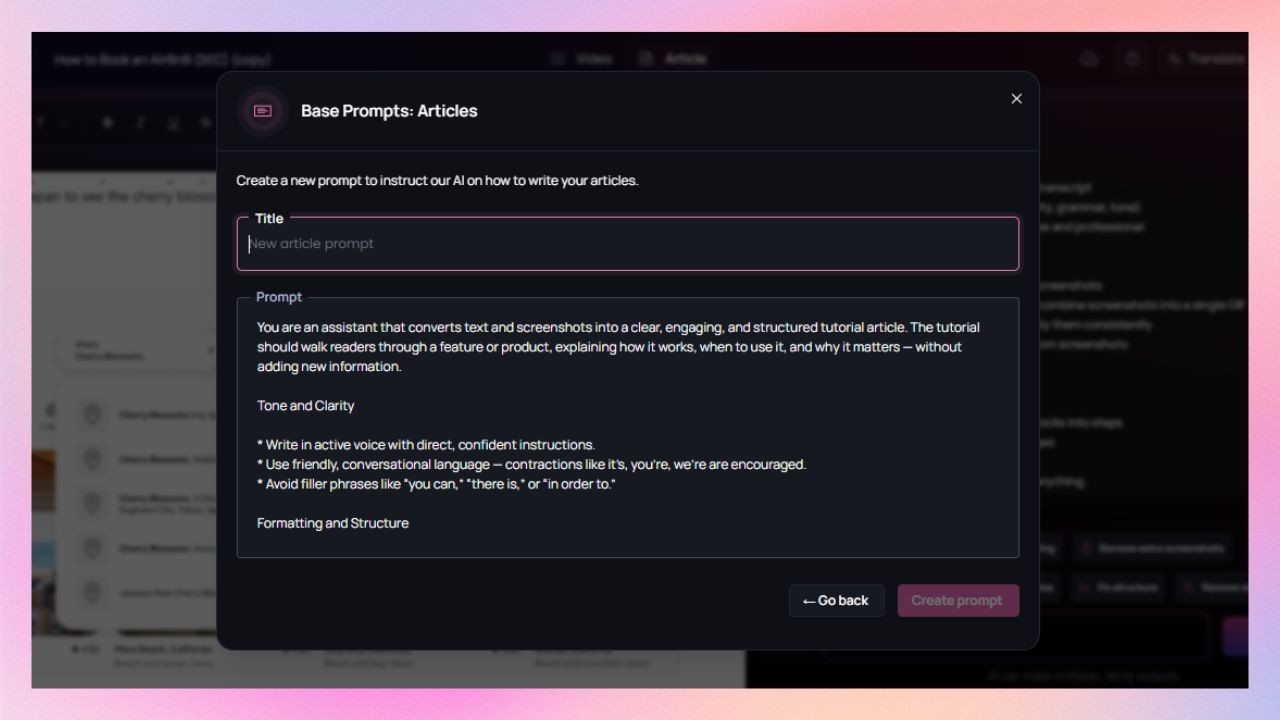
Clueso supports custom formatting rules, fonts, colours, and logos for documentation. It means every step-by-step guide stays on brand across teams and authors.
Vyond doesn’t generate documentation, so this workflow isn’t relevant.
Will the tool help me improve and edit SOPs?
Clueso can but Vyond does not.
Clueso offers an article copilot to edit and improve SOPs and help articles. You can set up predefined instructions, like tone, structure, level of detail, and formatting rules or use custom prompts. You can also use this feature to edit the text and screenshots further.
Vyond doesn’t support written documentation. So, editing workflows does not apply for this tool.
Can one long recording become multiple SOPs?
Yes, automatically in Clueso. Not applicable in Vyond.
Clueso can identify identify distinct workflows and processes and break down long recordings into SOPs for each process or workflow.
Vyond doesn’t support this workflow.
Editing tools
Can I keep content on-brand?
Yes, in both tools. But Vyond gates it.
Clueso lets you set brand styles with logo, font, and colours once and applies them automatically across all the content, video and documentation, you and your team create.
While Vyond provides a wide range of custom branding features, they are only available to Vyond for Enterprise and Vyond for Agency users.
What about scene creation and asset libraries?
Yes, both tools offer it.
Clueso offers a template library with pre-designed templates so that every video follows the same pattern. You can also build and save custom templates according to your needs.
Scenes and asstes library holds all your videos. You can browse them and add a scene or an asset (pre-used, grouped, or text) with one click or dragging it to the timeline.
Can I add visual effects to highlight important on-screen actions?
Yes, in both tools. But Vyond is limited.
Clueso analyzes your on-screen steps and automatically adds effects like zoom, spotlight, callout, etc as needed. You can also add animations. You can fine tune the visual effects or add them manually for better clarity.
Vyond offers limited manual annotation tools and requires timeline editing for focus effects.
What about localization?
Both tools support this feature.
Clueso offers 1-click translation for your videos and documents in 20+ languages. It automatically generates closed caption in the corresponding language. Clueso also offers a translation glossary that lets you control how specific terms are translated.
Vyond translates scene text, dialog text entered for text-to-speech, and audio recordings in 80+ languages. However, to translate mic-recordings, you have to type the script in the dialog box before starting the translation process. This feature is not available for the starting tier.
Clueso is certified for SOC 2 and ISO 27001, meeting common enterprise security and compliance requirements.
Vyond is compliant with ISO 27001.
Can teams collaborate in a shared workspace?
Yes, in both tools.
Clueso supports shared workspaces where teams can create, review, and manage content together.
Vyond also supports shared workspaces, but only on its premium plans.
Can I review videos with comments?
Yes in Clueso. Not in Vyond.
Clueso allows you to review videos by adding comments directly on the file.
Vyond does not support this feature.
What about updating content? Do I have to start from scratch?
Not in Clueso. Yes in Vyond.
Clueso supports content updates without starting over. You can simply replace the updated section and the tool regenerates the video and step-by-step documentation in sync.
In Vyond, updates usually mean recreating or re-rendering the video.
Pricing
While Vyond’s entry-level plan may appear more affordable, Clueso delivers greater long-term value with automation and team scalability. Clueso’s plans include video creation, documentation, translations, and unlimited updates in one price.
Feature
Clueso
Vyond
Starting Price
$120/month (billed yearly) – includes 30 min of video + 30 docs for 2 users
$58/month (billed yearly) – per user
Free Trial
✅ 7-day full-feature trial
✅ Limited-feature trial
Pricing Model
Per team
Per user
| Note: Pricing is subject to change. Check each provider’s site for the latest.
What does the pricing difference mean in practice?
Content ROI
With Clueso, pricing is structured around instructional output. One subscription includes both video minutes and documentation creation for multiple users, which means a single workflow recording can generate a walkthrough video, structured SOPs, and future updates without multiplying production effort.
With Vyond, pricing is per user and centered around animation-based video creation. Each new video typically requires scene building, scripting, and assembly from scratch. The value you get scales with how much time you invest in producing individual videos.
Recognized. Trusted. Loved.
From fast-growing startups to Fortune 500s, teams of all sizes trust Clueso.
4.9
out of 5 stars on G2.com
300,000+
videos created on Clueso in the past 6 months
Clueso vs Vyond: Which one is for you?
If you’re creating animated explainers, marketing stories, or character-led learning videos, Vyond is a fantastic fit. It gives you creative control over every scene, character, and camera movement. It is perfect for storytelling and brand communication.
But if your goal is to show real products, workflows, or step-by-step processes, Clueso is built for you. It captures your screen, generates AI scripts and voiceovers, and produces multilingual videos and documentation automatically.
Ideal Use Cases
Best for
Clueso
Vyond
Product Teams
✅ Show real workflows, product demos, and feature tours
⚪ Create animated explainers about product concepts
Support & CX Teams
✅ Produce multilingual how-to videos + documentation
No. Clueso was built so that anyone, regardless of editing experience, can produce high-quality videos. You record your screen once, and Clueso handles voiceovers, zooms, captions, and article generation. You don’t need to manage animations, keyframes, or timelines.
Yes, as they serve complementary use-cases. Use Clueso when you need to show real product behaviour, create tutorials, document workflows, or scale training content. Use Vyond when you want to create animated stories, brand-led explainers, or character-driven videos. Many teams keep both tools and pick based on the type of video they’re producing.
Yes, Clueso supports voiceovers and captions in 40+ languages and automatically translates both video and written documentation in one workflow. Vyond also offers multilingual features, but translation setup and sync often require more manual work.
Absolutely. Along with MP4 videos, you can export HTML, PDF, Markdown, or rich-text articles derived from your recording. This means one workflow can serve as a video, a knowledge-base article, and a printed guide. Vyond focuses primarily on video outputs.
With Clueso, when the product interface changes, you re-record the updated steps and Clueso automatically updates the linked video, voiceover, captions, and documentation. With Vyond, changes require editing or re-building animated scenes manually and re-exporting the video.
Yes, Clueso is certified for SOC 2 and ISO 27001, designed for team collaboration with shared workspaces, roles & permissions, version history, and automatic updates. Vyond also offers enterprise features, but more advanced collaboration and version control are limited to higher-tier plans.