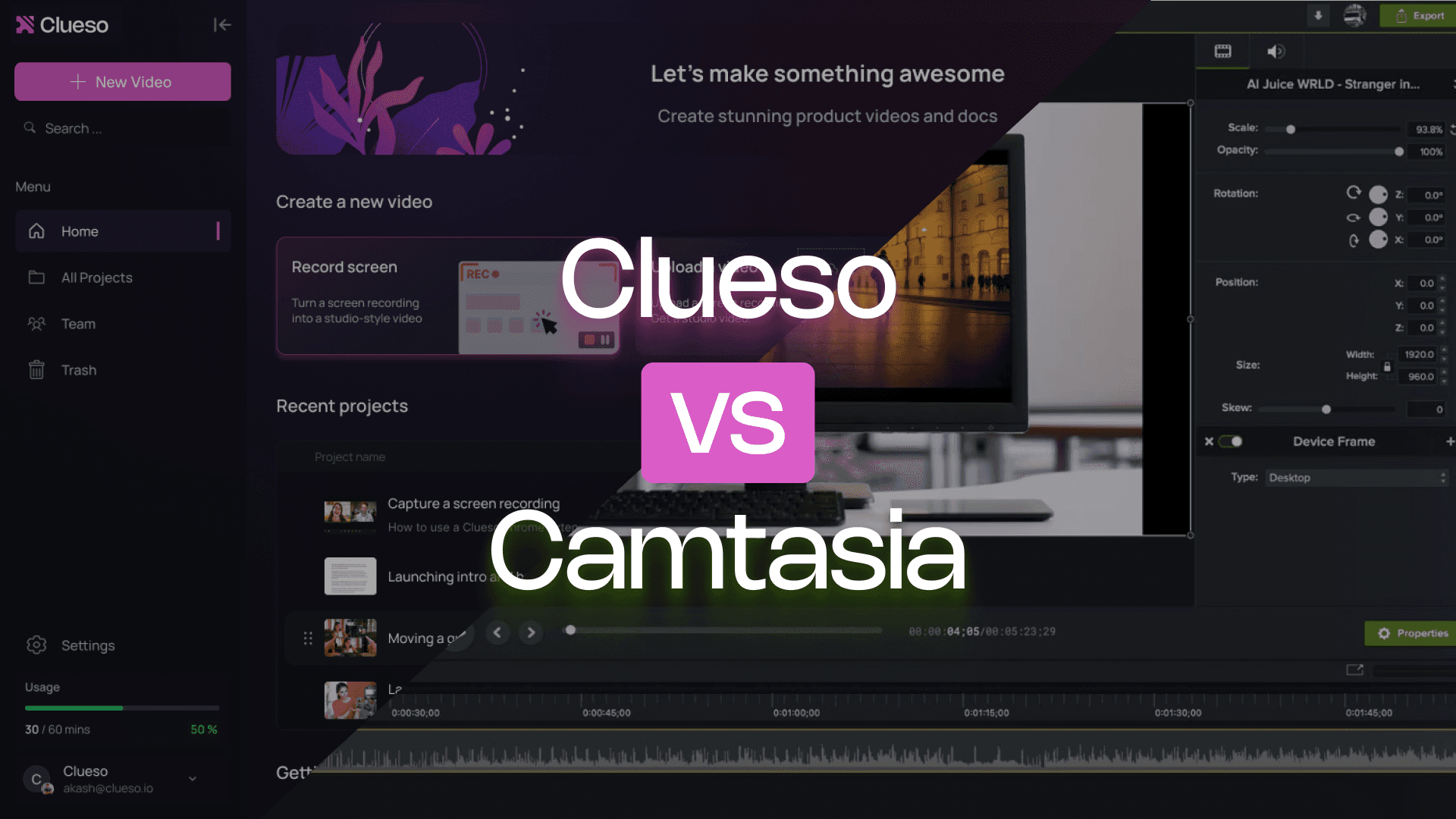
Clueso vs Camtasia: Which Video Tool Is Right for You?
Camtasia is a powerful video editing suite for experienced content creators. Clueso makes it easy for anyone on your team to create studio-quality videos and documentation 5x faster — without steep learning curves or editing experience.
If you’re deciding which tool is a better fit for how your team makes videos, this comparison is a good place to start.
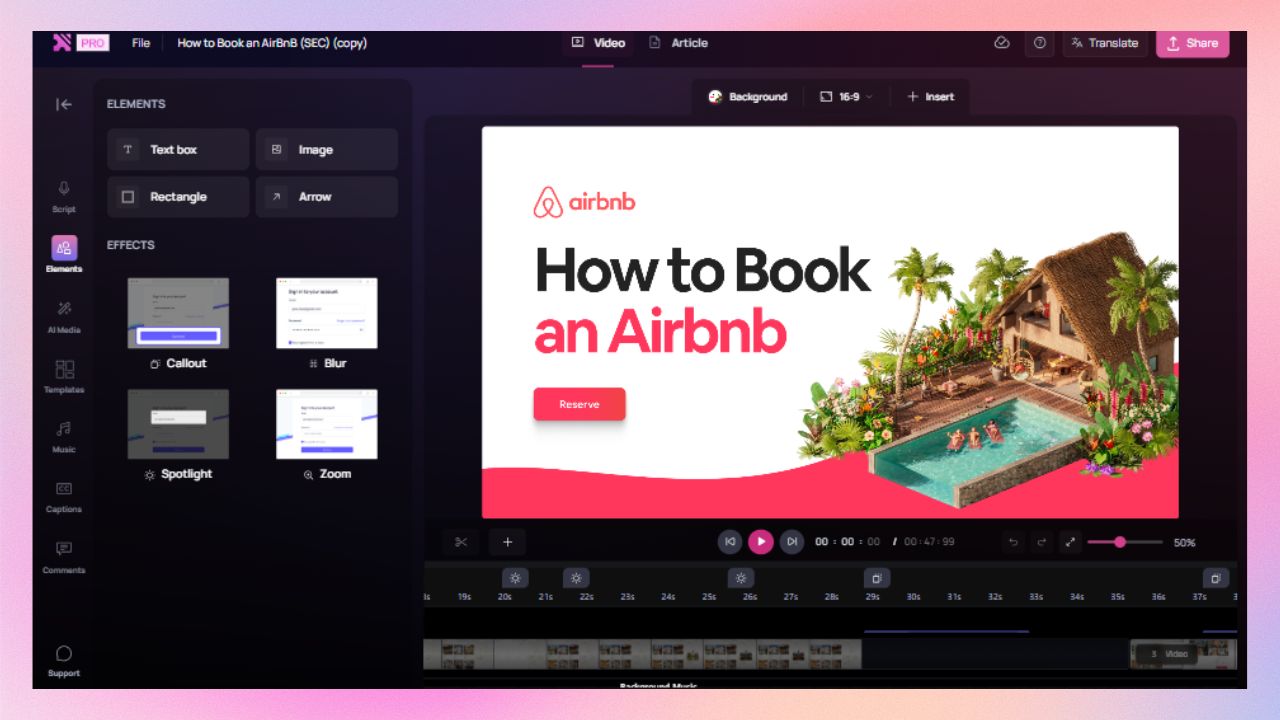
Clueso makes it easy for anyone to create stunning, high-quality videos with auto-zooms, highlights, text animations, and branding — whether you’re editing your first video or your hundredth.
Video + written guide from one recording
For every video you make, Clueso automatically generates a step-by-step SOP with screenshots, GIFs, and rich formatting — ready to reuse, update, and share anywhere.
AI that handles the busywork for you
Clueso transforms rough video narration into a polished script, generates natural-sounding voiceovers, and keeps audio, video, and captions in perfect sync without manual work.
Clueso vs Camtasia at a Glance
Video Creation Features
Feature
Clueso
Camtasia
Inbuilt screen recorder
✓
✓
Auto-script generation from screen recordings
Advanced
❌
AI voiceovers
✓
via Audiate
Audio tag for expressive voiceover
✓
via Audiate
Pronunciation dictionary
✓
❌
AI avatars
✓
Pro-version only
Custom AI avatars
Basic
❌
Automatic audio transcription
✓
❌
Video editing
AI-automated
Manual
Audio-video sync
Automated
Manual
Filler removal
Automated
✓
Upload existing videos
✓
✓
Convert PPT/slide decks to videos
Advanced
Basic
Convert PDF/Word documents to video
✓
❌
Break down long recordings into bite-sized videos automatically
Advanced
❌
1-click translation
✓
Limited
Translation glossary
✓
❌
Auto-generated closed captions
✓
❌
Background music
✓
✓
Documentation Features
Feature
Clueso
Camtasia
Step detection and process capture
✓
❌
Step-by-step documentation generation
✓
❌
Convert screenshots to GIFs
✓
❌
Custom formatting and style guidelines
✓
❌
Article co-pilot to edit SOPs based on text in
✓
❌
Breaking down long recordings into SOPs for each process/workflow
✓
❌
Editing Features
Feature
Clueso
Camtasia
Branding options
✓
Manual
Custom templates
✓
✓
Zoom effects
Automatic
✓
Visual effects (callouts, spotlights, text animations, transitions, etc)
Advanced
Advanced
Export formats
MP4 videos; HTML & rich text for articles
MP4 video-only
Publishing
Direct embeds to Help Centre
Export-only
Team Collaboration
Feature
Clueso
Camtasia
Shared workspace
✓
Basic
Video reviews with comments
✓
Via Screencast
Version control
Advanced
Basic
User permissions
Advanced
Limited
Enterprise Features
Feature
Clueso
Camtasia
Security compliance
SOC2, ISO 27001
SOC2, ISO 27001
Admin controls
Full
Limited
You’re in good company
Clueso has been a game-changer for supporting our front-line and office workers. Its intuitive interface and powerful AI let us quickly deliver clear, targeted content, dramatically boosting our productivity. Plus, Clueso's customer support is among the best of any vendor we use. A truly fantastic partner!
Daniel WoodDirector of Learning and Development, Global Partners LP
Daniel Wood, Director of Learning and Development, Global Partners LP
With Clueso, we created and launched 8 training courses for Duda's new editor in just one quarter—something we never thought was possible given the resources we had. The ability to make dynamic updates to videos has truly been a game-changer for my team!
Cyrus DorostiVP of Customer Success, Duda
Cyrus Dorosti, VP of Customer Success, Duda
As a fast-evolving software product, Personio looks for partners who help us deliver at pace. Clueso has helped us transform our video production, letting our expert video producers focus their time and opening up high-quality video production across our team. We also trust the team at Clueso to be responsive to our needs and innovative for the industry.
Adam AvramescuVP - Scaled Customer Experience, Personio
Adam Avramescu, VP - Scaled Customer Experience, Personio
We got Clueso to help us create product training videos for customers, and quickly realized we could use it to scale employee training on internal workflows too. What began with a few licenses has expanded across teams. Everyone loves Clueso!
Hillary DealDirector of Product Training and Enablement, Keyfactor
Hillary Deal, Director of Product Training and Enablement, Keyfactor
We're now producing 30+ professional-grade product videos every month. What used to take hours can now be done in just 15 minutes with Clueso.
Honest answers to things that come up in day-to-day use.
Video Creation
Can I record my actual product or workflow?
Yes, in both.
Both Clueso and Camtasia come with built-in screen recorders, so you can capture your product, workflow, or process easily.
Do I need to write or clean up a script manually?
Yes, with Camtasia. But not with Clueso.
With Clueso, you don’t need to prepare a script upfront. You can start by simply recording and explaining things in your own words — even if it’s clunky, meandering, or full of ums and aahs. Clueso improves that rough narration into a polished, structured script. You can edit it later, manually or using prompts, without worrying about re-syncing.
Camtasia simply transcribes your narration and removes filler words.; there’s no auto-script enhancement. So, you need to start with a well written script. Any real script changes mean manually adjusting scenes and re-syncing audio and video.
What about voiceovers and narration quality?
Both tools support AI voiceovers, but Clueso gives you more control by default.
With Clueso, you can control the tone, pacing, and match the delivery of your AI voiceovers to the context of the video using voice tags. You can also control how AI pronounces specific terms with the pronunciation dictionary.
With Camtasia, AI voiceovers are available via Audiate. While it supports filler word removal, control over expressions or pronunciation needs manual adjustment or using a different tool entirely.
Do audio and visuals stay in sync when I edit?
Automatically in Clueso. Manually in Camtasia.
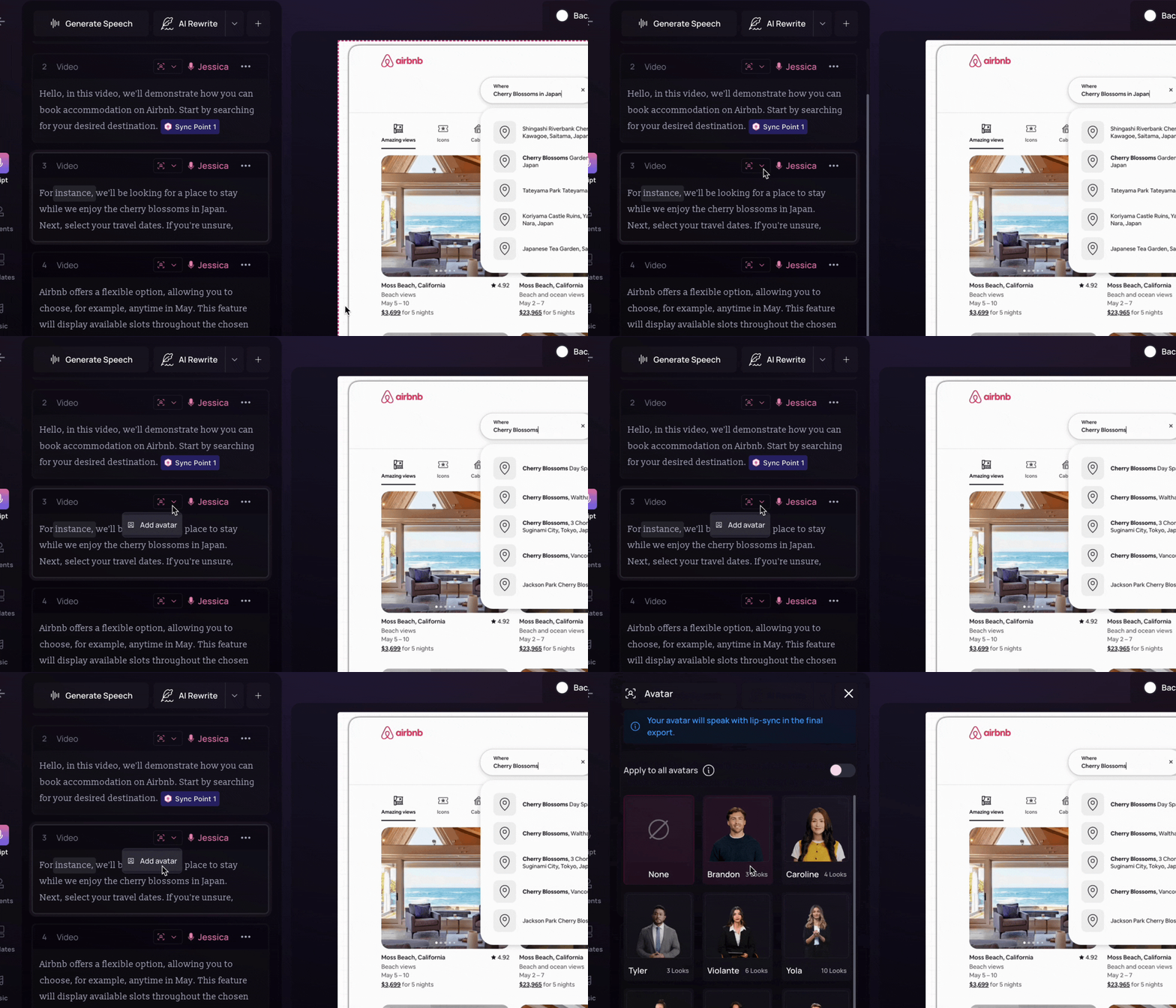
With Clueso, audio-video sync is automated. When you edit the script, add sections, or trim clips, the platform keeps everything aligned without manual intervention. You can fine-tune it further using sync point markers.
With Camtasia, syncing is manual. Every time you adjust the narration or restructure a scene, you have to realign the audio and visuals yourself.
For one-off edits this may be manageable. For repeated usage, the difference adds up quickly.
Both tools provide a range of realistic AI avatars to choose from and also lets you create custom AI avatars.
What does the video editing process look like?
AI-automated in Clueso. Fully manual in Camtasia.
With Clueso, video editing is an AI-automated workflow while still allowing manual tweaks. It generates a structured script from your screen-recording, generates voiceover, adds visual elements for clarity, and keeps everything synced.
With Camtasia, editing is still a traditional post-production workflow. You assemble clips, clean audio, add effects, and manage timing manually.
Can I convert slides or documents into videos?
Both can handle slides. Only Clueso goes beyond that.
Both tools let you convert PPT or slide decks into videos. But this process is more advanced with Clueso. It can generate scripts from your slides and add narration. Clueso also supports converting PDFs and Word documents directly into videos.
With Camtasia, slide-to-video conversion is more basic. You can either record the presentation with PowerPoint Add-In or export them one by one to build your video. You can add voiceovers and other video enhancements manually. But Camtasia does not support document-to-video workflows.
Can I turn long recordings into multiple short videos?
Automatically with Clueso, but not with Camtasia.
Clueso Cuts can analyze long recordings and break them into bite-sized videos automatically. You can either use preset prompts or add custom instructions regarding how to create these short clips.
Camtasia doesn’t offer any such automated feature. It requires manual editing and exporting each video separately.
What about localization?
Clueso is scalable while Camtasia is limited.
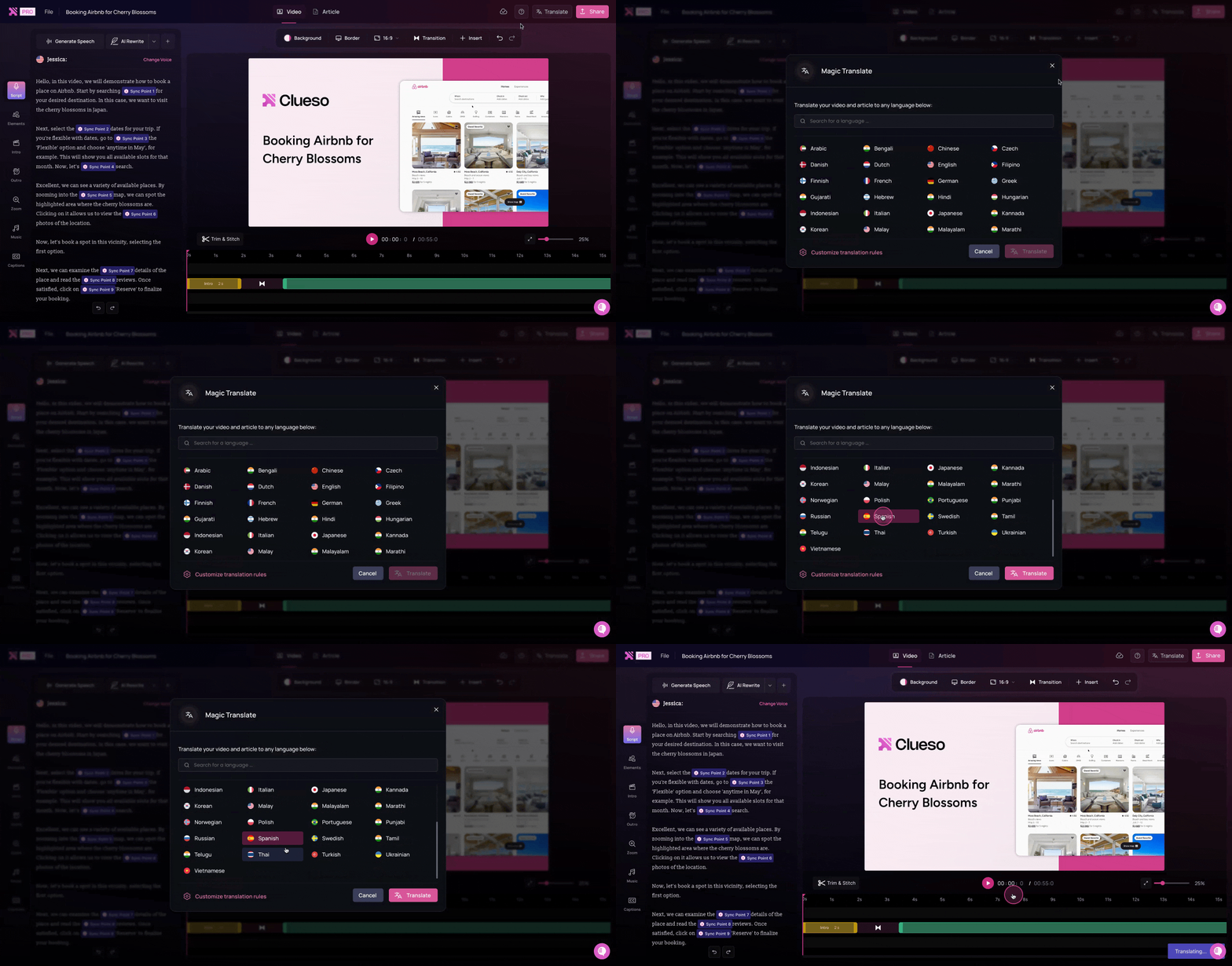
Clueso can translate your content in multiple languages with just one click. It automatically generates closed captions in 20+ languages and supports AI voiceovers in 40+ languages with a range of accents. Clueso also includes a translation glossary that lets you control how specific terms are translated.
Camtasia’s translation capabilities are limited. It supports translation in 7 languages via Audiate.
If you’re creating content for global customers, this difference matters early.
Step-by-step guide creation
Can it convert videos into written SOPs and step-by-step guides?
Clueso can, Camtasia can’t.
Clueso detects the steps of a workflow directly from your screen-recording and generates step-by-step documentation with screenshots and detailed instructions. Clueso also includes a copilot that helps edit your guides with chat-based interactions.
Camtasia doesn’t generate documentation. So, you have to create written guides manually or in an external app separately.
Can I generate screenshots and GIFs?
Yes, with Clueso. Not with Camtasia.
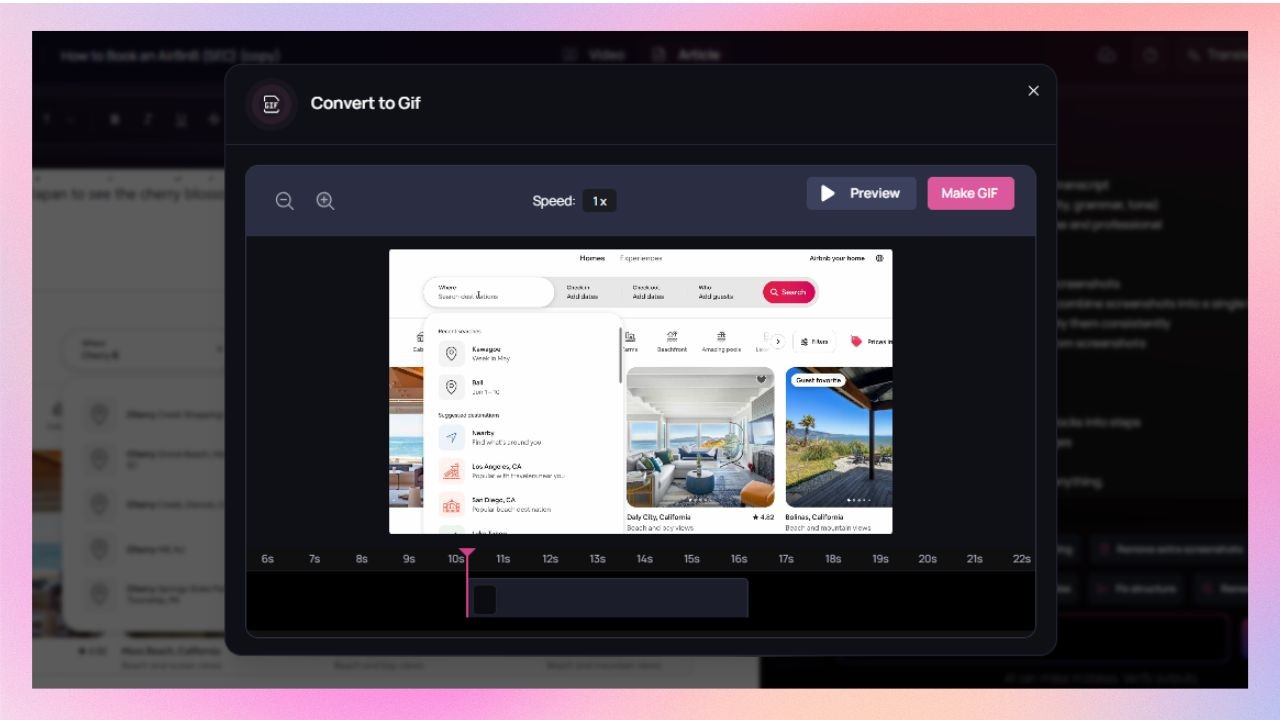
Clueso captures screenshots from the screen-recording automatically. It also lets you convert these screenshots into GIFs with the cursor movement and highlights.
Camtasia doesn’t support screenshots or turning them into GIFs.
Can I keep documentation on-brand?
In Clueso, you can. Not applicable in Camtasia.
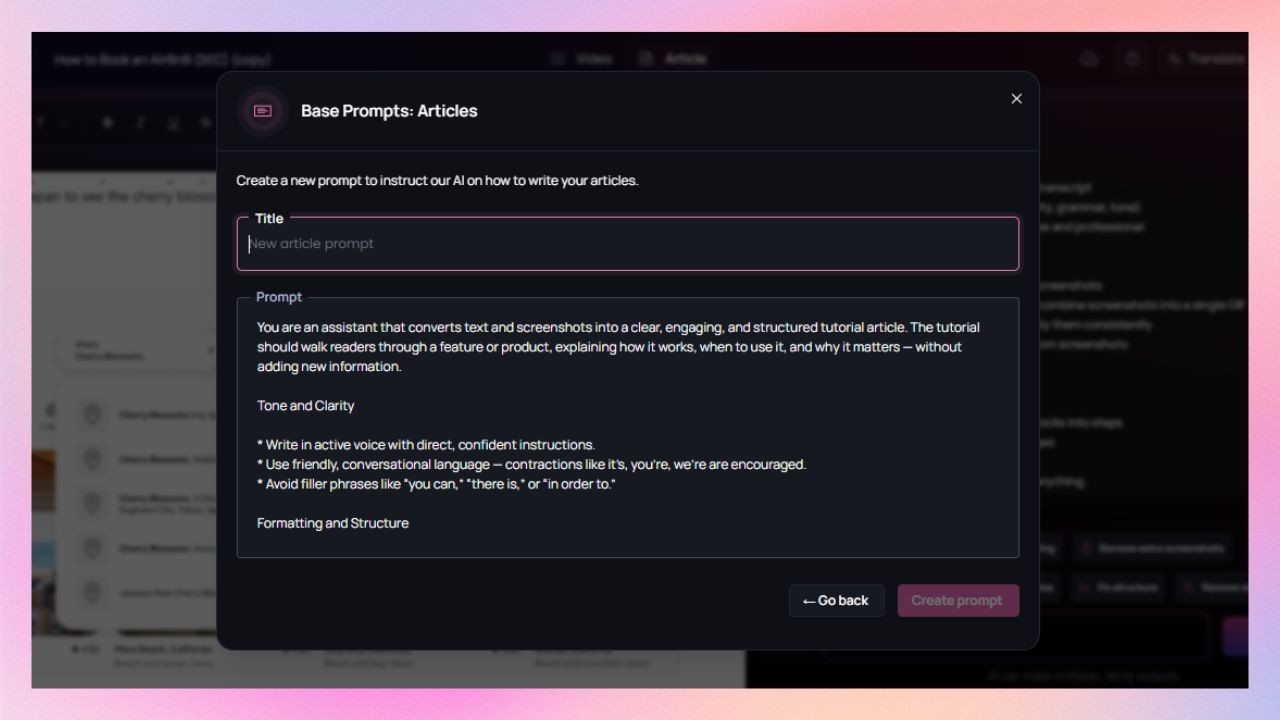
Clueso supports custom formatting rules, fonts, colours, and logos for documentation. It means every step-by-step guide stays on brand.
Camtasia doesn’t generate documentation, so branding written content isn’t applicable to it.
Can one long recording become multiple SOPs?
Clueso does it automatically. Camtasia doesn’t.
Clueso can identify distinct workflows and processes within a single screen-recording and break it into multiple SOPs.
Camtasia doesn’t support this type of content reuse.
Editing tools
Can I apply branding automatically?
Yes, in Clueso. Manually in Camtasia.
Clueso lets you set brand styles with logo, font, and colours once and applies them automatically across all the videos and written documentation you create.
Camtasia supports custom branding, but only for videos.
What about templates? Can I customize them?
Yes, both tools support templates.
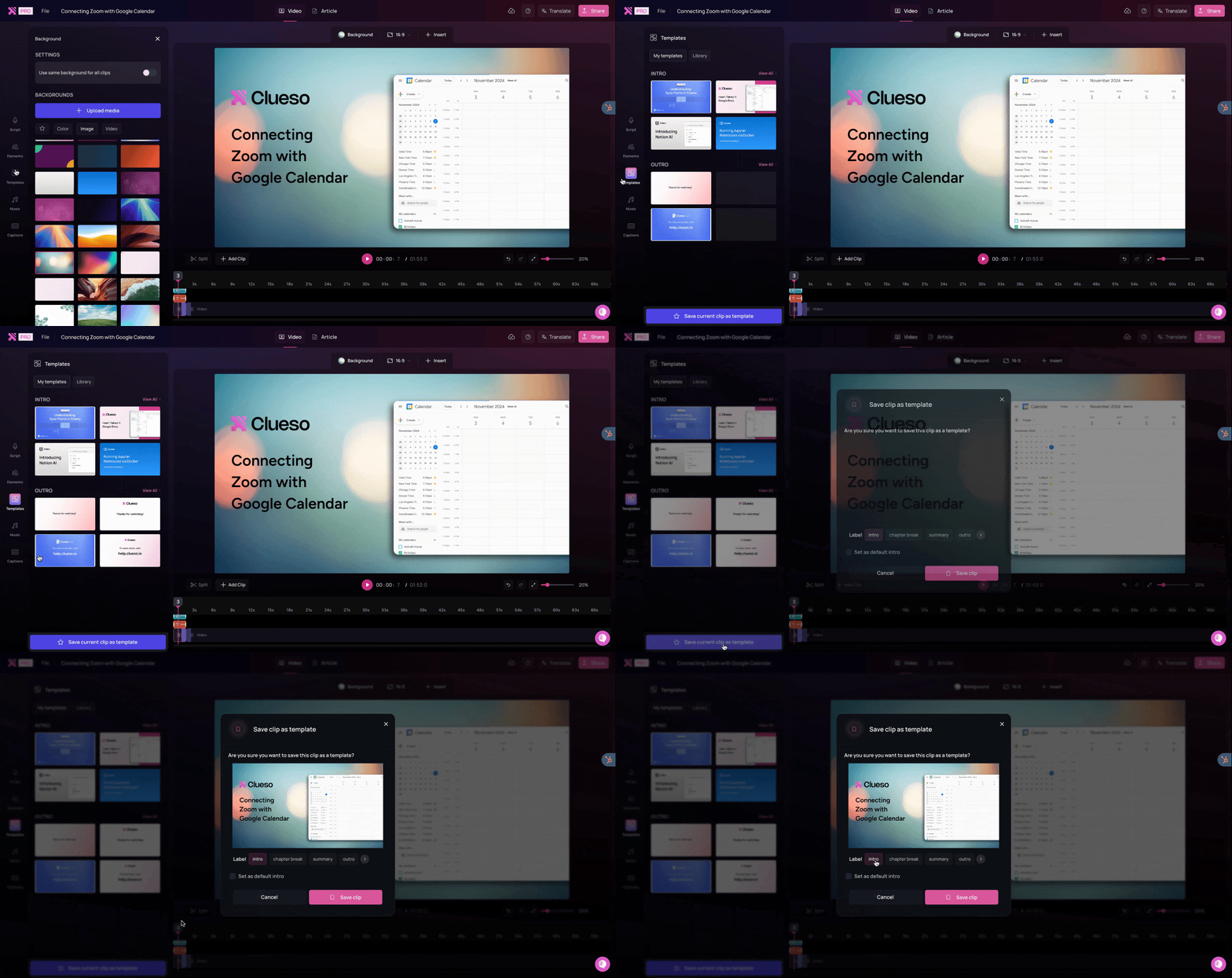
Clueso offers a template library with pre-designed templates. You can also build and save custom templates according to your needs.
Camtasia Asset website holds all the pre-designed templates for Camtasia. You can simply export them or create your own templates.
Can I add visual effects to highlight important on-screen actions?
Yes, you can do it in both the tools.
Both Clueso and Camtasia offer advanced visual effects.
Clueso detects the steps of a workflow from the screen recording and adds visual elements such as zoom, spotlight, callout, etc as needed. You can fine tune these further or add them manually for better clarity.
SmartFocus automatically adds zoom and pan animation to screen recordings made with Camtasia Recorder. You can apply additional visual effects manually.
What formats can I export?
Video and SOPs with Clueso, only videos with Camtasia.
Clueso exports videos as well as written documentation with screenshots.
Camtasia exports videos only. Any accompanying documentation needs to be created separately.
Enterprise readiness
Does it meet enterprise security standards?
Yes, both tools meet the security standards.
Both Clueso and Camtasia are compliant with SOC 2 and ISO 27001.
Can teams collaborate easily?
Yes, but Clueso offers more control than Camtasia.
Both tools support shared workspaces.
Clueso offers advanced version control and role-based permissions. It allows you to review videos by adding comments directly on the file.
Camtasia supports collaboration, but features are quite limited. You can add review comments to vidoes but only via Screencast.
Pricing
While Camtasia’s annual pricing looks lower, its single-user model and manual editing workflow limit scalability. Clueso’s team-based pricing includes automation, collaboration, and multi-format output — dramatically reducing total production time and cost.
Feature
Clueso
Camtasia
Starting Cost
$120/month (billed yearly)Includes video + documentation creation for 2 users
| Note: Pricing is subject to change. Check each provider’s site for the latest.
What does the pricing difference mean in practice?
Content ROI
With Clueso, one subscription includes both video and documentation creation for multiple users. A single screen-recording can support videos, SOPs, GIFs creation, translating and updating content, and ongoing updates.
With Camtasia, pricing is tied to a single-user desktop license. Each license covers video editing only. As more people need to create or update content, costs scale per user.
Recognized. Trusted. Loved.
From fast-growing startups to Fortune 500s, teams of all sizes trust Clueso.
4.9
out of 5 stars on G2.com
300,000+
videos created on Clueso in the past 6 months
Clueso vs Camtasia: Which One Is for You?
If you loves timeline editing and manual tweaks, Camtasia is your toolkit.
If you’re a product or support professional who needs to document workflows quickly, Clueso is your ideal co-pilot. It captures your screen, writes your script, automates voiceovers with AI, generates your article, and publishes it much faster.
Clueso enables customers to create their videos in 80% lesser time as compared to Camtasia on average because of the workflows it automates. And the simple interface makes it super easy to use which makes it a trusted choice, even for people who have never created videos professionally – product teams, marketing teams, customer success/support team, sales enablement, IT, etc
Ideal Use Cases
Here are the different scenarios each tool excels in:
Camtasia is a traditional video editing tool that gives you full manual control - trimming, layering, and syncing everything yourself. Clueso, on the other hand, automates the entire process. It records your screen, detects steps, removes pauses, adds AI voiceovers, and produces polished videos and articles in minutes.
Not at all. **Clueso was built for non-editors.** It automatically cleans up your recording, adds zoom effects, and syncs narration perfectly. What takes hours in Camtasia happens in a few clicks with Clueso.
Yes. Many teams use Clueso to create content faster and then fine-tune in tools like Camtasia if needed. But for most use cases, like product demos, training videos, tutorials, and help content, Clueso’s built-in automation makes additional editing unnecessary.
For most teams, yes. Clueso removes the need for manual editing. It handles trimming, captions, voiceovers, translations, and exports automatically, so you can focus on capturing workflows instead of managing a timeline.
Absolutely. Every video and article automatically includes your logo, colors, and fonts. You can export in multiple formats, like MP4, HTML, PDF, or rich text, and embed your content anywhere.
You can try Clueso free for 7 days. Just sign up, record your first workflow, and watch the platform automatically turn it into a complete, ready-to-publish video and guide.