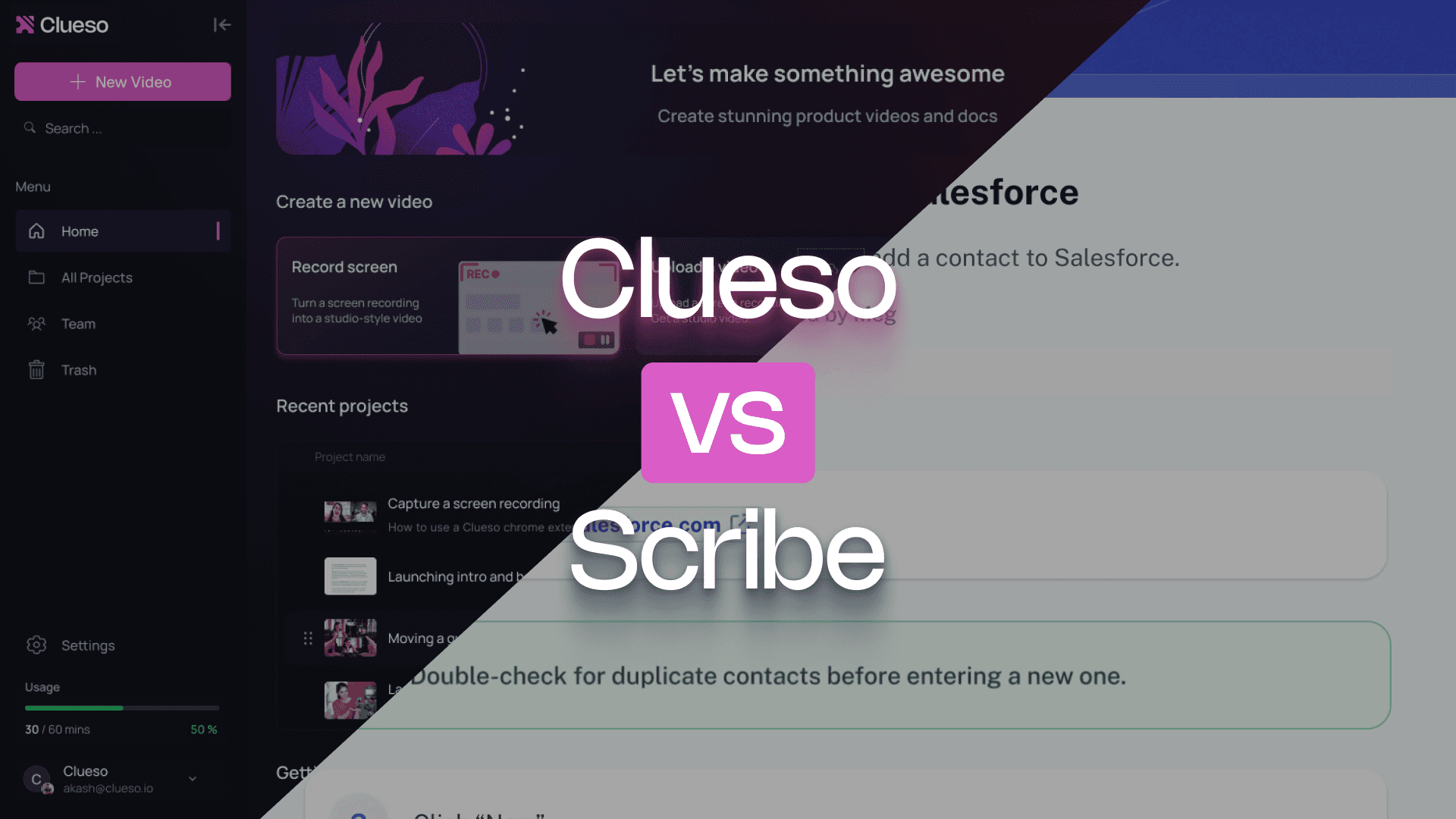
Scribe is great for quickly turning workflows into step-by-step screenshot guides. Clueso is built for demonstrating how processes actually unfold — transforming your workflow into a dynamic, narrated video and polished article.
If you want to create content that compliments your product, this comparison is for you.
Clueso eliminates the need to juggle separate tools for recording, editing, and writing SOPs. From a single workflow, you get a polished video and a fully formatted article.
Accurate translations that stay in context
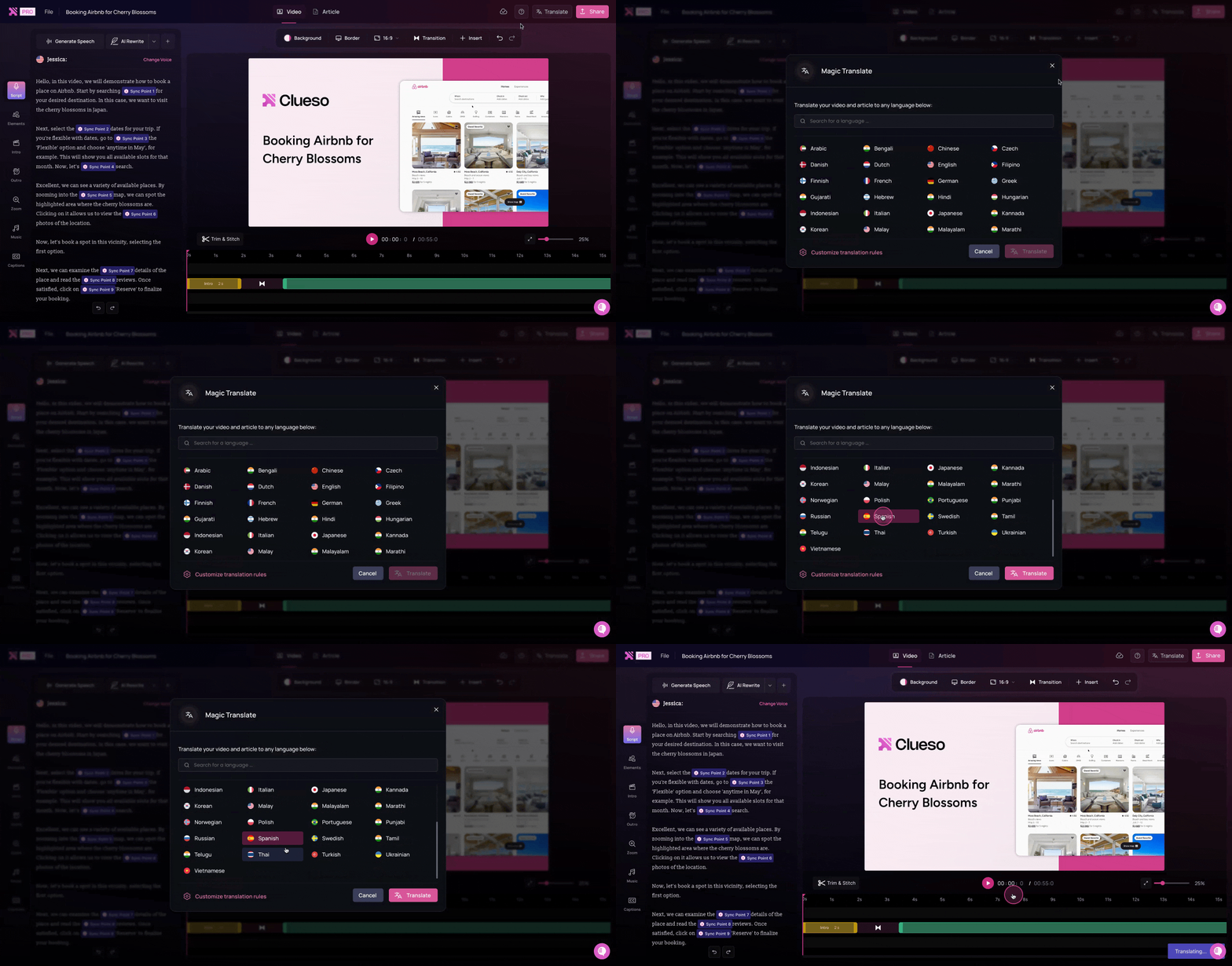
Clueso translates your videos and documentation into multiple languages while preserving product terminology, UI labels, and technical accuracy.
Turn existing videos into structured content
Already have a recording? Upload it to Clueso and automatically generate a polished script, synced captions, voiceovers, and a step-by-step article.
Clueso vs Scribe at a Glance
Documentation Features
Feature
Clueso
Scribe
Inbuilt screen recorder
✓
✓
Process capture and step detection
Advanced
Basic
Step-by-step documentation generation
✓
✓
Rich text editing
Advanced
Limited
Automated screenshots
Advanced
Basic
Convert screenshots to GIFs
✓
✓
Article co-pilot to edit SOPs
✓
❌
Breaking down long recordings into SOPs for each process/workflow
✓
❌
Multi-format export
HTML, PDF, Markdown, Rich-text formats
HTML, PDF, Markdown formats
Video Creation Features
Feature
Clueso
Scribe
Video creation
Professional
❌
Video script generation from screen-recorded videos
AI enhanced
❌
Automatic audio transcription
✓
❌
AI voiceovers
✓
❌
Audio tag for expressive voiceovers
✓
❌
Pronunciation dictionary
✓
❌
AI Avatars
✓
❌
Upload existing videos
✓
❌
Convert PPT/slide decks to videos
✓
❌
Convert PDF/Word documents to video
✓
✓
Break down long recordings into bite-sized videos automatically
✓
❌
Editing Features
Feature
Clueso
Scribe
Branding Options
Advanced
Basic
Custom Templates
✓
❌
Translation
✓
✓
Translation glossary
✓
❌
Organization & Management
Feature
Clueso
Scribe
Content Category Management
✓
✓
Version Control
Full
Basic
Search Functionality
Advanced
Basic
Enterprise Features
Feature
Clueso
Scribe
Security Compliance
SOC2, ISO 27001
SOC2, ISO 27001
Custom Domain
✓
❌
Video reviews with comments
✓
❌
You’re in good company
Clueso has been a game-changer for supporting our front-line and office workers. Its intuitive interface and powerful AI let us quickly deliver clear, targeted content, dramatically boosting our productivity. Plus, Clueso's customer support is among the best of any vendor we use. A truly fantastic partner!
Daniel WoodDirector of Learning and Development, Global Partners LP
Daniel Wood, Director of Learning and Development, Global Partners LP
With Clueso, we created and launched 8 training courses for Duda's new editor in just one quarter—something we never thought was possible given the resources we had. The ability to make dynamic updates to videos has truly been a game-changer for my team!
Cyrus DorostiVP of Customer Success, Duda
Cyrus Dorosti, VP of Customer Success, Duda
As a fast-evolving software product, Personio looks for partners who help us deliver at pace. Clueso has helped us transform our video production, letting our expert video producers focus their time and opening up high-quality video production across our team. We also trust the team at Clueso to be responsive to our needs and innovative for the industry.
Adam AvramescuVP - Scaled Customer Experience, Personio
Adam Avramescu, VP - Scaled Customer Experience, Personio
We got Clueso to help us create product training videos for customers, and quickly realized we could use it to scale employee training on internal workflows too. What began with a few licenses has expanded across teams. Everyone loves Clueso!
Hillary DealDirector of Product Training and Enablement, Keyfactor
Hillary Deal, Director of Product Training and Enablement, Keyfactor
We're now producing 30+ professional-grade product videos every month. What used to take hours can now be done in just 15 minutes with Clueso.
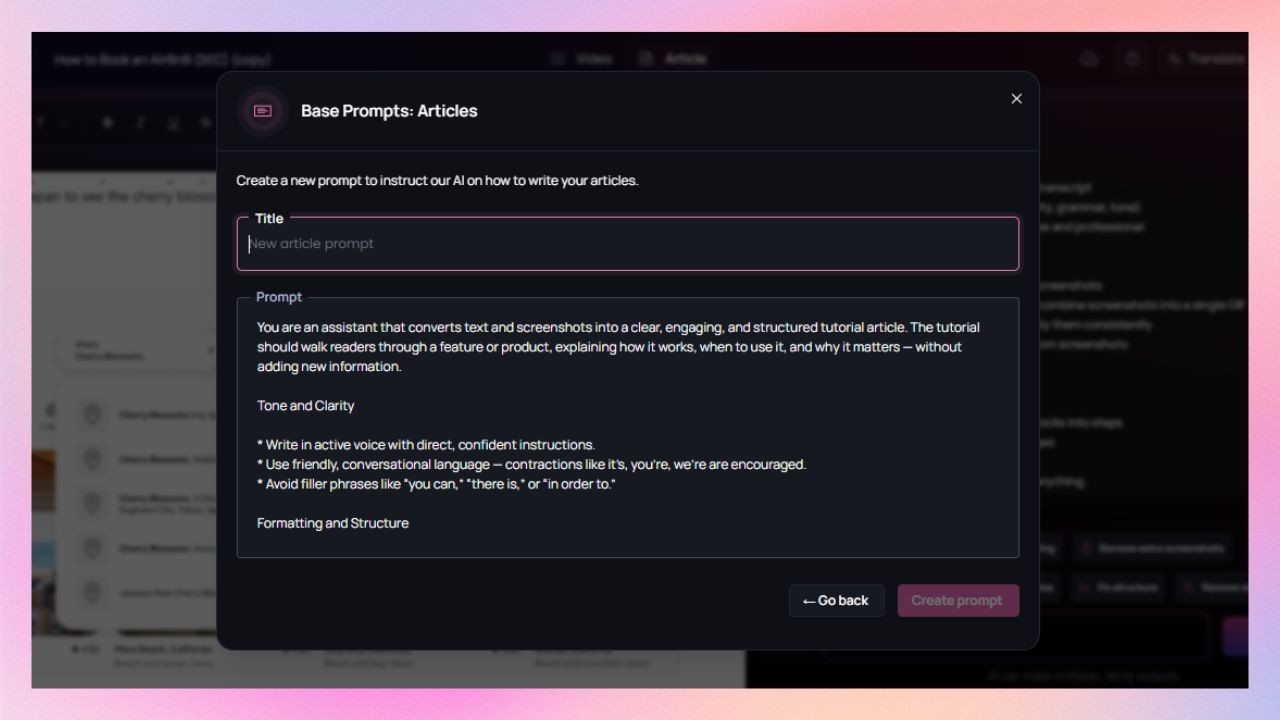
Clueso supports advanced rich text editing. It gives you more control over layout and structure and makes it easier to refine structure and format documentation cleanly.
Scribe’s rich text editing is limited, which is fine for quick publishing. But it can feel restrictive when documentation needs stronger narrative flow or standardised formatting.
Can I generate screenshots and GIFs?
Yes, in both tools.
Both tools generate screenshots automatically, but Clueso gives you more control.
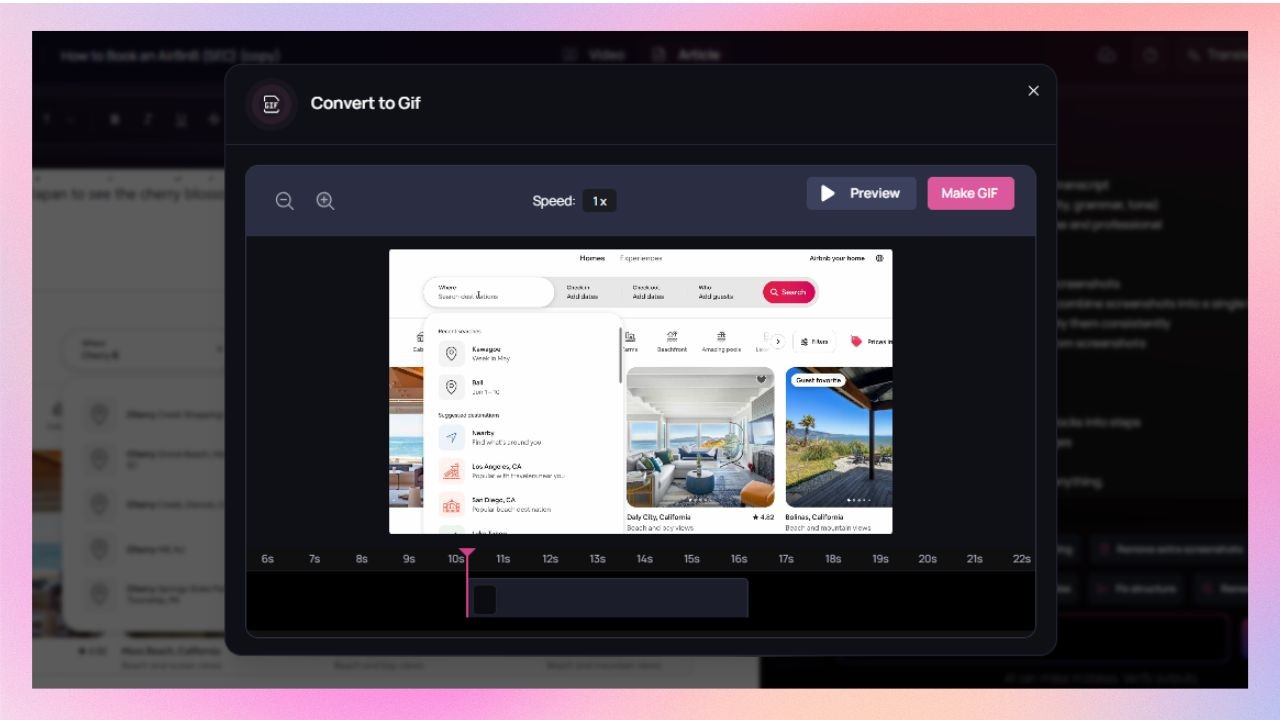
Clueso captures screenshots from screen recording as a part of the documentation workflow. The advanced features make it easier to edit and reorder them. It also supports converting screenshots into GIFs.
With Scribe, automated screenshots are more basic. It also supports converting screenshots into GIFs.
Will the tool help me improve and edit SOPs?
Yes in Clueso. Not in Scribe.
Clueso includes an article copilot that helps edit and improve SOPs while keeping tone, clarity, and structure consistent. You can set up predefined instructions for all documentation upfront or use this feature to edit the text and screenshots of your SOPs.
Scribe doesn’t offer editorial assistance for editing or improving written documentation.
Can one long recording become multiple SOPs?
Clueso can, Scribe can’t.
Clueso can analyse the screen-recording and break it down into multiple SOPs, each mapped to a distinct process or workflow.
Scribe doesn’t support this feature.
Video creation
Can I turn my workflows into videos?
Yes, with Clueso. Not with Scribe.
Clueso supports professional video creation directly from your workflow screen recordings.
Scribe does not support video creation as an output.
Do I need to write a script manually?
Not in Clueso.
Clueso generates an AI-enhanced video script from your raw narration in the screen-recorded videos. So you don’t need to write a script upfront. You can also edit it manually or using prompts.
As Scribe does not generate videos, this feature is not relevant.
What about voiceovers?
Available in Clueso. Not supported in Scribe.
With Clueso, you can generate natural-sounding AI voiceovers in 40+ languages and varying accents. The tool lets you set the pace, tone, and even the delivery expression with audio tags. Clueso also offers a pronunciation dictionary so that you can control how AI pronounces certain words.
As Scribe does not generate videos, voiceovers or pronunciation control are not relevant to its workflow.
Can I use AI avatars?
Yes in Clueso. Not in Scribe.
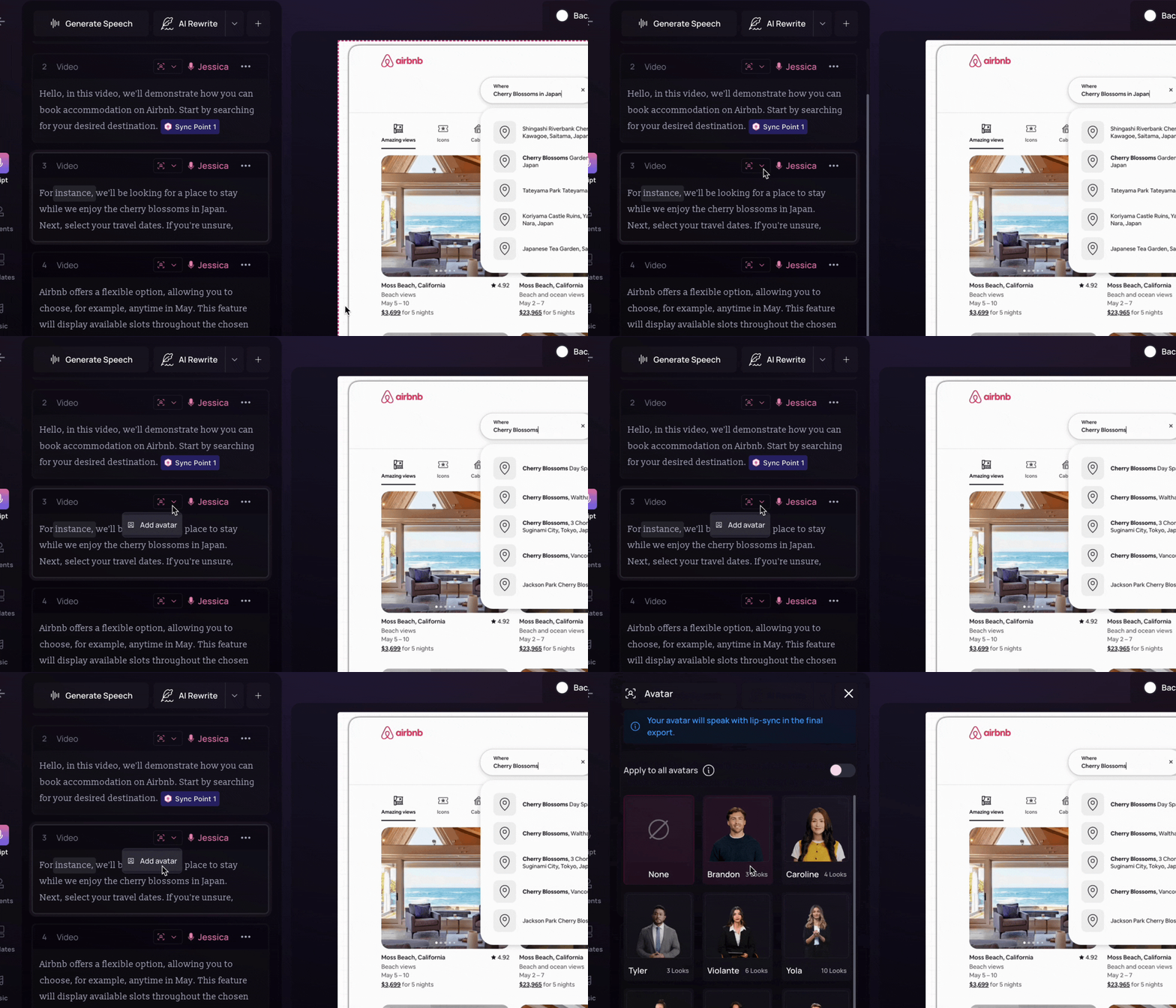
Clueso offers a range of realistic AI avatars to choose from. It also supports custom AI avatars with face and voice cloning.
Scribe doesn’t support AI avatars.
Can I reuse existing video content?
Yes in Clueso. Not in Scribe.
Clueso lets you upload existing videos and create new content pieces from them.
Scribe supports converting PDF/Word documents, but not slide decks. However, the controls are still pretty limited and you can only embed the video.
Can I break long recordings into multiple short videos?
Yes in Clueso. Not in Scribe.
Clueso Cuts analyzes long recordings and breaks them into bite-sized videos. You can use preset prompts to provide direction or add custom instructions. You can also review the breakdown before finalising the clips.
As Scribe does not generate videos, this feature is not applicable to Scribe.
Editing tools
Can I keep content on-brand?
Yes, in both, with different depth.
Clueso offers custom branding options. You can add your fonts, colours, and logos once and it keeps every content piece you create on-brand.
Scribe’s branding options are basic. It only allows you to add brand logos and remove "Made with Scribe" branding for higher tier users.
Do I get templates? Can I customize them?
Yes in Clueso. Not in Scribe.
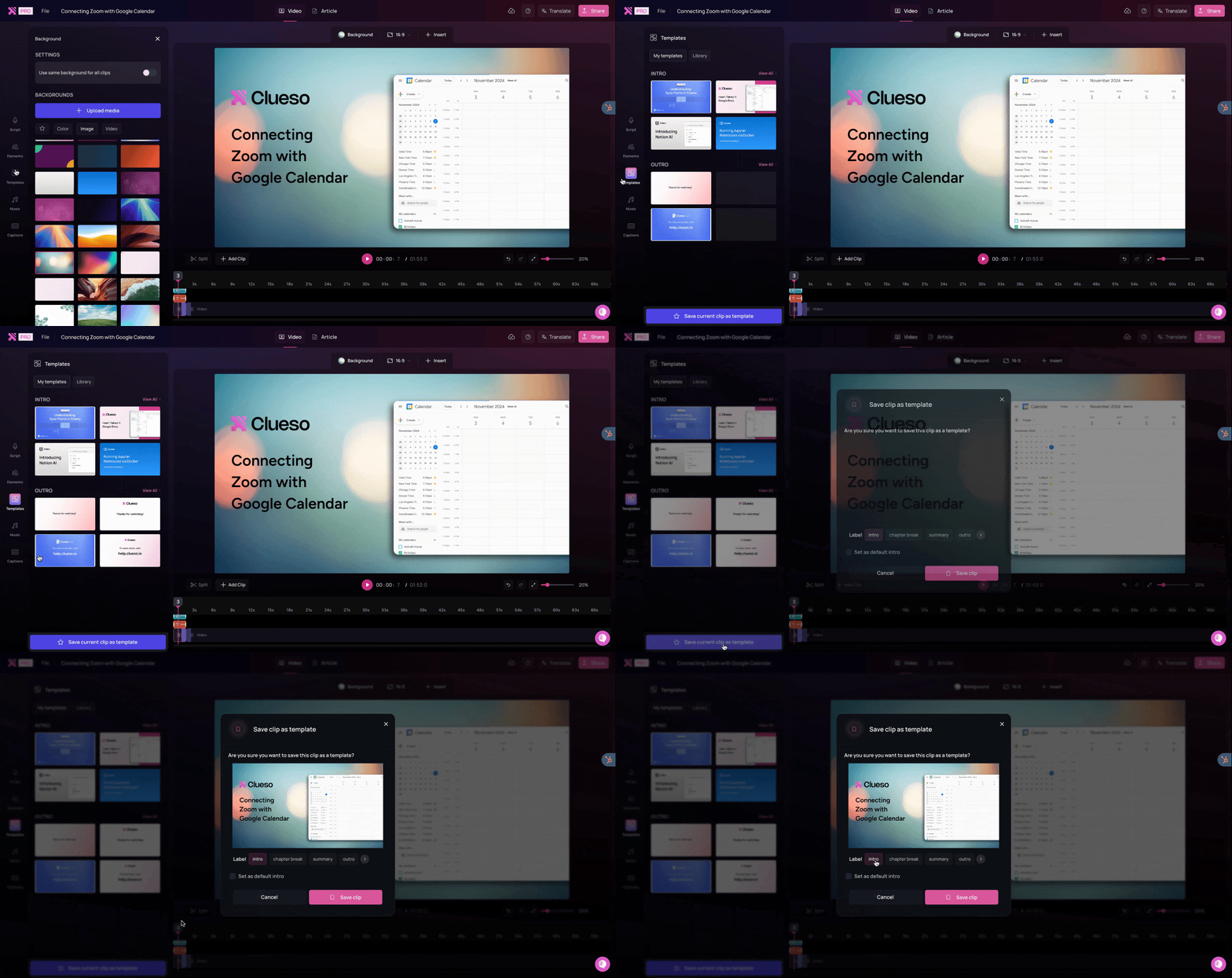
Clueso offers a template library for all the pre-designed templates. It also supports custom templates so every video follows the same pattern.
Scribe Gallery has many page templates for you to use. But it doesn’t support custom templates.
What about language support?
Both tools support multiple languages.
Clueso can translate your videos and SOPs as well as generate captions in 20+ languages. It also includes a translation glossary, which helps keep terminology consistent across translations.
Scribe offers written documentation translation in 10 languages.
Enterprise readiness
How easy is it to manage content at scale?
Easier in Clueso, limited in Scribe.
While both tools support content category management, Clueso is more flexible.
Clueso offers full version control and advanced search functionality. Scribe’s version control and search are more basic.
Does it meet enterprise requirements?
Both tools meet security standards.
Both Clueso and Scribe support SOC 2 and ISO 27001 compliance.
Pricing
Feature
Clueso
Scribe
Starting Cost
$120/month (billed yearly)
$12/seat/month (starts at 5 seats)
Free Trial
✅ 7 days, full-feature
✅ Limited, feature-based
Pricing Model
Per team
Per user
| Note: Pricing is subject to change. Check each provider’s site for the latest.
What does the pricing difference mean in practice?
Content ROI
Clueso significantly lowers the total cost of documentation and content production. Its automation handles editing, translations, and updates, eliminating the need for multiple tools or manual rework. You can record a workflow once, and Clueso instantly produces videos, step-by-step articles, and localized versions, reducing both time and operational overhead.
Scribe, while more affordable at first glance, can become expensive as teams grow. Its per-user pricing model scales linearly with seats, and because updates, translations, and refinements require manual effort or a different tool altogether, maintenance costs rise over time. Each change means redoing screenshots, editing steps, and re-exporting guides.
Recognized. Trusted. Loved.
From fast-growing startups to Fortune 500s, teams of all sizes trust Clueso.
4.9
out of 5 stars on G2.com
300,000+
videos created on Clueso in the past 6 months
Clueso vs Scribe: What's better
If you’re looking for a simple way to capture and share quick internal processes, Scribe is a great starting point. It makes documentation effortless — click through a workflow once, and you’ll have a clean, step-by-step guide in seconds. It’s ideal for small teams who need lightweight how-tos without worrying about design or depth.
But if you want to go beyond and create videos, voice-narrated guides, and multilingual documentation that looks professional and scales effortlessly — Clueso is built for you. It automates everything from screen capture to editing, voiceovers, and publishing, giving your documentation the polish and impact of real product storytelling.
Ideal Use Cases
Best for
Clueso
Scribe
Product Teams
✅ Create dynamic product walkthroughs and documentation
⚪ Capture step-by-step product flows with screenshots
Support & CX Teams
✅ Build multilingual how-to videos and help articles
⚪ Produce static guides for FAQs
Training & Enablement
✅ Generate branded learning videos and internal training docs
Clueso is built for teams that need to turn workflows into complete learning experiences - videos with AI voiceovers, multilingual documentation, and branded outputs. Scribe excels at fast process capture with screenshots and text instructions, but stops short of full-video, narrated, and multi-format publishing.
No. Clueso eliminates the need for any prior experience in editing or video production. You record your screen, and Clueso’s AI handles the script generation, voiceover, editing, and export to video plus written documentation.
Absolutely. Many teams use Scribe for simple internal guides and Clueso for outward-facing videos and documentation. They can be complementary rather than exclusive.
Yes. Clueso supports 40+ languages for voiceovers,captions, subtitles, and translation. It exports content in multiple formats (video, HTML, PDF, Markdown, rich text).
Yes. Clueso includes enterprise features like SOC 2 and ISO 27001 compliance, custom domains, full version control, and advanced role-based permissions for large teams.
Clueso is priced by team and includes full automation, multiple formats, and advanced features at a starting price of $120/month (billed yearly). Scribe is priced per user (from ~$12 per seat/month) and focuses on screenshot-based documentation.