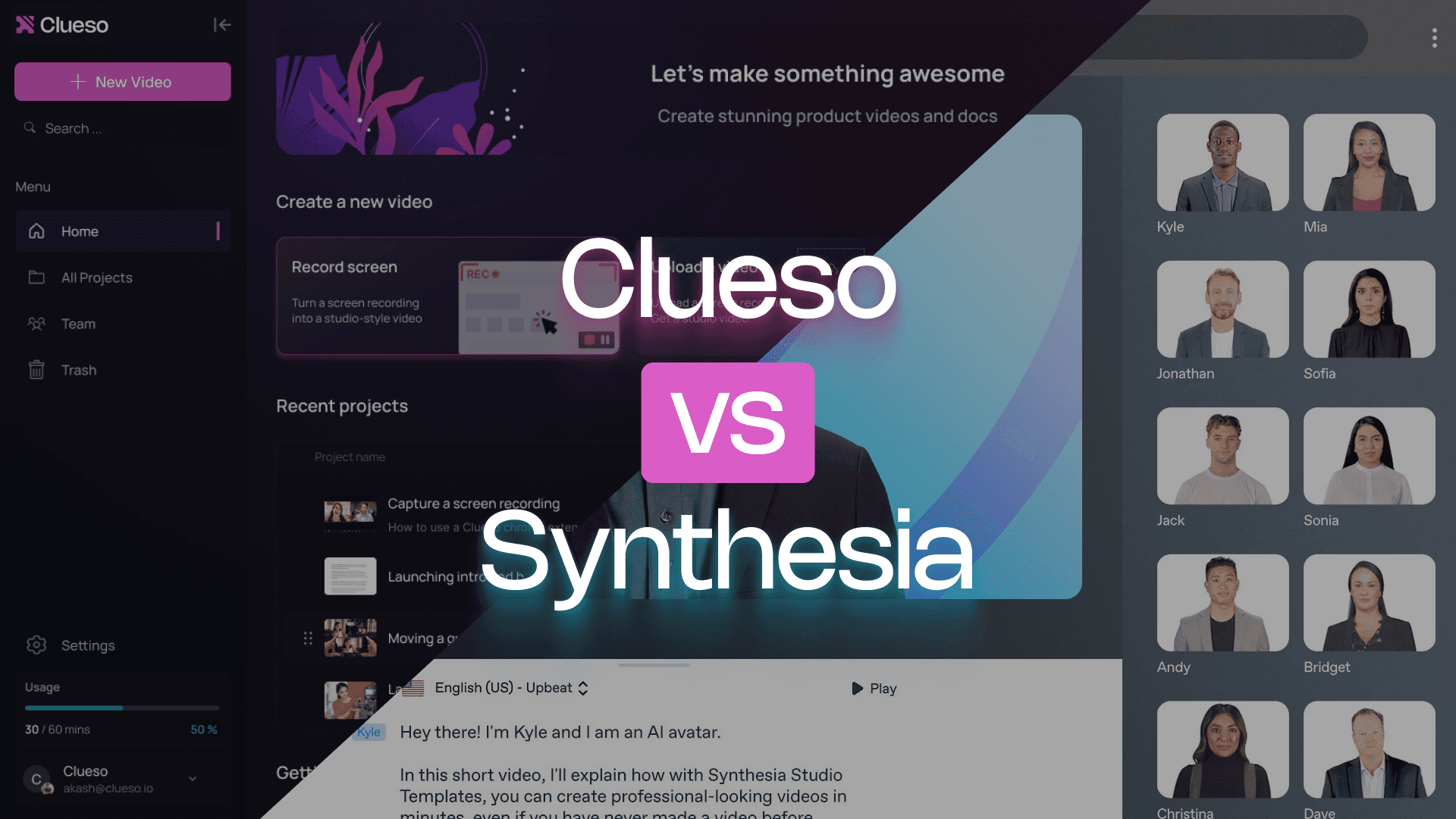
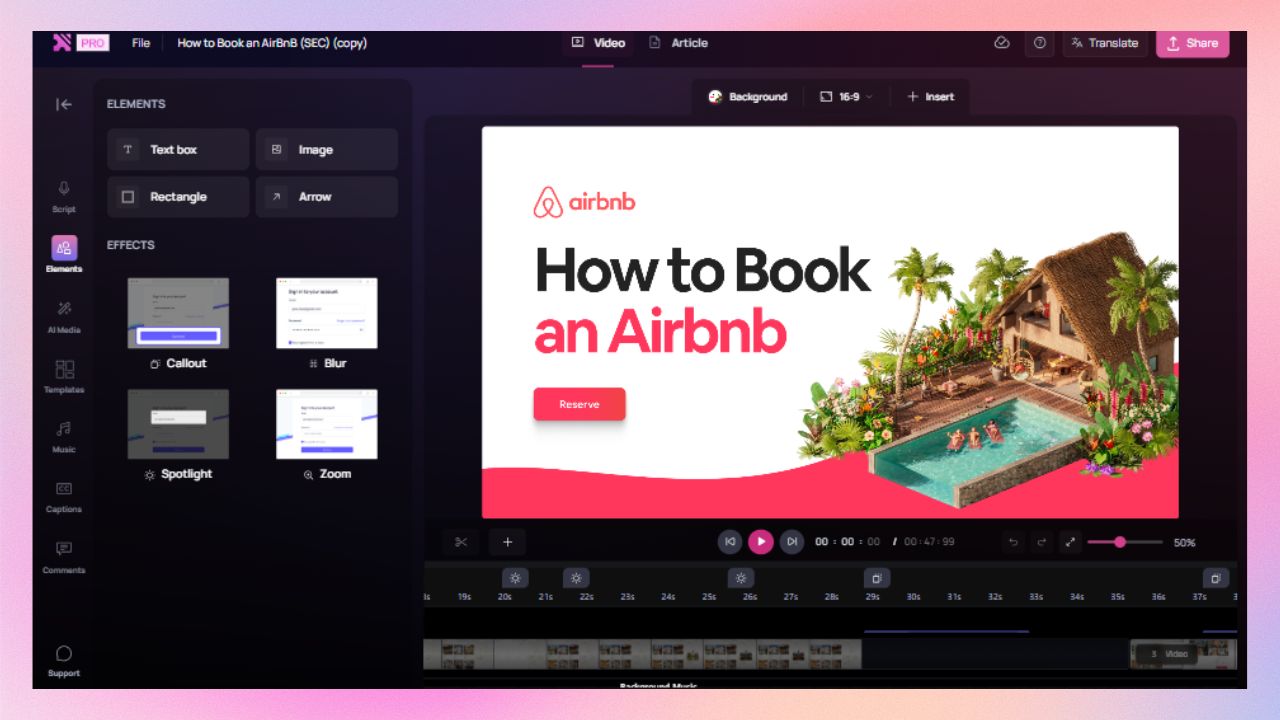
Synthesia is great when you need presenter-style videos to deliver information. Clueso is built for explaining how products or processes actually work — with videos and step-by-step articles.
If your goal is to help audiences get things done, this comparison will make the choice obvious.
For every video you make, Clueso automatically generates a step-by-step article with GIFs, screenshots, contextual descriptions, and rich formatting options, without any extra work.
Intuitive timeline editor for easy edits
Clueso brings all elements of your video into one visual timeline. So you can split + trim clips, insert new sections, and add visual effects and captions in one place.
Audio and video that stay in sync
Clueso doesn’t just transcribe — it improves rough narration into a polished script and automatically keeps audio and video in sync, even as you edit or add clips later.
Clueso vs Synthesia at a Glance
Video Creation Features
Feature
Clueso
Synthesia
AI Avatars
✓
✓
Face clones
✓
✓
Voice clones
✓
✓
Inbuilt screen recorder
✓
✓
Process capture & step detection
Automatic
❌
Video script generation from screen-recorded videos
AI-enhanced
❌
Automatic audio transcription
✓
❌
AI voiceovers
✓
✓
Audio tags for expressive voiceovers
✓
❌
Pronunciation dictionary
✓
✓
Audio-video sync
✓
Manual
Multi-language translation
For videos & articles
Video only
Translation glossary
✓
❌
Upload existing videos
✓
✓
Convert PPT/slide deck to video
✓
✓
Convert PDF/word documents to video
✓
✓
Break down long recordings into bite-sized videos automatically
Advanced
❌
Auto-generated closed captions
✓
✓
Documentation Features
Feature
Clueso
Synthesia
Step-by-step documentation generation from Video
✓
❌
Convert screenshots to GIFs
✓
❌
Custom formatting and style guidelines
✓
❌
Article co-pilot to edit SOPs based on text in
✓
❌
Breaking down long recordings into SOPs for each process/workflow
✓
❌
Editing Features
Feature
Clueso
Synthesia
Timeline editor
✓
❌
Custom branding
✓
Limited
Custom video templates
✓
✓
Zoom effects
Automatic
❌
Visual effects (callouts, spotlights, text animations, transitions, auto blur, etc)
Advanced
Basic
Content updates
Easy update
New recording needed
Export options
Multiple formats for video & text
Video only
Enterprise Features
Feature
Clueso
Synthesia
Security compliance
SOC2, ISO 27001
SOC2, ISO/IEC 42001:2023
Shared team Workspace
✓
✓
Video reviews with comments
✓
❌
Access control by roles
✓
✓
Content category management
✓
✓
You’re in good company
Clueso has been a game-changer for supporting our front-line and office workers. Its intuitive interface and powerful AI let us quickly deliver clear, targeted content, dramatically boosting our productivity. Plus, Clueso's customer support is among the best of any vendor we use. A truly fantastic partner!
Daniel WoodDirector of Learning and Development, Global Partners LP
Daniel Wood, Director of Learning and Development, Global Partners LP
With Clueso, we created and launched 8 training courses for Duda's new editor in just one quarter—something we never thought was possible given the resources we had. The ability to make dynamic updates to videos has truly been a game-changer for my team!
Cyrus DorostiVP of Customer Success, Duda
Cyrus Dorosti, VP of Customer Success, Duda
As a fast-evolving software product, Personio looks for partners who help us deliver at pace. Clueso has helped us transform our video production, letting our expert video producers focus their time and opening up high-quality video production across our team. We also trust the team at Clueso to be responsive to our needs and innovative for the industry.
Adam AvramescuVP - Scaled Customer Experience, Personio
Adam Avramescu, VP - Scaled Customer Experience, Personio
We got Clueso to help us create product training videos for customers, and quickly realized we could use it to scale employee training on internal workflows too. What began with a few licenses has expanded across teams. Everyone loves Clueso!
Hillary DealDirector of Product Training and Enablement, Keyfactor
Hillary Deal, Director of Product Training and Enablement, Keyfactor
We're now producing 30+ professional-grade product videos every month. What used to take hours can now be done in just 15 minutes with Clueso.
Honest answers to things that come up in day-to-day use.
Video creation
Can I record my actual product or workflow?
Yes, with Clueso. Much harder with Synthesia.
Clueso is purpose-built for screen recordings. You record your on-screen product or process once, and Clueso turns it into a studio-quality walkthrough video. It improves your rough narration to auto-generate a polished, contextual script and keeps audio and video in sync — even if you edit the script or add clips later.
Synthesia is primarily built for avatar-led videos. While you can add screen recordings, the process is far more manual. It mainly transcribes what you say without improving it, so cleaning up the script, reworking scenes, and keeping audio and visuals aligned all require extra effort — especially if you’re not using an AI avatar.
Do I need to write a script before I start?
With Clueso, no. With Synthesia, it depends.
With Clueso, you can start by simply recording and explaining things in your own words — even if it’s clunky, meandering, or full of ums and aahs. Clueso improves that rough narration into a polished, structured script you can edit later, without worrying about timing or flow.
With Synthesia, the experience depends on how you’re creating the video. For avatar-led videos, you start with prompts or written text and Synthesia generates a well-rounded script. But if you’re working with a screen recording that already has narration, Synthesia mainly transcribes it and removes filler words. Any real script changes mean manually adjusting scenes and re-syncing audio and video.
Can I use AI avatars if I want to?
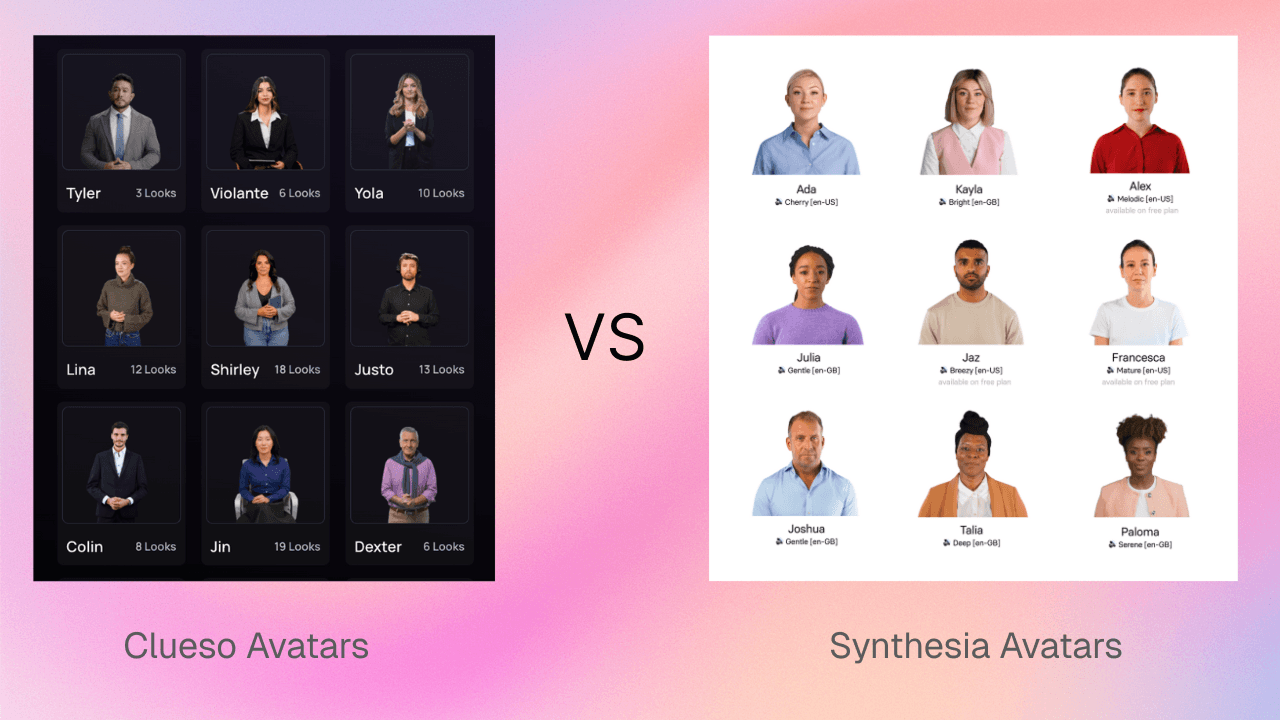
Yes — both offer high-quality avatars.
Both tools let you create videos with realistic, natural-sounding AI presenters with multiple personalities to choose from. The difference is how central avatars are to your video experience.
With Synthesia, avatars are the foundation. The platform is designed around scripted, presenter-led videos, making it an excellent choice for announcements, leadership messages, and training intros.
Clueso also offers AI equally high-quality avatars, but they’re optional by design. Clueso is built first for showing how products and processes work, with avatars used to add a human layer when helpful — not to replace real walkthroughs.
If your videos are primarily about delivering information, Synthesia is a great bet. If your videos are about helping people do something, Clueso is built for that.
What about AI voiceovers?
Both offer them, but Clueso gives you more control over tone and emotion.
Both tools support natural-sounding voices across multiple accents and languages to create professional videos.
With Clueso, voiceovers are designed to sound more human and expressive. You can fine-tune delivery using simple voice tags — adding pauses, emphasis, excitement, hesitation, or urgency — so the narration matches the moment. This is especially useful when the voice needs to carry emotion without relying on facial expressions.
With Synthesia, voiceovers can be adjusted, but fine-tuning tone pacing or emphasis usually takes extra effort.
If voice is doing the emotional heavy lifting in your videos, Clueso gives you more flexibility with less friction.
Do audio and visuals stay in sync when I edit?
Automatically in Clueso. Manually in Synthesia.
With Clueso, audio and video stay aligned by default. When you edit the script, trim clips, or add new sections, Clueso automatically re-syncs everything for you. You also get sync markers inside scenes, so you can fine-tune timing.
With Synthesia, syncing takes more hands-on work. If you change narration, adjust scenes, or mix in screen recordings, you’ll need to manually realign audio and visuals. The more edits you make, the more time goes into keeping things lined up.
Multi-language Translation
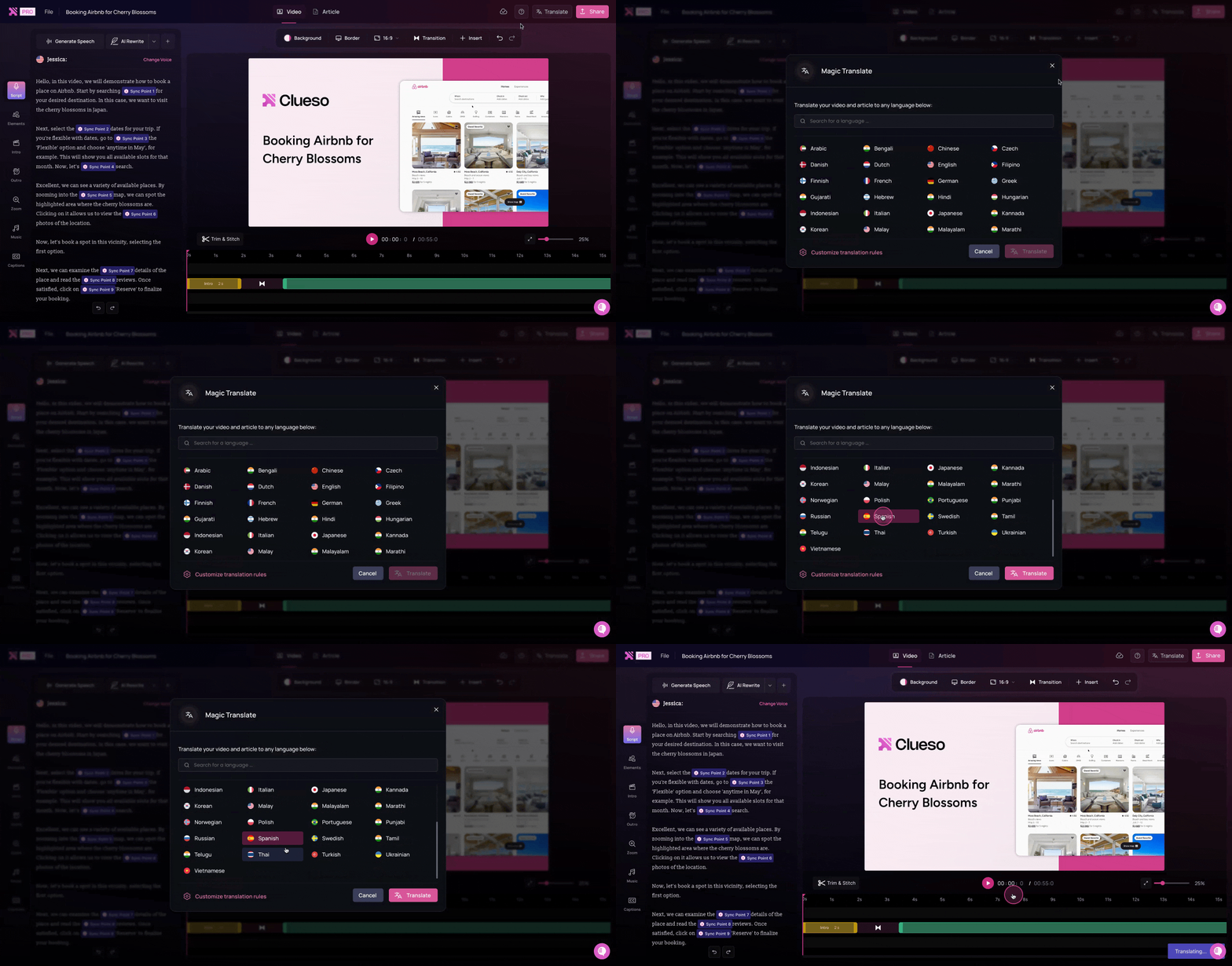
Clueso enables you to auto-translate both videos and written documentation in 40+ languages. It allows teams to localize tutorials and product guides in multiple formats at once.
Synthesia supports translation for videos only.
Can I turn one long recording into multiple short videos?
Yes, automatically with Clueso. Not with Synthesia.
With Clueso Cuts, you can record a long walkthrough once, or upload a pre-recored one, and Cluesp splits it into shorter, standalone videos automatically. Clueso also gives you pre-set options like splitting by topics, engaging moments, and time ranges — or you can give specific instructions for how you want clips created. This works particularly well for onboarding paths, course modules, SME content, and help center playlists.
With Synthesia, videos are created one at a time. There’s no way to record once and automatically break it into reusable segments.
If you regularly create long walkthroughs and need them reused across formats or journeys, Clueso saves you a lot of manual work.
Step-by-step guide creation
Can it convert my videos into step-by-step written guides?
Automatically in Clueso. Not in Synthesia.
Clueso turns your video recording into a clean, well-formatted step-by-step article with screenshots, action descriptions, and instructional text. These guides are ready to use for SOPs, help centers, onboarding, or internal docs.
Synthesia only outputs a finished video. If you need written SOPs or help articles, they have to be created separately in another tool.
Will I be able to generate screenshots and GIFs?
Yes, in Clueso. Not possible in Synthesia.
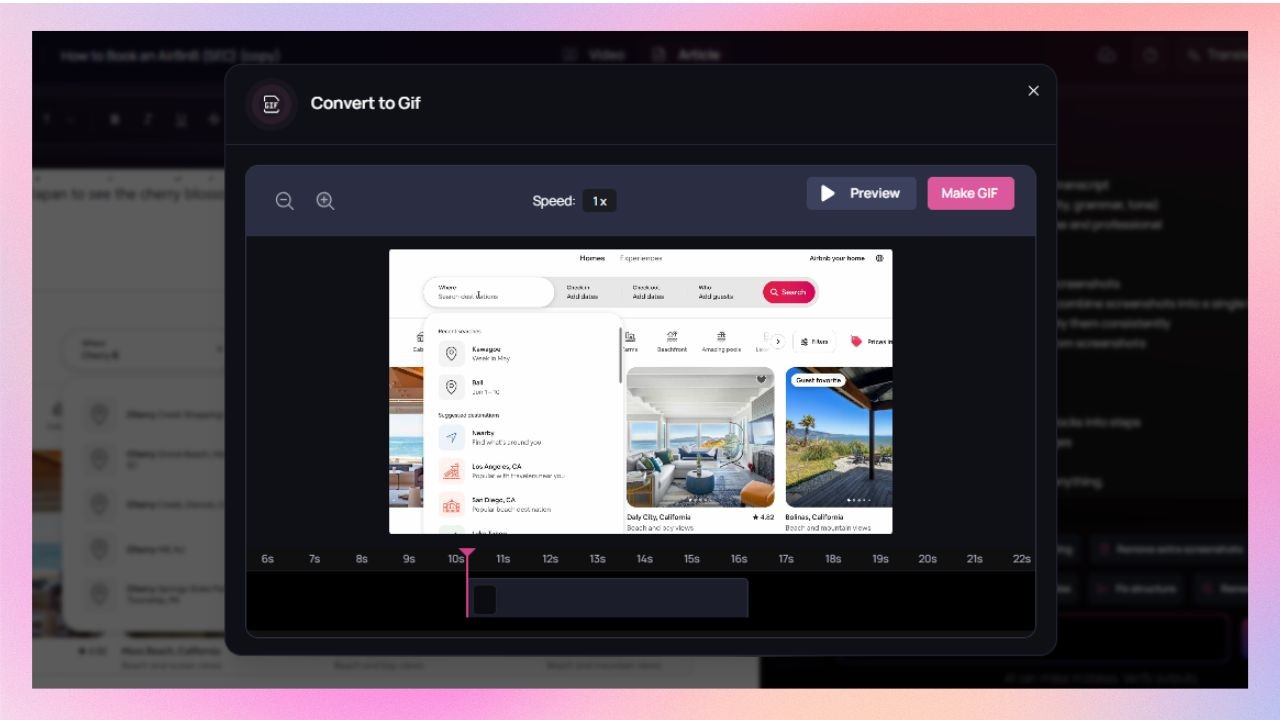
With Clueso, you can convert any step or set of screenshots into lightweight GIFs, keeping cursor movement and highlights intact. This works well for release notes, inline help, and quick how-tos.
Synthesia doesn’t support converting steps or screenshots into GIFs.
Can I keep documentation on-brand?
Yes, with Clueso. This isn’t relevant in Synthesia.
Clueso lets you apply your brand’s fonts, colors, and formatting rules to all generated documentation, so everything stays consistent without manual cleanup.
Synthesia doesn’t generate documentation, so branding written guides isn’t part of the workflow.
Will the tool help me edit and improve my help articles & SOPs?
Clueso can. Synthesia does not offer this.
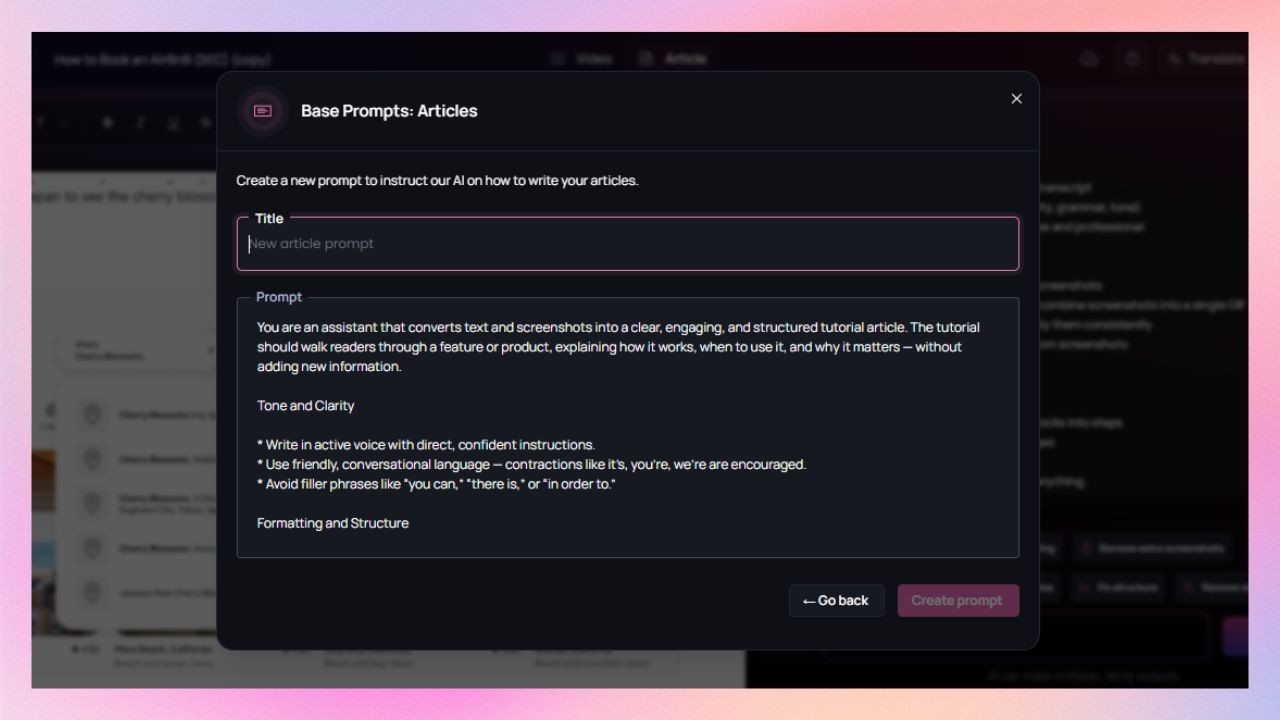
With Clueso’s Article Co-pilot, you can set up predefined instructions for all documentation upfront — like tone, structure, level of detail, and formatting rules. Every help article or SOP is generated with those guidelines in mind, so documentation stays consistent and needs far less manual editing later.
Synthesia doesn’t generate written documentation at all, so editorial or writing assistance for these does not apply.
I want to convert a long recording into multiple SOPs. Can I?
Yes, automatically in Clueso. Not in Synthesia.
Clueso analyzes longer recordings, identifies task boundaries, and breaks them into multiple SOPs or process documents. One session can turn into several usable guides.
Synthesia doesn’t support breaking recordings into multiple documents.
Editing tools
Can I apply my branding automatically to all content?
Yes, with Clueso. Only on higher plans with Synthesia.
Clueso lets you set brand colors, fonts, logos, and styling once, and applies them automatically across videos and documentation for your entire team.
Synthesia also supports custom branding, but it’s limited to enterprise plans and applies only to videos.
Do I get templates? Can I customize them?
Yes — and they’re built for walkthroughs in Clueso.
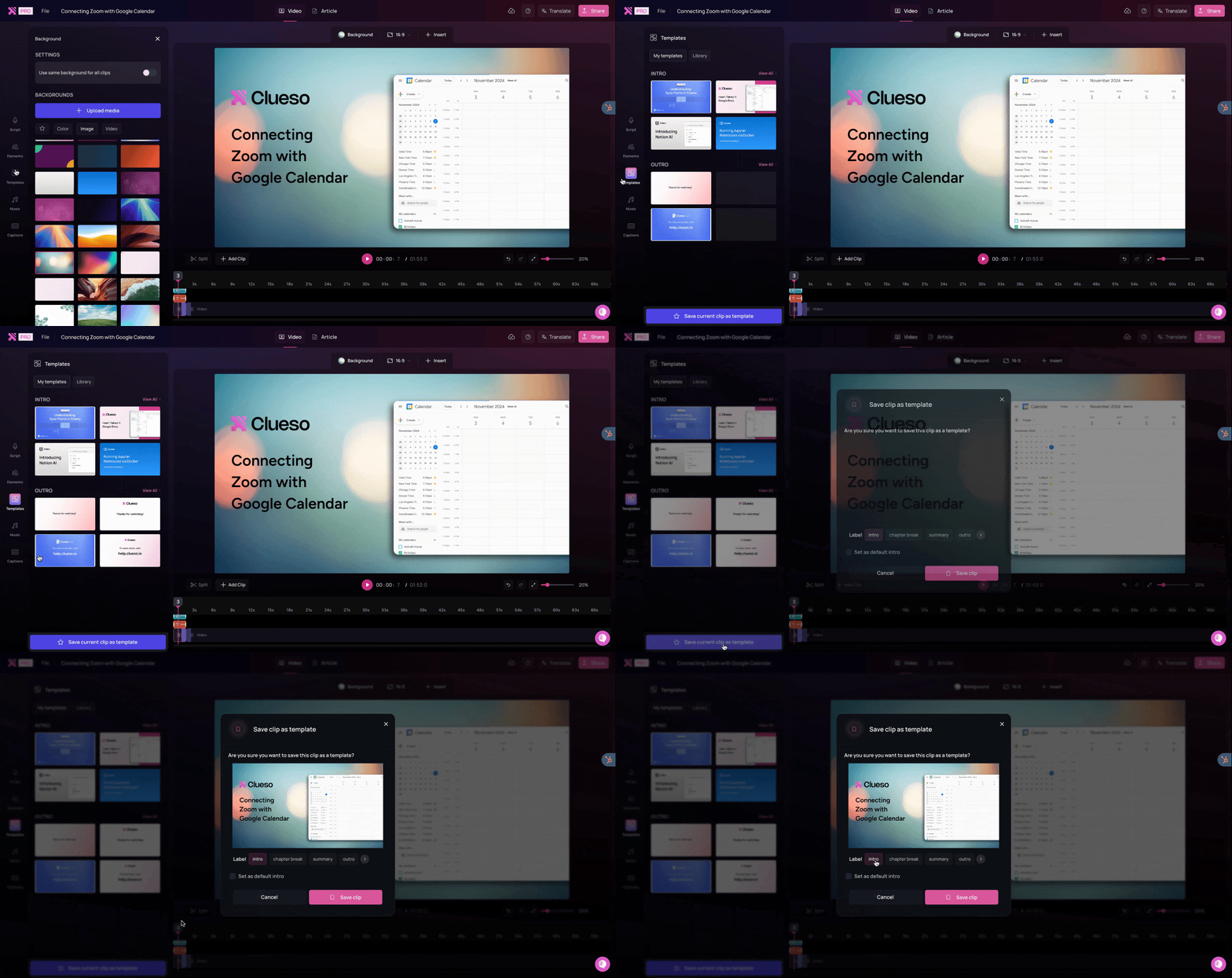
Clueso offers a template library for tutorials and product walkthroughs, defining structure, transitions, and branding so every video follows the same pattern.
Synthesia offers templates mainly for avatar-led explainers and presentations. They work well for storytelling, but aren’t designed around product or process workflows.
Can I highlight important actions on screen?
Extensively in Clueso. Less so on Synthesia.
Clueso follows your on-screen actions to automatically add smart visual effects like cursor highlights, and zooms. You can also add callouts, spotlights, UI annotations, or animations to guide attention where it's needed.
Synthesia supports basic transitions and text animations, but doesn’t offer callouts or spotlight-style emphasis.
Are captions generated automatically?
Yes, in both tools.
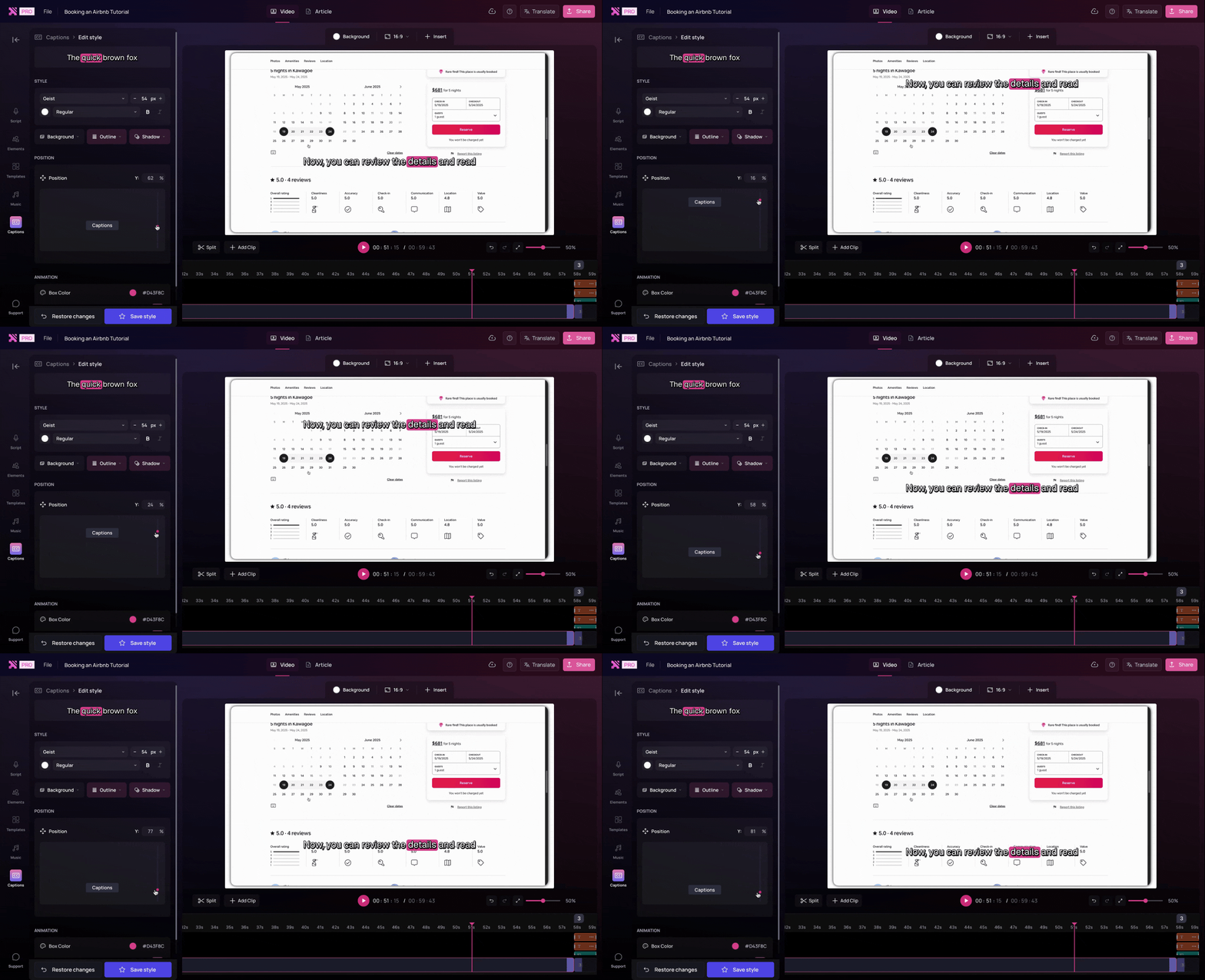
Clueso generates accurate, time-synced captions that stay aligned even when you edit narration or steps. You can adjust caption placement, font colours & styles, and even add text animations.
Synthesia also supports auto-generated captions.
Can I update videos without starting over?
Yes, easily in Clueso. Not really in Synthesia.
Clueso makes updating both your videos and your SOPs effortless. When your product or process changes, Clueso lets you replace or adjust specific parts of a video without re-recording everything. And the changes also reflect in your written guides.
With Synthesia, updates usually mean recreating and re-rendering the video, which adds friction for fast-moving teams.
What formats can I export?
Multiple formats in Clueso. Video-only in Synthesia.
Clueso exports videos alongside step-by-step articles with screenshots, making it easy to reuse one recording across training, help docs, or internal guides.
Synthesia exports videos only. Any accompanying documentation needs to be created separately.
Can I turn slides into videos easily?
Yes, in both — but Clueso goes further.
Both tools convert slides into videos. But Clueso can also use speaker notes to generate scripts, or infer narration from the slides themselves if notes are missing.
Synthesia’s slide-to-video scripts are more basic and can't use the speaker notes.
Enterprise readiness
Does the tool meet enterprise security standards?
Yes, both tools do.
Clueso is certified for SOC 2 and ISO 27001, meeting common enterprise security and compliance requirements.
Synthesia is compliant with SOC 2 and ISO/IEC 42001:2023, with strong safeguards around its AI video infrastructure.
If security and compliance are table stakes for you, both tools clear that bar.
Can teams collaborate in a shared workspace?
Yes, in both tools.
Both Clueso and Synthesia support shared workspaces where teams can create, review, and manage content together, instead of working in silos.
Will I be able to control who can access or edit content?
Both tools support role-based access controls.
Both platforms let you define roles and permissions, so the right people can create, edit, review, or publish content without exposing everything to everyone.
Can I organise content at scale as it grows?
More easily in Clueso. With limits in Synthesia.
Clueso lets you organise content by department, project, or use case, making it easier to find, manage, and govern videos and documentation as your library grows.
In Synthesia, content organisation tools are available mainly on enterprise plans. Outside of those tiers, managing large volumes of content can become more manual.
Pricing
While Synthesia’s entry point looks cheaper, Clueso includes far more per plan — more minutes, more users, additional content formats, and ongoing updates, making it far more cost-efficient for teams creating videos regularly. Clueso’s Starter plan covers much of what Synthesia typically reserves for higher-tier or enterprise plans.
Clueso
Synthesia
Starting Price
$120/month (billed yearly)Includes 30 minutes of video + 30 documentation exports for 2 users
$18/month (billed yearly)Includes 10 minutes of video for 1 user
Free Trial
✅ 7-day free trial
❌ Not available
| Note: Pricing is subject to change. Check each provider’s site for the latest.
What does this mean in practice?
Content ROI With Clueso, a single recording can turn into a video, step-by-step guide, GIFs, translations, and updates - all without starting over. That dramatically increases the value you get from every minute recorded.
With Synthesia, each new video, version, or format is typically created from scratch, which adds time and cost as your content needs grow.
Adding more minutes If you hit your usage limits in Clueso, you can purchase additional minutes as add-ons.
In Synthesia, additional minutes aren’t available as add-ons; you’ll need to upgrade to a higher plan.
Recognized. Trusted. Loved.
From fast-growing startups to Fortune 500s, teams of all sizes trust Clueso.
4.9
out of 5 stars on G2.com
300,000+
videos created on Clueso in the past 6 months
Clueso vs Synthesia: Which one is for you?
If your goal is to walk users through real products, workflows, and processes, Clueso is built for you. It captures your actual screen, detects each step automatically, generates scripts and voiceovers, and exports both videos and written guides.
If you prefer to tell stories with avatars, like creating corporate explainers, HR videos, or presentations, Synthesia is the right choice. It delivers high-quality talking-head videos with AI-generated presenters, perfect for more formal, presentation-style communication.
Clueso empowers product teams, customer support, and operations to turn real workflows into shareable knowledge instantly. Synthesia empowers HR, L&D, and marketing to scale scripted communication with AI avatars.
Ideal Use Cases
Here are the different scenarios each tool excels in:
Use Case
Clueso
Synthesia
Product Teams
✅ Capture and update real product demos easily
❌
Customer Support & CX Teams
✅ Create visual SOPs, FAQs, and step-by-step guides
❌
Training & L&D
✅ Combine screen captures with AI narration and translation
While Synthesia focuses on AI avatars and scripted videos, Clueso captures your actual product/process/workflow in action. It automatically records, edits, adds AI voiceovers, and generates documentation — all from one screen-recording. Instead of avatars narrating slides, Clueso shows real clicks, steps, and interactions, helping users learn by watching your product in motion.
Not at all. Clueso AI automatically trims pauses, removes filler words, syncs voiceovers, and adds zoom effects. You simply record your screen, and Clueso’s simple video editing interface makes it super easy to create videos with professional polish, even for non-editors.
Yes, many teams use both tools for different needs. Synthesia works well for scripted explainers or corporate training. Clueso complements it by creating authentic, screen-based tutorials, demos, and product walkthroughs. You can use both side by side for a complete content strategy.
Clueso is SOC 2 and ISO 27001 certified, with role-based permissions and version control. Your data and recordings stay secure, and nothing you create is used to train external AI models.
You can sign up for a 7-day free trial. Start recording directly from your browser, and Clueso will automatically generate your first video, voiceover, and article in minutes.