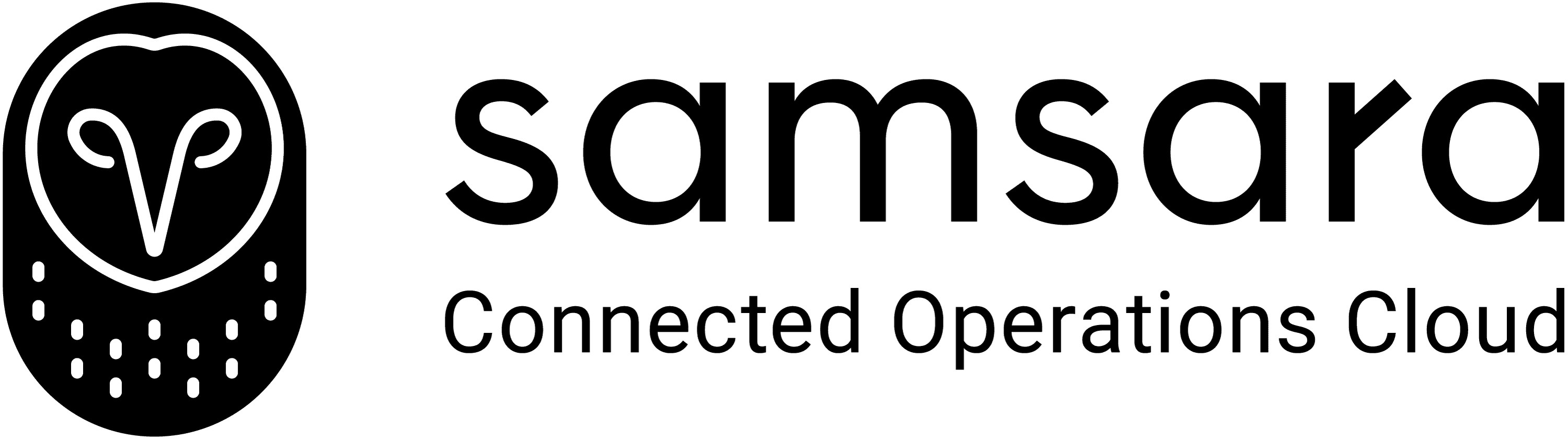
Camtasia vs Descript: Visual Editing or Transcript Editing
Both tools streamline content creation, but they’re built for completely different needs.
Camtasia gives you traditional, timeline-based editing with high-quality screen capture, advanced effects, and multi-track control. It is ideal for long-form tutorials and polished training content. Descript, on the other hand, flips the process: it lets you edit video by editing text. Its transcript-driven workflow, AI dubbing, and multi-language tools make it powerful for talking-head videos, podcasts, and script-heavy explainers.
Clueso vs XYZ at a glance
Content Creation Capabilities
Feature | Camtasia | Descript |
|---|---|---|
AI Avatars | Pro-version only | ✓ |
Screen Recording | ✓ | Basic |
Video Script Generation | via Audiate | ❌ |
Transcript Editing | ❌ | ✓ |
AI Voiceovers | via Audiate | ✓ (Dubbing) |
Multi-Track Editing | ✓ | ✓ |
Multi-language Translation | ✓ | ✓ |
Professional Features
Feature | Camtasia | Descript |
|---|---|---|
Custom Branding | Manual | ✓ (drive-level feature) |
Custom templates | ✓ | ❌ (template library available) |
Enterprise Features
Feature | Camtasia | Descript |
|---|---|---|
Security Compliance | SOC2, ISO 27001 | SOC2 |
Shared Team Workspace | ✓ | ✓ |
Access Control by Roles | ✓ | Basic |
Camtasia vs Descript: Detailed Comparison
Two powerful creation tools — one built for video production, the other built for audio-first editing.
Content Creation Capabilities
Camtasia is designed for creators who want full control over the content editing. It offers crisp screen recording, multi-track editing, advanced annotations, and robust timeline manipulation. With its companion tool Audiate, creators can generate basic scripts, clean up audio, and produce AI voiceovers. This makes Camtasia well-suited for long-form tutorials, technical walkthroughs, and polished, instructor-led training videos.
Descript, by contrast, takes an audio-first approach. It specializes in transcript-based editing, allowing creators to edit video by simply editing text. Its AI voices, dubbing tools, and multi-language support make it effective for teams producing podcasts, talking-head videos, or narrative-driven explainers. While its screen recording is more lightweight, Descript excels at transforming spoken content into easily editable media. It is perfect for creators who prioritize speed and script accuracy over complex visual editing.
B. Professional Features
Camtasia gives users complete visual control, allowing them to manually apply custom branding, build reusable templates, and integrate branded assets directly into the editing timeline. This makes it ideal for teams producing cohesive training series or consistent instructional videos where branding and structure matter.
Descript offers branding at a drive level, enabling teams to maintain consistent identities across shared assets. While it doesn’t support custom templates in the traditional sense, its template library and AI-powered editing tools help streamline repeatable formats. Descript’s strength lies in its ability to help teams create content when scripts, captions, and voice edits are central to the workflow.
C. Enterprise Features
Both Camtasia and Descript meet enterprise-grade security standards, with SOC2 compliance and workspace features designed for team collaboration. Camtasia offers detailed role-based access control, supporting teams that need structured governance over who edits, reviews, or publishes content. Shared libraries and permissions make it easier to manage large volumes of video assets across teams.
Descript provides collaborative editing environments where multiple team members can work on transcripts, audio, and video assets simultaneously. Its access controls are more lightweight. For distributed teams, Descript’s cloud-based workflows make reviewing, editing, and sharing seamless.
What to Consider When Choosing Between Camtasia & Descript
1. Captures Real Product Workflows
Camtasia gives you high-quality screen recordings, but everything after that is manual editing. Descript lets you record your screen too, but it’s built primarily for script-driven content, not product walkthroughs.
Clueso captures real, step-by-step workflows across any app, detects every action automatically, and turns them into a clear, structured sequence; ready for editing or instant publishing.
Feature | Clueso | Camtasia | Descript |
|---|---|---|---|
Full Workflow Capture | ✓ | Manual | Basic |
Automatic Step Detection | ✓ | ❌ | ❌ |
2. AI Enhancements Replace Manual Editing Entirely
Camtasia requires hands-on timeline editing — trimming clips, syncing audio, adding callouts, zooming, framing. Descript simplifies editing through transcripts but lacks workflow-level automation.
Clueso automates most of the work for you. From AI script generation, AI voiceovers, AI-enhanced audio, narration sync, filler removal, to automatic zooms, spotlight, step labeling — all without touching a timeline.
Feature | Clueso | Camtasia | Descript |
|---|---|---|---|
Video Editing | Automated | Manual | Manual |
Automatic Script Generation | ✓ | via Audiate | ❌ |
AI Voiceover | ✓ | via Audiate | AI Dubbing |
AI Voice & Audio Sync | ✓ | Manual | Manual |
Auto Zooms & Highlights | ✓ | Manual | Limited |
Filler Removal | ✓ | Manual | Limited |
Background Music | ✓ | ✓ | ✓ |
Screenshots | ✓ | ❌ | ✓ |
GIFs | ✓ | ✓ | ✓ |
3. Dual Output: Video + Step-by-Step Article in One Take
Camtasia outputs polished video. Descript outputs video + transcripts.
Clueso outputs two fully usable assets at once - a complete video tutorial and a step-by-step documentation. Both stay perfectly in sync because they’re generated from the same process capture. Clueso also enables you to translate the outputs in 40+ languages to reach a global audience.
Feature | Clueso | Camtasia | Descript |
|---|---|---|---|
Video Output | ✓ | ✓ | ✓ |
Article Output | ✓ | ❌ | Transcript only |
Sync Between Formats | ✓ | ❌ | ❌ |
4. Updates Without Re-Recording or Re-Editing
Camtasia forces you to re-record when screens change. Descript lets you edit narration easily but not the underlying workflow visuals.
Clueso lets you update a single step, fix narration, or rewrite text — and the video + article update automatically. This makes it a game-changer for product teams that iterate often.
Feature | Clueso | Camtasia | Descript |
|---|---|---|---|
Update Without Re-recording | ✓ | ❌ | ❌ |
Auto Sync Across Assets | ✓ | ❌ | ❌ |
5. Flexible Exporting + Enterprise-Ready Governance
Camtasia exports video only; Descript exports video + transcripts. Clueso goes further with video and step-based documentation. Clueso also offers SOC2, ISO 27001, role-based access, team workspaces, category management.
Clueso is the only platform that understands workflows, automates editing, produces dual outputs, and helps keep everything up to date without re-recording.

Camtasia vs Descript vs Clueso: 5 Reasons Why Clueso Is a Better Alternative
1. Captures Real Product Workflows
Camtasia gives you high-quality screen recordings, but everything after that is manual editing. Descript lets you record your screen too, but it’s built primarily for script-driven content, not product walkthroughs.
Clueso captures real, step-by-step workflows across any app, detects every action automatically, and turns them into a clear, structured sequence; ready for editing or instant publishing.
Feature | Clueso | Camtasia | Descript |
|---|---|---|---|
Full Workflow Capture | ✓ | Manual | Basic |
Automatic Step Detection | ✓ | ❌ | ❌ |
2. AI Enhancements Replace Manual Editing Entirely
Camtasia requires hands-on timeline editing — trimming clips, syncing audio, adding callouts, zooming, framing. Descript simplifies editing through transcripts but lacks workflow-level automation.
Clueso automates most of the work for you. From AI script generation, AI voiceovers, AI-enhanced audio, narration sync, filler removal, to automatic zooms, spotlight, step labeling — all without touching a timeline.
Feature | Clueso | Camtasia | Descript |
|---|---|---|---|
Video Editing | Automated | Manual | Manual |
Automatic Script Generation | ✓ | via Audiate | ❌ |
AI Voiceover | ✓ | via Audiate | AI Dubbing |
AI Voice & Audio Sync | ✓ | Manual | Manual |
Auto Zooms & Highlights | ✓ | Manual | Limited |
Filler Removal | ✓ | Manual | Limited |
Background Music | ✓ | ✓ | ✓ |
Screenshots | ✓ | ❌ | ✓ |
GIFs | ✓ | ✓ | ✓ |
3. Dual Output: Video + Step-by-Step Article in One Take
Camtasia outputs polished video. Descript outputs video + transcripts.
Clueso outputs two fully usable assets at once - a complete video tutorial and a step-by-step documentation. Both stay perfectly in sync because they’re generated from the same process capture. Clueso also enables you to translate the outputs in 40+ languages to reach a global audience.
Feature | Clueso | Camtasia | Descript |
|---|---|---|---|
Video Output | ✓ | ✓ | ✓ |
Article Output | ✓ | ❌ | Transcript only |
Sync Between Formats | ✓ | ❌ | ❌ |
4. Updates Without Re-Recording or Re-Editing
Camtasia forces you to re-record when screens change. Descript lets you edit narration easily but not the underlying workflow visuals.
Clueso lets you update a single step, fix narration, or rewrite text — and the video + article update automatically. This makes it a game-changer for product teams that iterate often.
Feature | Clueso | Camtasia | Descript |
|---|---|---|---|
Update Without Re-recording | ✓ | ❌ | ❌ |
Auto Sync Across Assets | ✓ | ❌ | ❌ |
5. Flexible Exporting + Enterprise-Ready Governance
Camtasia exports video only; Descript exports video + transcripts. Clueso goes further with video and step-based documentation. Clueso also offers SOC2, ISO 27001, role-based access, team workspaces, category management.
Clueso is the only platform that understands workflows, automates editing, produces dual outputs, and helps keep everything up to date without re-recording.
You’re in good company
From start-ups to enterprises, teams of all sizes trust Clueso.
Camtasia vs Descript: Which One Is for You?
Camtasia is perfect for teams who want full visual control - multi-track editing, polished effects, and detailed tutorial production. If you’re producing long-form training content or highly designed instructional videos, Camtasia gives you all the knobs and dials.
Descript, on the other hand, is built around script-first, audio-first creation. It shines when the story is driven by narration — podcasts, explainers, interviews, talking-head videos. Its transcript-based editing and AI dubbing make editing fast and accessible, especially for teams who prefer editing words rather than timelines.
But both tools don’t understand your workflow, detect steps, or help you maintain documentation as your product evolves. That’s where Clueso stands apart. It captures real workflows across any app, detects every step, enhances recordings automatically, and generates both a polished video and a step-by-step article from a single capture. And when something changes, you update that particular step.
If Camtasia is powerful but manual, and Descript is fast but script-driven, Clueso is powerful, fast, and purpose-built for teams who show real product workflows and keep them up to date.