
What is a knowledge base?
A knowledge base is a self-service library that answers repeat questions. Learn what it is, the types, and how to build one people actually use.
TL;DR
- A knowledge base is a centralized, searchable library of articles that lets people solve problems without asking a person.
- It can face customers (a help center), employees (an internal knowledge base), or feed an AI assistant — most companies end up with all three.
- The hard part isn't creating one. It's keeping the articles current and readable enough that people actually use them.
- Text-only articles go stale and get skipped; the ones that hold up pair short writing with a screen recording.
Before we talk about a knowledge base, let’s look at some recurring scenarios.
- A customer can't find how to export their data on your platform, so they open a ticket.
- A new hire asks in Slack where the deployment runbook lives, and two people stop what they're doing to point them to it.
Both questions have been answered before. A knowledge base is what keeps you from answering them again.
According to Zendesk's Customer Experience Trends Report almost 70% of users try to solve issues themselves before filing tickets and less than one-third of companies provide any sort of self-help knowledge bases to their users.
What is a knowledge base?
A knowledge base is a centralized, searchable library of articles that help people solve problems on their own — how-to guides, FAQs, troubleshooting steps, and policies. It can face customers as a public help center, or face employees as an internal knowledge base, and it works by turning scattered, tribal knowledge into content anyone can find.
The goal is self-service. You answer a question once, publish it, and let people find it the next time they need it, which moves the load off your team and onto your content.
Internal, external, and AI knowledge bases
Knowledge bases split by who reads them. An external knowledge base is customer-facing, the public help center where users troubleshoot without contacting support. An internal knowledge base serves employees, holding onboarding material, process docs, and the runbook a new engineer needs at 2 AM. The newer AI knowledge base is the same content wired to a chatbot or an LLM assistant that answers in plain language and cites the underlying articles.
These aren't exclusive. A growing company usually runs a customer help center and an internal wiki, and increasingly points an AI assistant at both.
What's inside a knowledge base?
Articles are the most common artifacts you can find inside a knowledge base, a single page that answers one question or walks through one task. A healthy library mixes a few article types: getting-started guides, step-by-step how-tos, troubleshooting and error fixes, FAQs, and reference material like policies or a glossary. The best articles are scoped tightly, so someone scanning for one answer doesn't have to read around it.
Videos can be an important addition to your knowledge base. Simple screen recorded tutorials showcasing a certain process or a step-by-step guide for a particular feature are often more accessible than going through a help article.
Get Started with Clueso
Automatically create help articles and SOPs from your videos
Knowledge base vs. database vs. wiki: What's the difference?
These three get used interchangeably, and they shouldn't be. A database stores structured data for software to query; it isn't written for a human looking for an answer. A wiki is loosely structured and openly editable, which makes it fast to grow and easy to let rot. A knowledge base sits in between: curated and structured for findability, built so a specific reader can solve a specific problem. The difference that matters is intent — a knowledge base is organized around the questions people ask, not the data you happen to store.
Why a knowledge base matters
A knowledge base earns its place by deflecting the questions that don't need a human. Customers get quick answers without waiting for support, new hires ramp without shadowing a colleague for a week, and your team answers the genuinely hard questions about your product instead of the same five over and over. It also keeps all your general answers consistent, so two reps don't tell a customer two different things.
Get Started with Clueso
Automatically create help articles and SOPs from your videos
What makes a knowledge base people actually use
Most knowledge bases don't fail for lack of articles. They fail because the articles are walls of text that went out of date two releases ago, so people stop trusting them and go back to asking a person. Two things prevent that: keeping content current, and making it quick to follow.
Video is the lever on both. A short screen recording shows a workflow faster than a numbered list describes it, and it's the part teams skip because editing used to be slow — the payoff is a video knowledge base instead of a text-only one. This is where a tool like Clueso fits: it turns a screen recording into a help article with an embedded walkthrough video, voiceover, and translation, and lets you update the article by editing text when the product changes, so the page doesn't rot.
Get Started with Clueso
Automatically create help articles and SOPs from your videos
How to create a knowledge base?
Creating a knowledge base is the straightforward part; keeping it accurate, findable, and trusted is where most teams fall down. These practices separate a knowledge base people rely on from one they route around — for both building it and maintaining it over time.
Do
- Start from real questions. Mine your support tickets and help-center search logs, and build the articles people already ask for first. Demand sets the order — don't guess it from an ideal taxonomy.
- Give every article one job. One question or task per page, answer up top and detail below, so a skimmer finds it in seconds.
- Use tags to categorize your help articles. A jumble of random articles offer a poor experience for users looking for a specific issue. Having tags for specific features or product lines will help simplify navigation for your users and find a solution fast.
- Assign an owner to every article or category. Content nobody owns is content nobody updates; ownership is what keeps it alive.
- Tie a review cadence to your releases. When the product ships a change, trigger a content review the same week, so an article never describes a version that no longer exists.
- Pair words with a visual for anything on screen. A short screen recording or annotated screenshot teaches a multi-step task faster than a paragraph, and it's usually the missing half of a stale article.
- Measure self-service, not article count. Track ticket deflection, article ratings, and searches that return nothing — those "no results" queries are your content backlog.
Don't
- Don't try to document everything before launch. Perfectionism ships nothing; start with your top 10 questions and grow from demand.
- Don't organize by your org chart. Group articles by the task the reader is trying to finish, not by which team owns the feature.
- Don't let articles go stale. An outdated article is worse than a missing one, because people follow it confidently and get it wrong.
- Don't publish walls of text. Headings, short steps, and visuals beat dense prose — people scan before they read.
- Don't leave knowledge in one person's head. If a process lives only in an expert's memory, capture it before that person is on leave or gone.
- Don't gate everything behind a login. Public self-serve content deflects tickets and earns search traffic; reserve gating for genuinely sensitive material.
The thread through all of it: a knowledge base is a living system, not a one-time launch. The teams that win treat maintenance as the real work and creation as only the first step.
Knowledge base examples
The most familiar example is a SaaS help center: searchable articles, categories, and a search bar front and center. Inside companies, the same idea shows up as an employee wiki for HR and IT, or an engineering runbook library. Support teams run a customer-service knowledge base their agents and customers share. The format shifts, but the job is the same — answer the question before it becomes a ticket. Here are some of our best picks for knowledge bases that are exhaustive and offer a highly practical and insightul experience:
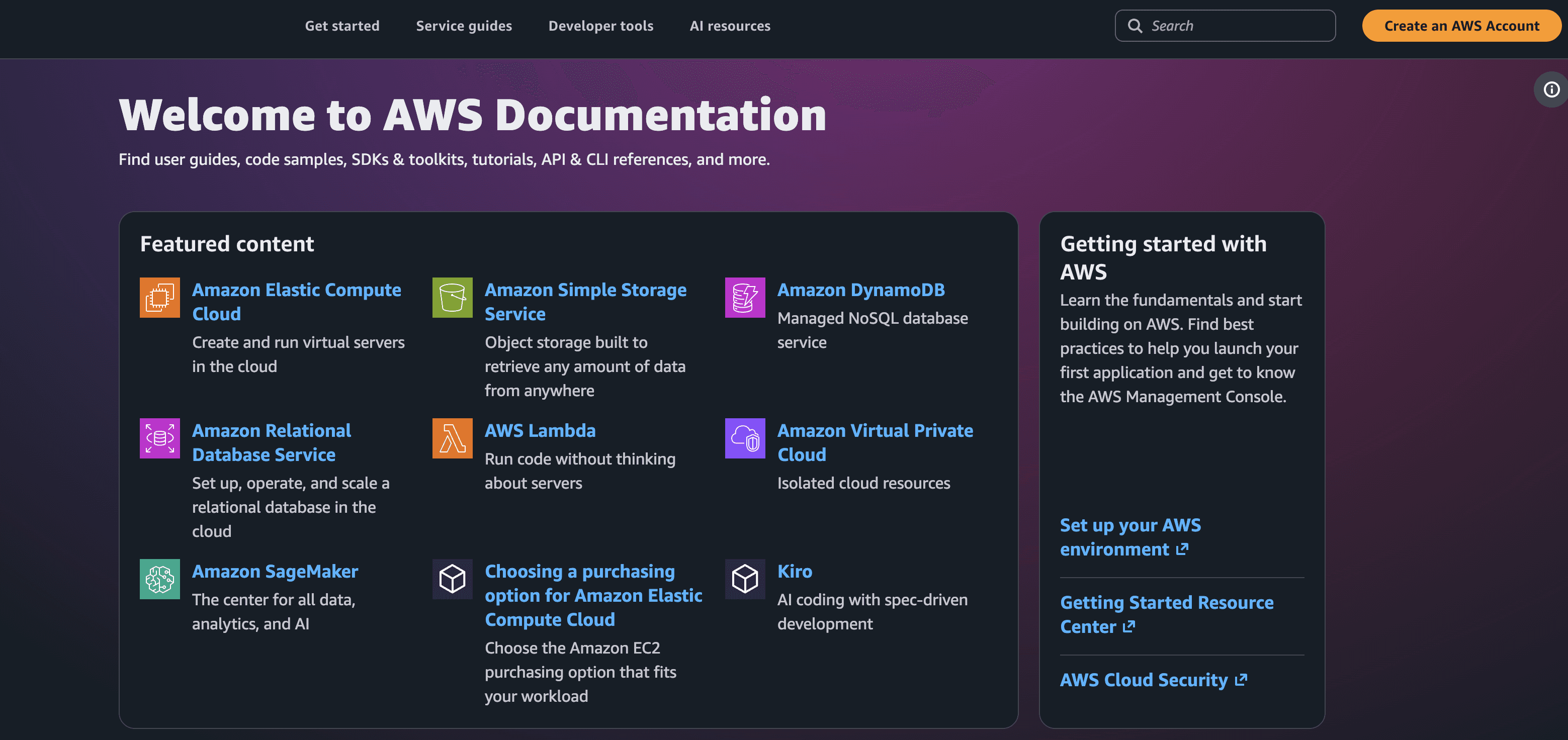
Why it's good: AWS is an exhaustive cloud computing platform with a library of 200+ dedicated tools and APIs. Despite having such a complex product suite, their documentation is neatly organizedinto different product categories as well as topical areas such as 'How-to guides' 'SDK toolkits', 'code example libraries', and so on.
Having such neat segmentations for your help docs enables users to easily navigate and find the right resource for their queries.
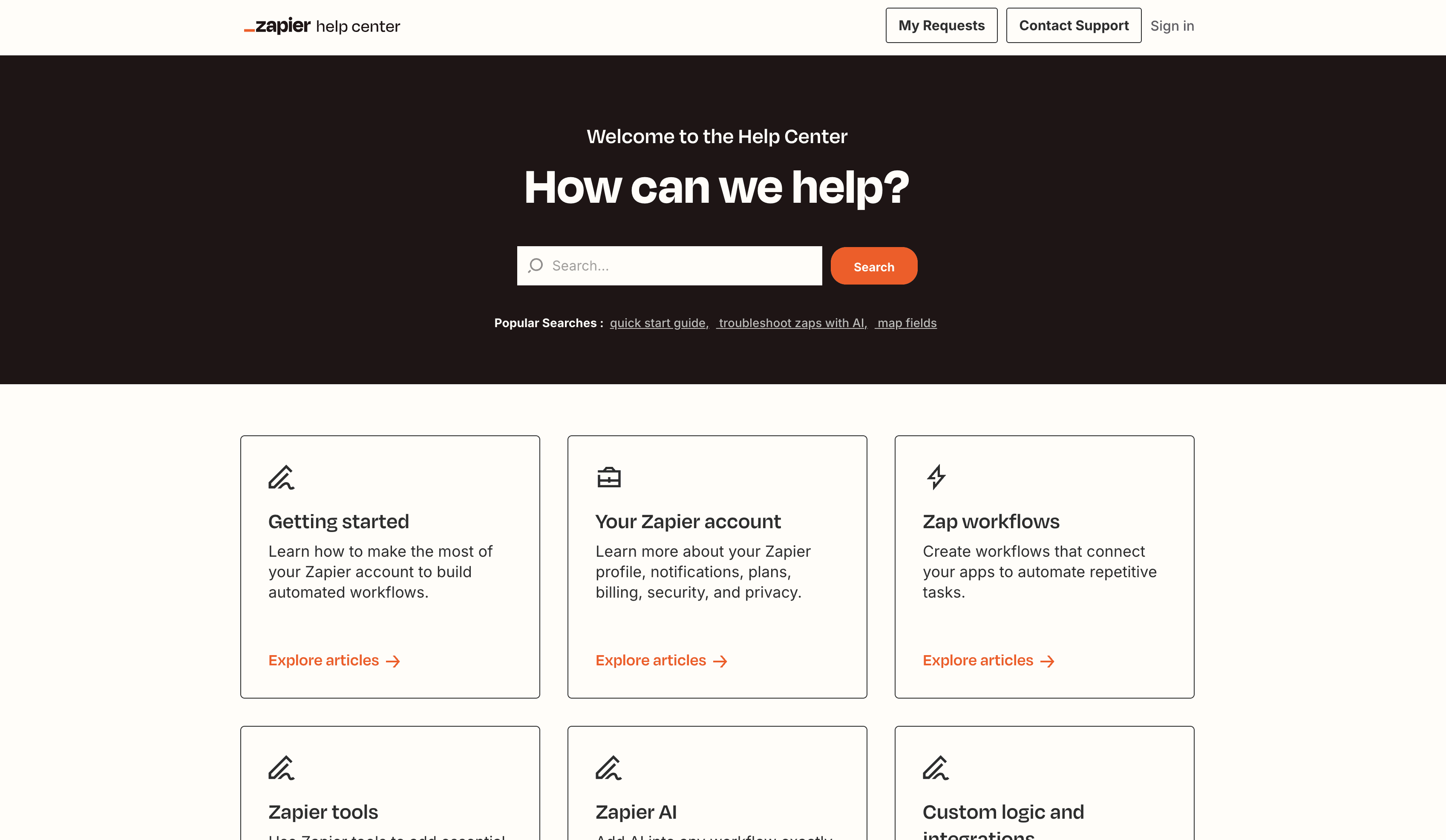
Zapier helps you create workflows and connect various tools together for collaboration and flow of consistent data across everything you're building. From, 'getting started' and ''setting up your account' to dedicated help articles around 'custom logic and integrations', Zapier is another great example of genuinely helpful and neatly segmented self-serve guides for users.
Providing tags helps users filter your articles and arrive at the relevant resolution quicker.
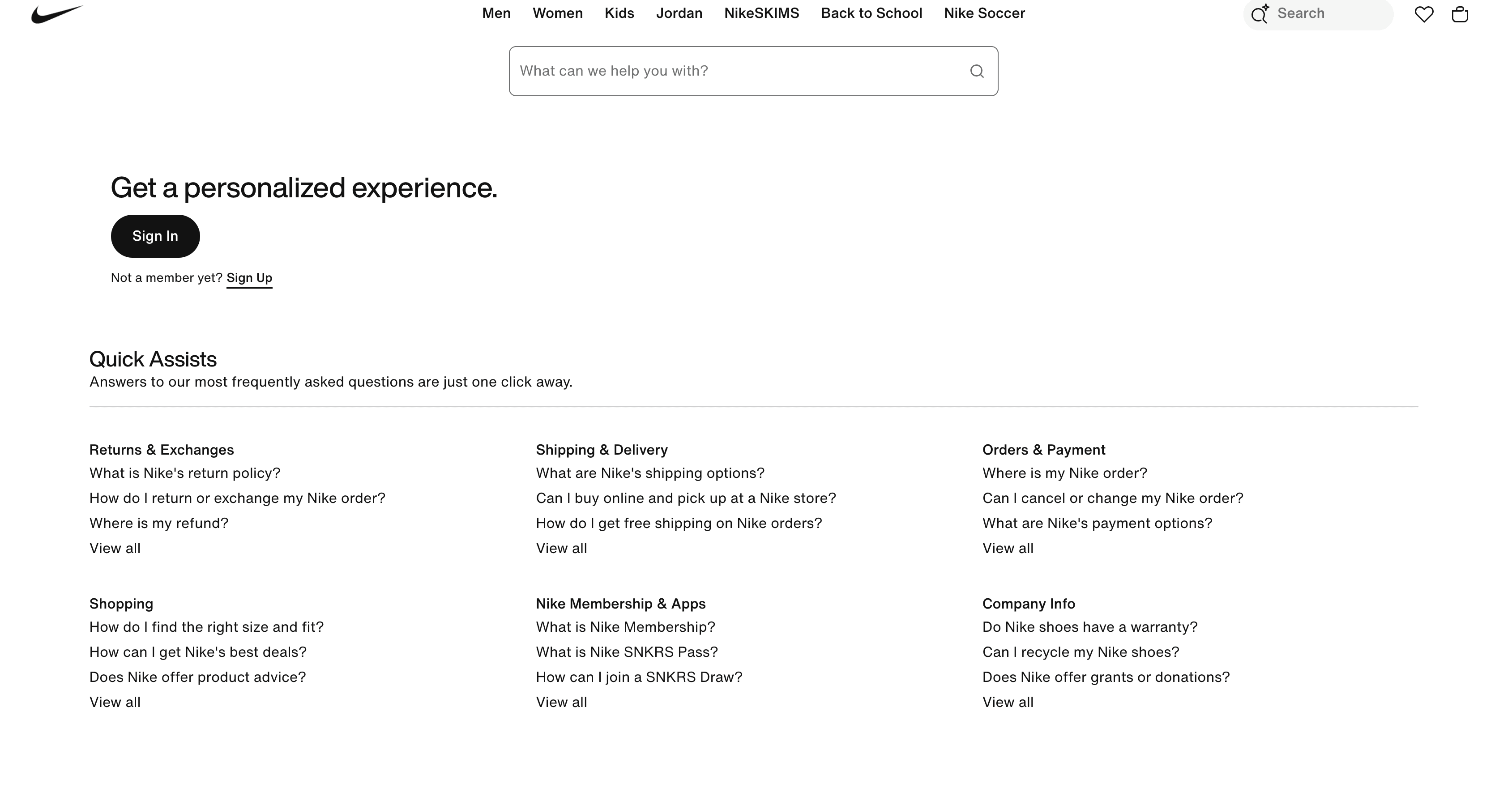
While not a SaaS tool, Nike provides an exhaustive but neatly categorized help center for users looking for issues with 'returns and exchanges', 'shipping', 'payment related issues', and 'membership queries'. The categories they've built aren't random choices but carefully derived from support tickets and customer queries they regularly receive.
Creating help docs derived from actual user queries and support tickets as opposed to 'guesswork' will always translate into a good experience for your end users.
Frequently asked questions
What is a knowledge base in simple terms?
A self-service library of articles that answers common questions, so people can solve problems without contacting your team.
What is a knowledge base article?
A single page that answers one question or walks through one task, like a how-to, a troubleshooting fix, or an FAQ entry.
What's the difference between a knowledge base and a database?
A database stores structured data for software to query. A knowledge base stores articles written for a person looking for an answer, organized around the questions people ask.
What's the difference between an internal and external knowledge base?
An external knowledge base is customer-facing (a public help center). An internal knowledge base serves employees with onboarding, process, and reference content.
What is an AI knowledge base?
A knowledge base whose articles also feed a chatbot or LLM assistant, so people can ask a question in plain language and get an answer drawn from your content.
How do you create a knowledge base?
Start with your most-asked questions, structure articles around how people search, write them tightly, make them findable, and assign owners to keep them current.
If you're starting one this week, pull the 10 questions your team answers most and turn each into a short article with a screen recording. That's a knowledge base. You grow it from there.
Ashish Upadhyay
Senior Content Marketing Manager
Ashish is a Senior Content Marketing Manager at Clueso with 7+ years of experience across content, product, brand marketing. Now his mission is to help product and customer education teams realize the value of video-based learning. Outside of work, Ashish sketches, sings, plays the guitar, cooks, and does all things LLMs can't yet.