Most training measures completion but time to competency is what actually determines how fast employees become productive.
Video training accelerates learning by showing real workflows, enabling self-paced practice, and supporting just-in-time problem-solving.
Build training around tasks, pair videos with real work, track performance, and design for doing, not watching.
Most companies track training completion. Very few track whether employees can actually do the job.
An employee can finish every employee onboarding video, attend every training session, and still feel stuck when it’s time to execute real work. Because traditional workplace training optimizes for content consumption, not capability.
What actually matters is how quickly someone can perform real tasks independently, without hand-holding. Time to competency is the metric that defines effective training and development. The faster employees reach competence, the faster teams move, scale, and deliver results.
The problem? Most training systems slow this down. They’re linear, passive, and disconnected from actual work, forcing employees to learn now and apply later.
But video training, when paired with a competency-based model, shifts learning into the flow of work. Employees don’t just watch, they see real tasks, revisit them when needed, and apply immediately. That’s how you truly reduce training time and accelerate employee upskilling.
In this blog, we’ll break down how to use employee training videos to cut ramp time, improve workplace training, and help employees become job-ready faster.
What Is Competency-Based Training and Learning?
Competency-based training is a simple shift with big implications. Instead of focusing on what employees learn, it focuses on what they can do.
In traditional training and development programs, the goal is often completion - finish the course, pass the quiz, move on. But in competency-based learning, progress only happens when an employee can actually perform a task, not just understand it in theory.
At its core, this approach is built on three key ideas:
Progress is based on mastery, not time
Training is mapped directly to real job tasks
Assessment is based on doing, not remembering
Old vs new: what’s changed
Traditional workplace training follows a predictable path: courses → completion → certificate. It assumes that once someone finishes training, they’re ready. Competency-based training is about skills → practice → demonstrated ability. Readiness isn’t assumed, it’s proven.
Why this matters
This shift has a direct impact on time to competency.
When training aligns with actual work, employees ramp faster. They rely less on managers, make fewer mistakes, and contribute sooner. For companies, that means faster onboarding, better performance, and more efficient employee upskilling without increasing training time.
Why Use Video for Competency-Based Learning Programs?
Competency is built by seeing and doing. While docs explain and slides summarize, neither actually show how work gets done in real scenarios. That’s the gap most traditional workplace training misses.
Why video works better
Video brings training closer to real work. Instead of abstract instructions, employees see actual workflows, tools, and decisions in action.
It helps:
Demonstrate real tasks visually (not just describe them)
Remove ambiguity around how something should be done
Support just-in-time learning, since employees can revisit videos exactly when they need them
In competency-based training, video connects learning directly to execution. Employees don’t just learn what to do; they see how it’s done, and can immediately apply it.
How video compresses learning
It improves pattern recognition. Watching a workflow in action is faster than reading five steps and imagining how they connect. Employees don’t have to interpret, they just observe and replicate.
It enables self-paced learning. There’s no waiting for a trainer, no dependency on scheduled sessions. People learn when they need to, at the speed they’re comfortable with.
It supports instant problem-solving. With searchable employee training videos, employees can jump to the exact moment they’re stuck, right in the flow of work.
That’s how video training accelerates time to competency and makes employee upskilling actually stick. This is especially powerful where clarity early on directly impacts how fast someone becomes productive.
When you layer this into your training and development system, you start removing common bottlenecks:
Fewer back-and-forth questions with managers
Less training fatigue from long, passive sessions
Faster transition to independent task handling
This is where video training directly impacts time to competency - by making learning frictionless.
Steps to Create a Competency-Based Training Program with Video
If your goal is to reduce time to competency, you need to design training like a system. That means every piece of training should answer one question:
“What should this person be able to do after this?”
Here’s how to build that system, step by step.
Step 1: Define role-based competencies
Instead of listing topics to cover, define observable outcomes. What does a fully ramped employee actually do differently? For example:
A support rep doesn’t just “know the product,” they resolve tickets within SLA without escalation
A sales rep doesn’t just “understand the pitch,” they run a full demo and handle objections
An ops hire doesn’t just “learn the tool,” they execute workflows without breaking dependencies
These become your competency benchmarks. Without this, your employee onboarding videos will just be information dumps.
Step 2: Break competencies into tasks and workflows
Once you define outcomes, reverse-engineer them into repeatable tasks. This is where competency-based training becomes practical. You’re essentially mapping:
Big goal → Small, executable units of work
For a support role, that might look like:
Logging into tools and navigating the dashboard
Identifying ticket types and priority
Using internal knowledge base correctly
Writing responses in the right tone
Escalating edge cases
Each of these becomes a trainable unit. This step ensures your workplace training is aligned with reality.
Step 3: Create short, task-specific employee training videos
Instead of long-form training, opt for microlearning. Create bite-sized employee training videos, each focused on one task. The key is to show:
The exact tools
The actual workflow
Real examples (not idealized ones)
This reduces interpretation. Employees don’t have to guess what “good” looks like, they can see it. Over time, this becomes a searchable video-first knowledge base that supports both onboarding and ongoing employee upskilling.
📌 Turn Everyday Workflows into Bite-Sized Training Videos
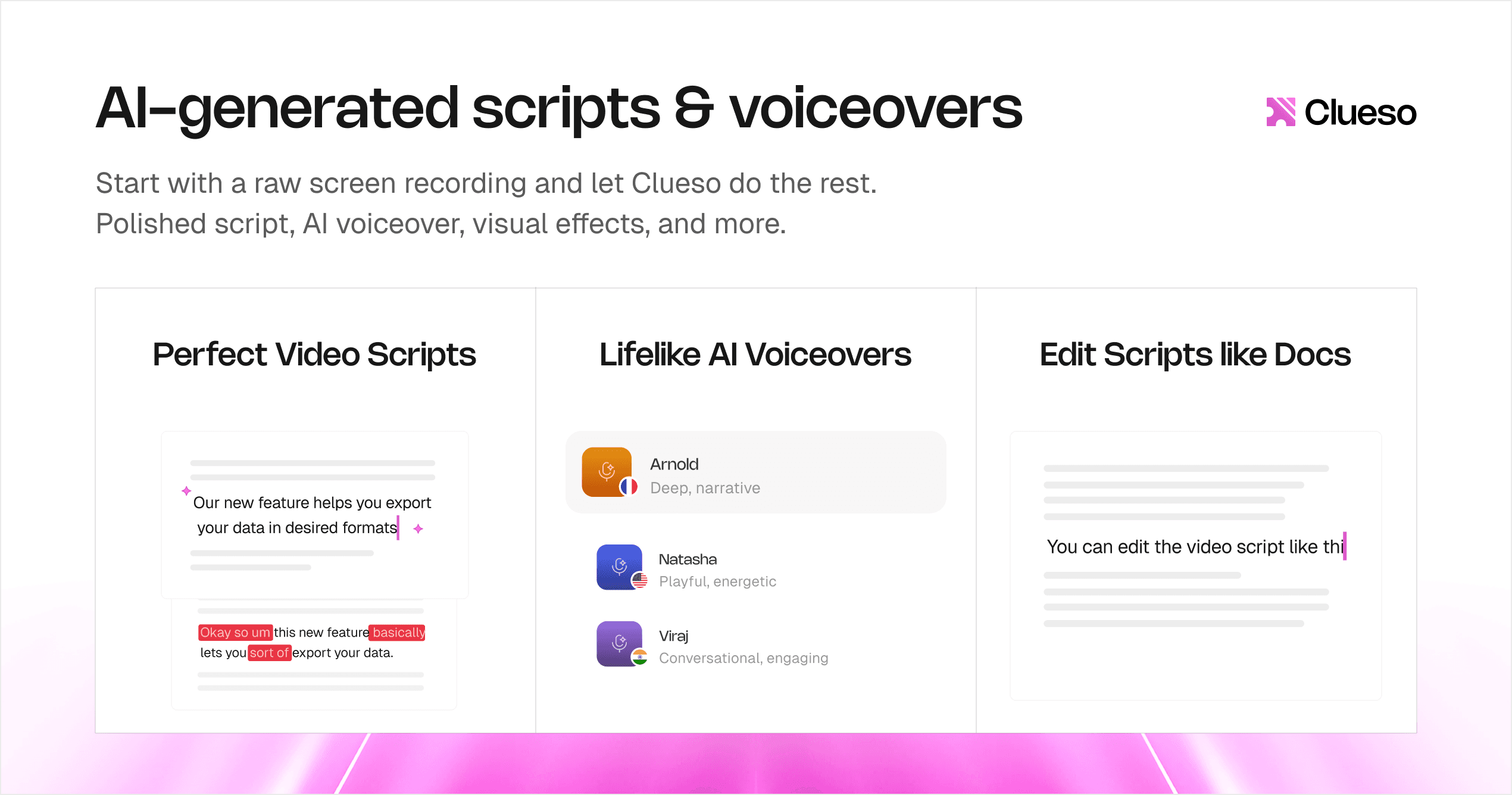
Clueso makes it easy to create short, task-focused training videos without complex editing. Simply record a real workflow, and Clueso transforms it into a polished video with AI-generated scripts, voiceovers, and visual enhancements. You can quickly trim, refine, and structure content into 2–3 minute clips so employees can see exactly how tasks are done, without guesswork.
Step 4: Add practice
This is where most training programs fall apart. Quizzes test recall. But competency requires execution under context.
Instead of asking, “What would you do?”, ask employees to:
Actually resolve a sample ticket
Record themselves running a demo
Execute a workflow in a test environment
This creates a feedback loop:
Watch → Try → Fail → Improve → Repeat
That loop is what actually reduces training time, because learning becomes active.
Step 5: Enable self-paced progression
In traditional training, employees wait for sessions, trainers, approvals, and so on. In a video-first system, they don’t have to. With well-structured employee onboarding videos:
Employees can revisit tricky workflows instantly
Skip what they already know
Spend more time on what they don’t
This autonomy speeds up ramp time significantly. It also scales because your training system no longer depends on human bandwidth.
Step 6: Track performance, not completion
This is the final shift and the most important one. Stop measuring % of videos watched, courses completed, and time spent in training. Instead, track:
Time to first independent task
Error rates in early execution
Number of interventions needed
Speed of task completion over time
These metrics directly reflect time to competency. And they give you a clear signal on whether your training and development system is actually working.
Get Started with Clueso
Upgrade your training workflows to reduce time to competency.
Best Practices for Video-Based Competency Training Programs
Creating video training isn’t the hard part. Creating video training that actually reduces time to competency is. The difference comes down to how you design it.
1. Keep videos short and focused
Attention drops fast and so does retention. Aim for 2–5 minute videos, each covering a single task or workflow. This makes it easier for employees to find what they need quickly and revisit specific steps as needed.
Short videos also fit naturally into the flow of work, which is critical for modern workplace training.
2. Show real workflows, not slides
Slides explain. Workflows demonstrate. Your employee training videos should show real tools, interfaces, and scenarios. This removes guesswork and helps employees understand exactly how tasks are performed in context.
3. Use screen recordings + voiceover
Clarity beats production quality. Simple screen recordings with a clear voiceover are often more effective than polished videos. They walk employees through step-by-step actions and highlight decision-making in real time.
This format is especially powerful for employee onboarding videos and tool-based training.
4. Make videos searchable and accessible
If employees can’t find the video when they need it, it might as well not exist. Avoid locking videos inside long courses. Instead organize them by task or workflow, make them searchable by keywords, and embed them where work happens (docs, tools, dashboards)
This turns your video training into a just-in-time support system, not just a one-time learning experience.
5. Pair every video with action
Watching isn’t learning, doing is. Every video should lead to a clear next step. This is what bridges the gap between employee training video consumption and actual employee upskilling.
6. Continuously update your training content
Training is not static. Your product, processes, and tools keep changing. If your videos don’t evolve, they become outdated. As a result, the trust in training drops and employees fall back to asking people instead.
Build a system where videos are easy to update and replace, so your training and development stays relevant.
📌 Update Training Videos as Fast as Your Product Changes
Clueso makes it easy to keep training content up to date without re-recording everything. When your product or process changes, you can trigger update for the specific step or section, and Clueso regenerates the video in sync. It ensures your training stays accurate, reliable, and always aligned with how work actually gets done.
One of the fastest ways to build competency is contrast. Don’t just show the ideal workflow, also show common mistakes, poor execution examples, and what to avoid. This helps employees build judgment.
Get Started with Clueso
Upgrade your training workflows to reduce time to competency.
How to Measure If You’re Actually Reducing Time to Competency
If you’re still measuring training success with completion rates, you’re not measuring success - you’re measuring activity. And activity doesn’t tell you if your employees are actually ready.
What not to track
Most training programs rely on easy, but misleading metrics like completion rates, watch time, courses finished, etc.These tell you what employees consumed, not what they can do. They don’t reflect real capability, and they definitely don’t reflect time to competency.
What to track instead
To understand if your training is working, you need to measure performance in the real world. Start with these four metrics:
Time to first independent task: How long does it take before someone can complete a task without help?
For time to first independent task, video shortens the gap between learning and doing. Employees can watch a workflow and immediately attempt it, instead of waiting through hours of onboarding.
Error rates and rework: How often are tasks done incorrectly and need fixing?
For error rates, video reduces ambiguity. When employees see exactly how a task is performed, they’re less likely to make avoidable mistakes.
Number of support questions: How dependent are employees on managers or teammates?
For support questions, searchable employee training videos act as a first line of support. Instead of asking a manager, employees can quickly find and replay the exact step they’re stuck on.
Time to full productivity: When do they start performing at expected output levels?
For time to full productivity, video enables continuous learning. Employees don’t just learn once during onboarding, they keep improving as they work.
These metrics give you a direct view into how effective your training and development system actually is.
Common Mistakes That Slow Down Competency (Even with Video)
Video training is often positioned as the fix for broken workplace training. But most teams adopt video and still don’t see a meaningful drop in time to competency.
Why? Because they carry over the same old habits into a new format.
Mistake #1: Turning videos into lectures
One of the most common missteps is creating long, lecture-style videos that feel like recorded training sessions.
These videos are hard to navigate, even harder to revisit, and rarely tied to specific tasks. Employees need a quick, clear walkthrough they can apply immediately. When videos aren’t built for action, they slow learning instead of speeding it up.
Mistake #2: Not defining competency clearly
If “being trained” isn’t clearly defined, your video training won’t be either. Competency-based training only works when every video ties back to a specific, measurable outcome.
Without a clear idea of what success looks like, teams end up producing content that’s informative, but not useful. Employees watch videos, complete onboarding, and still feel unsure about what they’re expected to do.
Mistake #3: Treating video as passive content
Video doesn’t magically make training effective. Competency comes from doing. Without practice, even the best employee training videos won’t translate into real performance.
If employees are just watching videos without applying what they learn, you’re still stuck in passive learning. The format has changed but the experience hasn’t.
Mistake #4: Overproducing instead of enabling
Many teams over-invest in production quality and underinvest in usability.
They spend weeks creating polished, high-production videos only to end up with content that’s outdated or too rigid to update. Meanwhile, employees are stuck waiting for training or working with incomplete resources.
Mistake #5: Making videos hard to find
Video training only works if it’s accessible when work is happening. Searchability is what turns video into a real-time support system.
If your videos are buried inside long courses or scattered across tools, employees won’t use them. They’ll default to asking a teammate or guessing - both of which increase errors and slow down ramp time.
Get Started with Clueso
Upgrade your training workflows to reduce time to competency.
The Future of Workplace Training Is Competency-First
Training has never really been about information. It’s about how quickly someone can step in, take ownership, and do the job without hand-holding.
That’s why time to competency is the metric that matters. When you reduce it, everything else improves by default: onboarding gets faster, performance ramps sooner, and teams spend less time answering repeat questions.
The shift isn’t just in what you teach but how you deliver it. When done right, video isn’t just a format for employee training. It becomes the operating system for scalable workplace training - one that supports learning in the flow of work, not outside it.
If you’re looking to get started, don’t overcomplicate it. Pick one role, one critical workflow, and build your first competency-based employee training video around it. Make it actionable. Tie it to a real task. Let employees use it while working.
That’s how you move from training that looks complete to training that actually reduces time to competency.
Frequently Asked Questions about Video-Based Competency Training
1. What is time to competency in employee training?
Time to competency is the amount of time it takes for a new employee to perform their job independently, accurately, and without supervision. It measures how quickly someone becomes fully productive.
2. What is competency-based training?
Competency-based training is a learning approach focused on outcomes. Employees progress by demonstrating they can perform real tasks, rather than simply completing courses or consuming content.
3. How do you reduce employee ramp-up time?
You reduce ramp-up time by aligning training with real job tasks, using video training to demonstrate workflows, enabling self-paced learning, and prioritizing hands-on practice over passive content.
4. What is the difference between traditional training and competency-based training?
Traditional training focuses on completing courses and consuming information, while competency-based training focuses on building and proving real skills. In short, traditional training measures completion while competency-based training measures performance.
NB
Neel Balar
Co-founder & CBO
Neel is the co-founder at Clueso and handles all things GTM, from marketing to sales to customer success. A Y Combinator W23 alum and IIT Madras graduate, Neel embraced entrepreneurship as an early-career choice. Drawing on his experience building Clueso, he shares advice on building products people want and nurturing strong customer relationships.