You don’t need an LMS to create effective eLearning courses. Great training comes from clear, structured, outcome-driven content
Use a simple stack (videos, docs, forms) to create, deliver, and improve training faster without platform bloat
Start small, iterate quickly, and only adopt an LMS when you truly need scale, compliance, or advanced tracking
For years, eLearning course creation came with an assumption - you need an LMS. With licenses, integrations, onboarding, and a learning curve of its own.
But here’s what most teams have quietly realized with time: you don’t need an LMS budget to create effective eLearning courses. You need better content.
The shift is already underway. From platform-first digital learning (buy the tool, then figure out what to put in it) → to content-first online course creation (build what learners actually need, then choose where it lives).
The old model said: pick a system, then build training to fit it. The modern model flips that: create high-quality learning experiences first, then distribute them wherever your learners already are.
And that’s good news because most teams don’t have an LMS budget. Nor do they need one.
Today, online course creation is faster, leaner, and far more flexible. With the right combination of tools, you can create training courses that are just as effective, sometimes more so, than traditional LMS-hosted programs.
If you’ve been trying to figure out how to create eLearning courses without investing in a full LMS stack, you’re at the right place. We’ll walk through how to build effective training courses using lean tools, smarter workflows, a content-first approach that actually scales, and zero bloat.
Your LMS Is Just Organizing Your Training
There’s a common assumption in eLearning course creation: if you have an LMS, your training must be “good.” But an LMS doesn’t improve your training, it just manages it.
At its core, an LMS is an operations layer. It’s useful, yes, but limited in what it actually contributes to learning outcomes. Here’s what an LMS actually does:
Hosts your eLearning courses in one centralized place
Tracks learner progress, completions, and scores
Manages users, permissions, and access control
Generates reports for compliance or internal tracking
All of that is valuable, especially at scale, but none of it makes your training better. Because here’s what an LMS doesn’t do:
make your content clearer
make your videos more engaging
structure your ideas into a better learning flow
help you explain complex concepts simply
ensure learners actually retain anything
Most teams invest months setting up systems, configuring dashboards, and uploading modules only to realize the actual training content is still boring, outdated, or hard to follow. This is the trap of LMS-first thinking.
When you start with the platform, training content creation becomes slower and more rigid. You’re forced to fit ideas into predefined formats or wait on uploads, approvals, and integrations. Instead of focusing on how people learn, you end up optimizing for how the system works.
Great eLearning courses don’t come from software. They come from clarity and structure. If your training content is easy to understand, broken into logical steps, and designed for real-world use (not just completion rates), it will work anywhere. The LMS can come later, if you truly need it.
Understanding eLearning Outside the LMS
If you strip away the tools, dashboards, and acronyms, eLearning course creation is actually pretty simple: it’s about helping someone learn something clearly, quickly, and in a way they can apply.
Traditional eLearning courses were designed as fixed, linear experiences, with long modules locked inside an LMS. But modern digital learning is far more flexible. It’s built for how people actually consume information today: in short bursts, across tools, and often in the flow of work.
To understand this shift, it helps to break online course creation into three core layers:
1. Content (What you’re teaching)
This is the foundation of every course and the part most teams underinvest in.
This is where clarity lives. If your content isn’t strong, no platform can fix it.
2. Delivery (Where and how it’s accessed)
This is where an LMS used to dominate, but now, it’s just one of many options.
Knowledge bases (Notion, Confluence, etc.)
Video platforms or internal hubs
Slack, email, or embedded tools inside your product
Modern employee training courses don’t need a single “home.” They meet learners where they already are.
3. Feedback (How you measure and improve)
Instead of rigid tracking dashboards, teams are using lighter, faster feedback loops:
Quick quizzes or forms
Engagement metrics (views, drop-offs, replays)
Direct learner feedback and questions
The goal is to understand whether the training actually worked.
This three-layer approach is why modern eLearning courses feel different. They’re not bulky, one-size-fits-all programs. They’re modular. That means:
Content is broken into smaller, reusable pieces
Courses can be updated without rebuilding everything
Learners can jump in at the exact moment of need
And most importantly, it gives teams speed. Instead of spending months building a “perfect” course inside an LMS, you can create training courses iteratively. You can publish fast, improve continuously, and adapt as things change.
Start With Outcomes, Not Tools
Most teams start creating eLearning courses by asking: “Which tool should we use?”
But the better question is: “What should someone be able to do after this?”
Because effective eLearning course creation is all about driving action. If your learners can’t apply what they’ve learned, the course didn’t work. It doesn’t matter how polished it looks or where it’s hosted.
So before you open a doc, record a video, or pick a platform, define the outcome. Ask:
What should the learner be able to do immediately after this?
What problem should this training solve?
What does “success” look like in real work terms?
The best online course creation does not focus on behavior change. You’re not trying to “teach everything,” you’re trying to make someone capable. This is also where most training content creation fails.
Teams often:
Dump information instead of defining outcomes
Over-explain instead of guiding action
Build long courses instead of focused learning paths
Measure completion instead of capability
The result? Learners finish the course, but still don’t know what to do next.
Map Your Course Like a Simple Workflow
Once you’ve defined outcomes, the next step in eLearning course creation is structuring your content. The easiest way to get this right is to start thinking in workflows. Modern digital learning works better when it mirrors how tasks actually get done. Instead of organizing content by topic, you organize it by action.
Start by breaking your course into three simple layers:
1. Modules (The big stages): These represent key phases of a task or goal.
Example: Set up → Execute → Review
2. Lessons (The specific steps): Each lesson should cover one clear action or concept.
Short, focused, and easy to consume
Ideally 2–5 minutes if it’s video-based
3. Actions (What the learner actually does): This is the most important layer and often the most ignored.
Try a task
Complete a step
Apply what they just learned
Instead of asking “What should I include in this course?”, ask: “What steps would someone follow to get this job done?”
That’s your structure. This is called a job-to-be-done approach, and it’s what separates effective training content creation from bloated courses. It ensures every lesson has a purpose and learners can jump directly to what they need.
When you map your course like a workflow:
Learners move faster
Retention improves naturally
Your course becomes easier to update and scale
Get Started with Clueso
Upgrade your training content creation workflows today.
If you’re not using an LMS, the obvious question is: what tools do you actually need?
Modern eLearning course creation doesn’t require a monolithic system. It requires a stack of simple, purpose-built tools that work together. Instead of one platform doing everything (poorly), you use lightweight tools that each do one job well.
At a high level, you can break your eLearning toolkit into three core categories:
1. Creation Tools (Where your training content comes to life)
This is the most important layer in training content creation because this is what your learners actually experience. These tools help you create product videos, visual guides, and documentation. Some of the most effective tools for creating eLearning courses today include:
Clueso – Ideal for turning raw recordings into polished, AI-generated video and documentation. Great for product demos, onboarding, and internal training at scale.
Loom – Fast, async video recording for quick walkthroughs and informal training content.
Canva – Create visual learning content like slides, diagrams, and quick explainers.
Notion / Google Docs – For structured written guides and step-by-step instructions.
Why this category matters most: No hosting platform or tracking tool can fix poor content. If your explanations are unclear or your videos are confusing, the rest of your stack won’t save you.
📌 Easy Videos and SOP Creation with Clueso
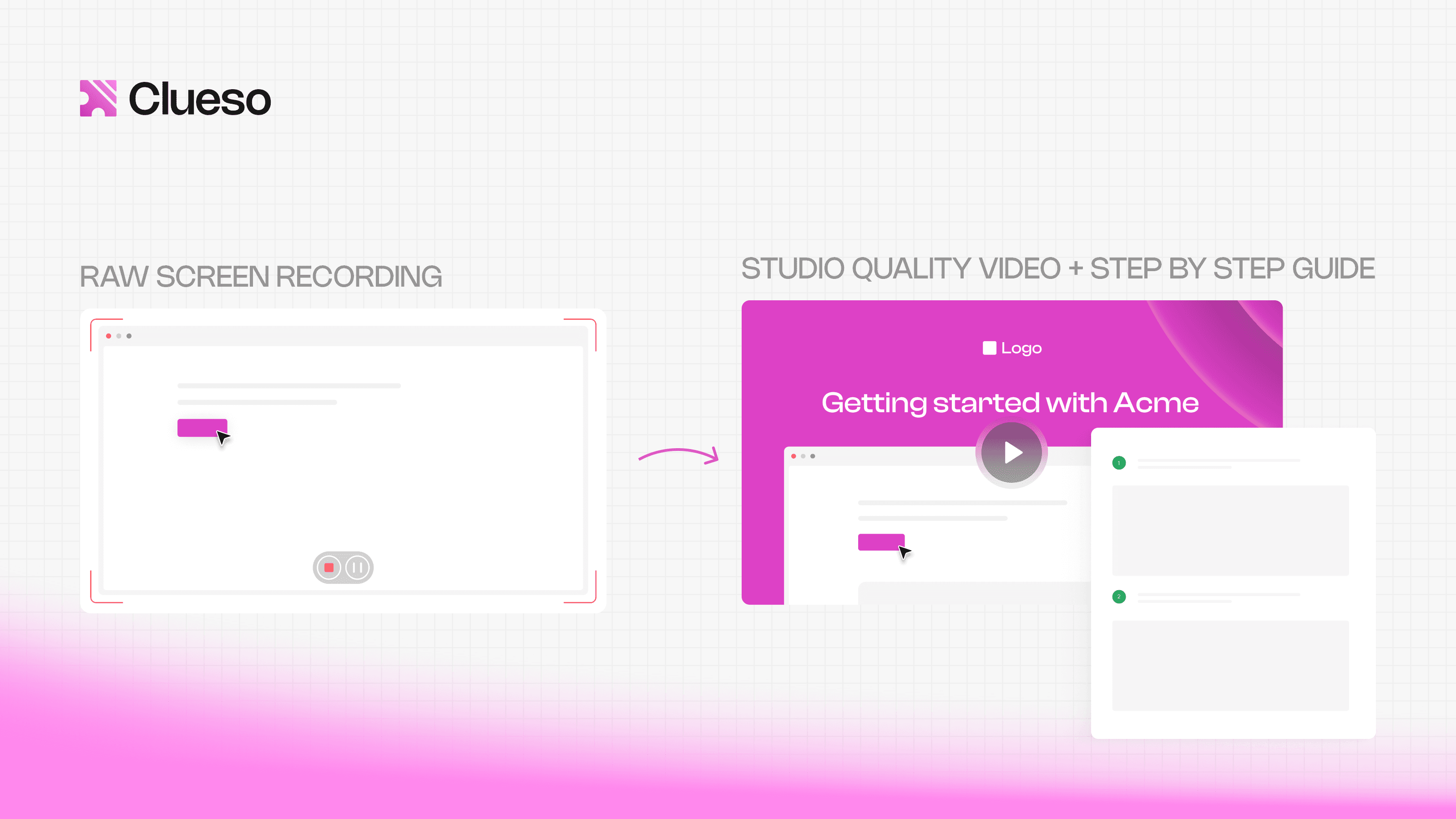
Clueso makes it incredibly easy to create both videos and documentation in one go. Just record your workflow, and Clueso automatically turns it into a polished video and a structured step-by-step guide; complete with screenshots, AI-generated scripts, and voiceovers. You can quickly edit, update, or refine content without starting from scratch, making it simple to produce high-quality training materials at scale.
2. Hosting Tools (Where your eLearning courses live)
Once your content is ready, you need a place to organize and share it. This is where teams often assume they need an LMS. But in reality, you have plenty of flexible alternatives. Some popular hosting options are:
Notion / Confluence – Build a structured learning hub with pages, modules, and embedded videos
Google Drive – Simple and accessible storage for videos, docs, and resources
YouTube (Unlisted/Private) – Reliable video hosting with built-in playback optimization
Internal wikis or knowledge bases – Ideal for employee training courses
Product-embedded learning (tooltips, help centers) – For just-in-time digital learning
What makes modern hosting different: It’s modular, searchable, and easily accessible. Instead of forcing learners into a system, you bring training to where they already work.
3. Feedback & Measurement Tools (How you know it’s working)
In traditional LMS setups, feedback is tied to completion rates and quiz scores. But modern online course creation focuses on real understanding and usability. Here’s how teams can collect feedback today:
Google Forms / Typeform – Quick quizzes, knowledge checks, and feedback loops
Slack / Microsoft Teams – Real-time questions, discussions, and informal feedback
Email check-ins – Direct feedback from learners after completing training
Analytics (YouTube, internal tools) – Track views, drop-offs, and engagement
This approach is lighter, but often more insightful. Instead of asking “Did they finish the course?”, you ask:
Where did they drop off?
What confused them?
Can they actually apply this?
4. Optional (But Powerful) Add-ons
As your training evolves, you can layer in more advanced tools, such as:
Collaboration tools (Miro, FigJam) – For workshops and interactive learning
Live training tools (Zoom, Meet) – For synchronous sessions and Q&As
AI copilots & assistants – Help learners navigate content or get instant answers
These aren’t mandatory, but they can significantly enhance engagement when used intentionally.
What to Prioritize When Picking Tools
With so many options, it’s easy to overcomplicate your stack. Don’t. When choosing tools for eLearning course creation, prioritize:
Speed of creation → Can you produce content quickly without friction?
Ease of access → Can learners consume content without logins, downloads, or confusion?
Flexibility → Can you update or rearrange content easily?
Integration with existing workflows → Does it fit into tools your team already uses?
Scalability (without bloat) → Can this grow with your needs without locking you in?
Avoid tools that force rigid structures, require heavy setup or maintenance, prioritize admin features over learner experience.
Create Training Content Without Overthinking Production
One of the biggest blockers in eLearning course creation is overthinking production. Teams assume they need weeks of preparation, perfect scripts, high-end editing, etc. But in reality, none of that is required to create effective eLearning courses.
The best training content today is clear, practical, fast to create, and easy to update.
Start With What You Already Have
You don’t need to create everything from scratch. Most teams are already sitting on valuable training content, they just haven’t packaged it into structured learning.
Look for:
Internal docs and SOPs
Product demos and walkthroughs
Recorded team calls or onboarding sessions
Slack threads explaining processes
Customer support responses or FAQs
All of this is raw material for online course creation. Instead of reinventing the wheel, your job is to clean it up, structure it, and turn it into step-by-step learning.
Screen Recordings > High-Production Videos
If you’re teaching anything tool-related, screen recordings are your best friend.
Why they work better:
Show real workflows, not abstract concepts
Faster to create and update
Feel more authentic and practical
Reduce the gap between “learning” and “doing”
A simple walkthrough that shows where to click, what to expect, and what mistakes to avoid is far more effective than a polished explainer video with animations.
Repurpose Internal Knowledge Into Courses
Most training content creation fails because knowledge is scattered. Your goal is to turn that scattered knowledge into structured eLearning courses. For example:
A Notion doc → becomes a lesson
A Loom video → becomes a module
A process checklist → becomes an action step
A support guide → becomes a troubleshooting section
You’re not “creating content” from scratch. You’re organizing and translating existing knowledge into learnable formats.
Follow a Rapid Creation Approach
Instead of spending weeks building a “perfect” course, aim for speed and iteration. Here’s a simple workflow to create training courses quickly:
Step 1: Define the outcome - What should the learner be able to do?
Step 2: Record a rough walkthrough - Explain the process as if you’re teaching a teammate.
Step 3: Break it into lessons - Split the recording into smaller, focused segments.
Step 4: Add light structure - Titles, short descriptions, key steps or summaries
Step 5: Publish and share - Don’t wait for perfection, get it in front of learners in form of videos or user manual.
Step 6: Improve based on feedback - Refine clarity, add missing steps, update content as needed.
Get Started with Clueso
Upgrade your training content creation workflows today.
One of the biggest misconceptions in eLearning course creation is that assessment = quizzes.
But in modern digital learning, quizzes are just one (very limited) way to measure understanding. They test recall, not real capability. And if your goal is to create training courses that actually drive outcomes, you need to go beyond “Did they pass the test?” to “Can they do the job?”
Use Real-World, Action-Based Evaluation
The best eLearning courses evaluate learners through doing, not just answering. Here are more effective methods:
1. Assignments (Task-based learning)
Give learners something concrete to complete.
Create a sample report
Record a product demo
Set up a tool or workflow
Write a response or solve a scenario
This directly ties learning to outcomes.
2. Real-world tasks (On-the-job application)
Instead of simulated quizzes, use actual work tasks as evaluation.
Publish a blog post
Handle a customer query
Run a process end-to-end
Complete a real onboarding step
This is especially powerful for training courses, where the goal is immediate application.
3. Peer review (Learning through feedback)
Learning doesn’t have to be one-way.
Have teammates review each other’s work
Share outputs in Slack or internal channels
Encourage feedback, suggestions, and improvements
This not only reinforces learning but also builds shared understanding across teams.
Track Outcomes, Not Just Completion
Traditional LMS metrics focus heavily on course completion rates, time spent, or quiz scores. But these don’t tell you if the training actually worked. Modern online course creation focuses on outcome-based tracking:
Can the learner complete the task independently?
Are errors reduced after training?
Is performance improving in real scenarios?
Completion is easy to measure. Capability is what actually matters.
Simple Tools for Tracking (Without LMS)
You don’t need complex systems to measure learning effectiveness. A lightweight setup can give you far more actionable insights. Here are some simple options:
Google Forms / Typeform
Collect assignment submissions
Run scenario-based assessments
Gather feedback on clarity and usefulness
Google Sheets / Airtable
Track learner progress manually
Log task completion and performance
Identify common gaps or bottlenecks
Slack / Teams channels
Share completed tasks
Encourage discussion and peer feedback
Surface real-time questions
Email or async check-ins
Ask learners what worked (and what didn’t)
Identify confusion points quickly
However, assessment shouldn’t be the end of the learning process. It should feed back into improving your course. Use insights to update unclear lessons, add missing steps or examples, or simply improve structure and flow
This creates a continuous improvement loop, something most static LMS-based eLearning courses struggle with.
Tips for Creating eLearning Courses With Zero Budget
You don’t need a big budget to create effective eLearning courses, you just need the right approach. In fact, constraints often force better, faster decisions. Here’s how to keep your online course creation lean and effective:
Start small, don’t overbuild: Focus on one workflow or problem. Build a few lessons at once, not a full course.
Clarity > polish: Skip high production. Prioritize clear explanations and real examples.
Reuse existing content: Turn docs, demos, and recordings into structured training content.
Build → test → improve: Ship quickly, get feedback, and refine instead of waiting for perfection.
Avoid tool overload: Stick to a simple stack: one tool for creation, one for hosting, one for feedback.
Get Started with Clueso
Upgrade your training content creation workflows today.
Going LMS-free gives you speed and flexibility, but it also comes with a few trade-offs. The key is knowing what to expect and setting up simple systems to handle them.
1. No Built-In Tracking
The challenge: You don’t get automatic dashboards for completion, scores, or progress.
Fix:
Use Google Forms / Typeform for submissions and quizzes
Track responses in Sheets or Airtable
Focus on task completion (what learners did), not just course completion
2. Scattered Knowledge
The challenge: Content spread across tools can feel messy and hard to navigate.
Fix:
Create a single source of truth (Notion, Drive, or wiki)
Organize clearly: Modules → Lessons → Links
Keep naming and structure consistent
3. Learner Drop-Off
The challenge: Without strict systems, learners may not finish courses.
Fix:
Keep lessons short and action-focused
Add clear next steps after each lesson
Use Slack nudges, emails, or manager follow-ups
Introduce light structure (checkpoints or timelines)
4. Keeping Content Updated
The challenge: Training can go outdated quickly, especially for product or process content.
Fix:
Use easy-to-update formats (screen recordings, docs)
Assign a content owner
Review periodically (quarterly or when things change)
5. Lack of Standardization
The challenge: Courses may feel inconsistent across teams.
You don’t need an LMS to create effective eLearning courses but there are situations where it makes sense. The mistake most teams make? Adopting one too early.
If managing learning is becoming harder than creating it, you may need an upgrade.
When LMS Actually Makes Sense
An LMS becomes useful when you need:
Compliance tracking: Certifications, audit trails, mandatory training
Advanced reporting : Standardized metrics and progress tracking across teams
Training at scale: Customer or partner education programs and large employee bases
At this stage, the LMS helps with control and visibility, not content creation.
What to Upgrade First
Before jumping into a full LMS, try:
Improving your content hub (Notion, wiki)
Adding better tracking systems
Structuring learning paths more clearly
Introducing formal assessments
Why Teams Adopt LMS Too Early
Teams often rush into LMS platforms because it feels like the “right” or standard way to approach training. There’s a tendency to seek structure before clearly defining the content itself, leading teams to prioritize systems over substance. Many also assume that adopting a tool will solve deeper issues like low engagement or ineffective learning, when in reality, those challenges stem from how the training is designed, not where it is hosted.
Build Better eLearning Without the LMS
You don’t need an LMS to create effective eLearning courses and, in many cases, skipping one is exactly what helps you move faster.
The real leverage in modern eLearning course creation isn’t in platforms, dashboards, or complex systems. It’s in how clearly you can explain something, how quickly you can turn knowledge into usable training, and how easily learners can apply it in real situations. That’s what makes digital learning actually work.
When you focus on fast, clear, and useful training content, everything else becomes simpler. You stop overbuilding. You stop waiting on tools. And you start creating employee training courses and online learning experiences that are practical, adaptable, and easy to improve.
So don’t wait for the “perfect” setup. Start small. Build your first module. Test it with real learners. Improve what’s unclear. Then repeat.
Because the best eLearning courses aren’t built inside systems; they’re built through iteration.
Frequently Asked Questions about Building an eLearning Course Without LMS
1. Can you create eLearning courses without an LMS?
Yes, absolutely. You can create eLearning courses without an LMS by using simple tools for content creation (like screen recording or docs), hosting (like Notion or Drive), and feedback (like forms or Slack).
2. What are the best tools for eLearning course creation without an LMS?
The best tools depend on your workflow, but a simple stack looks like:
Creation: Clueso, Loom, Canva
Hosting: Notion, Google Drive, YouTube (unlisted), Confluence
Feedback & tracking: Google Forms, Typeform, Slack, Sheets
3. How do you structure an eLearning course without an LMS?
Structure your course like a workflow, not chapters:
Modules → Key stages of a task
Lessons → Short, focused steps
Actions → What the learner actually does
Focus on helping learners complete real tasks, not just consume information. Keep lessons short and outcome-driven.
4. Do I need SCORM or advanced formats to create eLearning courses?
No, you don’t. SCORM and similar formats are only needed if you’re using an LMS that requires them. For most modern online course creation, simple formats like videos, documents, and interactive forms work just as well and are much faster to create and update.
5. When should you invest in an LMS?
You should consider an LMS when you need:
Training at large scale (100s or 1000s of learners)
Compliance tracking and certifications
Advanced reporting and analytics
Structured learning across multiple teams
If your current setup becomes hard to manage or track, that’s the right time to invest in an LMS.
NB
Neel Balar
Co-founder & CBO
Neel is the co-founder at Clueso and handles all things GTM, from marketing to sales to customer success. A Y Combinator W23 alum and IIT Madras graduate, Neel embraced entrepreneurship as an early-career choice. Drawing on his experience building Clueso, he shares advice on building products people want and nurturing strong customer relationships.