Introducing SCORM exports in Clueso
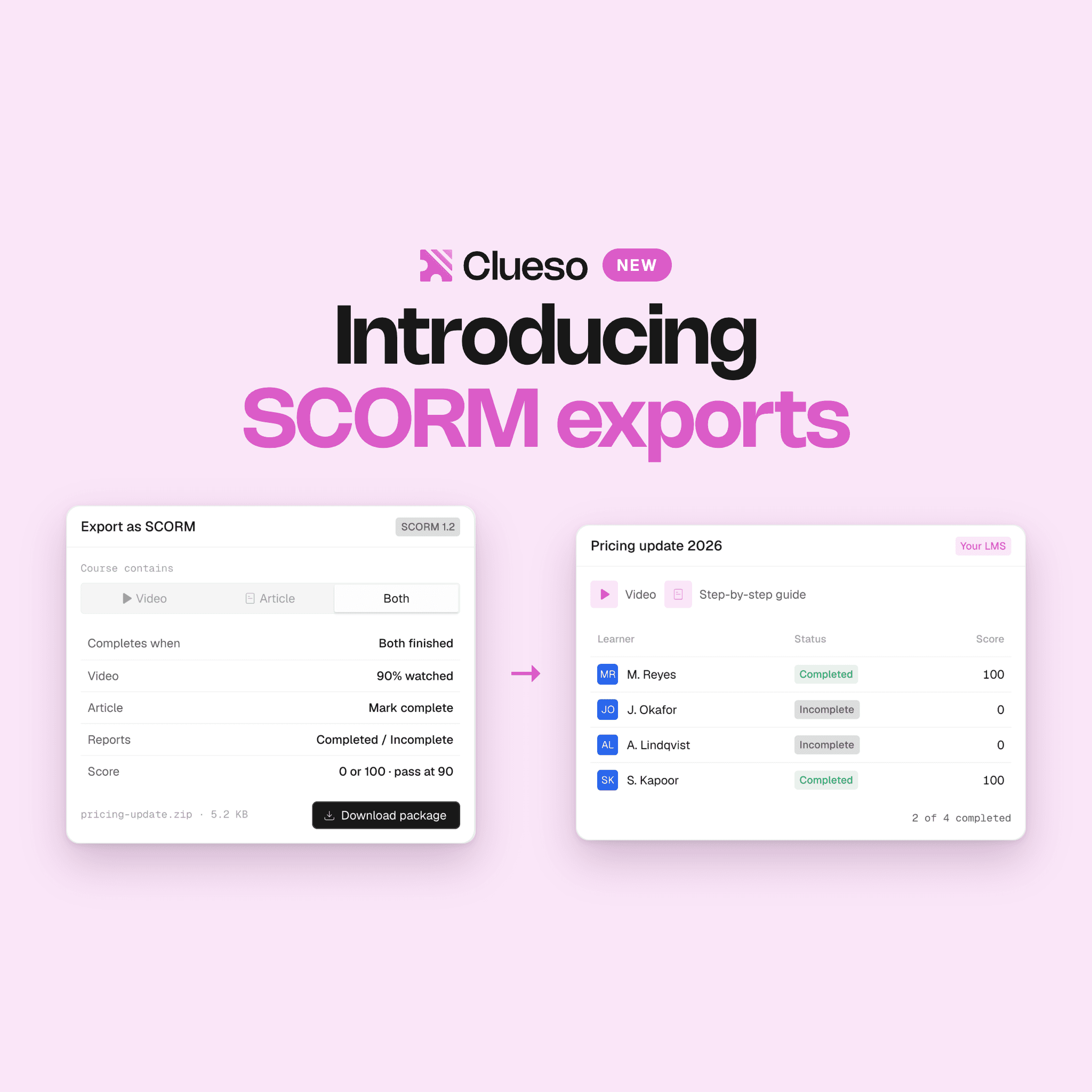
Export any Clueso video or guide as a SCORM 1.2, SCORM 2004, or xAPI course, with quizzes and hotspots, and update live courses without re-uploading.
We’re so excited to finally launch SCORM exports in Clueso.
You can now export any Clueso video or step-by-step guide as a SCORM 1.2, SCORM 2004, or xAPI course and upload it straight into your LMS. Interactive videos export too, so quiz scores and the choices learners make land in the same reports as completions and pass or fail.
Until today, getting a Clueso video into a learning system meant pasting a link.
The video would playe fine, but the LMS had no idea whether anyone had watched it. If you run mandatory training, that left two options: either chase people by email, or rebuild the course in an authoring tool just to get a checkmark into the completion report your compliance team reads.
SCORM exports close this gap, and it does one thing most SCORM tools don't: the course keeps playing from Clueso after you've uploaded it, so you can fix it later without touching the LMS.
How SCORM export works
Click on ‘Share’ on any video or article, choose SCORM, and pick what the course should contain. It can be the video, the written step-by-step guide, or both on one page. Download the ZIP and upload it to your LMS.
Pick the standard your LMS expects: SCORM 1.2, SCORM 2004, or xAPI. That covers most learning platforms, including Docebo, Skilljar, Cornerstone, Thought Industries, and Absorb. Before you download, the export window summarizes the rules the course will follow, so you know what it completes on and how it scores before a single learner opens it.
Interactive videos, exported as one course
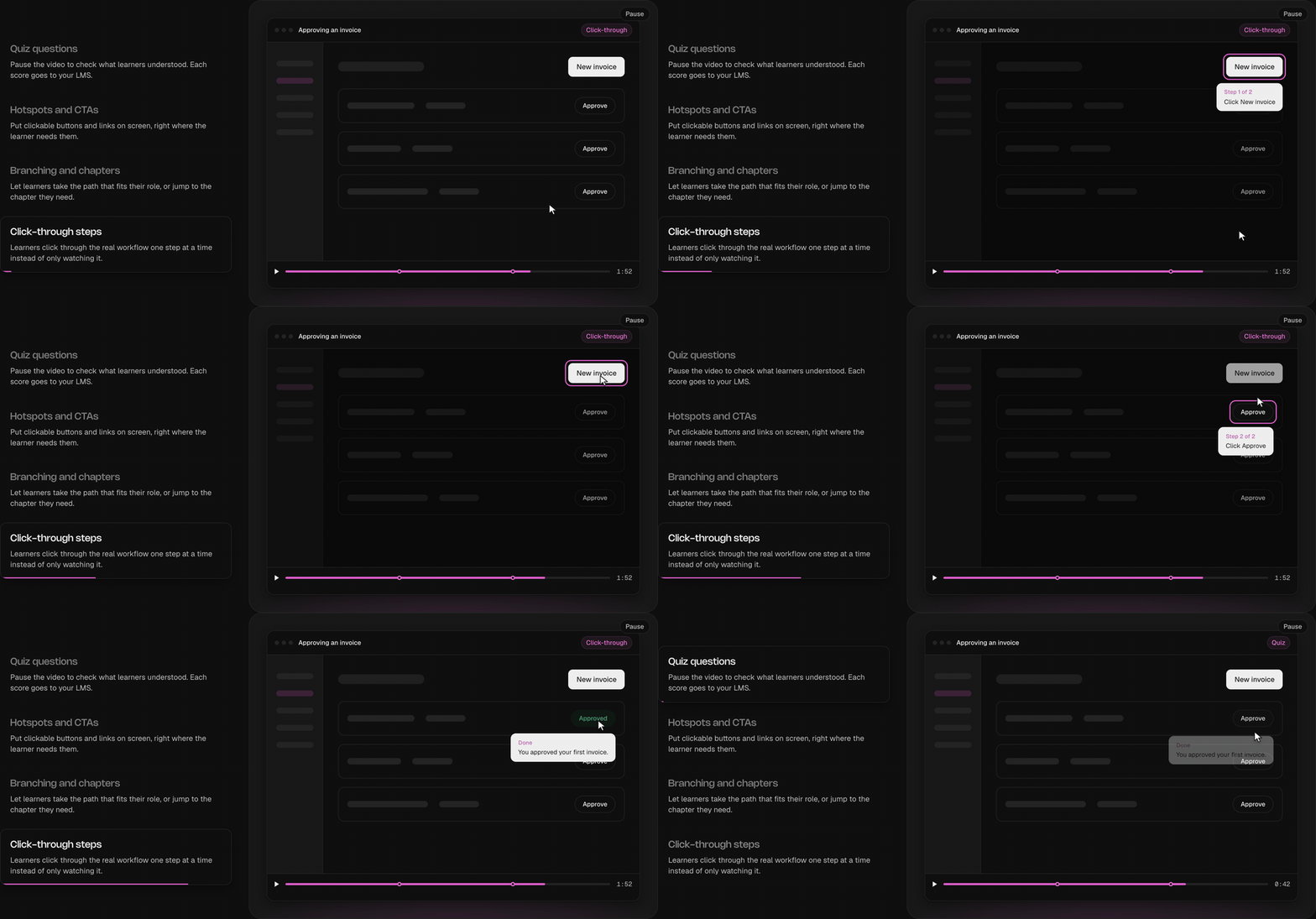
Add quiz questions, clickable hotspots, branching paths, and click-through steps to any Clueso video, then export it. The course plays the same interactive video inside your LMS, and every answer and choice a learner makes reaches your reports.
- Quiz questions pause the video to check what the learner understood, and each score goes to your LMS.
- Hotspots and CTAs put clickable buttons and links on screen where the learner needs them.
- Branching and chapters let learners take the path that fits their role, or jump to the part they need.
- Click-through steps have learners click through the real workflow one step at a time instead of only watching it.
A 5 KB package that keeps playing from Clueso
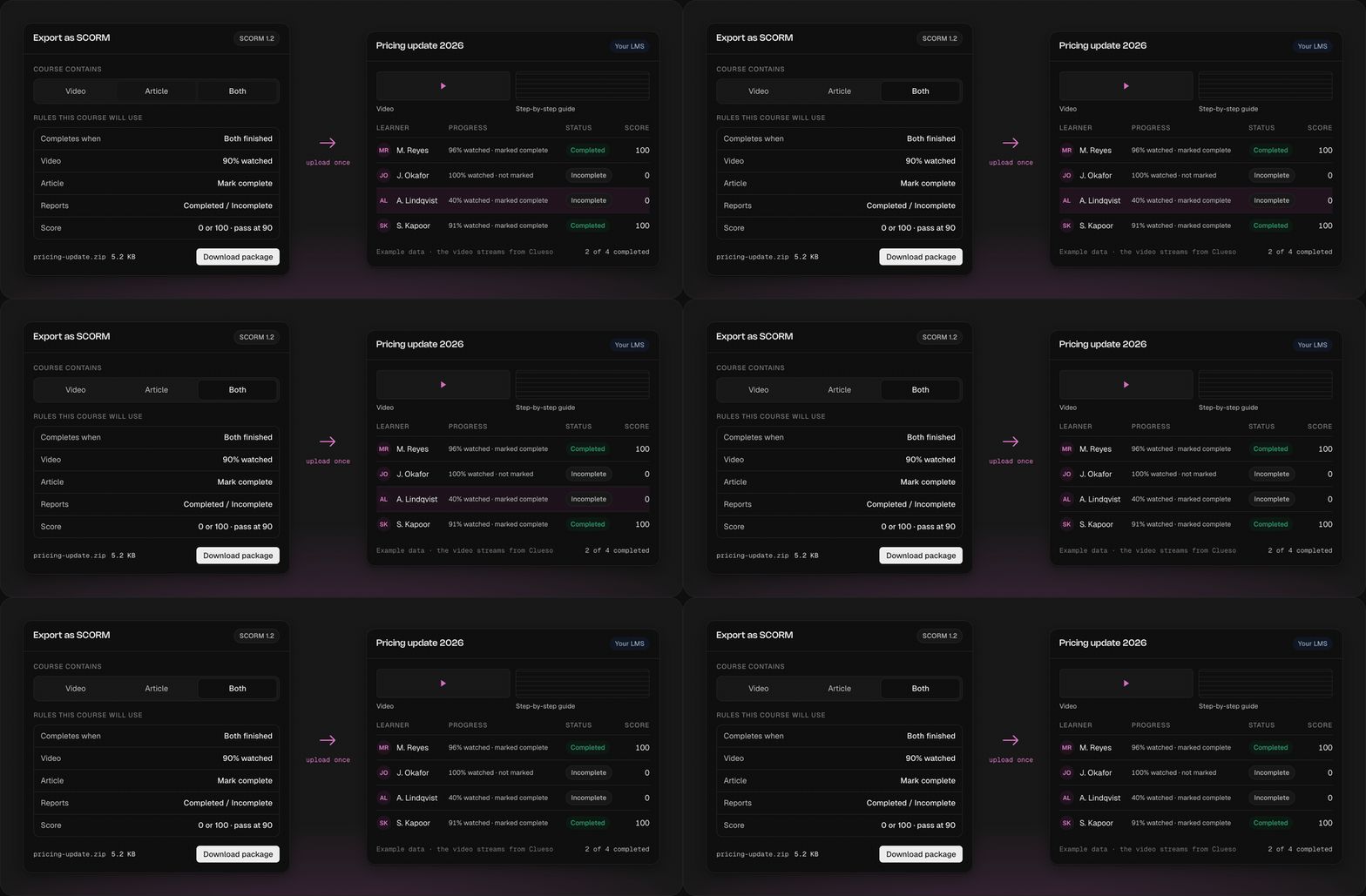
Most SCORM tools pack the entire video into the ZIP. The files get large, and every correction means exporting and uploading again. A Clueso package is about 5 KB whatever the video's length or resolution. It holds the course description and a small script that talks to your LMS, and the video streams from Clueso when a learner opens it.
Say your product team moves a button the week after your onboarding course goes live. With a packed ZIP, you'd re-export, delete the old course in the LMS, upload the new one, and lose the completion history attached to it. In Clueso, you edit the project and click Publish update. Learners see the new version the next time they open the course, and it keeps the same course record and the same progress data.
The same design lets you pull a course back. If something goes out that shouldn't have, an admin clicks Revoke course and it stops playing in every LMS it was uploaded to. That matters when you've shared training with partners whose LMS you can't log into.
You decide what counts as finished
Training teams want SCORM for proof that people did the training, so the completion rules are yours to set. A video can complete when the learner reaches a set point, 90% by default, or as soon as they open it. An article completes on a Mark complete click by default, or you can require a scroll depth or a minimum reading time instead. A course with both can require both parts or either one, and a course with a quiz can also require a passing score.
Your LMS can then show Completed or Incomplete, Passed or Failed, or Passed or Incomplete, with the learner's quiz score, a 0 or 100, or the percent of video watched, checked against a passing mark you choose. Admins set these defaults once under Settings → SCORM. A change only applies to courses made afterward, so nobody's finished status flips on a course that's already live. When a trainer previews a course inside the LMS, Clueso labels it as a preview and doesn't log a completion.
Video exports go up to 4K. A learner who closes a course halfway picks up where they left off.
What to know before you export
Because the content streams from Clueso, learners need an internet connection. Most edits go out with Publish update, but switching a video-only course to video plus guide needs a new package.
Availability
Admins and editors can export courses as SCORM packages, and only admins can change the defaults or revoke a course. Article courses count toward your workspace's article allowance.
Open Share on any video or article to export your first course, or talk to our team if you'd like help setting it up in your LMS.
Ashish Upadhyay
Senior Content Marketing Manager
Ashish is a Senior Content Marketing Manager at Clueso with 7+ years of experience across content, product, brand marketing. Now his mission is to help product and customer education teams realize the value of video-based learning. Outside of work, Ashish sketches, sings, plays the guitar, cooks, and does all things LLMs can't yet.