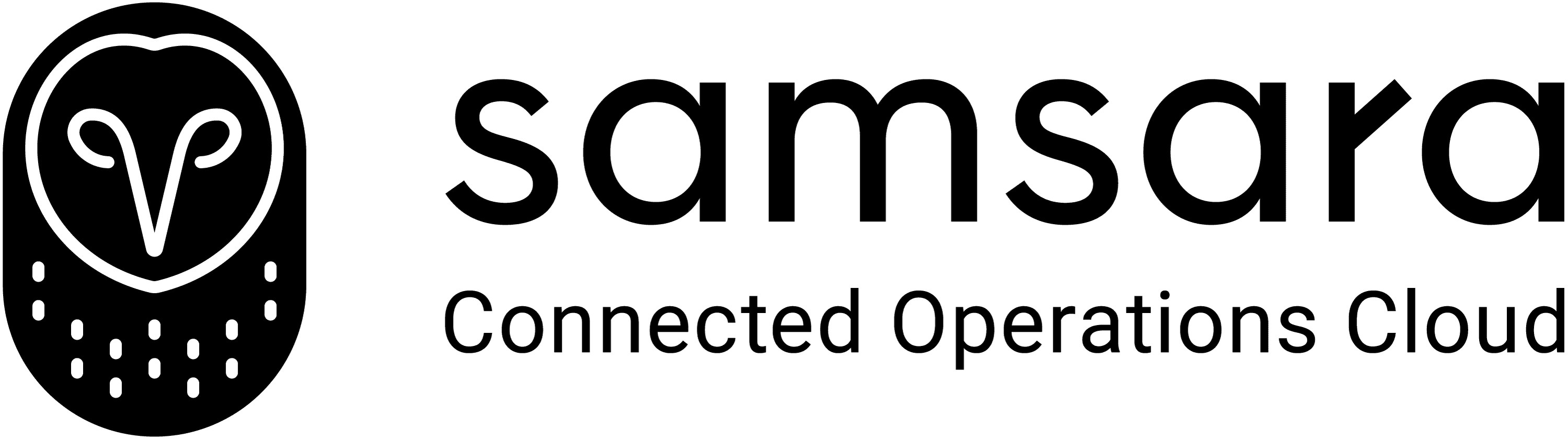
Camtasia vs Loom: Precision or Speed - What’s Right for You?
Camtasia perfects your videos. Loom helps you share them faster.
Both tools make screen recording easier, but they serve two very different creators. Camtasia gives you full creative control - detailed screen capture, advanced editing, and professional effects built for trainers and educators. Loom, on the other hand, is built for quick, spontaneous communication. It’s the go-to for instant demos, feedback, and asynchronous team updates.
Clueso vs XYZ at a glance
Recording Capabilities
Feature | Camtasia | Loom |
|---|---|---|
Screen Capture | ✓ | ✓ |
Audio Recording | ✓ | ✓ |
Video Quality | High | Basic |
AI & Automation
Feature | Camtasia | Loom |
|---|---|---|
AI Avatars | Pro-version only | ❌ |
Video Script Generation | via Audiate | ❌ |
AI Voiceovers | via Audiate | ❌ |
Audio-video sync | Manual | ✓ |
Multi-language Translation | ✓ | ✓ |
Professional Features
Feature | Camtasia | Loom |
|---|---|---|
Custom Branding | ✓ | Limited |
Custom templates | ✓ | ❌ |
Enterprise Features
Feature | Camtasia | Loom |
|---|---|---|
Security Compliance | SOC2, ISO 27001 | SOC2, ISO 27001 |
Shared Team Workspace | ✓ | Basic |
Access Control by Roles | ✓ | Limited |
Camtasia vs Loom: Detailed Comparison
Two popular choices for recording and sharing videos — built for very different purposes.
Recording Capabilities
Camtasia has long been known for its professional-grade recording and editing tools. It offers good-quality screen capture, audio recording, and the ability to combine screen-recording, system audio, and narration into a single timeline. It's suitable for tutorial creators, product trainers, and educators who need to highlight every action clearly.
Loom, on the other hand, prioritizes speed and simplicity. It’s a lightweight recorder built for instant communication — perfect for quick demos, feedback, and internal updates. Users can record their screen, webcam, or both simultaneously and share videos instantly via link. It’s exceptionally convenient for quick turnaround and shareability.
B. AI & Automation
Camtasia integrates basic AI-powered features through its companion tool, Audiate, which enables users to generate scripts and voiceovers. The tool also offers multi-language translations. While it offers some degree of automation, it is primarily a manual editing environment.
Loom’s AI capabilities are minimal, centered around generating automatic titles, chapters, and summaries for recorded videos. It’s designed to streamline knowledge sharing rather than structured content creation.
C. Professional Features
Camtasia provides customization options for branded content. Users can apply custom intros, outros, fonts, colors, and layouts to create consistent, professional-grade videos. Its template system lets teams reuse design elements across multiple projects, ensuring efficiency and uniformity.
Loom supports basic branding, such as logos and color themes, but customization options are limited. Its simplicity makes it perfect for one-off videos or small-team communication.
D. Enterprise Features
Both Camtasia and Loom offer SOC2 and ISO 27001 security compliance, making them safe for enterprise use.
Camtasia supports shared team workspaces and role-based access control, allowing larger teams to manage permissions, organize projects, and maintain governance over their video assets.
Loom, meanwhile, provides basic collaboration features — such as shared video libraries, team folders, and viewer analytics. It offers fewer administrative controls and hierarchy options compared to Camtasia’s enterprise setup.
What to Consider When Choosing Between Camtasia & Loom
1. Process Capture That Understands What You Do
Both Camtasia and Loom record your screen. But Clueso’s AI-driven process capture identifies every click, hover, and input, automatically detecting steps and labeling them for you. The result is a structured, step-by-step timeline.
Feature | Clueso | Camtasia | Loom |
|---|---|---|---|
Process Capture | ✓ | Manual | ❌ |
Step Detection | ✓ | ❌ | ❌ |
AI-Enhanced Audio | ✓ | Manual | Basic noise filter |
2. AI-Enhanced Editing That Saves Hours
Clueso eliminates the repetitive post-production cycle. Its AI enhancements clean audio in real time, remove filler words, generate script and AI voiceover, sync narration with on-screen actions, and translate in 40+ languages. It automatically apply zooms, highlights, and transitions. You get a studio-ready video without touching a timeline.
Feature | Clueso | Camtasia | Loom |
|---|---|---|---|
AI Voice & Sync | Automatic | Manual | ❌ |
Auto Zooms & Callouts | ✓ | Manual | ❌ |
Filler Removal | ✓ | Manual | ❌ |
3. Dual Output: Video and Article
Every Clueso recording generates two synchronized outputs — a professional video and a step-by-step article. For teams managing support content or product training, this means one workflow produces both multimedia and text documentation that is ready to embed or publish anywhere.
While Loom AI supports step-by-step documentation, it is not as detailed as Clueso.
Feature | Clueso | Camtasia | Loom |
|---|---|---|---|
Video Creation | ✓ | ✓ | ✓ |
Step-by-Step Article Output | ✓ | ❌ | ✓ |
4. Effortless Updates Without Starting from Scratch
Product updates are constant and most tools make you start over. Clueso lets you update any step, text, or narration instantly without re-recording the whole video. Edits sync automatically across the video and article versions, so your content always stays current.
Feature | Clueso | Camtasia | Loom |
|---|---|---|---|
Content Updates | ✓ No Re-recording | ❌ Re-record Required | ❌ Re-record Required |
Auto-Sync Between Assets | ✓ | ❌ | ❌ |
5. Flexible Export and Enterprise-Ready Delivery
Clueso makes publishing seamless. Export videos in MP4, GIF, or HTML, and export documentation in Markdown, Rich Text, or directly to your help center. You can embed finished assets, track views, and manage access from a single dashboard.
Feature | Clueso | Camtasia | Loom |
|---|---|---|---|
Export Formats | ✓ Multiple (Video + Text) | Video only | Video only |
Embed & Share Options | ✓ Direct Embeds | Manual | Link-based |
Where Camtasia focuses on precision and Loom focuses on speed, Clueso combines both — recording real workflows, enhancing them automatically, and delivering ready-to-publish video and written content in minutes.

Camtasia vs Loom vs Clueso: 5 Reasons Why Clueso Is a Better Alternative
1. Process Capture That Understands What You Do
Both Camtasia and Loom record your screen. But Clueso’s AI-driven process capture identifies every click, hover, and input, automatically detecting steps and labeling them for you. The result is a structured, step-by-step timeline.
Feature | Clueso | Camtasia | Loom |
|---|---|---|---|
Process Capture | ✓ | Manual | ❌ |
Step Detection | ✓ | ❌ | ❌ |
AI-Enhanced Audio | ✓ | Manual | Basic noise filter |
2. AI-Enhanced Editing That Saves Hours
Clueso eliminates the repetitive post-production cycle. Its AI enhancements clean audio in real time, remove filler words, generate script and AI voiceover, sync narration with on-screen actions, and translate in 40+ languages. It automatically apply zooms, highlights, and transitions. You get a studio-ready video without touching a timeline.
Feature | Clueso | Camtasia | Loom |
|---|---|---|---|
AI Voice & Sync | Automatic | Manual | ❌ |
Auto Zooms & Callouts | ✓ | Manual | ❌ |
Filler Removal | ✓ | Manual | ❌ |
3. Dual Output: Video and Article
Every Clueso recording generates two synchronized outputs — a professional video and a step-by-step article. For teams managing support content or product training, this means one workflow produces both multimedia and text documentation that is ready to embed or publish anywhere.
While Loom AI supports step-by-step documentation, it is not as detailed as Clueso.
Feature | Clueso | Camtasia | Loom |
|---|---|---|---|
Video Creation | ✓ | ✓ | ✓ |
Step-by-Step Article Output | ✓ | ❌ | ✓ |
4. Effortless Updates Without Starting from Scratch
Product updates are constant and most tools make you start over. Clueso lets you update any step, text, or narration instantly without re-recording the whole video. Edits sync automatically across the video and article versions, so your content always stays current.
Feature | Clueso | Camtasia | Loom |
|---|---|---|---|
Content Updates | ✓ No Re-recording | ❌ Re-record Required | ❌ Re-record Required |
Auto-Sync Between Assets | ✓ | ❌ | ❌ |
5. Flexible Export and Enterprise-Ready Delivery
Clueso makes publishing seamless. Export videos in MP4, GIF, or HTML, and export documentation in Markdown, Rich Text, or directly to your help center. You can embed finished assets, track views, and manage access from a single dashboard.
Feature | Clueso | Camtasia | Loom |
|---|---|---|---|
Export Formats | ✓ Multiple (Video + Text) | Video only | Video only |
Embed & Share Options | ✓ Direct Embeds | Manual | Link-based |
Where Camtasia focuses on precision and Loom focuses on speed, Clueso combines both — recording real workflows, enhancing them automatically, and delivering ready-to-publish video and written content in minutes.
You’re in good company
From start-ups to enterprises, teams of all sizes trust Clueso.
Camtasia vs Loom: Which One Is for You?
Camtasia is the choice for creators who value control, customization, and professional production. It’s built for detailed tutorials, course creation, and high-quality training content — the kind that needs polish and precision.
Loom, in contrast, is designed for speed. It’s perfect for quick walkthroughs, feedback, and asynchronous team communication. It’s the fastest way to explain an idea, but not the best way to scale or maintain content.
Both tools have earned their place — one for its creative power, the other for its simplicity. But as teams evolve, the needs of video creators have too. Modern teams need to show real workflows, update content instantly, and publish across multiple formats — without choosing between quality and speed.
That’s where Clueso changes the equation. It gives you Camtasia’s professional output with Loom’s ease of use. Clueso is a single platform for modern product, training, and support teams who need to create content that keeps up with their products.