
Best AI video software for product and customer-facing teams in 2026
A tried and tested list of the best AI video software for product and customer facing teams.
TL;DR
- For product and customer-facing teams, the useful question isn't "what's the best AI video tool" — it's what turns real product footage into clear video, fast, without a specialist.
- The tools split by job: video from your screen recordings, AI avatars reading a script, and general editors. Match the tool to the work.
- Clueso leads for turning recordings and docs into polished, multilingual demos, walkthroughs, and how-tos, and it ships a companion help article from the same recording.
Your team doesn't need cinematic AI clips. You need a steady supply of video that explains how the product works: a demo for sales, a walkthrough for onboarding, a fix-it clip for support, a lesson for customer education. And you need each one without booking a video team.
Most "best AI video software" lists won't help, because they rank a cinematic generator next to a screen recorder as if you'd pick between them. For a product, marketing, support, or customer education team, the question is narrower: what turns real product footage into clear video, fast, without a specialist. This guide answers that one.
What counts as AI video software for customer-facing teams?
For this guide, it’s any tool that uses AI to turn your own material — a screen recording, a product walkthrough, a script, or a doc — into a finished video your customers will watch. That rules out pure text-to-video generators built for cinematic or social content, which solve a different problem.
The three jobs, and which tool fits
Most of these tools are built around one of three approaches. Screen-based tools turn a real recording into polished video, which fits demos, onboarding, and how-tos. Avatar tools put a synthetic presenter on screen reading a script, which fits conceptual training and announcements. General editors clean up and repurpose footage you already have. The most common mistake is buying an avatar tool to explain software, when learners want to see the product, not a presenter.
What to look for
- Starts from your real footage — a recording or a doc, not just a prompt.
- Editability — fix a mistake by editing text, instead of re-recording.
- Auto voiceover and sync — so a script change doesn’t mean re-timing the whole video.
- A companion doc — many teams need a written guide alongside the video.
- Localization — voiceover and captions in other languages without a full re-edit.
- Price — what the usable plan actually costs.
Best for / not ideal for
A quick read on where each tool fits, and where it doesn’t.
| Tool | Best for | Not ideal for |
|---|---|---|
| Clueso | Turning real screen recordings and docs into polished, multilingual demos, onboarding, and how-tos, with a companion help article. AI-assisted editing and auto sync points for highly customizable editing on screen-recorded videos. | Click-through interactive demos, SCORM, or avatar-led talking-head videos |
| Synthesia | Avatar-led conceptual training, announcements, and talking-head explainers with a strong brand kit | Software walkthroughs, where an AI avatar distracts from the product |
| Camtasia | Hands-on desktop editing with SCORM and in-video quizzing | High-volume or multilingual libraries that can’t absorb manual editing and per-language re-edits |
| Trupeer | A quick start to AI video and docs from a screen recording | Teams that need their source footage kept as-is, plus deep localization and a companion doc |
| HeyGen | Quick, self-serve multilingual avatar videos | Showing real software, where audiences want the product, not a presenter |
| Guidde | Fast, low-cost step-by-step how-to docs with easy step reordering | Polished video and voiceover where production quality matters |
| Loom | Quick async screen capture and internal sharing | Polished, branded, translated video for external audiences |
| Descript | Podcast-style and general transcript-based editing. | Product how-tos needing auto voiceover sync, companion docs, and glossary localization |
| VEED | Quick browser-based edits, subtitles, and captions | Accurate localization and on-brand consistency at scale |
| Colossyan | Avatar videos where graphics quality matters | Software walkthroughs, and teams that want their content used as-is |
1. Clueso — best for turning recordings and docs into polished product video
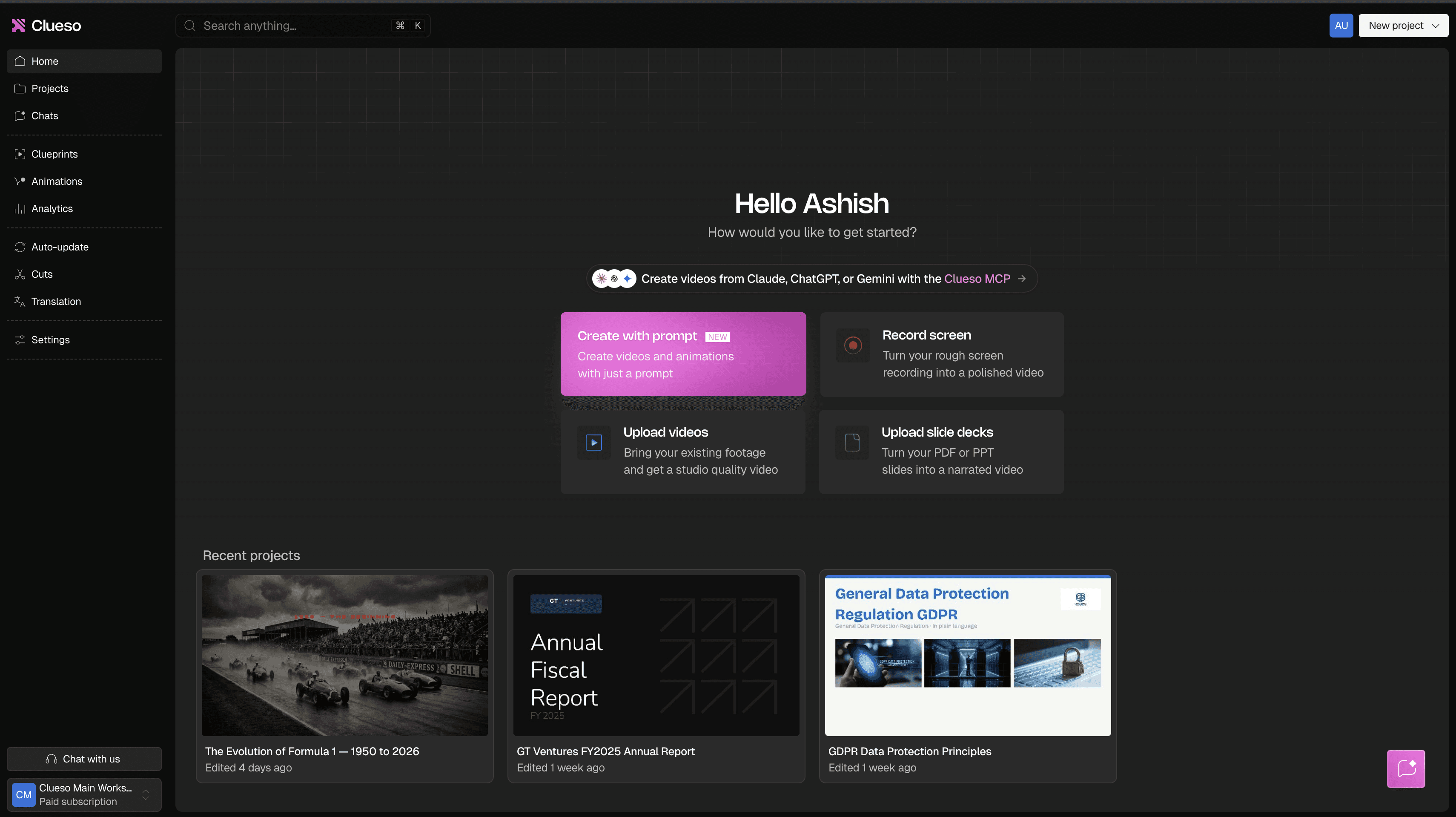
Clueso dashboard where you can create polished videos via simple prompts, recording your screen or uploading pre-recorded videos/slide decks.
What is Clueso?
Clueso is an AI video and documentation platform built for teams that create educational video content at scale. Customer education, product marketing, sales enablement, and L&D teams can use it to build training libraries, launch products faster, and keep every stakeholder telling the same story.
Key features
- Edit the video by editing text, with auto sync points, so a redesigned screen doesn't mean re-timing or re-recording.
- A companion help article generated from the same recording.
- Glossary-based translation, with free re-sync across languages.
- Brand blueprints set once and reused by anyone, plus PII/PHI masking for sensitive screens.
Pricing: $120 per month for 2 users (billed annually)
Why teams use it: Creating and managing training content is slow and tedious. Clueso automates the manual work including voiceover sync, rough recording cleanup, translation, localization, and auto updating old video content. A user can keep a library of demos, onboarding, and help videos current across languages and auto update without a video editor.
What real users say:
"I love that editing in Clueso is straightforward, allowing me to even change the script if needed. I'm thrilled with how the Clueso team is constantly improving the platform and I am really excited about their latest improvements, like creating animations. The scripting feature is fantastic because it means I don't have to be perfect when recording, and I can tighten existing recordings to suit an a-synch audience using the AI voice." —Lauren C.
"I like that Clueso provides a reliable hosting platform for videos, generating high-quality links and embed codes. It's convenient that I can also export to MP4 if needed, but I typically rely on the web hosting service, which is really useful. When I create a new version of a video, it updates automatically, reducing maintenance on our website. This setup eliminates the need to recreate video versions or manage hosting ourselves, which is a big plus.— Julian M, COO
"Out of all the software I tested in this space, Clueso had the best interface, and it was intuitive to make changes and minor tweaks. The end results made our videos look and feel much more professional."— Becca S, Customer Success Manager
"I really like that Clueso allows me to record my screen and automatically applies pre-editing features like smart zooms and click highlights. The AI script rewrite and AI voice reader are spot-on for today’s needs, making it easy to produce professional-looking tutorials and product videos quickly." — Martyna P, CEO
Honest scope: It's built for video from real product footage and docs. It doesn't yet do click-through interactive demos or SCORM export, and it isn't an avatar studio — if those are the deliverable, see the tools below.
Bottom line: Clueso is the fastest way to turn rough product and process footage into polished, multilingual videos plus a written step-by-step guide.
2. Synthesia — best for avatar-led training and explainers
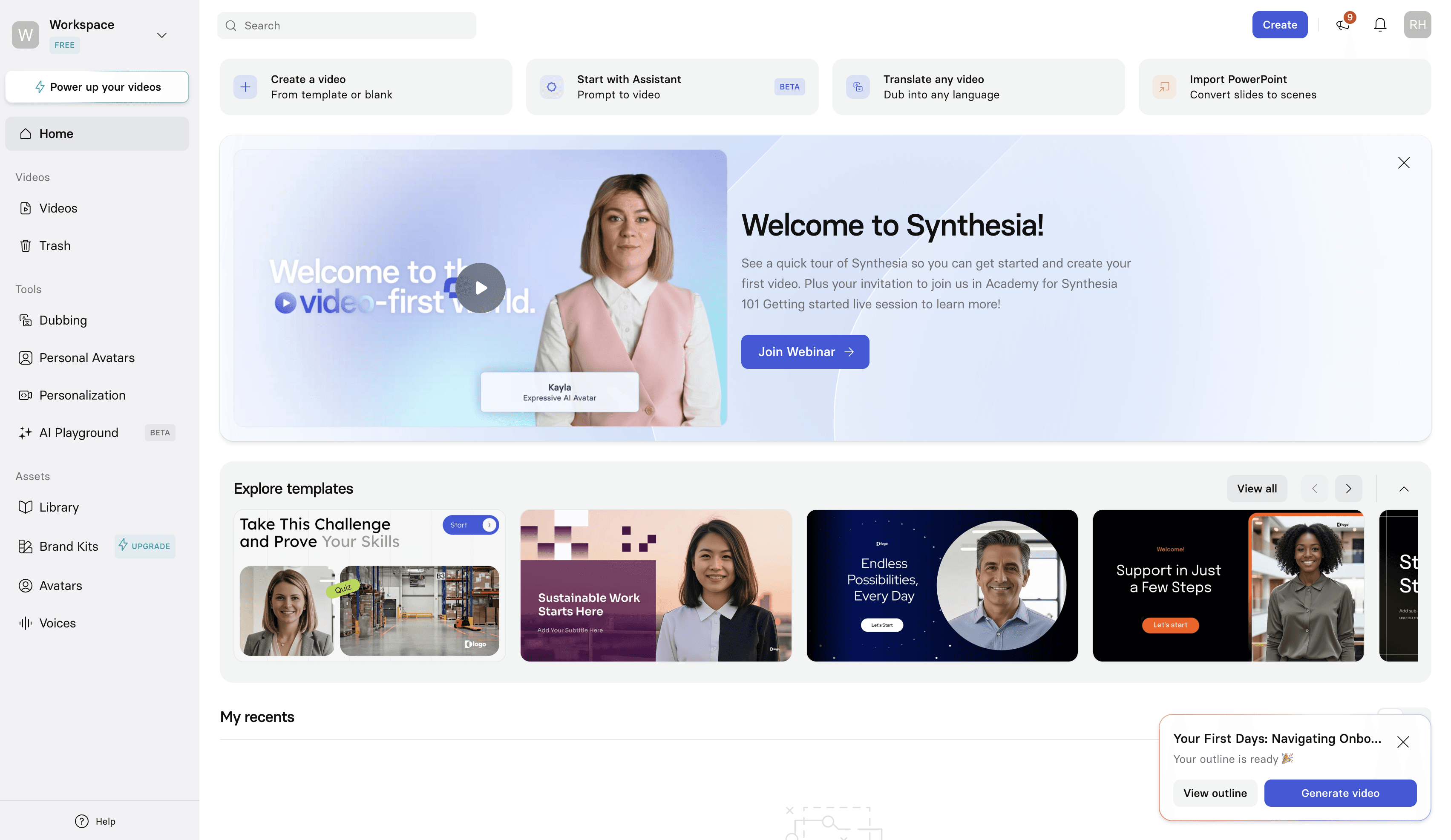
What is it? An AI avatar video tool: you write a script and a synthetic presenter delivers it. It has the strongest avatar quality and brand-template kit on this list.
Key features:
- Best-in-class AI avatars
- Script and slide-based creation
- Avatar dubbing for localization
- A mature brand kit.
Pricing: $14 per month for 1 uers and 3 guests
Why teams use it: Synthesia is ideal when a polished on-screen presenter is the point and conceptual training, announcements, and talking-head explainers are your prime use cases.
What real users say:
“I really like Synthesia because of the avatars. They look really natural and make it easy to put in different types of dialogues. This feature allows the avatar to read or repeat the dialogues and become like a natural feed. I also appreciate how customizable it is, as the avatar sort of becomes my company's face. Whatever I write down into a dialogue, the avatar can say, giving me an easy digital employee to promote my business.” — Farhad N
“The studio avatars they provide are decent. Only a couple of them proved to be accuate enough to feel comfortable with posting on social. The templates provided were ok.”
“The avatar selection is far more limited than expected, with no meaningful clothing or branding customisation unless you invest in an expensive enterprise plan. There’s no clear way to preview avatars before purchase, VAT is only shown at checkout (increasing the final cost significantly), and there is no refund policy, even if you realise immediately that the service won’t meet your needs.” — Staffing & Recruiting User
“Very user-friendly. I didn’t need any training to get started using the tool, and it felt intuitive right away.” — Davis M, Security Systems Lead
Bottom line: Great for avatar-based videos. Multiple users from backgrounds such as finance, real estate, and healthcare have faced moderation issues with Synthesia where some videos get flagged and taken down citing ‘sensitive content’.
Compare: Clueso vs Synthesia
3. Camtasia — best for hands-on desktop editing and SCORM
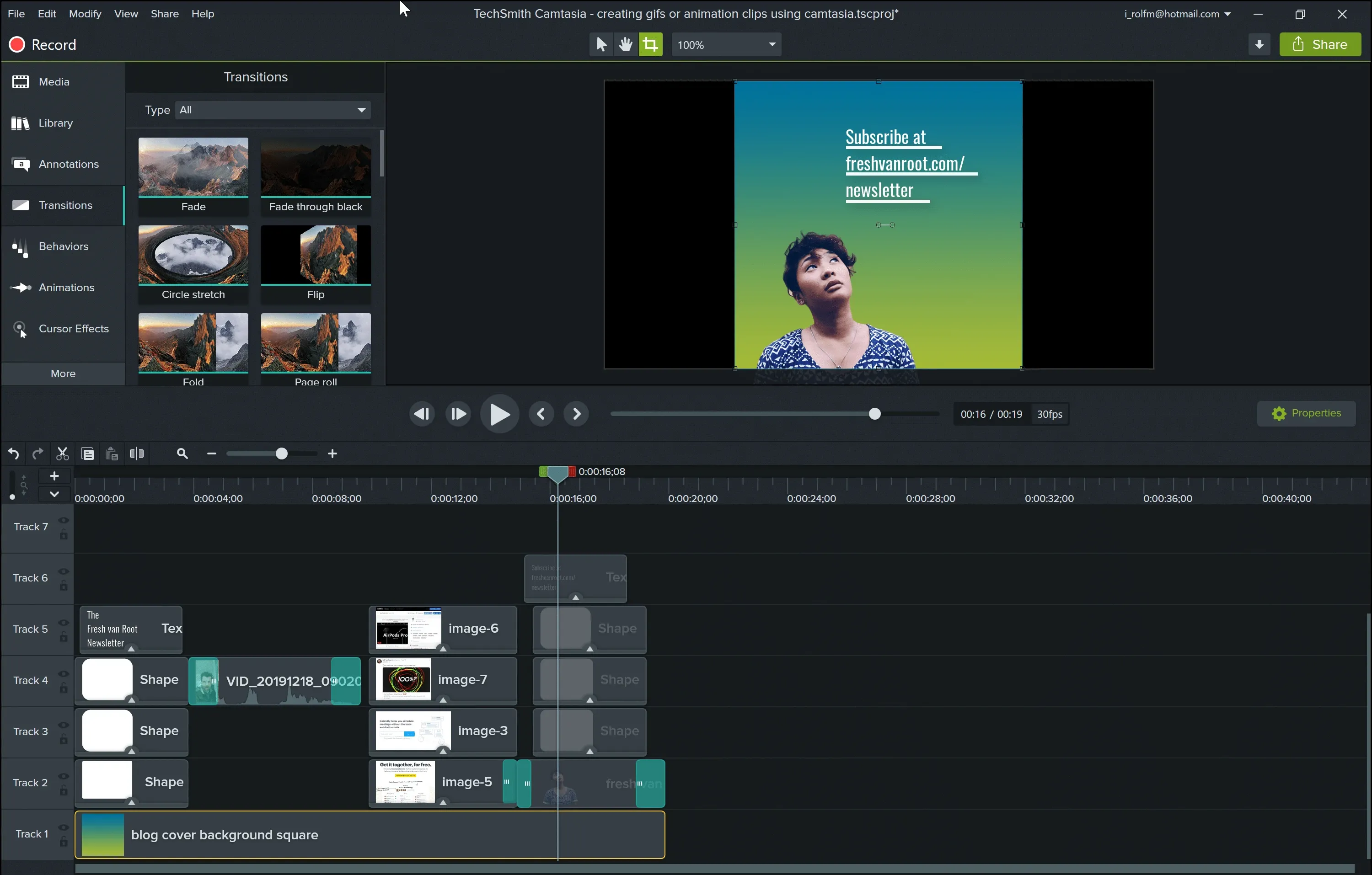
What is it? A desktop screen recorder and manual timeline editor, long the default for tutorial teams. Powerful and precise, but manual.
Key features:
- Manual timeline editing
- SCORM export and in-video quizzing
- AI voiceover via the Audiate add-on; desktop app.
Pricing: $39 per year
Why teams use it: Deep manual control and e-learning features (SCORM, quizzing) that many cloud-first tools skip.
Where real users say:
“Camtasia is an excellent product that is easy to learn and rich with features. I can almost always figure out how to make videos look the way I want with transitions, audio tracks, and as many layers as I need to create some fun content. Sadly, Camtasia's premium features are now available only to those willing to purchase a recurring subscription. I even called to see if I could bolt on Audiate and maintain my one-time user license, but that isn't the case.” — Saul H
“Sometimes Camtasia can be a bit buggy with audio when I'm editing it...I can hear where the edits occur with crackles in the audio. Also, some of the transitions don't look professional, so I tend to use only basic fades.” — Brian M, Instruction Design Consultant
“What I like best about Camtasia is how easy it makes screen recording and video editing in one place. The interface is beginner-friendly, but it still has enough powerful features like annotations, callouts, cursor effects, transitions, voiceover, and quizzes to create polished training or tutorial videos. It saves a lot of time because I do not need to switch between multiple tools for recording, editing, and exporting.” — Vivek G, Customer Training Solutions Architect
“Camtasia really helps me create quick and efficient tutorial videos of our product for our customers. The editing process is easy, and that ease of editing is my favorite feature. There are very few integrations, or at least very little guidance on how to use the integrations that are available. Even on the Pro model, I still have to upgrade to use different assets, such as openings and closings.” — Richard G, Director of Customer Success
Bottom line: Manual editing control, at the cost of time — it's desktop-bound, sync is manual, and each translated video is a separate re-edit.
Compare: Clueso vs Camtasia
4. Trupeer — best as a quick-start recording-to-video tool
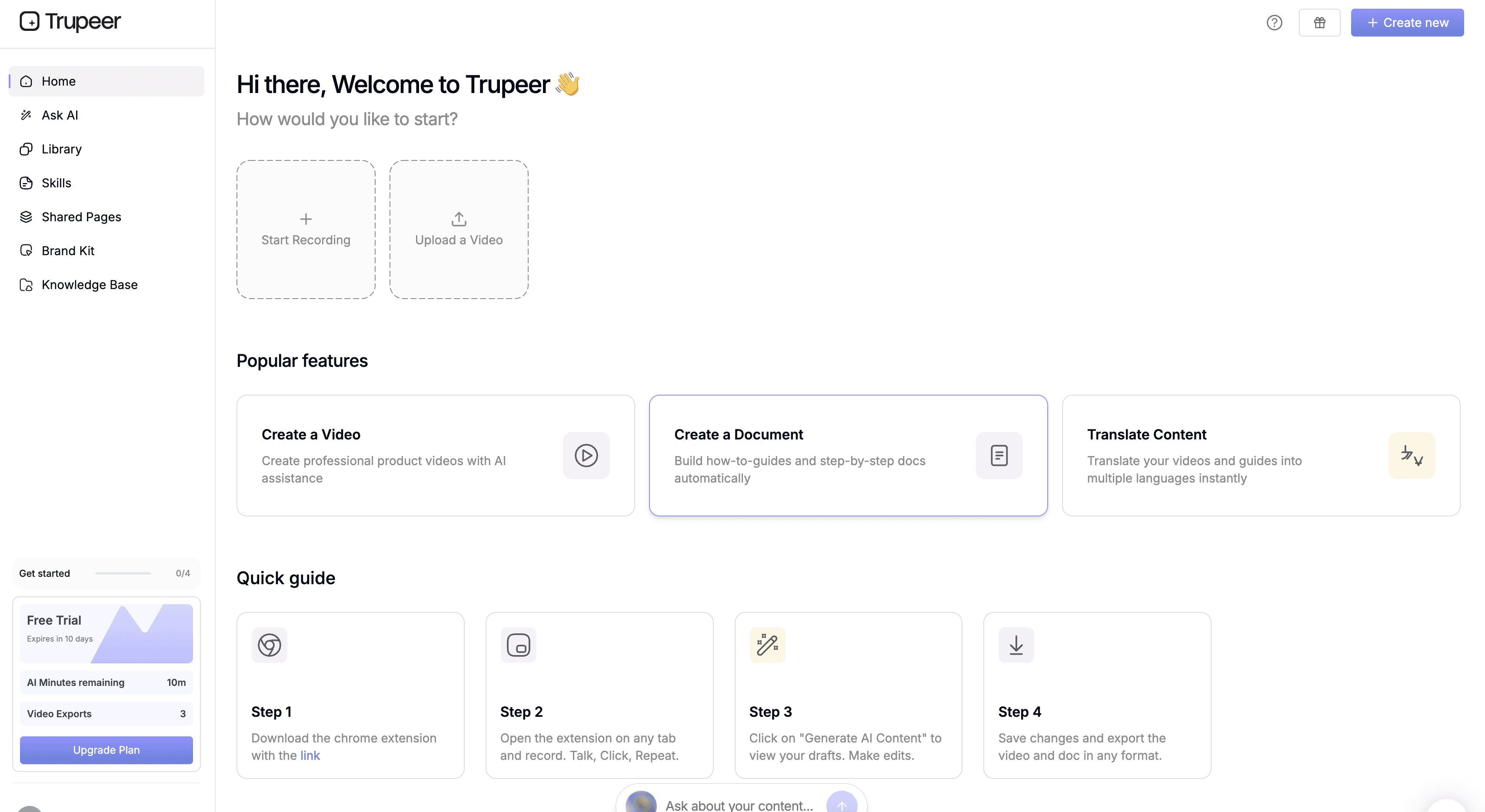
What is it? Trupeer turns screen recordings into AI videos and offers auto generated training manuals, documentation, and automated translations for videos.
Key features:
- Fast recording-to-video.
- Browser based screen recording
- AI-generated companion docs
- Quick-start translation workflows.
Pricing: $40 per month (billed annually)
Why teams use it: Speed and a low barrier to a first video from a recording.
What real users say:
“I appreciate Trupeer for its fast and easy content creation and translation capabilities. I love how fast it is to create a video that has a professional look. The ability to create content in multiple languages that I do not know is huge! Setting up Trupeer was super easy, and downloading the extension was quick. I was ready to start recording and creating content in a matter of minutes.” — Jacob B, Customer Success Manager
“Some restrictions for the plans are sometimes too restrictive. For our usage, two custom voices because there are not much voices, for example, in Dutch we only have one voice that sounds with the accent of the Netherlands and not Flemish.” — Roland V
“The timeline functionality can be more robust. These are not blockers, but enhancing the timeline function would make the editing experience even smoother for larger teams.” — Mayank S, Group Manager
“There are limits to what I'm able to do. For example, the videos are all or nothing. Our product is constantly evolving and every time there's a change, I need to re-record the entire video.” Verified user
Bottom line: Trupeer is worth testing how it treats your raw recording and whether it gives you the companion doc and localization you need. Some users have flagged script and video sync issues with minor editing adjustments breaking sync timings.
Compare: Clueso vs Trupeer
5. HeyGen — best for multilingual avatar videos
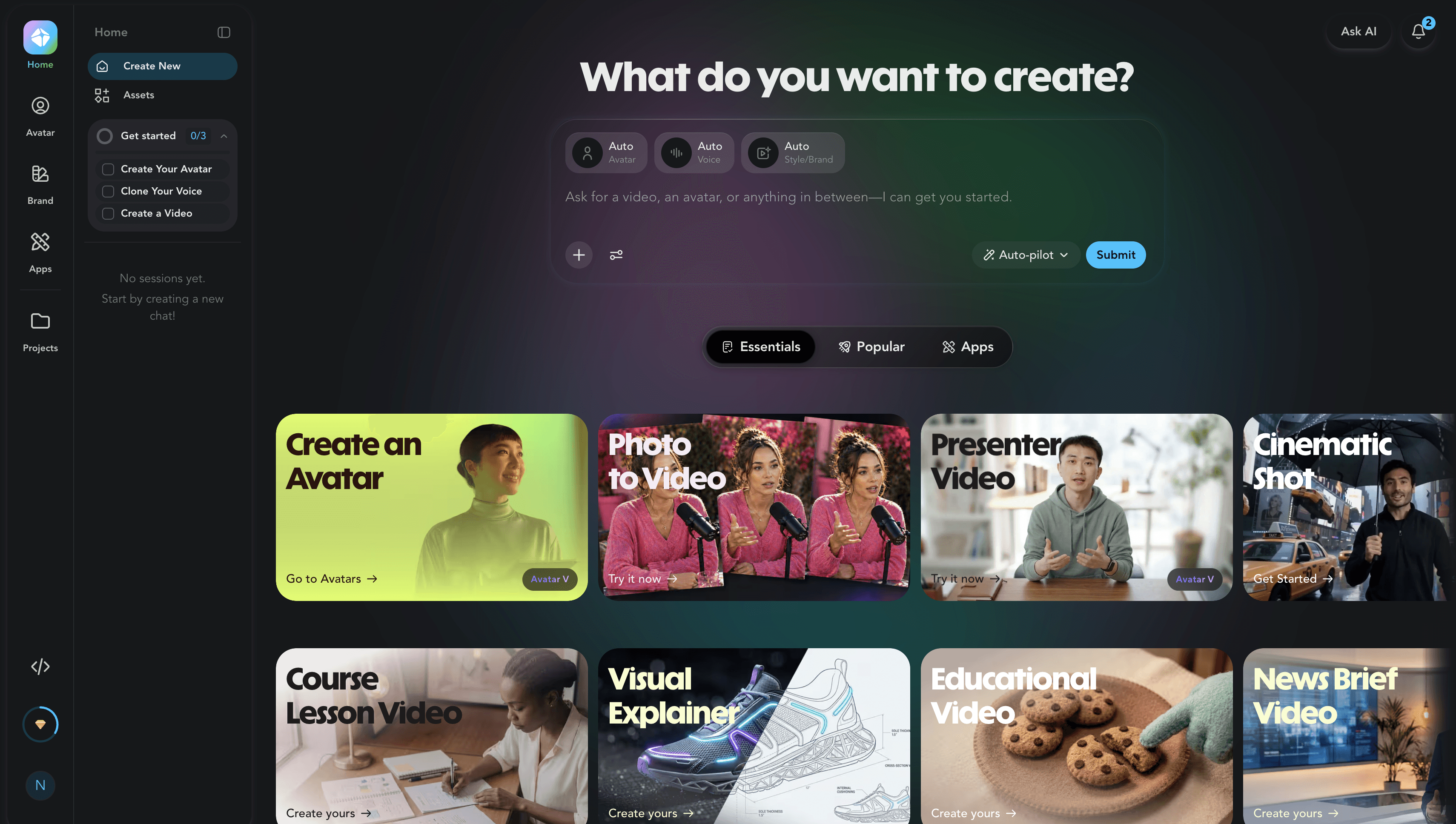
What is it? An AI avatar video tool, often evaluated alongside Synthesia, with strong multilingual avatar support. It’s primarily built for content creators and soloprenuers and can support businesses that use AI avatars to market themselves.
Key features:
- AI avatars
- Script-based video creation
- Multilingual dubbing
- Voice cloning
Pricing: $24 per month (billed annually)
Why teams use it: Quick, self-serve talking-head avatar videos, especially across languages.
What real users say
“I like the ease of use of HeyGen. The text-to-audio feature stands out for me, especially being able to make a talking head by just typing in text and integrating my Eleven Live's audio. The initial setup was pretty easy for me. — Verified User
“I use HeyGen for everything from contact creation to training, education, and social media presence. Video is very important for me, and since I'm a little bit camera shy, I appreciate having an agent create the videos for my educational courses and social media posts. The end results from using HeyGen are amazing” — Ali B
“I think the interface could be better. Also, the initial setup is not very easy, and I think there is a learning curve to it.” Sandeep A
“I found HeyGen to be very slow and it has constant errors. They use a credit system that I don't like because you only get a limited amount and each time you edit something, it uses credits, even though their pricing says unlimited videos. Overall, it’s just buggy software that isn’t easy to use and didn’t actually solve any use cases for me.” — Dennis N
Bottom line: a capable avatar tool; like all avatars, a better fit for talking-head content than for showing software. However, mutiple users have flagged lip sync issues and lack of good customer support especially during critical platform issues.
Compare: 9 Best HeyGen Alternatives in 2026
6. Guidde — best for quick step-by-step how-to docs
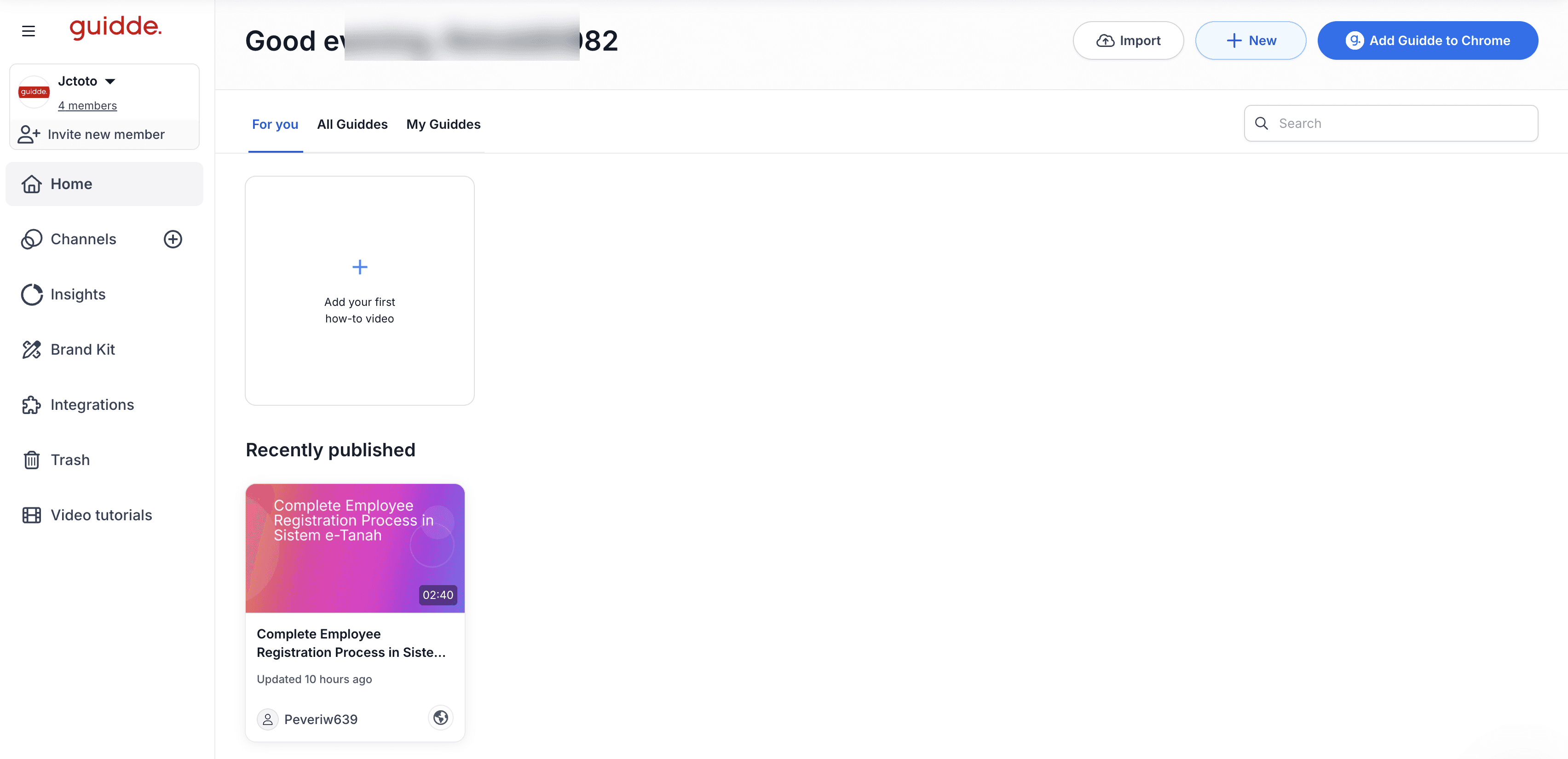
What is it? A screen-capture tool that turns a workflow into step-by-step docs and video, with interactive step playback.
Key features:
- Step-based docs and video creation;
- Easy step reordering
- Interactive step playback.
Pricing: $19 per user per month (billed annually)
Why teams use it: speed and low cost for quick step documentation, with steps that are easy to reorder.
What real users say:
“The operation is simple and intuitive. I find the multilingualism and AI-supported translations particularly practical. The multilingual subtitles are also very helpful and complete the overall package. Customer support is great. Create trainings that are easy to integrate into the workday..” — Andrea G, MDB Operations Professional
“Its interface makes it feel old and outdated. Also its step editing process is a bit confusing when it comes to the final details.” — Diego M, Project Manager
“The only thing I’d like to see improved is the audio customization. While the AI voiceovers are impressive, they can sometimes sound a bit too robotic or fast-paced for certain audiences.” — Saurav S, Product Manager
“At the current, you can't pause and continue a recording.” — Jonathan B ,Customer Success Manager
Bottom line: Fast and inexpensive option for step docs; lighter on polished video and voiceover when production quality matters.
Compare: Guidde vs Clueso
7. Loom — best for quick async screen recording
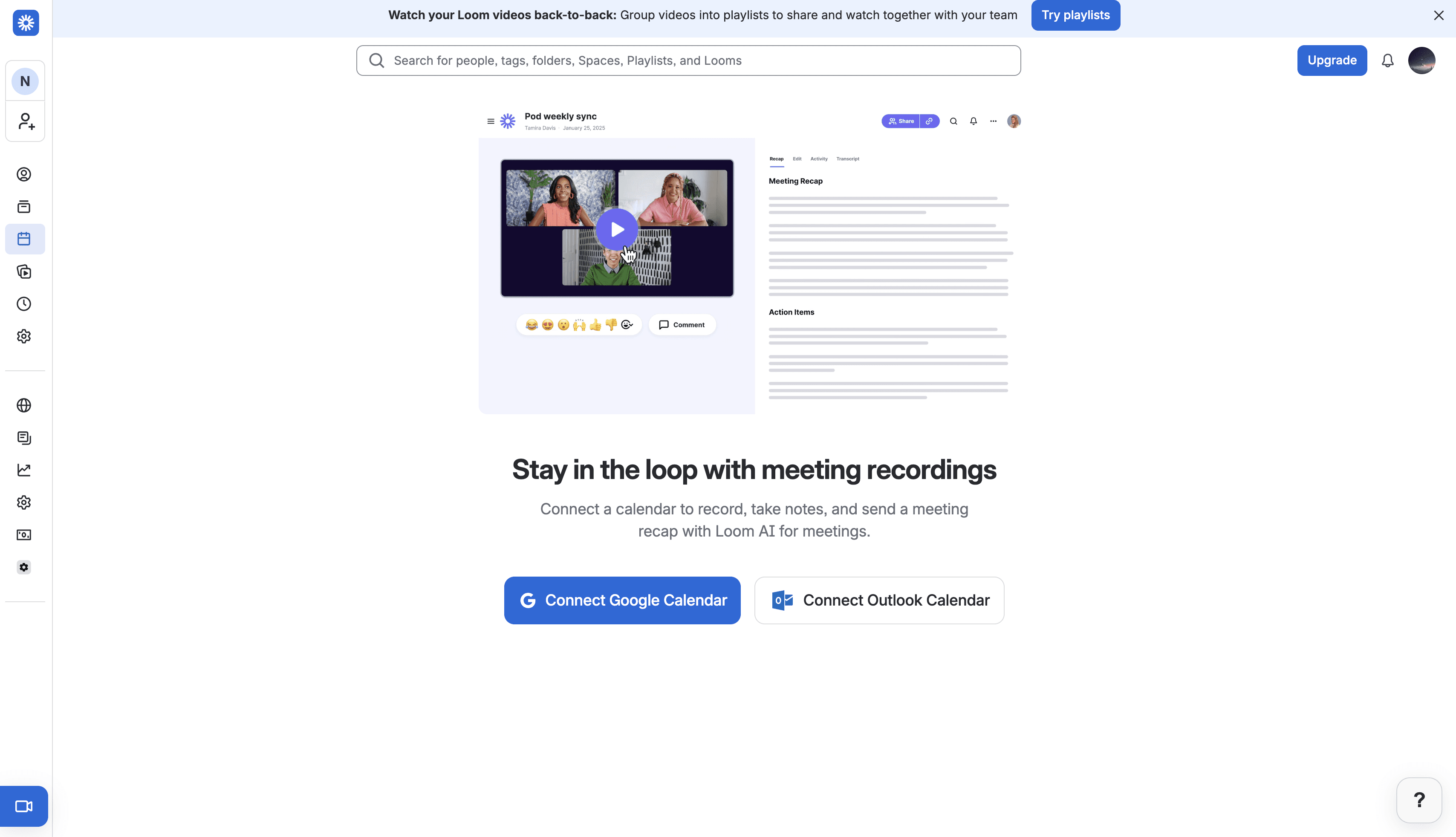
What is it? A company-wide tool for quick screen and webcam capture and async sharing.
Key features:
- Fast screen and webcam capture
- Collaborate by share links of recorded clips
- Basic trim and editing.
Pricing: $180 per user (billed annually)
Why teams use it: Loom is the fastest way to record and send a raw walkthrough internally. It's often complementary to a polishing tool rather than a competitor. Teams looking to share internal workflows or processes via a quick rough recording can benefit the most from Loom.
What real users say:
“I ended up using a lot in Loom is the quick screen recording feature. Explaining stuff while working is way easier this way. Whenever I show bugs, walk through feature requests, or give project updates, a short Loom video does the job better than a bunch of written text. It saves everyone time too.” Abhishan M, Frontend Engineer
“The AI features still feel a bit basic compared to some newer platforms and could be more advanced in areas like summaries and editing assistance. Occasionally, we also face minor technical issues such as slow processing or upload delays for longer recordings. Very few integrations and delay in support. Becomes expensive to add multiple features.” — Anirudh V, Digital Marketing Specialist
“I use Loom daily for team communication, especially when explaining tasks, giving feedback, or doing quick introductions. The camera + screen recording feature helps me clearly walk through documents, Google Sheets, or workflows while still showing my face, which makes my explanations easier to understand.” — Mary Joy T, Administrative Assistant
“The best part about loom is that you can just easily record video and share with anyone. I am a freelancer so my work requires give a lot of updates about project and I am using loom for past 3 years. I just only use chrome extension. With just one click its very easy to record and share. One of the best tools I have used in my web development career.” — Satveer S, Open Source Contributor
Bottom line: Great for raw capture and async messages; it isn't built to turn those into polished, branded, translated video — many teams record in Loom and finish elsewhere.
Compare: Loom alternatives in 2026
8. Descript — best for podcast-style and general AI editing
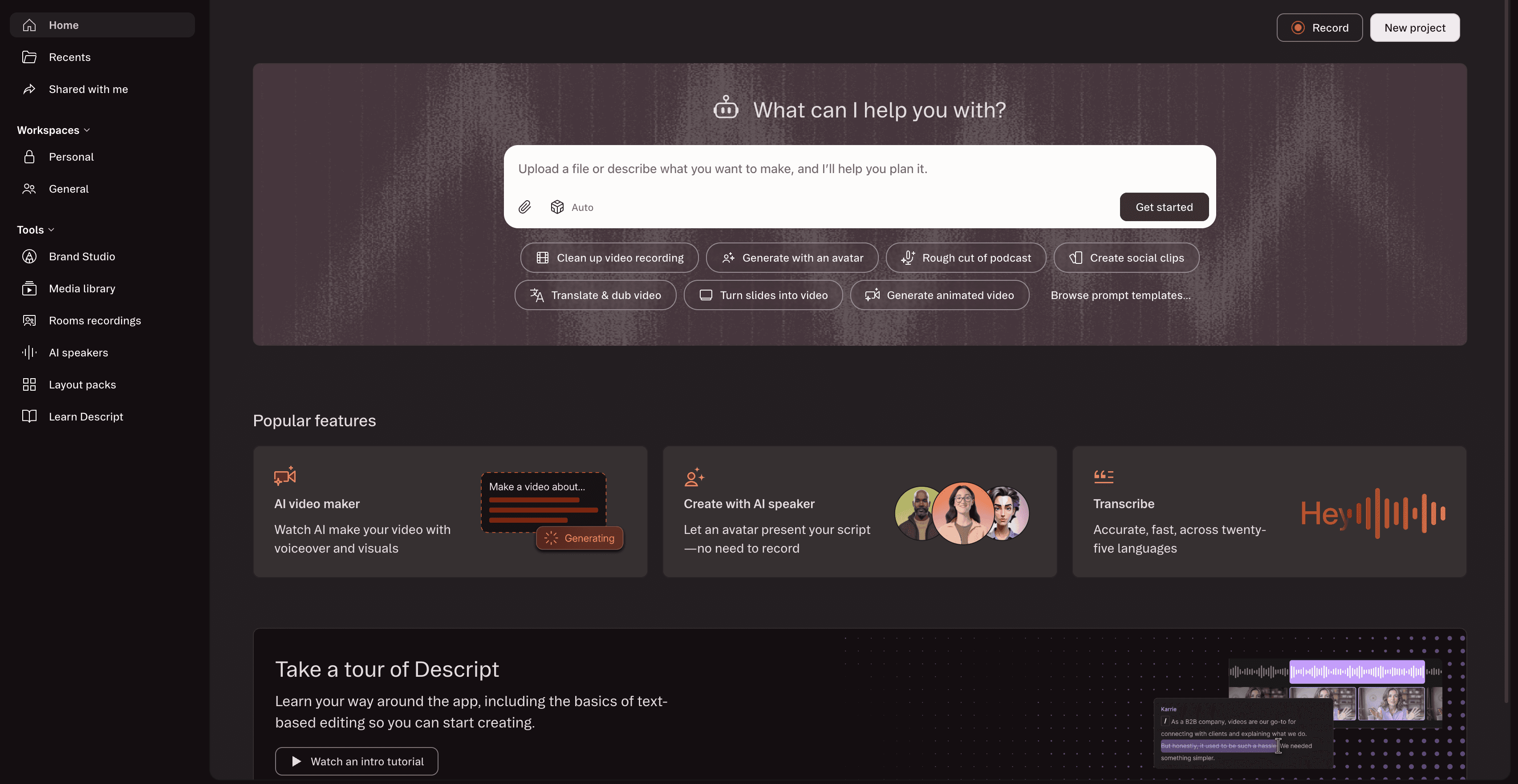
What is it? An AI audio and video editor, built around transcript-based editing, with podcast and talking-head content as its home turf.
Key features:
- Edit video by editing the transcript.
- AI voice tools
- General-purpose editing
- Prompt-based AI video creation
Pricing: $16 per user per month (billed annually)
Why teams use it: AI-assisted video creation, transcript-first editing for podcasts, interviews, and mixed content. Descript is a content-creator friendly environment. Individuals and businesses with no video editing knowledge or budget for video editors can benefit from the platform.
What real users say:
“I love this platform for the availability of almost all needed feature for content creation purposes. I love the capability of this platform to record videos and clean up videos for optimal output of the content. This platform can also record audio and also translate the audio into major languages. The capability of this platform to auto detect language is commendable.” — Konjengbam M, BDR
“The AI Avatar/Underlord features are unreliable and the support process for resolving billing issues caused by those failures is worse. I spent days trying to produce one usable video. Underlord gave contradictory instructions throughout — each suggested fix created a new problem. AI credits were charged for Avatar generations that never completed. I brought in an outside AI consultant for a full day of dedicated work, and even she couldn't produce a working result on the platform.” — Cathy P
“On the fly, unannounced updates that will invalidate your old projects and make accessing them difficult on a regular basis because of version mismatches.” — Robb C
“When I work on longer videos with full transcript, sometimes it takes a little time to scroll and find the exact line I want to edit. It does not stop the work, but editing can feel slightly slow at that moment. Also sometimes I need to correct a few words in transcript manually, especially for medical or diet terms.” — Ishan S, Dietician
Bottom line: A strong general editor; it isn't purpose-built for product how-tos, so it lacks auto voiceover sync, companion docs, and glossary localization.
Compare: Clueso vs Descript
9. VEED.io — best for quick browser-based editing
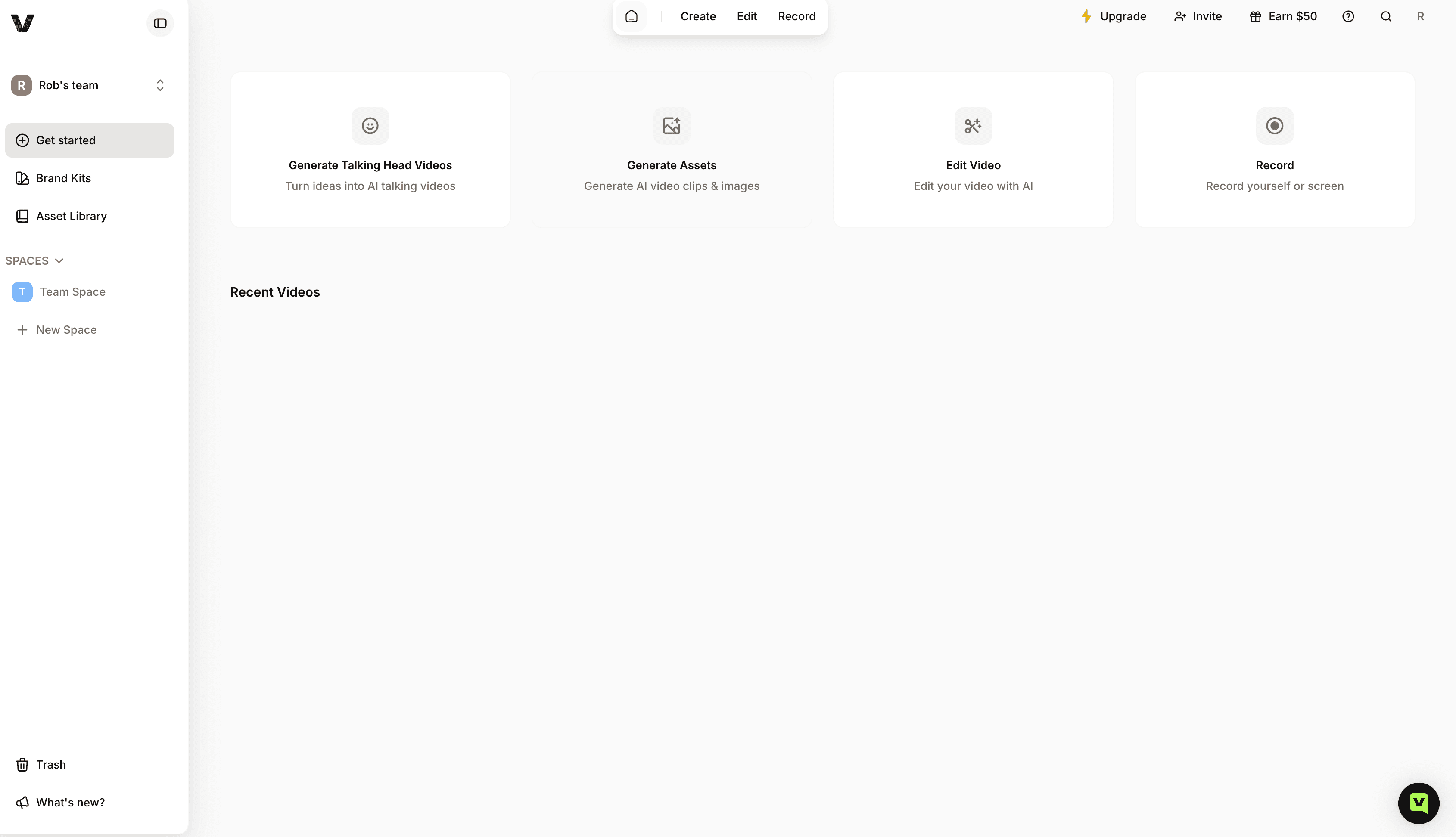
What is it? A browser video editor that lets you create AI avatars/talking heads for explainer and instructional videos, perform quick edits on existing videos, and translate produced videos into multiple languages.
Key features:
- Browser-based editing
- Subtitles and captions
- Quick editing and turnaround.
- AI stock footage library for B rolls.
Pricing: $12 per user per month
Why teams use it: A fast, approachable editor that produces clean-looking videos in the browser.
What real users say:
“I like how easy it is to use VEED. I feel like I can come into VEED without a lot of background knowledge or even much editing or technical knowledge and be creating really good high-quality content within a few minutes. It's not like Final Cut Pro or Adobe. Because VEED is so fast, I can finish projects quicker and then get them reviewed and move on a lot faster. It was incredibly easy to transition to VEED. The support was really helpful and fixed our issues quite quickly.” — Josh K, Senior Marketing Associate
“The main downside is that AI-generated videos can sometimes feel generic and may require several attempts to achieve the desired result. Credit usage can add up quickly when experimenting with different prompts, and maintaining consistent branding, logos, and complex visual storytelling can be challenging. More control over AI-generated scenes and longer-form video generation would improve the experience.” — Tamara T, banquet Manager
“I find the transcription feature's time limit to be a major drawback, as I cannot purchase additional minutes without upgrading the plan, which makes it financially unviable for me. The recording feature is also practically useless because it consumes too much memory and restricts recording duration.” Jordan A
“ I find VEED to be fairly buggy, which can be frustrating. The application undoes some of my actions occasionally, necessitating frequent page refreshes to restore functionality.” — Ben S, Social Media Manager
Bottom line: A capable quick editor; translation output often needs manual cleanup, and there's no companion doc or auto voiceover sync for how-tos.
Compare: Best VEED alternatives in 2026
10. Colossyan — best for avatar videos with strong graphics
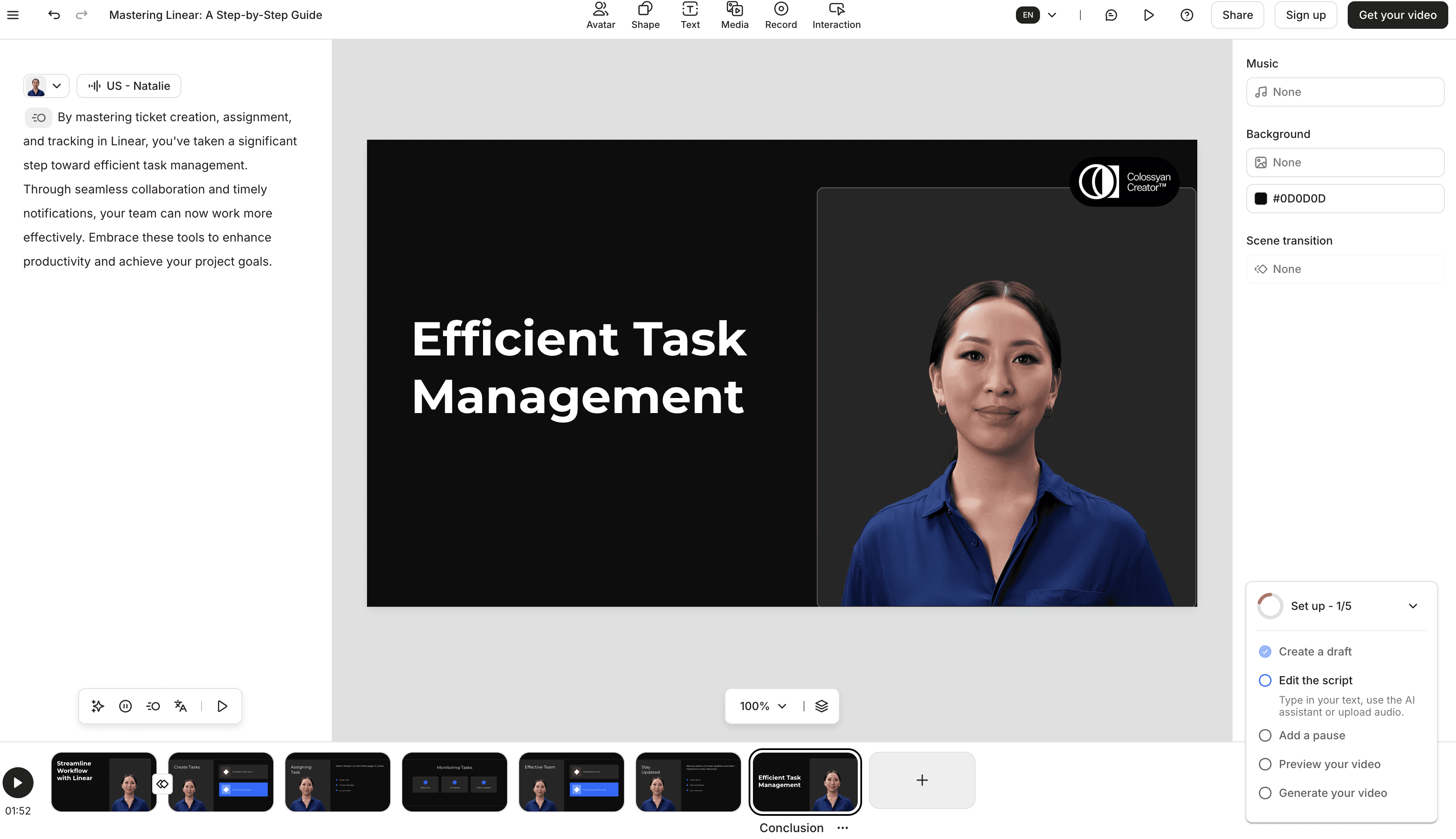
What is it? Another AI avatar video tool, evaluated alongside Synthesia and HeyGen, known for graphics quality.
Key features: AI avatars; script-based creation; polished graphics.
Pricing: $19 per user per month (billed annually)
Why teams use it: Avatar-led videos when graphics quality is a priority.
What real users say:
“Colossyan makes it easy to turn a single script into engaging videos featuring realistic, expressive AI avatars and voices that sound natural. By combining text-to-video conversion with instant auto-translation, it significantly cuts down the time and costs usually involved in expanding training, onboarding, and internal communications in different organizational settings. The platform delivers professional results quickly and is straightforward to use.” — Jonathan M, Product Manager
“Editing is limited when uploading ppts or videos, review link failed to load for a collaborator a few times, preview mode is a little clunky. Hard to get a sense of how a whole project will flow before generating a video, which costs minutes from plan.” — E-learning User
“To me, the limitation of the durations & script per scene was a deal breaker. I wanted to use your voice actors on my premade video.” — Yagmur Tansu U, Post-production Manager
“The quality of the "basic" actors is not that good. It doesn´t syncs with other languages the same way as it does in English.” — Jorge L, Operations and Multimedia Leader
Bottom line: A solid avatar option; same trade-off as the rest — for software walkthroughs, audiences want to see the product, not a presenter.
Adjacent: if you need interactive, click-through demos. Tools like Iorad, Storylane, and Walnut focus on clickable step-throughs rather than video. Some are pre-AI and fully manual, but if an interactive demo is the deliverable, that's a different category — see our product walkthrough software comparison.
Get Started with Clueso
Upgrade your SOP creation workflows today.
Which AI video tool should you choose?
- You're making demos, walkthroughs, onboarding, or how-tos from real product footage → Clueso.
- You want a presenter on screen without filming → an avatar tool (Synthesia, HeyGen, Colossyan).
- You need quick async clips for support or internal updates → Loom.
- You need SCORM, quizzing, or deep manual editing → Camtasia.
- You're editing or repurposing existing footage → Clueso, Descript, or VEED.
- You need clickable, interactive demos → an interactive-demo tool (see the adjacent note above).
Get Started with Clueso
Upgrade your SOP creation workflows today.
Is Clueso right for you?
For product and customer-facing teams, Clueso is the right pick when the source is real: a screen recording, a product walkthrough, a doc you already wrote. It auto-syncs the voiceover, cleans up the recording, translates with a glossary, and hands you a companion help article from the same source. It's the wrong pick if you mainly need a synthetic presenter, or if your top requirement today is click-through interactive demos or SCORM — those are gaps we're closing, and other tools on this list do them now.
Get Started with Clueso
Upgrade your SOP creation workflows today.
How do you create polished product videos with AI?
- Name the job first. A sales demo, an onboarding walkthrough, and a support clip aren't the same video; decide which you're making.
- Start from your real material. A recording or a doc you already have beats a blank prompt for anything instructional.
- Let AI handle the unglamorous parts. Transcription, voiceover sync, cleanup, and translation are where the hours go.
- Edit by text where you can. Fixing a script beats re-recording when the product changes.
- Publish where customers already are. Your help center, in-app, onboarding emails, or the demo on your site.
Frequently asked questions
Which AI video tool is best for product teams?
For video built from real product footage and docs — demos, onboarding, how-tos — Clueso. For avatar-led explainers, Synthesia or HeyGen. There's no single winner across every job, so match the tool to the kind of videos you're making.
How do you use AI for product video?
Start from a recording or a doc, let the tool handle transcription, voiceover, captions, and translation, then refine by editing the script instead of re-recording.
What's the best free AI video tool for teams?
The best free tool depends mainly on your use cases. If polished product how-to videos, internal training, or customer education is your priority, Clueso offers a free plan that lets you create such videos with ease without prior editing experience.
If AI-avatar led explainer videos is your primary requirement, HeyGen, Colossyan, Synthesia, and VEED.io can be good options. However their free plans would significantly limit the length of your videos as well as avaiability of premium AI avatars and voices. For a more in-depth understanding of which tool is best for you, refer to the comparison table given above in this article.
Is this different from product demo video software?
Demo video software is a subset of this. If demos are your only need, see the best product walkthrough software guide. This list is broader and covers onboarding, support, and customer education video too.
If you're choosing today, name the job before you compare tools. Pick the category that matches the video you need, shortlist two tools inside it, and time how long each takes to reach something you'd actually send a customer.
Ashish Upadhyay
Senior Content Marketing Manager
Ashish is a Senior Content Marketing Manager at Clueso with 7+ years of experience across content, product, brand marketing. Now his mission is to help product and customer education teams realize the value of video-based learning. Outside of work, Ashish sketches, sings, plays the guitar, cooks, and does all things LLMs can't yet.