
How to send Zoom meeting invites
In this article, you'll learn how to send a meeting invite on Zoom.
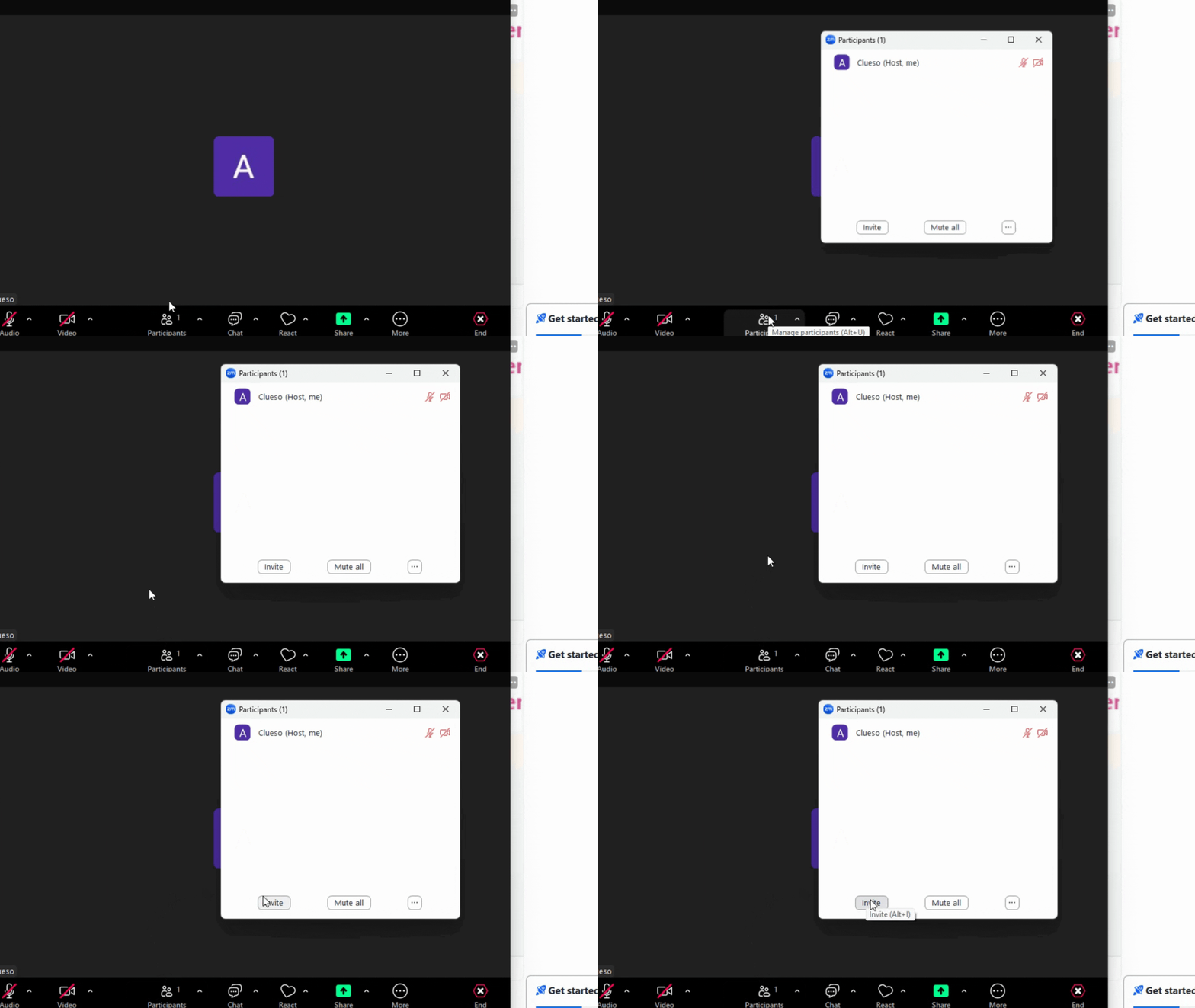
1. Start by clicking on Participants in the bottom toolbar & A pop-up menu will appear. From this menu, select Invite.
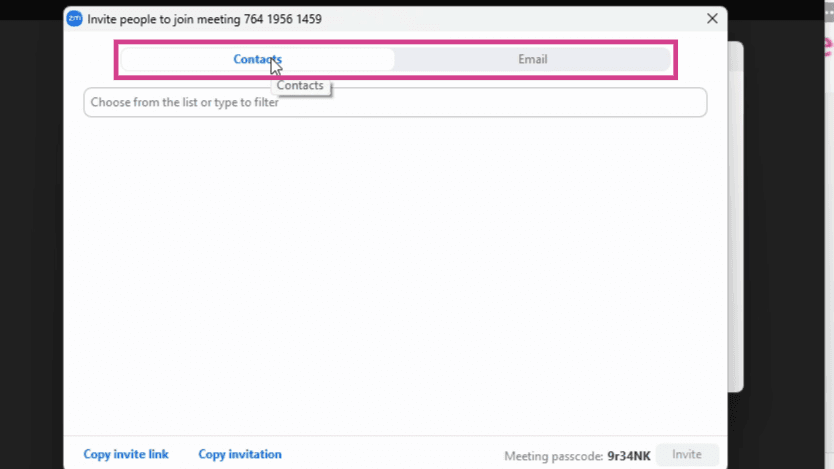
2. You'll now have two options: Contacts or Invite by Email.
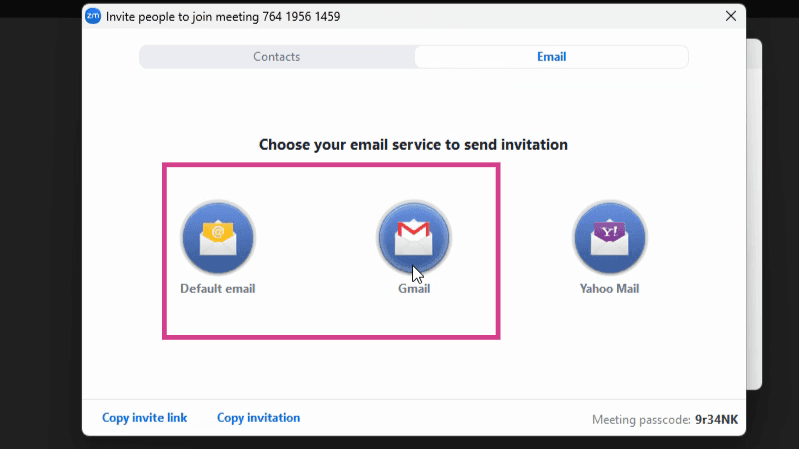
3. If you choose to invite by email, click on Gmail.
And there you have it! You've successfully sent a meeting invite on Zoom.
FAQs
1. Can I invite multiple people at once?
Yes, you can invite multiple people by entering their email addresses separated by commas.
2. Can I invite someone who doesn't have a Zoom account?
Yes, the invitee doesn't need a Zoom account to join the meeting. They'll receive a link to join the meeting directly.
3. Can I send an invite via other email providers apart from Gmail?
Yes, Zoom supports invites via other email providers. Simply select the appropriate option instead of Gmail.