Synthesia builds videos around an AI presenter. Clueso gives you AI avatars too, and puts them next to your screen recordings, slides, and motion graphics on a full timeline, with a step-by-step guide generated alongside every video.
Describe a lesson and Clueso proposes a plan and a script, then builds it. Change anything afterwards by chat or by hand.
## What's better in Clueso than Synthesia ## Questions that feature lists don’t cover ## Clueso vs Synthesia: Which one is for you? ## Frequently asked questions ### How is Clueso different from Synthesia? Clueso builds the whole video with you. Describe it and the [Clueso Agent](https://www.clueso.io/features/clueso-agents) proposes a plan and a script, then builds it with AI avatars, screen recordings, slides, motion graphics, and AI voiceover. You change anything afterwards by chat or on a multi-track timeline, and every video comes with a step-by-step guide. ### Does Clueso have AI avatars? Yes. Add an [AI avatar](https://www.clueso.io/features/ai-avatars) to present any lesson, on its own or next to your screen recordings, slides, and motion graphics, with AI voiceover in 150+ languages. Avatars are on every paid plan. ### How much control do I have over the video? Full control. Ask Clueso for changes in chat, or open the timeline and adjust any layer, keyframe, or motion graphic yourself. Synthesia's editor works scene by scene with preset animations. ### How does Clueso keep every video on brand? A [Clueprint](https://www.clueso.io/features/clueprints) holds your fonts, colors, and layouts plus your structure, tone, editing style, and animation rules, so every video built from it matches. Community Clueprints are on every plan, and custom Clueprints for your brand are on the Enterprise plan. Synthesia's brand kits are Enterprise only. ### Does Clueso translate the on-screen text and the guide too? Yes. Clueso [translates](https://www.clueso.io/features/auto-translate) the voiceover, captions, on-screen text, and the written guide together on every plan, into 150+ languages. ### Can I make full training courses with Clueso? Yes. Every video can come with a step-by-step written guide your team can follow later. On the Enterprise plan, add quizzes and clickable steps and [export to your LMS as SCORM](https://www.clueso.io/features/scorm-export) 1.2, 2004, or xAPI, with scores reported back. ### What happens to our videos when the product changes? With a GitHub repository connected, Clueso's agents flag the videos a code change has made outdated and regenerate them. [Auto Updates](https://www.clueso.io/features/auto-updates) is an Enterprise add-on. On any plan, re-record only the screen that changed and drop the new clip into the existing video. ### How does Clueso's pricing compare to Synthesia's? Clueso has a free plan. Solo is $40 a month billed yearly, and Business is $120 a month billed yearly for two users, with 4K export. Synthesia Starter is $14 a month billed yearly for one editor, and its brand kit, shared workspaces, and SCORM export are Enterprise only. See [Clueso pricing](https://www.clueso.io/pricing). ### How you create | Feature | Clueso | Synthesia | | --- | --- | --- | | Create and edit any video by chatting with an AI agent | ✓ | ❌ | | Edit existing videos from Claude, ChatGPT, or Cursor (MCP) | ✓ | ❌ | | Multi-track timeline with keyframes | ✓ | ❌ | | Tweak a motion graphic without generating it again | ✓ | ❌ | | Clueprints: reusable blueprints for structure, brand, and editing style | ✓ | ❌ | | Agents update videos when your product changes | Enterprise add-on | ❌ | | Agents log into your product and record the flow | Enterprise add-on | ❌ | ### Video creation features | Feature | Clueso | Synthesia | | --- | --- | --- | | AI avatars | ✓ | ✓ | | Inbuilt screen recorder | ✓ | ✓ | | Process capture and step detection | Automatic | ❌ | | Rough narration turned into a polished script | ✓ | Manual | | AI voiceovers | ✓ | ✓ | | Audio tags for expressive voiceovers | ✓ | ❌ | | Pronunciation dictionary | ✓ | ✓ | | Audio-video sync on screen recordings | Automatic | Manual | | Translate the voiceover, captions, and guide together | ✓ | Video only | | Convert PPT/slide deck to video | ✓ | ✓ | | Convert PDF/Word documents to video | ✓ | ✓ | | Split long recordings into short videos | Enterprise | ❌ | | Auto-generated closed captions | ✓ | ✓ | | Export in 4K | ✓ | ❌ | ### Documentation features | Feature | Clueso | Synthesia | | --- | --- | --- | | Step-by-step documentation generated from video | ✓ | ❌ | | Convert screenshots to GIFs | ✓ | ❌ | | Custom formatting and style guidelines | ✓ | ❌ | | Article copilot to edit guides by chat | ✓ | ❌ | ### Editing features | Feature | Clueso | Synthesia | | --- | --- | --- | | Brand kit | Every plan | Enterprise | | Video templates | ✓ | ✓ | | Zoom effects | Automatic | Manual | | Visual effects (callouts, spotlights, text animations, transitions) | Advanced | Basic | | Blur sensitive data across the whole recording | ✓ | ❌ | | Export options | Video, plus guides as HTML, PDF, Markdown, or DOCX | Video only | ### Enterprise features | Feature | Clueso | Synthesia | | --- | --- | --- | | Security compliance | SOC 2, ISO 27001 | SOC 2, ISO 27001, ISO 42001 | | Shared team workspace | Business plan and up | Enterprise | | Access control by roles | ✓ | ✓ | | Content category management | ✓ | ✓ | > ## Creating with AI ### Can I build a whole video by chatting with AI? **Yes, in Clueso. Synthesia's agent is in beta and edits only its own videos.** Describe the video you want and the [Clueso Agent](https://www.clueso.io/features/clueso-agents) proposes a plan and a script before it builds anything. It then assembles the video with AI avatars, screen recordings, slides, [motion graphics](https://www.clueso.io/features/motion-graphics), and AI voiceover. Ask for changes in the same chat, like "make the intro shorter" or "swap the second avatar scene for a product shot," and undo a whole turn if you don't like it. Synthesia's Syren agent turns a prompt into a video and refines it by chat, but it's labelled beta, and its MCP server can't edit videos you made in Synthesia's editor. ### How much control do I get after the video is generated? **Every layer stays editable in Clueso.** Clueso hands you a multi-track timeline with keyframes and easing, so you can move, animate, and retime any element. A motion graphic is an element too: change its text, colors, or timing without generating it again. Synthesia's editor works scene by scene, with entry and exit presets for animation. It has no keyframes, and its motion graphics feature is in beta. ### Can I make videos from Claude, ChatGPT, or Cursor? **Yes, with the Clueso MCP on every plan.** The [Clueso MCP](https://www.clueso.io/mcp) lets AI assistants create and edit Clueso videos and guides, including projects you started in the editor. Synthesia's MCP server is in public beta, and it can't edit drafts made in Synthesia's own editor. ### Can every video follow the same structure and style? **Yes, with Clueprints in Clueso.** [Clueprints](https://www.clueso.io/features/clueprints) hold your fonts, colors, and layouts plus your structure, tone, and editing rules, so every video built from one matches, whoever on the team makes it. Community Clueprints are on every plan, and custom ones are on Enterprise. Synthesia's templates hold scene layouts, and its brand kits and brand enforcement are on the Enterprise plan. ### What happens when my product changes? **Clueso's agents keep videos current. Synthesia needs a new recording.** With a GitHub repository connected, Clueso's agents flag the videos a code change has made outdated and regenerate them, and they can log into your product and record the new flow themselves. [Auto Updates](https://www.clueso.io/features/auto-updates) is an Enterprise add-on. On any plan, you can re-record only the screen that changed and drop the new clip into the existing video. Synthesia has no change detection. You re-record the scene and regenerate it. > ### Video creation ### Can I record my actual product or workflow? **Yes, in both. Clueso does the editing for you.** Record with Clueso's screen recorder, or upload a recording you already have, and Clueso detects each step, adds zooms and callouts where the action happens, turns your rough narration into a polished script, and keeps the voiceover in sync with the action. Synthesia also has a screen recorder that removes filler words and splits the recording into scenes. It adds no automatic zooms or cursor effects, and cleaning up the script or realigning audio after an edit is manual work. ### Do I need to write a script before I start? **With Clueso, no. With Synthesia, it depends.** With Clueso, you can start by simply recording and explaining things in your own words — even if it’s clunky, meandering, or full of ums and aahs. Clueso [**improves that rough narration**](https://help.clueso.io/voiceovers/ai-rewrite) into a polished, structured script you can edit later, without worrying about timing or flow. With Synthesia, the experience depends on how you’re creating the video. For avatar-led videos, you start with prompts or written text and Synthesia generates a well-rounded script. But if you’re working with a screen recording that already has narration, Synthesia mainly transcribes it and removes filler words. Any real script changes mean manually adjusting scenes and re-syncing audio and video. ### Can I use AI avatars? **Yes, both offer realistic AI avatars.** In Clueso, an [AI avatar](https://www.clueso.io/features/ai-avatars) can present a whole lesson on its own, or sit next to your screen recordings, slides, and motion graphics in the same video. You style its frame and background like any other element, and the voiceover is available in 150+ languages. 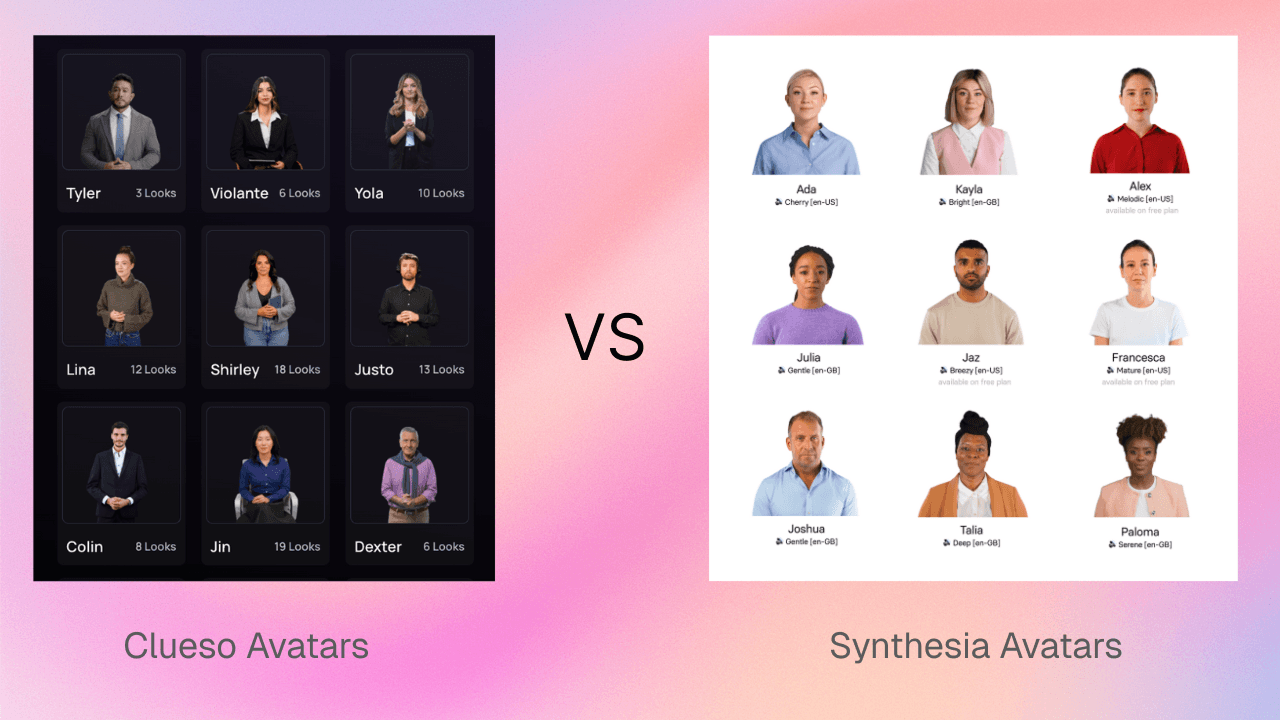 Synthesia is built around its avatars. Showing your product, generating a written guide, or editing below the scene level takes extra tools or manual work. ### What about AI voiceovers? **Both offer them, but Clueso gives you more control over tone and emotion**. Both tools support natural-sounding voices across multiple accents and languages to create professional videos. With Clueso, [**voiceovers**](https://www.clueso.io/features/ai-voiceovers) are designed to sound more human and expressive. You can fine-tune delivery using simple voice tags — adding pauses, emphasis, excitement, hesitation, or urgency — so the narration matches the moment. This is especially useful when the voice needs to carry emotion without relying on facial expressions. [Watch the video](https://www.youtube.com/embed/ahqv91g9QXE?iv_load_policy=3&rel=0&modestbranding=1&playsinline=1&autoplay=0&mute=1) With Synthesia, voiceovers can be adjusted, but fine-tuning tone pacing or emphasis usually takes extra effort. If voice is doing the emotional heavy lifting in your videos, Clueso gives you more flexibility with less friction. #### Do audio and visuals stay in sync when I edit? **Automatically in Clueso. Manually in Synthesia.** With Clueso, [**audio and video stay aligned **](https://help.clueso.io/sync-points/introduction)by default. When you edit the script, trim clips, or add new sections, Clueso automatically re-syncs everything for you. You also get sync markers inside scenes, so you can fine-tune timing. With Synthesia, syncing takes more hands-on work. If you change narration, adjust scenes, or mix in screen recordings, you’ll need to manually realign audio and visuals. The more edits you make, the more time goes into keeping things lined up. #### Multi-language Translation Clueso enables you to [**auto-translate**](https://www.clueso.io/features/auto-translate) both videos and written documentation in 150+ languages. It allows teams to localize tutorials and product guides in multiple formats at once. 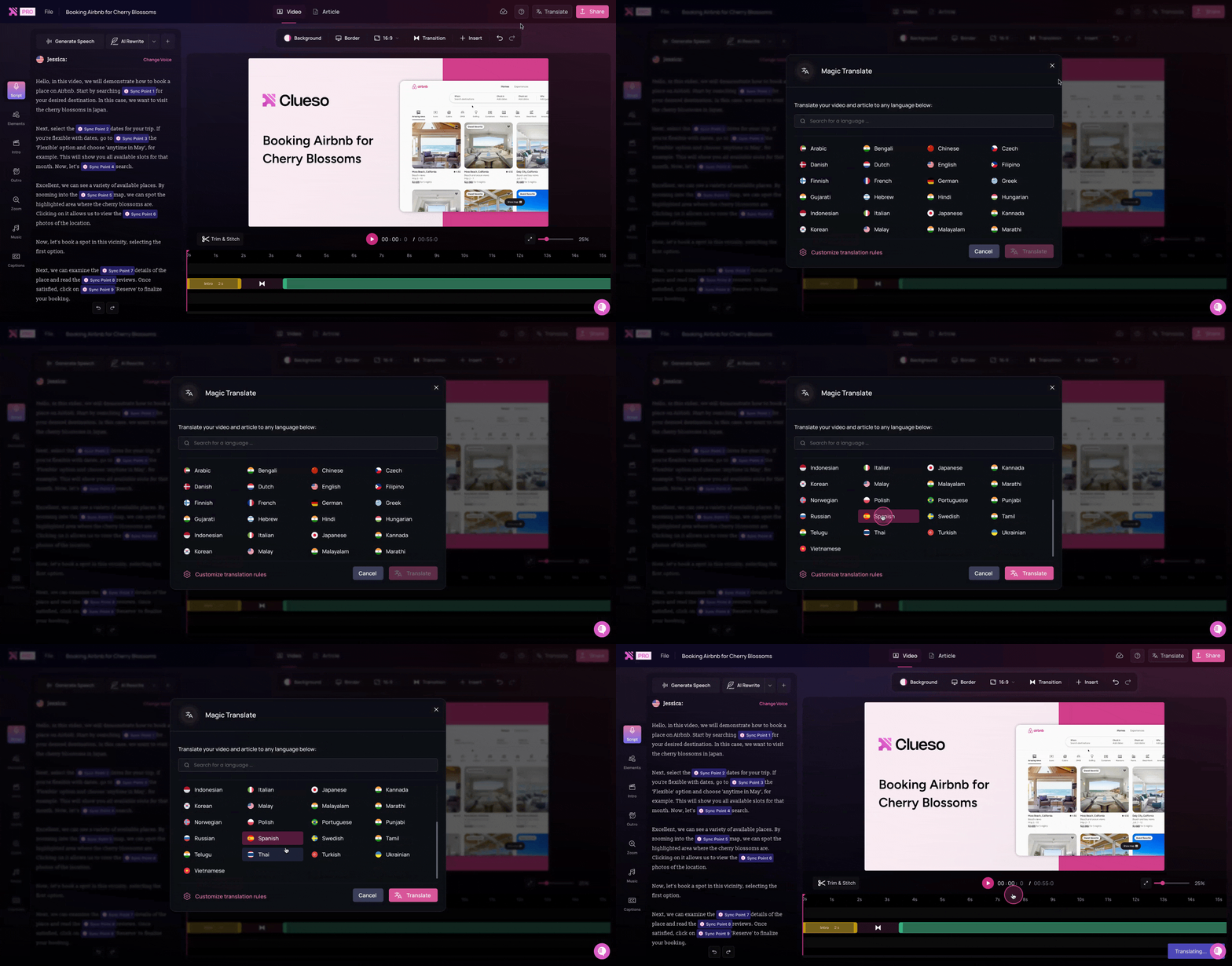 Synthesia supports translation for videos only. ### Can I turn one long recording into multiple short videos? **Yes, with Clueso Cuts on Enterprise. Not with Synthesia.** Record a long walkthrough once, or upload one, and [Clueso Cuts](https://www.clueso.io/features/clueso-cuts) splits it into shorter, standalone videos by topic, by time range, or by your own instructions. It works well for onboarding paths, course modules, and help center playlists. [Watch the video](https://www.youtube.com/embed/f_-IUw-cUh4?iv_load_policy=3&rel=0&modestbranding=1&playsinline=1&autoplay=0&mute=1) Synthesia splits a recording into scenes inside one video, but it can't cut it into separate videos. > ### Step-by-step guide creation ### Can it convert my videos into step-by-step written guides? **Automatically in Clueso. Not in Synthesia.** Clueso turns your video recording into a clean, well-formatted step-by-step article with screenshots, action descriptions, and instructional text. These guides are ready to use for SOPs, help centers, onboarding, or internal docs. Synthesia only outputs a finished video. If you need written SOPs or help articles, they have to be created separately in another tool. ### Will I be able to generate screenshots and GIFs? **Yes, in Clueso. Not possible in Synthesia.** With Clueso, you can convert any step or set of [**screenshots**](https://help.clueso.io/article/screenshots/add-screenshots) into lightweight [**GIFs**](https://help.clueso.io/article/screenshots/screenshot-gif), keeping cursor movement and highlights intact. This works well for release notes, inline help, and quick how-tos. 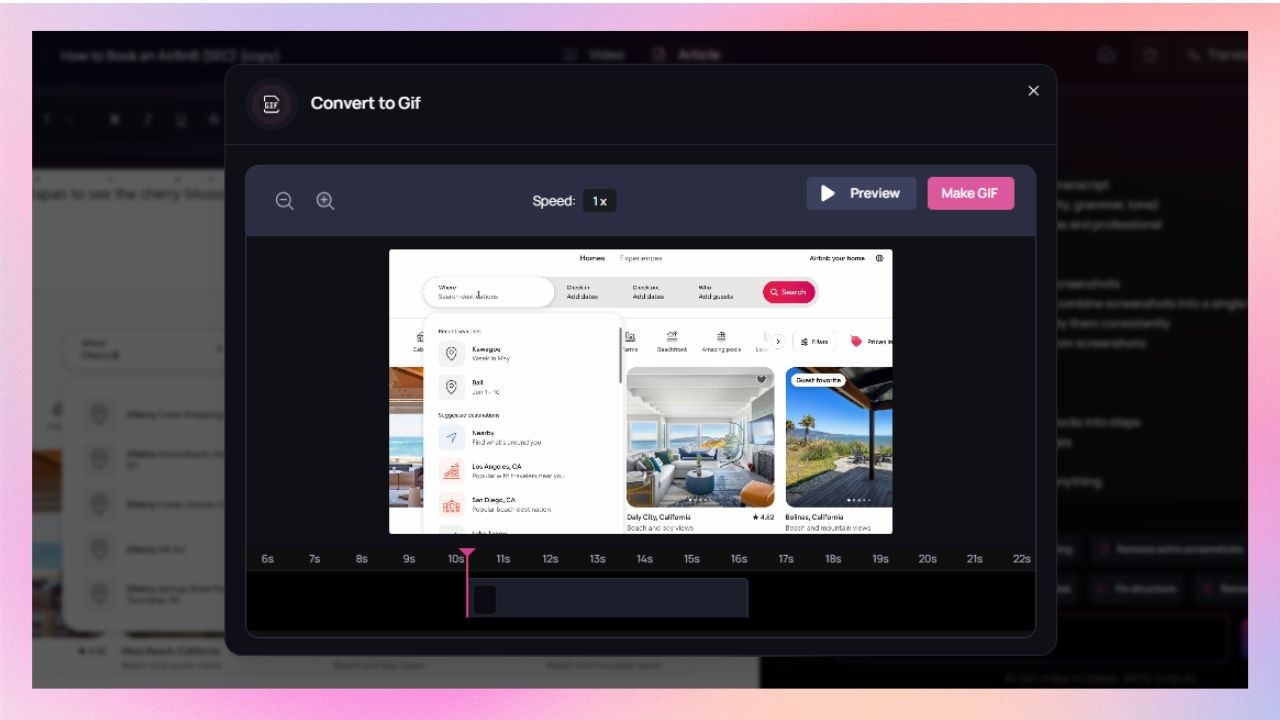 Synthesia doesn’t support converting steps or screenshots into GIFs. ### Can I keep documentation on-brand? **Yes, with Clueso. This isn’t relevant in Synthesia.** Clueso lets you apply your brand’s fonts, colors, and formatting rules to all generated documentation, so everything stays consistent without manual cleanup. Synthesia doesn’t generate documentation, so branding written guides isn’t part of the workflow. ### Will the tool help me edit and improve my help articles & SOPs? **Clueso can. Synthesia does not offer this.** With Clueso’s [**Article Co-pilot**](https://help.clueso.io/article/article-copilot)**,** you can set up predefined instructions for all documentation upfront — like tone, structure, level of detail, and formatting rules. Every help article or SOP is generated with those guidelines in mind, so documentation stays consistent and needs far less manual editing later. 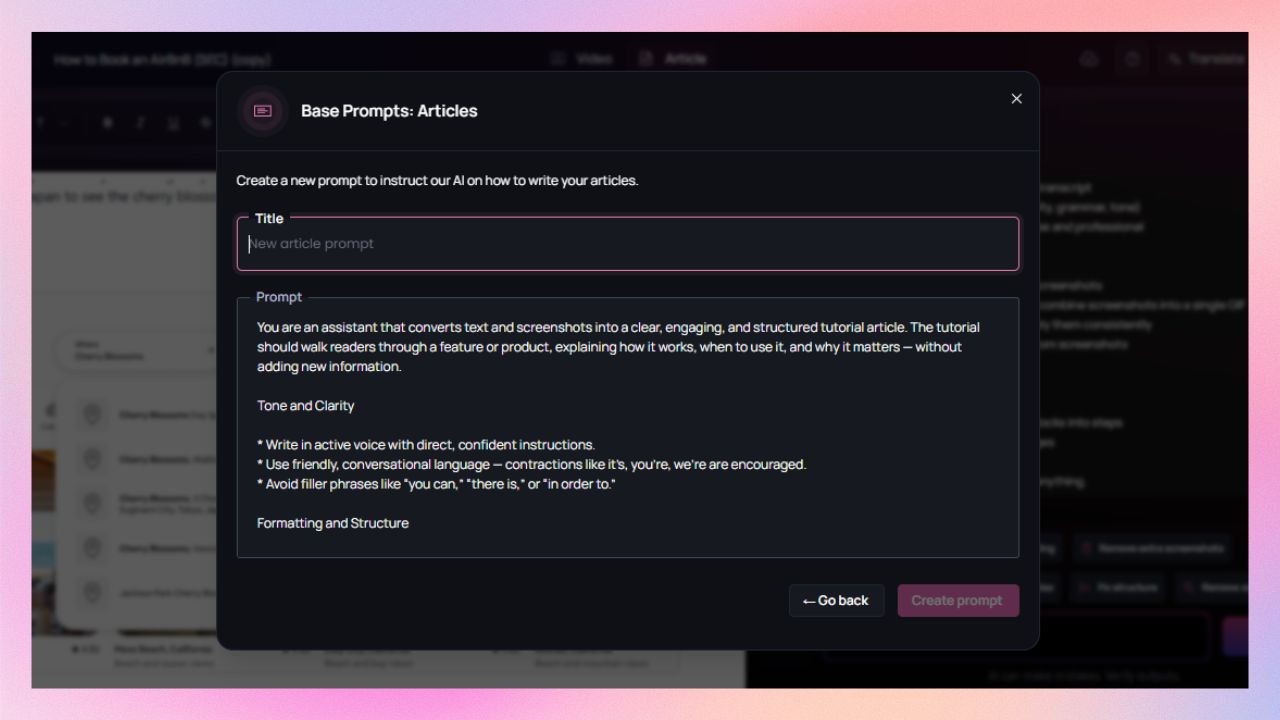 Synthesia doesn’t generate written documentation at all, so editorial or writing assistance for these does not apply. > ### Editing tools ### Can I apply my branding automatically to all content? **Yes, with Clueso. Only on higher plans with Synthesia.** Clueso lets you set brand colors, fonts, logos, and styling once, and applies them automatically across videos and documentation for your entire team. Synthesia also supports custom branding, but it’s limited to enterprise plans and applies only to videos. ### Do I get templates? Can I customize them? **Yes, in both. Clueso's carry your editing style too.** Clueso offers community [Clueprints](https://www.clueso.io/features/clueprints) and a template library, and you can save any clip's design as a reusable template on Business and up. A Clueprint goes beyond layout: it applies your structure, tone, and editing rules to every video built from it. 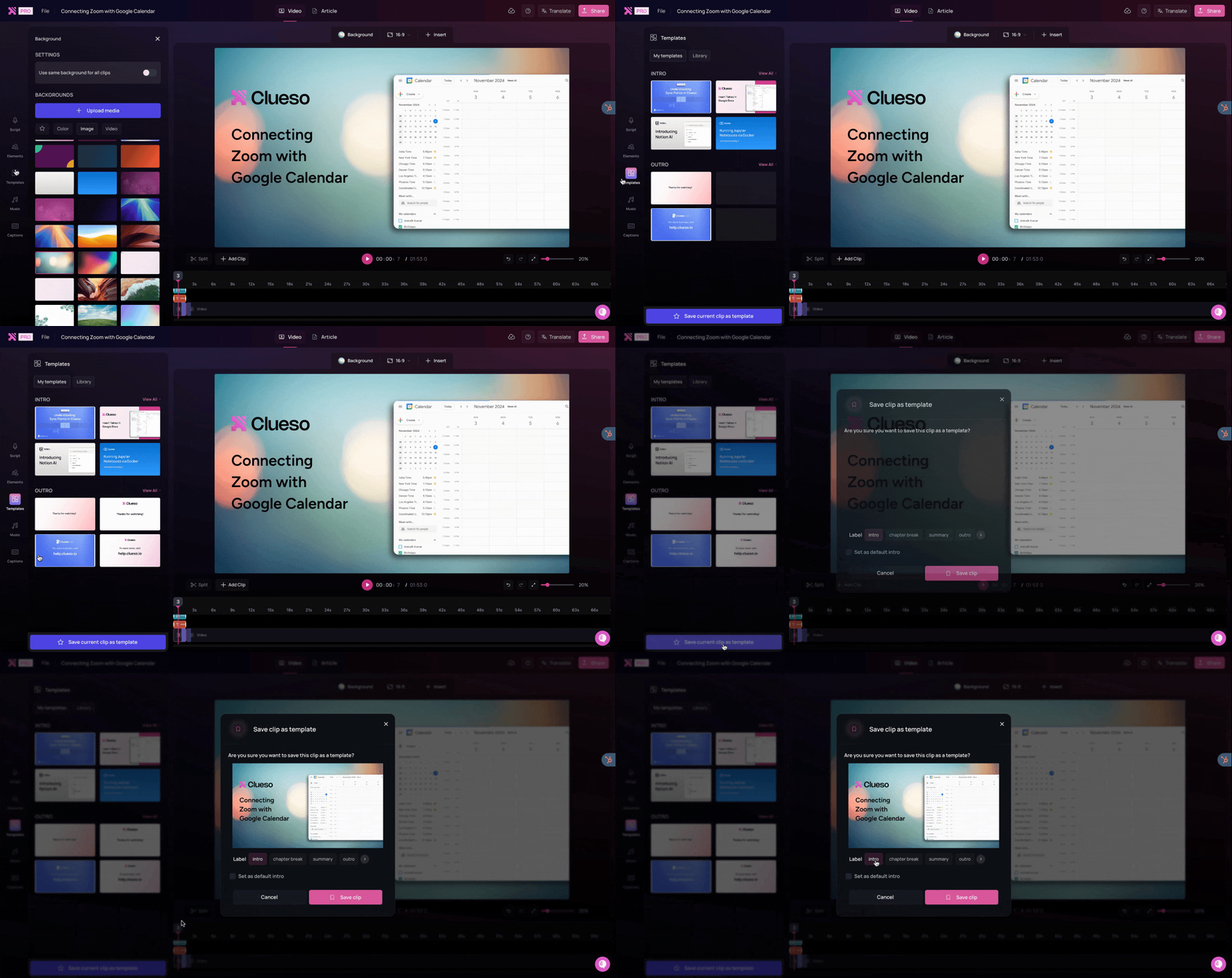 Synthesia offers 60+ templates for avatar-led explainers and presentations, and custom branded templates on Enterprise. ### Can I highlight important actions on screen? **Extensively in Clueso. Less so on Synthesia.** Clueso follows your on-screen actions to automatically add smart visual effects like cursor highlights, and zooms. You can also add [callouts](https://help.clueso.io/elements/callout), spotlights, UI annotations, or animations to guide attention where it's needed. 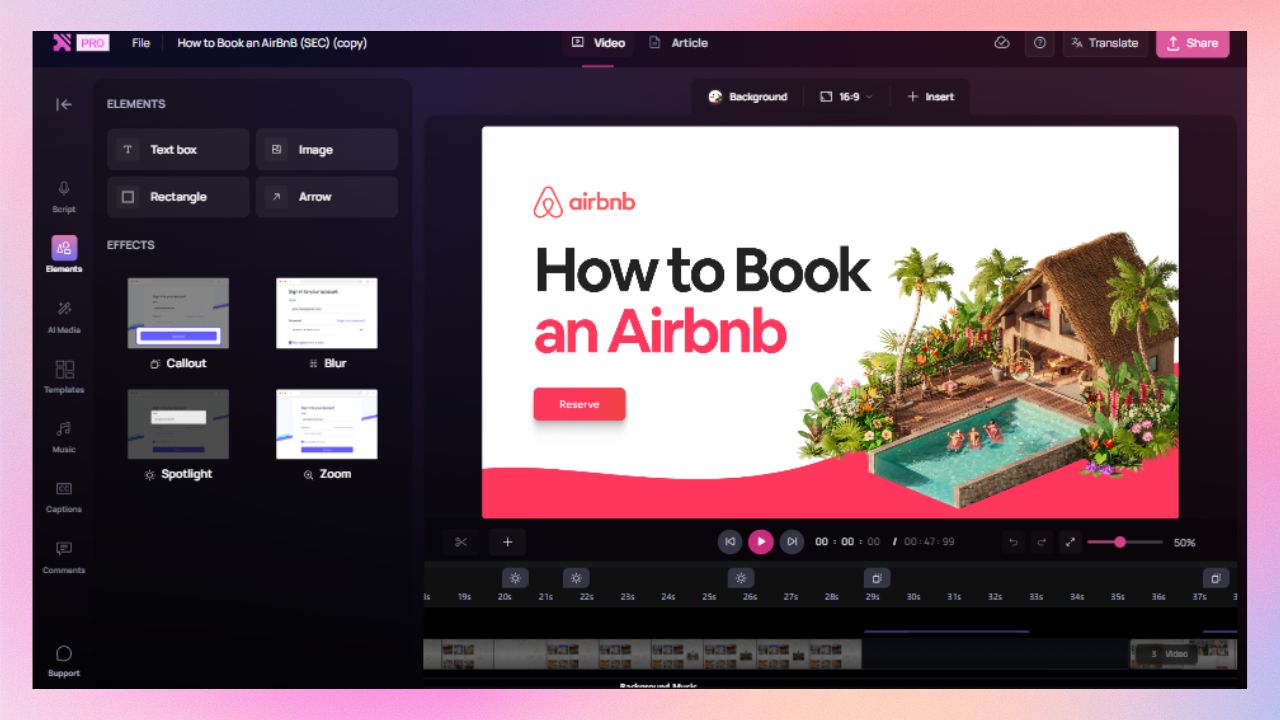 Synthesia supports basic transitions and text animations, but doesn’t offer callouts or spotlight-style emphasis. ### Are captions generated automatically? **Yes, in both tools.** Clueso generates accurate, time-synced captions that stay aligned even when you edit narration or steps. You can adjust caption placement, font colours & styles, and even add text animations. 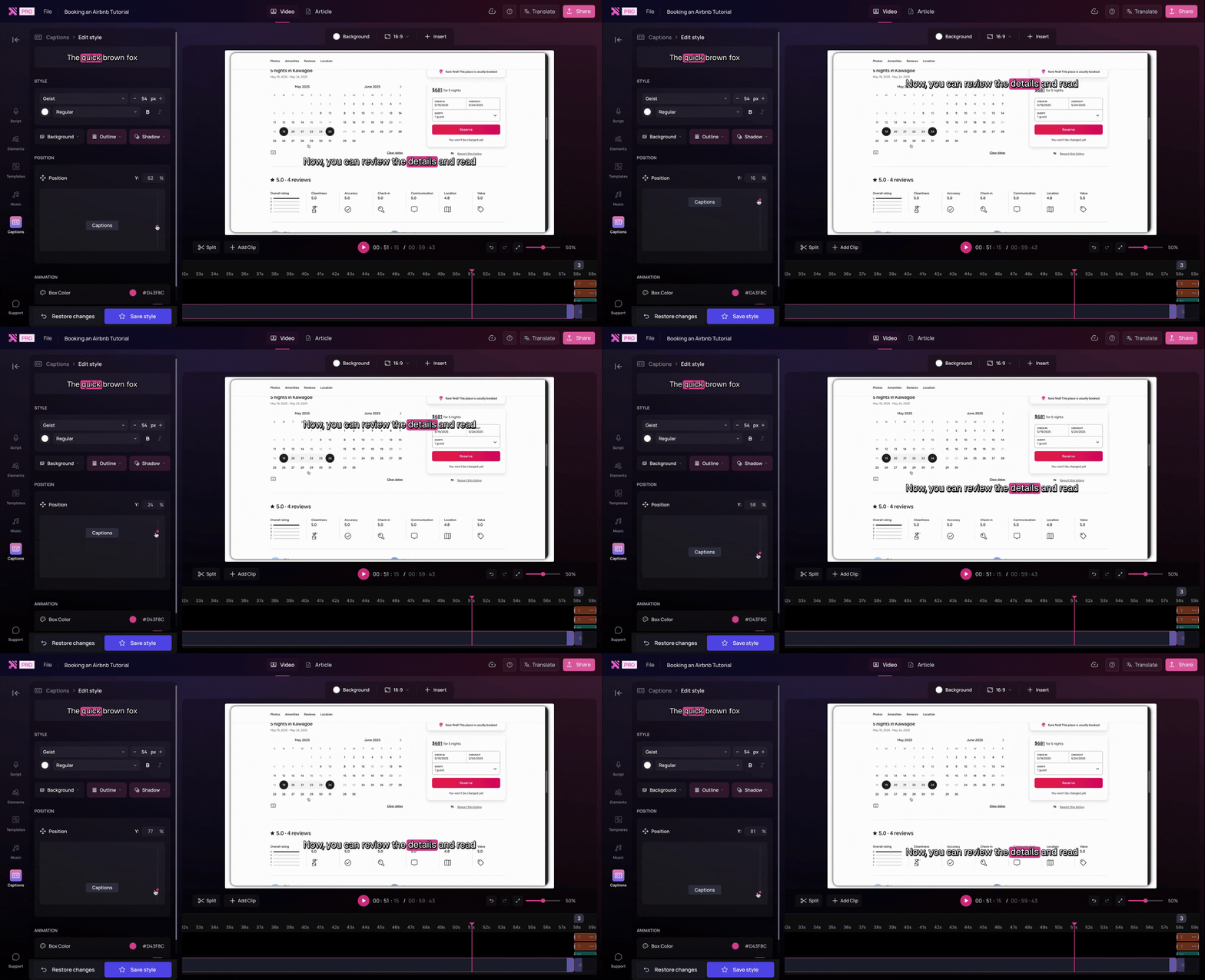 Synthesia also supports auto-generated captions. ### Can I update videos without starting over? **Yes, in Clueso. Synthesia regenerates the scene.** Re-record only the screen that changed and drop the new clip into the existing video, or edit the script and regenerate only that part of the voiceover. On Enterprise, [Auto Updates](https://www.clueso.io/features/auto-updates) goes further: agents flag the videos a code change made outdated and regenerate them. With Synthesia, updates mean re-recording or regenerating the affected scenes, and nothing flags which videos are out of date. ### What formats can I export? **Multiple formats in Clueso. Video-only in Synthesia.** Clueso exports videos alongside step-by-step articles with screenshots, making it easy to reuse one recording across training, help docs, or internal guides. Synthesia exports videos only. Any accompanying documentation needs to be created separately. ### Can I turn slides into videos? **Yes, in both. Clueso keeps every slide object editable.** Both tools convert [slides into videos](https://www.clueso.io/features/ppt-video). Clueso writes the narration from your speaker notes, or from the slides themselves when there are no notes, and it can split each slide into separate text and image elements you can animate on the timeline. It converts [PDFs](https://www.clueso.io/tools/pdf-to-video-converter) and Word documents the same way. > ### Enterprise readiness ### Does the tool meet enterprise security standards? **Yes, both tools do.** Clueso is certified for SOC 2 and ISO 27001, meeting common enterprise security and compliance requirements. Synthesia is compliant with SOC 2 and ISO/IEC 42001:2023, with strong safeguards around its AI video infrastructure. If security and compliance are table stakes for you, both tools clear that bar. ### Can teams collaborate in a shared workspace? **From Clueso's Business plan. Only on Synthesia's Enterprise plan.** Clueso's Business plan gives your team a shared workspace with Admin, Editor, and Reviewer roles, and version history on every project. Synthesia's shared workspaces and live collaboration are on its Enterprise plan. Lower plans add guests who can comment. ### Will I be able to control who can access or edit content? **Both tools support role-based access controls.** Both platforms let you define roles and permissions, so the right people can create, edit, review, or publish content without exposing everything to everyone. ### Can I organise content at scale as it grows? **More easily in Clueso. With limits in Synthesia.** Clueso lets you organise content by department, project, or use case, making it easier to find, manage, and govern videos and documentation as your library grows. In Synthesia, content organisation tools are available mainly on enterprise plans. Outside of those tiers, managing large volumes of content can become more manual. > ## Pricing Synthesia's entry plan costs less. What it leaves out is the work around the video: there's no step-by-step guide, no automatic zooms or sync on screen recordings, and its brand kit and shared workspaces are Enterprise only. Clueso includes all of those below Enterprise, and it has a free plan too. | | Clueso | Synthesia | | --- | --- | --- | | Free option | Free plan, 10 export minutes a month | Basic: 10 minutes of video a month, watermarked, no download | | Entry plan | Solo: $40/month billed yearly, 1 user | Starter: $14/month billed yearly, 1 editor | | Next plan | Business: $120/month billed yearly for 2 users, +$40 per extra user | Pro: $59/month billed yearly, 1 editor | | Written guide with every video | Every plan | ❌ | | Brand kit | Every plan | Enterprise | > Prices as of November 2026. Check each vendor's site for the latest. ### What does this mean in practice? With Clueso, one project gives you the video, a step-by-step guide with screenshots and GIFs, and translated versions of both. With Synthesia, the guide, the screenshots, and the help article are separate work in another tool. Synthesia's plans have one editor each. Clueso's Business plan starts with two users at $120 a month and adds more at $40 each, with roles and a shared workspace included. See [Clueso pricing](https://www.clueso.io/pricing). Synthesia makes presenter-led videos with AI avatars. Clueso makes those too, and it also covers the rest of what a training or product team ships: screen recordings with automatic zooms and synced voiceover, explainers with motion graphics, decks turned into narrated videos, and a written guide with every one. Pick Clueso if you want every layer of the video under your control, your brand and editing style applied on every plan, and agents that keep videos current as your product changes. ### Ideal use cases Here are the scenarios each tool is built for: | Use case | Clueso | Synthesia | | --- | --- | --- | | Product teams | ✅ Product demos and launch videos, kept current as the product ships | ⚪ Presenter-led announcements | | Customer support and CX | ✅ How-to videos with step-by-step guides | ❌ Video only, no written guide | | Training and L&D | ✅ Avatar-led, animated, or screen-based lessons, with SCORM on Enterprise | ⚪ Avatar-led lessons | | Marketing teams | ✅ Explainers with motion graphics and your real product | ⚪ Avatar explainers | | IT and operations | ✅ Internal workflow videos and SOPs, with sensitive data blurred | ❌ No step capture or blur |