Camtasia is a powerful video editing suite for experienced content creators. Clueso makes it easy for anyone on your team to create studio-quality videos and documentation 5x faster — without steep learning curves or editing experience.
If you’re deciding which tool is a better fit for how your team makes videos, this comparison is a good place to start.
## What makes Clueso different from Camtasia ## The questions feature lists don’t cover ## Clueso vs Camtasia: Which One Is for You? ## Frequently asked questions ### How is Clueso different from Camtasia? Camtasia is a traditional video editing tool that gives you full manual control - trimming, layering, and syncing everything yourself. Clueso, on the other hand, automates the entire process. It records your screen, detects steps, removes pauses, adds AI voiceovers, and produces polished videos and articles in minutes. ### Do I need video editing experience to use Clueso? Not at all. \*\*Clueso was built for non-editors.\*\* It automatically cleans up your recording, adds zoom effects, and syncs narration perfectly. What takes hours in Camtasia happens in a few clicks with Clueso. ### Can I still use Camtasia with Clueso? Yes. Many teams use Clueso to create content faster and then fine-tune in tools like Camtasia if needed. But for most use cases, like product demos, training videos, tutorials, and help content, Clueso’s built-in automation makes additional editing unnecessary. ### Can Clueso replace my video editor entirely? For most teams, yes. Clueso removes the need for manual editing. It handles trimming, captions, voiceovers, translations, and exports automatically, so you can focus on capturing workflows instead of managing a timeline. ### Can Clueso handle professional branding and exports? Absolutely. Every video and article automatically includes your logo, colors, and fonts. You can export in multiple formats, like MP4, HTML, PDF, or rich text, and embed your content anywhere. ### How do I get started with Clueso? You can try Clueso free for 7 days. Just sign up, record your first workflow, and watch the platform automatically turn it into a complete, ready-to-publish video and guide. ### FAQ question 4 FAQ answer 4 ### Video Creation Features | Feature | Clueso | Camtasia | | --- | --- | --- | | Inbuilt screen recorder | ✓ | ✓ | | Auto-script generation from screen recordings | Advanced | ❌ | | AI voiceovers | ✓ | via Audiate | | Audio tag for expressive voiceover | ✓ | via Audiate | | Pronunciation dictionary | ✓ | ❌ | | AI avatars | ✓ | Pro-version only | | Custom AI avatars | Basic | ❌ | | Automatic audio transcription | ✓ | ❌ | | Video editing | AI-automated | Manual | | Audio-video sync | Automated | Manual | | Filler removal | Automated | ✓ | | Upload existing videos | ✓ | ✓ | | Convert PPT/slide decks to videos | Advanced | Basic | | Convert PDF/Word documents to video | ✓ | ❌ | | Break down long recordings into bite-sized videos automatically | Advanced | ❌ | | 1-click translation | ✓ | Limited | | Translation glossary | ✓ | ❌ | | Auto-generated closed captions | ✓ | ❌ | | Background music | ✓ | ✓ | ### Documentation Features | Feature | Clueso | Camtasia | | --- | --- | --- | | Step detection and process capture | ✓ | ❌ | | Step-by-step documentation generation | ✓ | ❌ | | Convert screenshots to GIFs | ✓ | ❌ | | Custom formatting and style guidelines | ✓ | ❌ | | Article co-pilot to edit SOPs based on text in | ✓ | ❌ | | Breaking down long recordings into SOPs for each process/workflow | ✓ | ❌ | ### Editing Features | Feature | Clueso | Camtasia | | --- | --- | --- | | Branding options | ✓ | Manual | | Custom templates | ✓ | ✓ | | Zoom effects | Automatic | ✓ | | Visual effects (callouts, spotlights, text animations, transitions, etc) | Advanced | Advanced | | Export formats | MP4 videos; HTML & rich text for articles | MP4 video-only | | Publishing | Direct embeds to Help Centre | Export-only | ### Team Collaboration | Feature | Clueso | Camtasia | | --- | --- | --- | | Shared workspace | ✓ | Basic | | Video reviews with comments | ✓ | Via Screencast | | Version control | Advanced | Basic | | User permissions | Advanced | Limited | ### Enterprise Features | Feature | Clueso | Camtasia | | --- | --- | --- | | Security compliance | SOC2, ISO 27001 | SOC2, ISO 27001 | | Admin controls | Full | Limited | > ### Video Creation ### Can I record my actual product or workflow? **Yes, in both.** Both Clueso and Camtasia come with built-in screen recorders, so you can capture your product, workflow, or process easily. ### Do I need to write or clean up a script manually? **Yes, with Camtasia. But not with Clueso.** With Clueso, you don’t need to prepare a script upfront. You can start by simply recording and explaining things in your own words — even if it’s clunky, meandering, or full of ums and aahs. Clueso [improves that rough narration](https://help.clueso.io/voiceovers/ai-rewrite) into a polished, structured script. You can edit it later, manually or using [prompts](https://help.clueso.io/voiceovers/Use-Prompt-Hub), without worrying about re-syncing. Camtasia simply transcribes your narration and removes filler words.; there’s no auto-script enhancement. So, you need to start with a well written script. Any real script changes mean manually adjusting scenes and re-syncing audio and video. ### What about voiceovers and narration quality? **Both tools support AI voiceovers, but Clueso gives you more control by default.** With Clueso, you can control the tone, pacing, and match the delivery of your [AI voiceovers](https://www.clueso.io/features/ai-voiceovers)to the context of the video using voice tags. You can also control how AI pronounces specific terms with the [pronunciation dictionary](https://help.clueso.io/voiceovers/pronunciations). [Watch the video](https://www.youtube.com/embed/ahqv91g9QXE?iv_load_policy=3&rel=0&modestbranding=1&playsinline=1&autoplay=0&mute=1) With Camtasia, AI voiceovers are available via Audiate. While it supports filler word removal, control over expressions or pronunciation needs manual adjustment or using a different tool entirely. ### Do audio and visuals stay in sync when I edit? **Automatically in Clueso. Manually in Camtasia.** With Clueso, [audio-video sync](https://help.clueso.io/sync-points/introduction) is automated. When you edit the script, add sections, or trim clips, the platform keeps everything aligned without manual intervention. You can fine-tune it further using sync point markers. With Camtasia, syncing is manual. Every time you adjust the narration or restructure a scene, you have to realign the audio and visuals yourself. For one-off edits this may be manageable. For repeated usage, the difference adds up quickly. ### Do these tools support AI avatars? Yes, both tools support [AI avatars](https://help.clueso.io/elements/ai-avatars). Both tools provide a range of realistic AI avatars to choose from and also lets you create custom AI avatars. 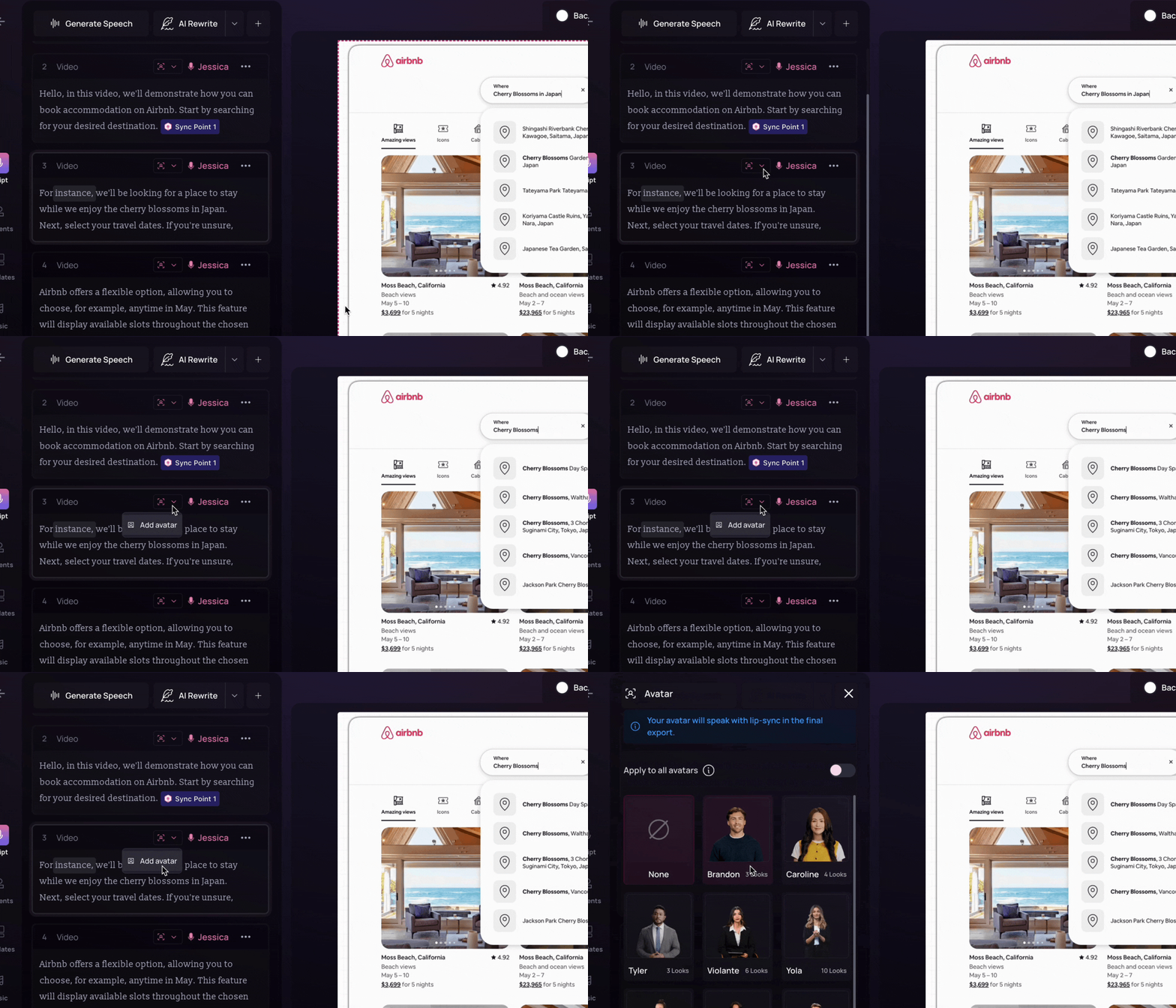 ### What does the video editing process look like? **AI-automated in Clueso. Fully manual in Camtasia.** With Clueso, video editing is an AI-automated workflow while still allowing manual tweaks. It generates a structured script from your screen-recording, generates voiceover, adds visual elements for clarity, and keeps everything synced. With Camtasia, editing is still a traditional post-production workflow. You assemble clips, clean audio, add effects, and manage timing manually. ### Can I convert slides or documents into videos? **Both can handle slides. Only Clueso goes beyond that.** Both tools let you convert PPT or [slide decks into videos](https://www.clueso.io/features/ppt-video). But this process is more advanced with Clueso. It can generate scripts from your slides and add narration. Clueso also supports converting PDFs and Word documents directly into videos. With Camtasia, slide-to-video conversion is more basic. You can either record the presentation with PowerPoint Add-In or export them one by one to build your video. You can add voiceovers and other video enhancements manually. But Camtasia does not support document-to-video workflows. ### Can I turn long recordings into multiple short videos? **Automatically with Clueso, but not with Camtasia.** [Clueso Cuts](https://help.clueso.io/ai-tools/clueso-cuts)can analyze long recordings and break them into bite-sized videos automatically. You can either use preset prompts or add custom instructions regarding how to create these short clips. [Watch the video](https://www.youtube.com/embed/f_-IUw-cUh4?iv_load_policy=3&rel=0&modestbranding=1&playsinline=1&autoplay=0&mute=1) Camtasia doesn’t offer any such automated feature. It requires manual editing and exporting each video separately. ### What about localization? **Clueso is scalable while Camtasia is limited.** Clueso can [translate](https://www.clueso.io/features/auto-translate)your content in multiple languages with just one click. It automatically generates closed captions in 20+ languages and supports AI voiceovers in 40+ languages with a range of accents. Clueso also includes a [translation glossary](https://help.clueso.io/translation/translation-glossary) that lets you control how specific terms are translated. 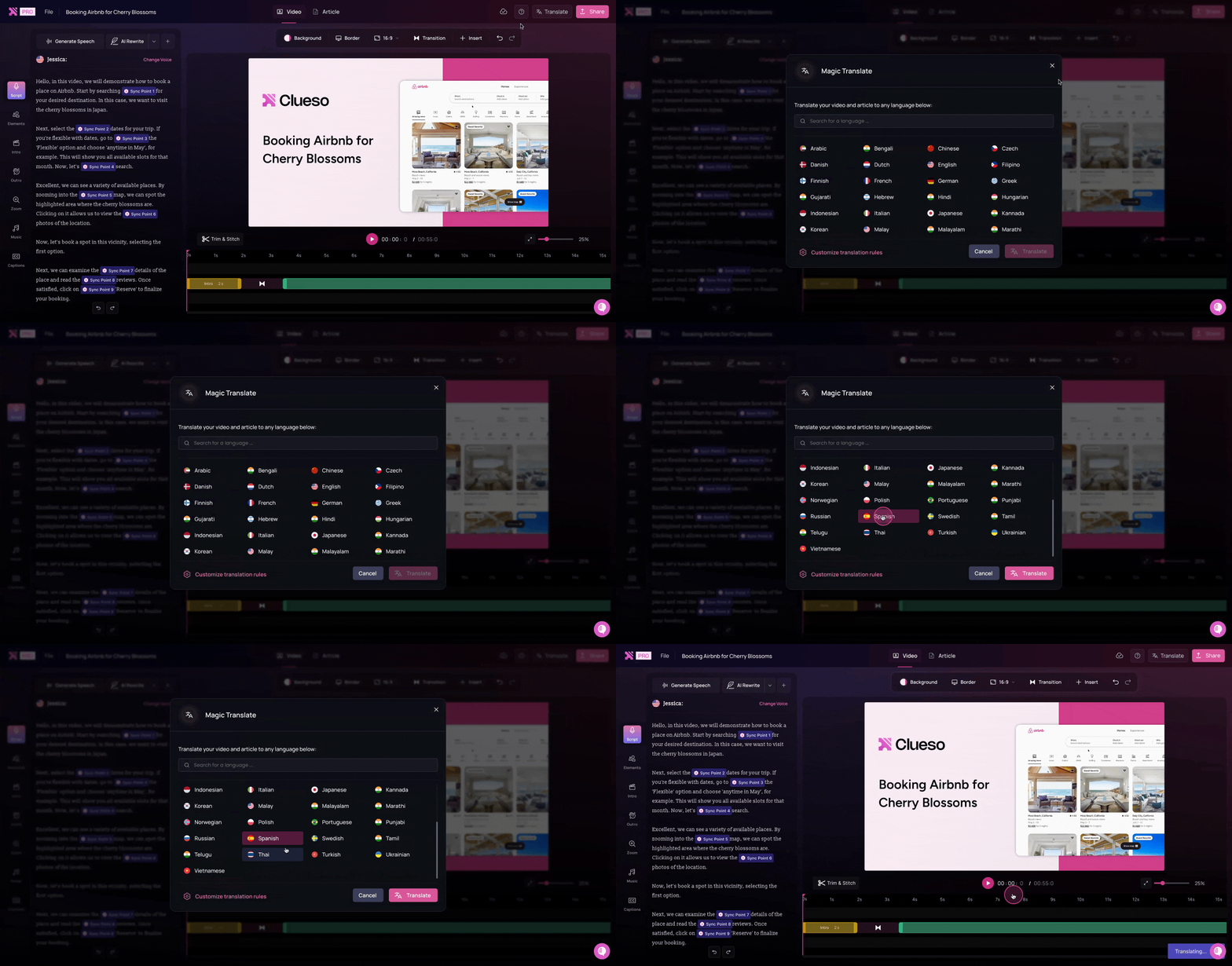 Camtasia’s translation capabilities are limited. It supports translation in 7 languages via Audiate. If you’re creating content for global customers, this difference matters early. > ### Step-by-step guide creation ### Can it convert videos into written SOPs and step-by-step guides? **Clueso can, Camtasia can’t.** Clueso detects the steps of a workflow directly from your screen-recording and generates step-by-step [documentation](https://www.clueso.io/features/help-articles)with screenshots and detailed instructions. Clueso also includes a [copilot](https://help.clueso.io/article/article-copilot) that helps edit your guides with chat-based interactions. 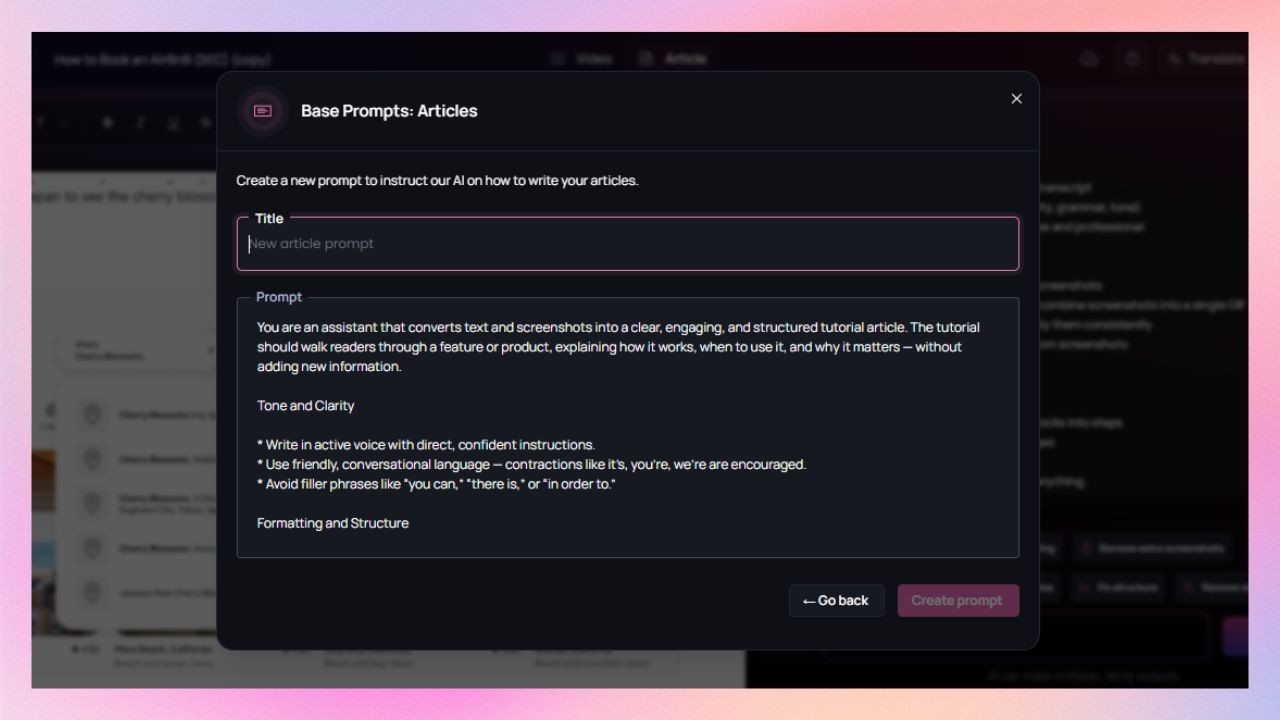 Camtasia doesn’t generate documentation. So, you have to create written guides manually or in an external app separately. ### Can I generate screenshots and GIFs? **Yes, with Clueso. Not with Camtasia.** Clueso captures [screenshots](https://help.clueso.io/article/screenshots/add-screenshots) from the screen-recording automatically. It also lets you convert these screenshots into [GIFs](https://help.clueso.io/article/screenshots/screenshot-gif) with the cursor movement and highlights. 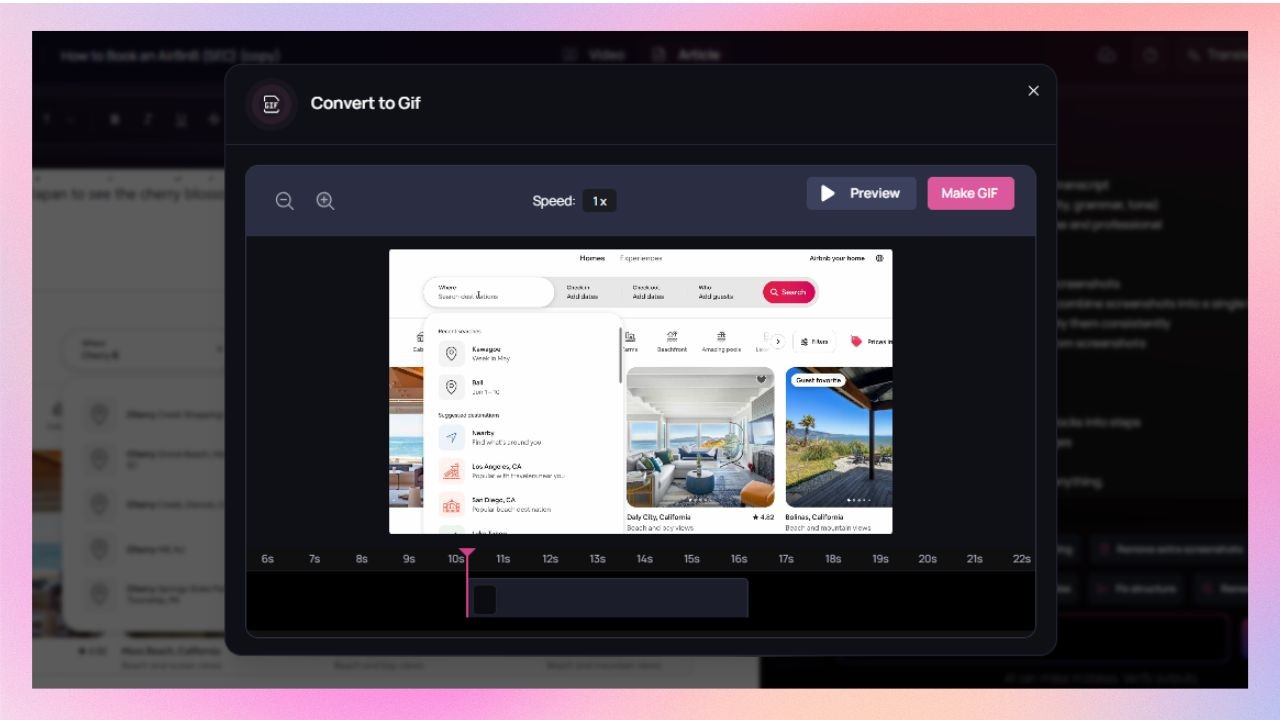 Camtasia doesn’t support screenshots or turning them into GIFs. ### Can I keep documentation on-brand? **In Clueso, you can. Not applicable in Camtasia.** Clueso supports custom formatting rules, fonts, colours, and logos for documentation. It means every step-by-step guide stays on brand. Camtasia doesn’t generate documentation, so branding written content isn’t applicable to it. ### Can one long recording become multiple SOPs? **Clueso does it automatically. Camtasia doesn’t.** Clueso can identify distinct workflows and processes within a single screen-recording and break it into multiple SOPs. Camtasia doesn’t support this type of content reuse. > ### Editing tools ### Can I apply branding automatically? **Yes, in Clueso. Manually in Camtasia.** Clueso lets you set brand styles with logo, font, and colours once and applies them automatically across all the videos and written documentation you create. Camtasia supports custom branding, but only for videos. ### What about templates? Can I customize them? **Yes, both tools support templates.** Clueso offers a template library with pre-designed [templates](https://help.clueso.io/clips/templates/templates). You can also build and save custom templates according to your needs. 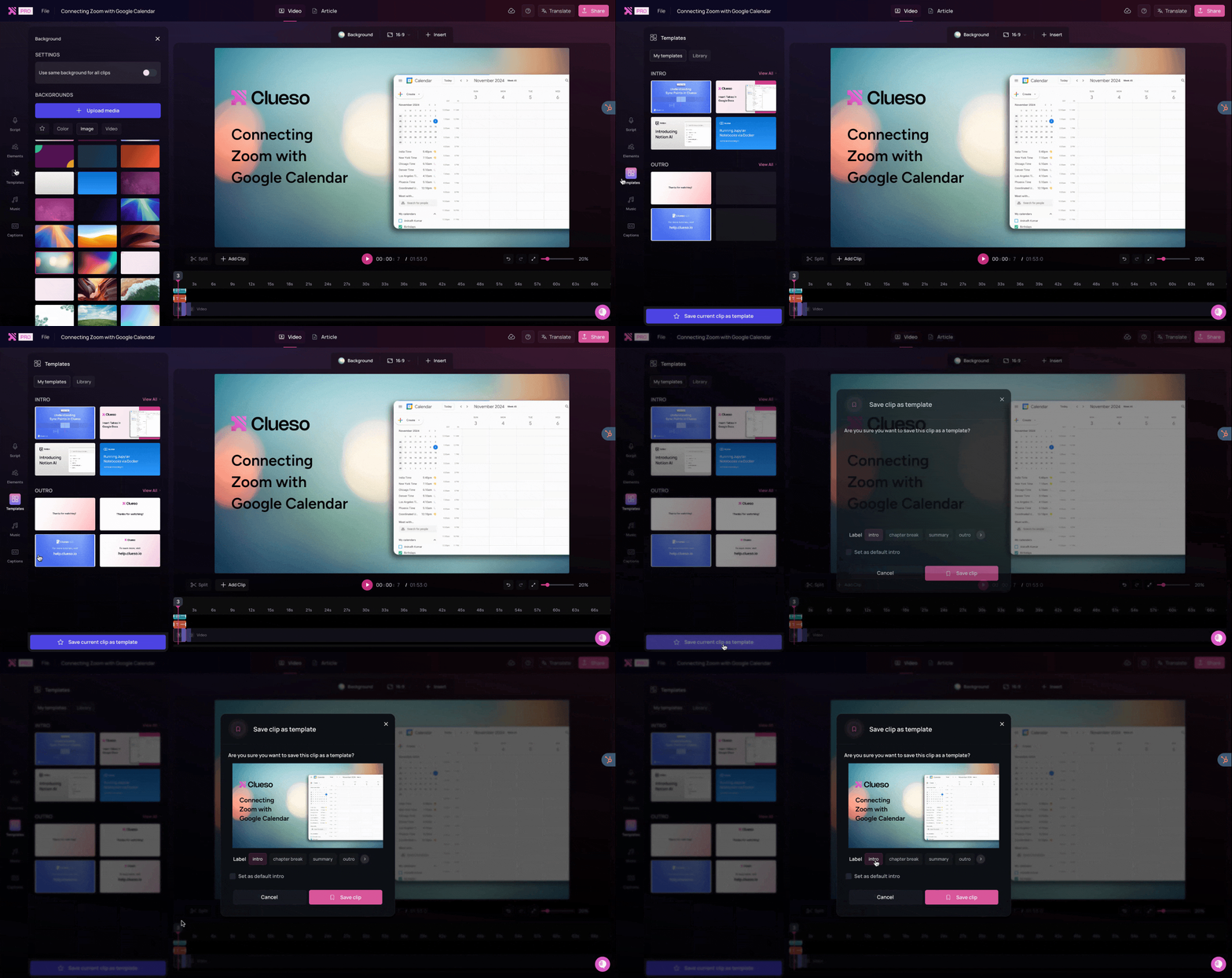 Camtasia Asset website holds all the pre-designed templates for Camtasia. You can simply export them or create your own templates. ### Can I add visual effects to highlight important on-screen actions? **Yes, you can do it in both the tools.** Both Clueso and Camtasia offer advanced visual effects. Clueso detects the steps of a workflow from the screen recording and adds visual elements such as [zoom](https://help.clueso.io/elements/zooms/add-zoom), [spotlight](https://help.clueso.io/elements/spotlight), [callout](https://help.clueso.io/elements/callout), etc as needed. You can fine tune these further or add them manually for better clarity. 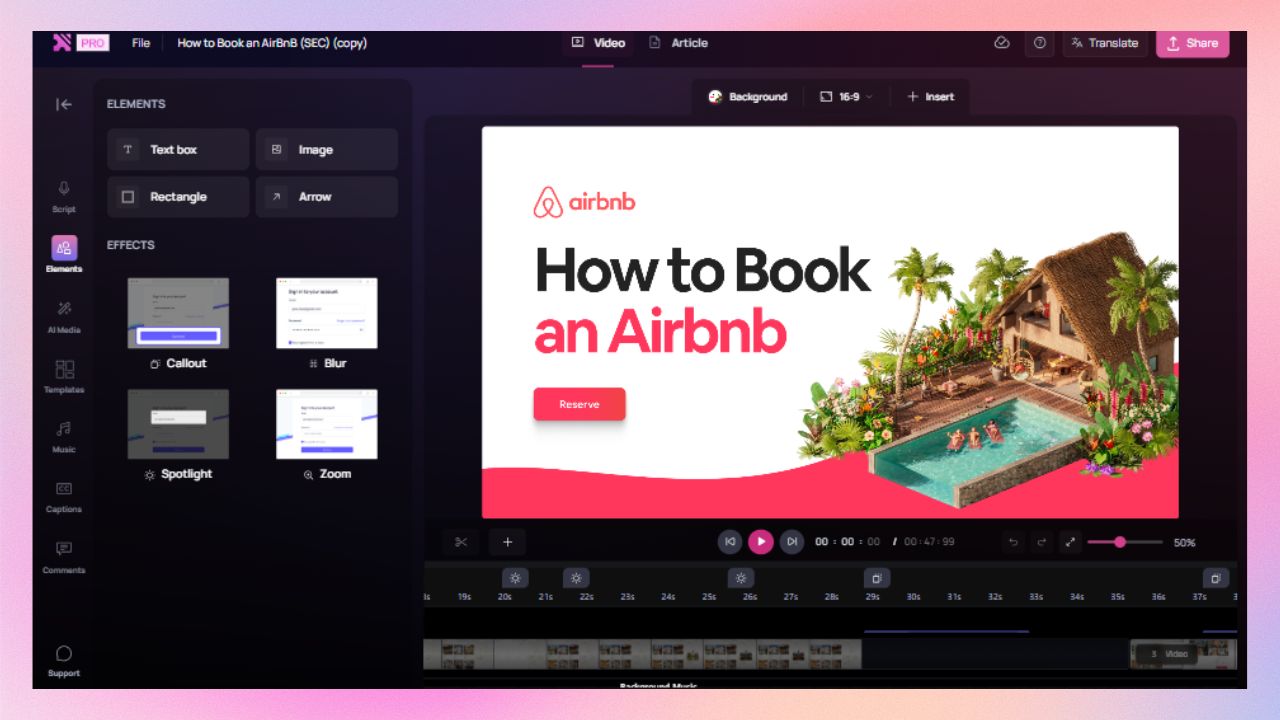 SmartFocus automatically adds zoom and pan animation to screen recordings made with Camtasia Recorder. You can apply additional visual effects manually. ### What formats can I export? **Video and SOPs with Clueso, only videos with Camtasia.** Clueso exports [videos](https://www.clueso.io/features/video-features) as well as written documentation with screenshots. Camtasia exports videos only. Any accompanying documentation needs to be created separately. > ### Enterprise readiness ### Does it meet enterprise security standards? **Yes, both tools meet the security standards.** Both Clueso and Camtasia are compliant with SOC 2 and ISO 27001. ### Can teams collaborate easily? **Yes, but Clueso offers more control than Camtasia.** Both tools support shared workspaces. Clueso offers advanced version control and role-based permissions. It allows you to review videos by adding comments directly on the file. Camtasia supports collaboration, but features are quite limited. You can add review comments to vidoes but only via Screencast. > ### Pricing While Camtasia’s annual pricing looks lower, its single-user model and manual editing workflow limit scalability. Clueso’s team-based pricing includes automation, collaboration, and multi-format output — dramatically reducing total production time and cost. | Feature | Clueso | Camtasia | | --- | --- | --- | | Starting Cost | $120/month (billed yearly)Includes video + documentation creation for 2 users | $179.88/year (billed yearly)Single-user desktop license | | Free Trial | ✅ 7 days | ✅ Trial with watermark | | Team Pricing | Per team | Per user | \| **Note**: Pricing is subject to change. Check each provider’s site for the latest. ### What does the pricing difference mean in practice? **Content ROI** With Clueso, one subscription includes both video and documentation creation for multiple users. A single screen-recording can support videos, SOPs, GIFs creation, translating and updating content, and ongoing updates. With Camtasia, pricing is tied to a single-user desktop license. Each license covers video editing only. As more people need to create or update content, costs scale per user. If you loves timeline editing and manual tweaks, **Camtasia** is your toolkit. If you’re a **product or support professional** who needs to document workflows quickly, **Clueso** is your ideal co-pilot. It captures your screen, writes your script, automates voiceovers with AI, generates your article, and publishes it much faster. Clueso enables customers to create their videos in 80% lesser time as compared to Camtasia on average because of the workflows it automates. And the simple interface makes it super easy to use which makes it a trusted choice, even for people who have never created videos professionally – product teams, marketing teams, customer success/support team, sales enablement, IT, etc ### Ideal Use Cases Here are the different scenarios each tool excels in: | Use Case | Clueso | Camtasia | | --- | --- | --- | | Product Demos & Tutorials | ✅ Capture real workflows automatically | ✅ Manual recording & editing | | Step-by-step Articles | ✅ Auto-generated from recordings | ❌ Manual creation | | Marketing Explainers | ✅ Authentic product showcases | ✅ Polished, cinematic edits |